Otter.ai Review 2026 - Features, Pricing & Deals

Last Updated
Feb 14, 2026

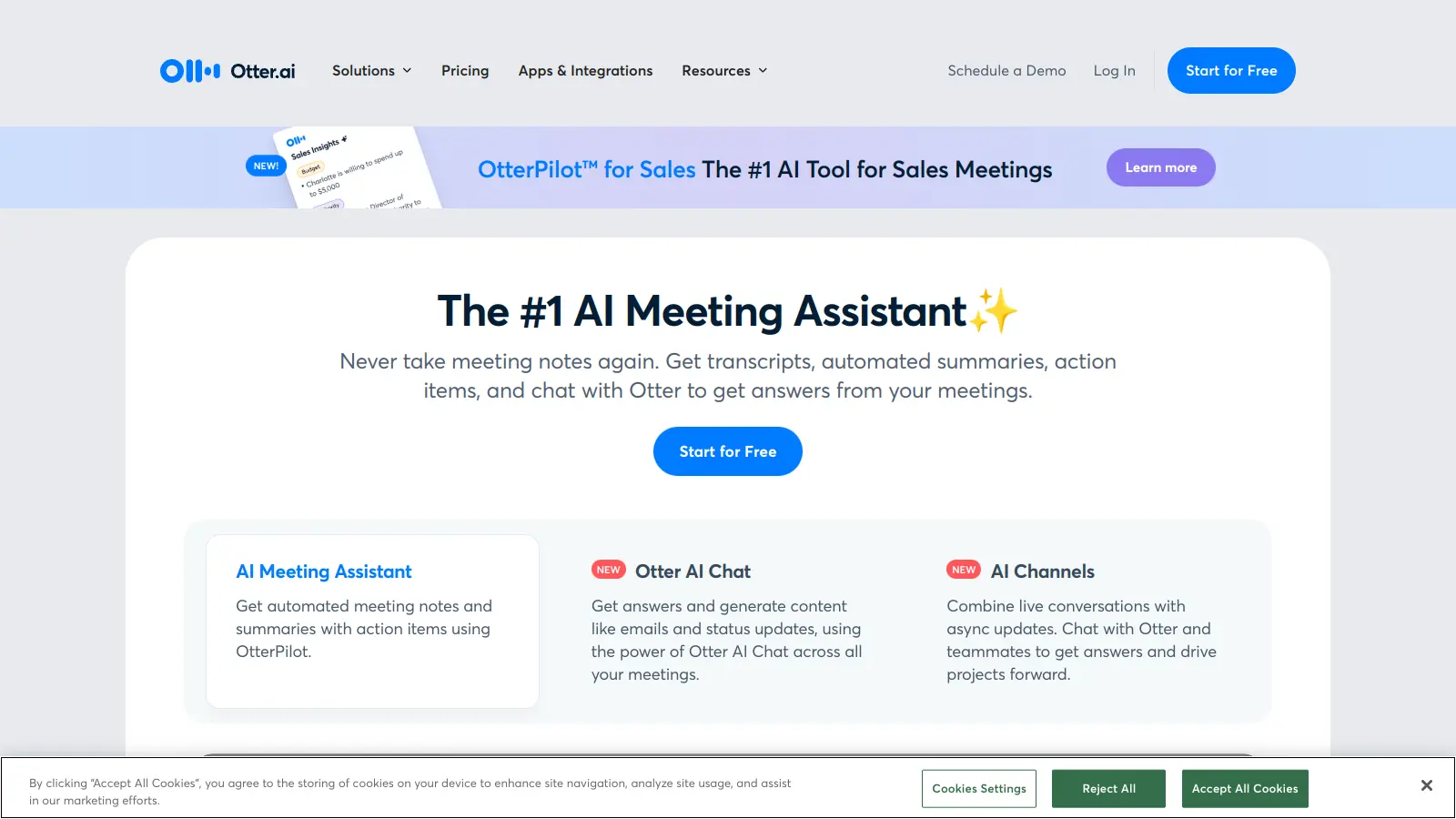
Otter.ai is an AI-powered transcription and note-taking tool that turns spoken conversations into searchable, shareable text. It captures meetings, lectures, and interviews without manual note-taking.

The platform works with Zoom, Microsoft Teams, and Google Meet. Users record conversations, get real-time transcriptions, and collaborate on shared notes. Otter can automatically join meetings through calendar integration via its OtterPilot feature.

Notable features include speaker identification with timestamps, automated summaries that highlight key discussion points, and action item tracking. The AI Chat feature lets you query transcripts and generate content from your meeting notes. Teams can add comments, highlight important sections, and search through transcripts to find specific information quickly.

The free plan offers 300 monthly minutes. Paid plans unlock longer recording times, custom vocabularies, and more collaboration tools. You can also import audio and video files for transcription, and export your notes in multiple formats.

Who is Otter.ai for?

Otter.ai is for people who attend meetings, conduct interviews, or record lectures and need those conversations in searchable text form.

  • Content Creators - Podcasters, journalists, and video producers convert interviews and recordings into searchable text instead of transcribing manually.
  • Remote Teams - Distributed teams get automatic meeting notes they can search and share after calls, with action items tracked automatically.
  • Students and Academics - Students focus on understanding lectures instead of writing everything down, with complete transcripts available for review.
  • Executives and Managers - Leaders search past meetings for specific decisions without rewatching entire recordings.
  • Business Teams - Organizations needing collaborative editing, CRM sync, and admin controls use Business and Enterprise plans.
  • People with Hearing Disabilities - Real-time text transcription and live captions help people with hearing challenges participate in conversations.

Professionals across education, media, healthcare, technology, and business services use Otter.ai when they need to reference conversations later.

Online Reviews (Last 6 Months Summarised)

Users praise Otter.ai for accurate speech-to-text conversion and real-time transcription. The integration with Zoom, Google Meet, and Microsoft Teams gets high marks, along with the interface that makes it easy to navigate. Searchable transcripts save time on manual note-taking, and pricing is affordable compared to competitors. The automatic speaker identification and mobile app are frequently mentioned as valuable.

Transcription accuracy drops with heavy accents or background noise. The free plan's 300-minute limit frustrates users who want more. Privacy concerns about data storage come up in reviews. There's a learning curve for advanced features. Syncing between devices glitches occasionally, and processing times for longer recordings can drag. Language support is limited compared to some competitors, a problem for multilingual teams.

Features

  • Real-Time AI Transcription: Converts spoken language into written text during meetings, lectures, and interviews with speaker identification and timestamps.
  • Automated Summaries and Action Items: AI-generated meeting summaries capture key discussion points and identify action items, saving time on post-meeting follow-up.
  • AI Chat for Transcripts: Query your transcripts and generate content using AI Chat to extract insights and information from past conversations.
  • Calendar and Platform Integration: Connects with Zoom, Google Meet, Microsoft Teams, and calendar services (Google, Microsoft, iOS) so OtterPilot can automatically join and transcribe scheduled meetings.
  • Advanced Search Capabilities: Locate specific information within transcripts using search features that work across all your notes.
  • Collaborative Workspaces: Organize notes with folders and channels, highlight and comment on transcripts in real-time, and share with team members.
  • Import and Export Options: Upload audio and video files for transcription, and export your notes in multiple formats to use in other tools and workflows.

Pricing

  • Basic Plan is free and includes 300 monthly transcription minutes with a 30-minute conversation limit per meeting.
  • Pro Plan costs $8.33 per month (annual billing) or $16.99 monthly, offering 1,200 transcription minutes and 90-minute conversation limit with advanced search and export features.
  • Business Plan starts at $19.99 per user monthly (annual billing) or $30 monthly, providing 6,000 monthly transcription minutes per user, 4-hour conversation limit, unlimited file imports, and administrative features.
  • Enterprise Plan offers custom pricing with custom minutes, advanced security features like SSO and 2FA, admin controls, and organization-wide deployment.

Frequently Asked Questions

How accurate is Otter.ai's transcription for different accents and languages?

Otter.ai works best with clear audio and standard English accents. Transcription is generally accurate for most English speakers, but heavy accents, industry-specific terminology, or overlapping speakers cause issues. Background noise also affects accuracy. The custom vocabulary feature helps by teaching Otter your specific terms, names, and jargon. For best results, use good quality audio equipment and speak clearly during recordings.

Can I use Otter.ai offline or without an internet connection?

No, Otter.ai requires an internet connection. Real-time transcription, recording, and collaboration tools need online access. The app processes your audio through cloud-based AI systems rather than locally on your device. If you're using Otter in areas with spotty internet, record audio separately as a backup and upload it for transcription when you're back online.

How do I share Otter.ai transcripts with people who don't have an account?

You can export transcripts as text files, Word documents, or PDFs to share with anyone without requiring an Otter account. However, for collaboration features like comments and highlights, recipients need an Otter account. With paid plans, you can create shareable links with specific permissions. Free plan users have more limited sharing capabilities.

Does Otter.ai automatically join all my scheduled meetings?

Otter.ai can automatically join meetings you've connected through calendar integration using OtterPilot, but you control this behavior. To manage which meetings Otter joins, check your settings under "Connected Calendar" and adjust your preferences. You can also manually start and stop Otter for specific meetings. If you don't want automatic transcription for certain conversations, disable this feature or disconnect your calendar temporarily.

What happens to my recordings and transcripts? Is my data secure?

Otter.ai stores your recordings and transcripts on their servers. Your data is encrypted during transfer and at rest. You retain ownership of your content, but Otter uses anonymized data to improve their AI systems. Business and Enterprise plans offer enhanced security features like SSO and 2FA, along with admin controls and longer data retention. If you're handling sensitive information, review their privacy policy and consider upgrading to a plan with additional security measures.

Other Tools To Check Out

Best Deal

Try Free: Get 800 minutes of AI transcription per month with basic meeting notes and search features. Annual billing saves 44% on Pro and 34% on Business plans.

Redeem Now

Best Deal

Try tl;dv's free plan with unlimited recordings, transcripts, and AI summaries — capture every meeting moment.

Redeem Now

Best Deal

Try Copilot Free: Experience basic AI assistance without Office integration

Redeem Now

Find Out How Best To Utilise Tools

Our newsletter comes with exclusive discounts, trials and practical insights from within the industry

Sign Up Today