Kissflow Review 2026 - Features, Pricing & Deals

Last Updated
Feb 13, 2026

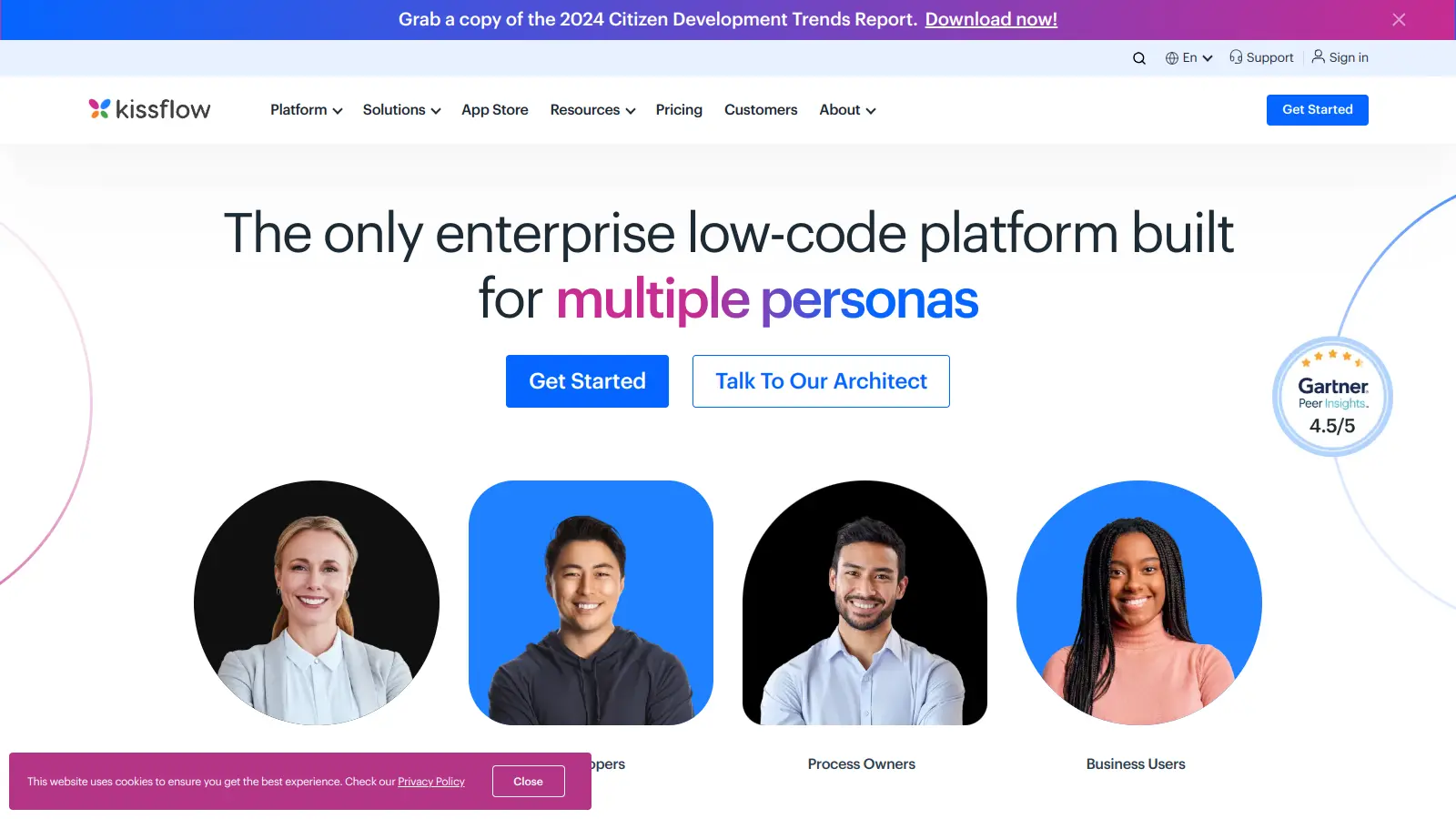
Kissflow helps businesses streamline their operations through workflow automation and process management. This AI-powered platform combines low-code and no-code application development tools to simplify how organizations handle their day-to-day tasks and build custom enterprise apps.

The platform includes AI-driven features like natural language prompts for building workflows, smart field suggestions, and automated data extraction from documents. Users can design forms, set up approval chains, and create custom boards using drag-and-drop tools. Integrations work with Google Workspace, Microsoft 365, and other business applications.

Security features include role-based access control, data encryption, audit logs, and SSO support, while the analytics suite helps teams monitor performance and identify areas for improvement. Platform administrators get governance controls and user provisioning to monitor sensitive data.

Starting at $2,500 monthly, Kissflow serves both small teams and large enterprises. The Basic plan covers limited apps with unlimited workflows, while the Enterprise plan includes AI Copilot, unlimited apps and workflows, advanced analytics, and priority support with SLA guarantees.

Who is Kissflow for?

Kissflow works for business users, process owners, and app developers who need to build enterprise applications and automate workflows without extensive technical skills.

  • Business analysts and process owners who need to build MVPs and custom apps using natural language prompts without formal training
  • App developers looking to automate repetitive tasks and build complex applications faster with AI-assisted tools
  • Platform administrators who need to monitor sensitive data, enforce governance policies, and resolve issues across the organization
  • IT and business leaders seeking to enable citizen development and accelerate digital transformation initiatives
  • Small to medium businesses who want affordable automation and app development capabilities without hiring dedicated developers
  • Department managers who want to create custom workflows, boards, and approval processes that fit their specific needs
  • Operations directors who need to connect multiple business systems while maintaining security standards and audit trails

This tool serves professionals across industries who need to quickly build and deploy custom applications, manage cases, track projects, and automate workflows without traditional development timelines.

Online Reviews (Last 6 Months Summarised)

Kissflow receives positive feedback from users on platforms like G2 and Capterra who appreciate its easy-to-use no-code interface for building workflows and apps. The drag-and-drop design gets consistent praise, and many small to medium businesses find it an affordable way to automate processes without traditional development. Users highlight responsive customer support, regular updates, and smooth integrations with Google Workspace and Microsoft 365. The platform saves time compared to conventional development approaches, with quick setup and deployment cycles.

Reporting and analytics features are basic and lack the depth that some organizations need for complex data analysis. Users report occasional performance issues when working with large datasets or many concurrent users. While marketed as no-code, advanced features can have a steep learning curve. Pricing can add up quickly as you add more users or need advanced capabilities. Some Reddit users mention integration limitations with niche or legacy systems that aren't part of the mainstream app ecosystem.

Features

  • AI Process Builder: Build workflows using natural language prompts that translate your requests into functional processes without coding.
  • AI-Powered Boards: Create custom boards complete with forms and workflows using a single prompt, accelerating project setup and task management.
  • No-Code App Development: Design applications quickly without coding knowledge using intuitive drag-and-drop development tools.
  • Smart Attachments and Field Suggestions: AI extracts data from documents automatically and recommends relevant fields to save time on data entry.
  • Kissflow Assist: AI-powered search engine that helps you find data across boards and processes instantly.
  • AI-Powered Integrations: Automate integrations and field mapping with intelligent suggestions that connect your business systems.
  • Reports and Analytics: Track workflow performance and capture operational insights through built-in reporting tools and dashboards.

Pricing

  • Basic Plan starts at $2,500 per month with limited apps, unlimited workflows, limited integrations, no external portals, limited reports and analytics, and limited support.
  • Enterprise Plan offers custom pricing with all Basic features plus AI Copilot, unlimited apps and workflows, unlimited integrations, advanced analytics, governance controls, SSO and SCIM support, SLA-backed support, and custom environments.
  • Annual subscription discounts are available for customers who commit to yearly contracts.
  • Special pricing is offered for non-profits and educational institutions looking to use the platform.

Frequently Asked Questions

What's the difference between Kissflow's low-code and no-code app development?

Kissflow offers both options to suit different user needs. No-code development uses simple drag-and-drop tools and AI-powered natural language prompts that anyone can use without programming knowledge. You'll build apps through visual interfaces and pre-built components. Low-code development still uses visual tools but allows developers to add custom code when needed for more complex functions. Business users and analysts can create MVPs without formal training using no-code, while app developers can use low-code to build more sophisticated applications faster.

How does Kissflow handle security for my business data?

Kissflow takes security seriously through multiple layers of protection. Your data is encrypted using SSL over HTTPS connections. The platform includes role-based access control, so you can limit who sees what based on job roles. They support single sign-on (SSO) and SCIM provisioning for enterprise user management. Platform administrators get access to audit logs and governance controls to monitor sensitive data and track system activity. The Enterprise plan offers additional security features and compliance tools for organizations with stricter requirements.

Can I integrate Kissflow with my existing business systems?

Yes, Kissflow works well with other business tools. The platform integrates with popular services including Google Workspace and Microsoft 365. The Enterprise plan includes unlimited integrations with AI-powered smart mapping that automates field connections between systems. The Basic plan has limited integrations. Some users on Reddit mention limitations when connecting to niche or legacy systems that aren't mainstream apps. For complex integration needs, the Enterprise plan offers more flexibility, though you may still need custom work for specialized systems.

How does Kissflow compare to tools like Airtable or Zapier?

Kissflow focuses on enterprise app building and workflow automation with AI assistance, while Airtable is more of a flexible database tool and Zapier specializes in connecting apps through automated workflows. Kissflow gives you more control over building complete custom applications with forms, boards, and processes all in one platform. It's better for organizations with application backlogs who need to build multiple internal tools. Airtable works well for flexible data management and lightweight apps, while Zapier excels at simple app-to-app automation. Kissflow sits between spreadsheet-based tools and full custom development.

What kind of support does Kissflow provide if we run into problems?

Kissflow offers different levels of support based on your pricing plan. The Basic plan includes limited support with access to documentation, tutorials, and a knowledge base. The Enterprise plan includes priority support with SLA guarantees and faster response times. Users consistently mention responsive customer support as a positive aspect of the platform. For implementation help or custom solutions, you can work with their professional services team. The Enterprise plan is better suited for organizations that need reliable support commitments and faster issue resolution.

Other Tools To Check Out

Best Deal

Start Automating with 400 Free Credits Monthly - No Credit Card Required

Redeem Now

Best Deal

Annual plans save 16% compared to monthly billing. Free plan available with 10 responses per month.

Redeem Now

Best Deal

Try the Starter plan for free with 5 forms, 100 monthly submissions, and all standard features. Nonprofits and educational institutions get 50% off paid plans.

Redeem Now

Find Out How Best To Utilise Tools

Our newsletter comes with exclusive discounts, trials and practical insights from within the industry

Sign Up Today