Userpilot Review 2026 - Features, Pricing & Deals

Last Updated
Feb 13, 2026

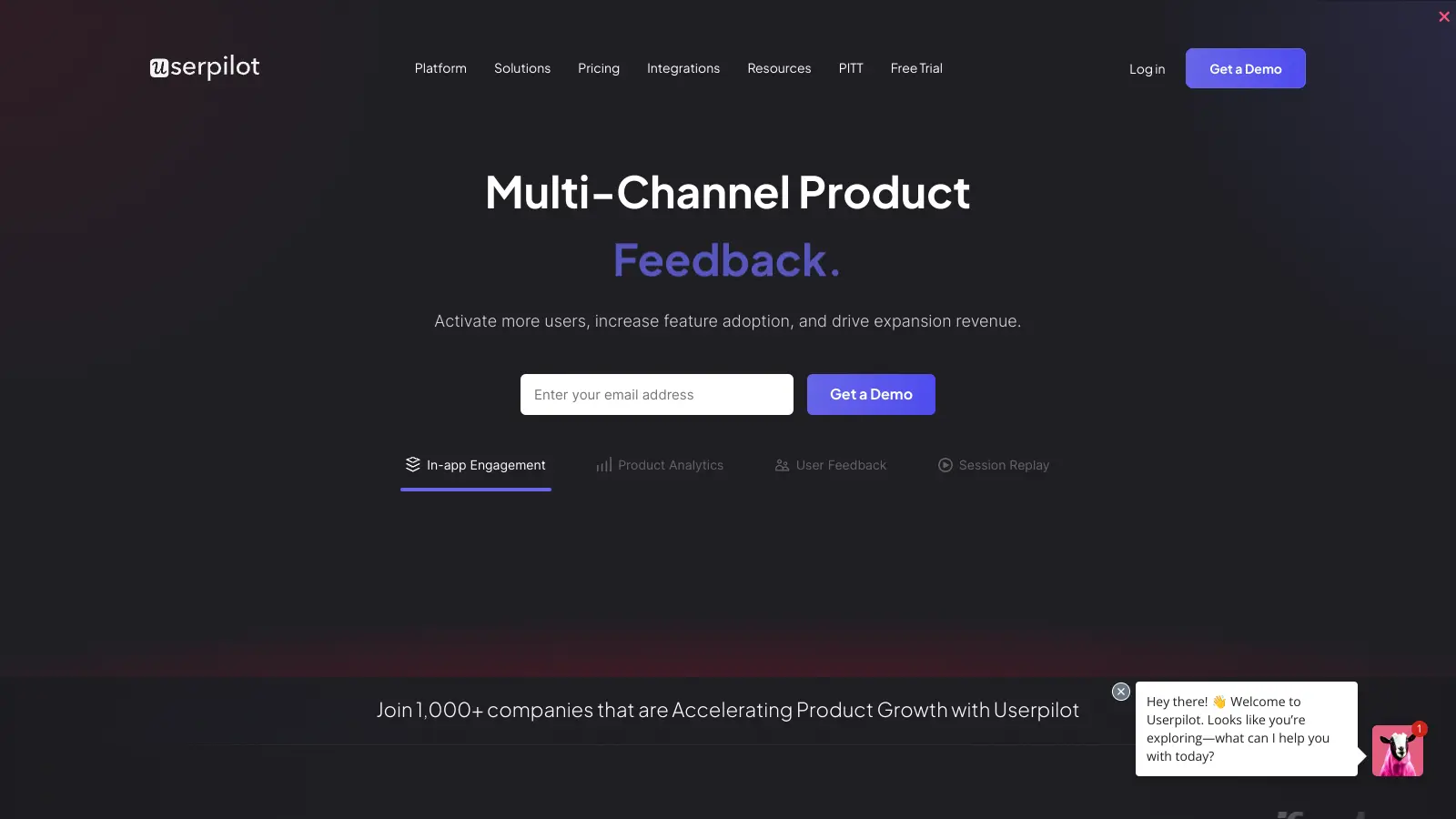
Userpilot helps businesses create better product experiences through personalized user onboarding, feature adoption tracking, and customer engagement tools. The platform enables companies to guide users through their product journey without writing any code.

At its core, this product growth platform focuses on improving user activation and retention for SaaS companies. Teams can build walkthroughs, tooltips, modals, banners, and checklists to help users understand product features. The tool also includes analytics capabilities with session replays to track how people use different features and identify where users get stuck.

The platform offers several key functions: a visual builder with Chrome Extension for creating onboarding flows, user segmentation for targeted messaging, event autocapture for tracking user behavior, and analytics to measure success. Companies can test different approaches through A/B testing and collect feedback using built-in NPS, CSAT, and CES surveys. AI-powered assistance helps teams create content faster.

Starting at $299 per month, Userpilot provides pricing tiers to suit different business needs. It's not the cheapest option available, but it offers a comprehensive set of features for growing SaaS companies looking to improve their user experience.

Who is Userpilot for?

Userpilot is for product and customer success teams who need to create personalized user experiences without coding knowledge. The platform saves time for SaaS companies looking to improve user activation, feature adoption, and retention.

  • Product Managers who need to implement and test different onboarding flows without waiting on developers.
  • Customer Success Teams who want to reduce churn by creating targeted guidance based on user behavior, addressing friction points before users abandon the product.
  • Growth Teams focused on improving conversion, activation, and expansion through targeted in-app experiences and feedback collection.
  • SaaS Founders with growing products who need to scale their user experience efforts without massive resources.
  • Product-Led Growth Teams building self-service onboarding experiences that guide users to activation moments without manual intervention.
  • UX Designers who want to implement their designs as functional onboarding flows and gather analytics on how users interact with different elements.

The tool works best for B2B SaaS companies, subscription businesses, and digital product teams focused on improving user activation and long-term retention.

Online Reviews (Last 6 Months Summarised)

Userpilot receives strong praise for its intuitive interface and ease of use, with many users highlighting the straightforward setup process and exceptional customer support. Teams appreciate the no-code platform's ability to build in-app experiences quickly, powerful segmentation and event tracking capabilities, and clear analytics that provide insights into feature adoption. Users frequently mention that the tool helps improve user onboarding while saving time, with many calling out the value it delivers.

The pricing structure hits early-stage startups hard, with aggressive scaling and unclear tier structures. The learning curve is steep for new users. Customization is limited for branded layouts and animations, and mobile app features are underdeveloped. The interface hangs and consumes RAM. Session replays are only available as an add-on. Complex flows take significant time to set up, and maintaining flows can require 15-25 hours per month of rebuilding work.

Features

  • Visual Builder: Drag-and-drop interface with Chrome Extension that lets you create personalized onboarding experiences without coding, supporting tooltips, modals, banners, checklists, and slideouts.
  • AI-Powered Content Creation: Get assistance creating in-app content faster with AI tools that help write copy, generate ideas, and optimize messaging for your onboarding flows.
  • Event Autocapture: Automatically track user interactions without manual event setup, plus add custom events to monitor specific behaviors and feature usage patterns.
  • Segmentation and Targeting: Personalize user journeys by segmenting audiences based on attributes, behavior, events, and customer journey stages to deliver contextually relevant experiences.
  • Session Replays: Watch recordings of how users interact with your product to identify friction points, understand behavior patterns, and optimize the user experience (available as add-on).
  • A/B Testing: Compare different onboarding flow variations to identify the most effective strategies for improving user adoption and retention.
  • Analytics Dashboard: Track user engagement, flow completion rates, feature adoption trends, and performance metrics to optimize your product experience.
  • Multi-Survey Support: Collect customer feedback through NPS, CSAT, and CES surveys with templates and tagging to measure satisfaction and identify opportunities for product improvement.
  • Third-party Integrations: Connect with analytics, support, and CRM platforms including Amplitude, Mixpanel, HubSpot, Intercom, and Google Analytics to streamline workflows and use existing data infrastructure.

Pricing

  • Starter Plan priced at $299 per month, includes up to 2,000 Monthly Active Users, in-app user engagement, user segmentation and tracking, usage trends analysis, NPS surveys, 3 seats, 1 application key, unlimited domains, 1 year data retention, and 10 feature tags.
  • Growth Plan with custom quote starting from 5,000 MAUs, offers advanced product analytics, event autocapture, resource center, advanced in-app surveys, email engagement, 15 seats, 3 years data retention, staging environment, unlimited feature tags, and custom events tracking. Unlimited session replays and mobile engagement available as add-ons.
  • Enterprise Plan with custom pricing, includes custom seat allotment, multiple application keys, custom data retention years, unlimited feature tags, custom events tracking, enhanced security and support, custom roles/permissions, premium integrations, priority support, custom contract, Service Level Agreement (SLA), and compliance (SOC 2/GDPR). Requires direct contact for personalized quote.

Frequently Asked Questions

How does Userpilot track user events without requiring code?

Userpilot offers event autocapture that automatically tracks user interactions without manual setup, plus a visual builder that lets you tag UI elements directly through their Chrome Extension. You simply point and click on the features you want to track in your app, and Userpilot starts collecting data on how users interact with those elements. You can also add custom events for more specific tracking needs. This makes it easy for marketing and product teams to monitor feature adoption without needing developer help or JavaScript knowledge.

Can I create personalized experiences for different user segments?

Yes, you can create targeted experiences with Userpilot's segmentation tools. You can group users based on their behavior, attributes, events, or where they are in their journey. For example, you might show different onboarding flows to new users versus power users, or target specific features to users in certain industries. The platform lets you build these segments without SQL knowledge using simple dropdown conditions.

What types of in-app experiences can I build with Userpilot?

Userpilot lets you create tooltips, modals, banners, slideouts, and checklists. You can build multi-step product tours to highlight key features, create onboarding flows that guide new users, add help widgets that appear when users seem stuck, and design checklists that boost feature adoption. All these can be built using the drag-and-drop visual builder and Chrome Extension without writing code.

Does Userpilot support mobile apps?

Userpilot does offer mobile engagement as an add-on feature for the Growth plan and above. However, users note that mobile app support is less developed compared to web app features, with some limitations in functionality. The platform works best for web applications, so if mobile is your primary focus, you'll want to check that the current mobile capabilities meet your specific needs before committing.

Can Userpilot integrate with my existing tech stack?

Userpilot connects with many popular tools including Amplitude, Mixpanel, HubSpot, Intercom, and Google Analytics. These integrations let you sync user data between platforms, trigger experiences based on events in other tools, and build a more complete view of your users. For example, you might want to show specific features to users who contacted support about a certain issue, or target users based on their customer profile data from your CRM.

Other Tools To Check Out

Best Deal

Start your free 14-day trial with Ecommerce Basic at $49/month - no credit card needed! Get 2 months free on yearly plans.

Redeem Now
Online Buzz
250+ Searches
Trend (1M)
33%
Green arrow going upred arrow going down

SentiSum

Best Deal

Start Free 14-Day Trial: Analyze 6 Months of Customer Data & Experience SentiSum's AI Insights

Redeem Now

Best Deal

30-day free trial available, or try the Free Plan with analytics, guides, and surveys for up to 500 monthly users

Redeem Now

Find Out How Best To Utilise Tools

Our newsletter comes with exclusive discounts, trials and practical insights from within the industry

Sign Up Today