Scoro Review 2026 - Features, Pricing & Deals

Last Updated
Feb 13, 2026

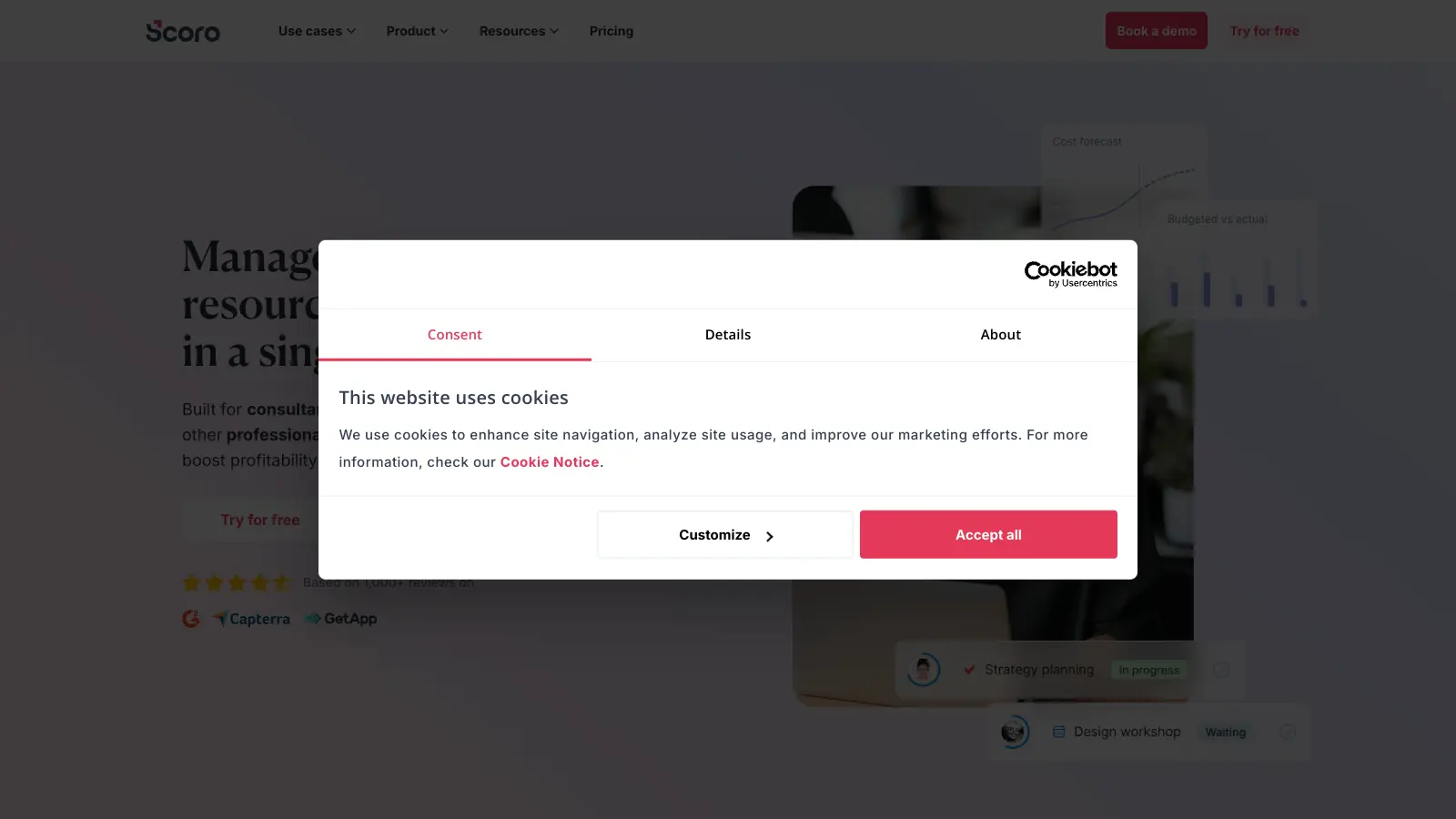
Scoro is a cloud-based work management platform that combines project management, time tracking, CRM, and billing into one unified system. It caters mainly to service-based businesses like marketing agencies, consulting firms, and IT companies.

The software helps teams handle their daily operations by offering tools for project planning, resource management, and financial tracking. Users can create detailed project timelines with Gantt charts, manage tasks through drag-and-drop boards, and track both billable and non-billable hours. The platform also includes features for handling client relationships, from initial contact through to invoicing.

One notable aspect is its financial management capabilities. Teams can generate invoices directly from project quotes, monitor expenses in real-time, and access customizable report templates for analyzing business performance. Scoro also includes ELI, an AI companion that answers queries, surfaces data, captures expenses, and automates tasks. The system supports integration with common tools like QuickBooks, Xero, Slack, and even AI tools like Claude and ChatGPT.

Pricing starts at $19.90 per user monthly for the Core plan, with more advanced features available in the Growth ($32.90) and Performance ($49.90) tiers. Larger organizations can opt for the Enterprise plan, which offers custom pricing and additional enterprise-level features.

The platform packs in a lot of features, which means new users face a learning curve to master everything. The mobile app provides basic functionality for on-the-go access, though it's not as extensive as the desktop version.

Who is Scoro for?

Scoro works well for service-based businesses that bill by the hour or project and need to connect their work management with financial outcomes. Teams juggling multiple clients and projects will find it especially valuable for reducing the time spent switching between tools.

  • Agency Leaders and Managers who need complete visibility across projects, resources, and finances to make data-driven decisions about their business.
  • Project Managers who want to plan and track projects with Gantt charts and drag-and-drop boards while keeping an eye on team workloads and deadlines.
  • Client Service Teams looking to manage the entire client journey from initial contact through proposals, project delivery, and invoicing.
  • Financial Controllers who need to connect billable hours directly to invoices and gain real-time insights into project profitability.
  • Professional Service Providers who bill by the hour and need accurate time tracking linked to financial reporting.
  • Team Leads who want to optimize resource allocation and improve team productivity through better planning and coordination.
  • Teams Looking to Reduce Tool Switching who want integrated project management, CRM, and billing instead of juggling multiple separate platforms.

Scoro is widely adopted by marketing agencies, consulting firms, IT service providers, and other professional service businesses.

Online Reviews (Last 6 Months Summarised)

Scoro receives generally positive feedback from users who appreciate its all-in-one approach to business management. People highlight the user-friendly interface that's easy to learn, affordable pricing compared to competitors like Asana and Monday.com, and good automation capabilities for workflows. The customer support team gets consistent praise for being responsive and helpful. Users also value the strong CRM integration, flexible task management with kanban boards, and good reporting and analytics tools. The mobile app works well for on-the-go project tracking.

On the downside, the learning curve for advanced features is steep. The dashboard customization options are limited. Performance can slow down with very large projects. The mobile app has fewer features than the desktop version. The user interface can feel cluttered when you're using many features at once. Documentation could be more comprehensive. There are fewer third-party integrations compared to some competitors. Some users mention occasional bugs in newer features, and pricing increases significantly at higher tiers.

Features

  • Project Management: Use intuitive Gantt charts to visualize project timelines, drag-and-drop boards for task organization, and set up recurring tasks with dependencies for better workflow management.
  • Automated Time Tracking: Easily record billable and non-billable hours with smart timesheets and timesheet view features that ensure accurate project time documentation.
  • CRM and Sales Pipeline: Manage client proposals, track deal progress, and set up long-term retainer agreements with a flexible sales management system.
  • Integrated Financial Tools: Create invoices directly from project quotes, monitor real-time expenses, manage budgets, and generate detailed financial reports to track business profitability and cost forecasting.
  • Powerful Reporting and Custom Dashboards: Access customizable report templates, track key performance indicators with pipeline reports and revenue forecasting, and gain real-time insights into team productivity and business metrics.
  • Resource Planning: Monitor team workload in real-time, use capacity forecasting with flexible scheduling, and optimize resource allocation across projects with the planner and task matrix tools.
  • AI-Powered Assistant ELI: Ask questions in plain language to get instant answers, surface relevant data, capture expenses automatically, and automate routine tasks without manual data entry.
  • Integrations and API: Connect with popular tools like QuickBooks, Slack, and accounting software, plus integrate with AI tools like Claude and ChatGPT through API and MCP for extended functionality.

Pricing

  • Free 14-day trial available to test platform features before committing to a paid plan, with no credit card required.
  • Core Plan starts at $19.90 per user monthly, covering projects, calendars, task list and board, resource management, and Gantt chart with dependencies for small teams.
  • Growth Plan priced at $32.90 per user monthly, adding resource planning and capacity forecasting to all Core features.
  • Performance Plan costs $49.90 per user monthly, offering comprehensive features like planner, timesheet view, task matrix, price lists, cost and profit forecasting, revenue forecasting, pipeline report, supplier management, purchase orders, and sales pipeline.
  • Enterprise Plan provides custom pricing with everything in Performance plus advanced customization and onboarding options, requiring direct contact with Scoro's sales team for specific pricing details.

Frequently Asked Questions

How does Scoro compare to Monday.com or Asana?

Scoro differs from Monday.com and Asana by being a full professional services automation platform rather than just project management. While Monday.com and Asana focus primarily on tasks and projects, Scoro combines project management with CRM, billing, invoicing, and financial tracking in one system. This all-in-one approach works well for service-based companies that need to track projects from initial client contact through to final billing and profitability analysis. Users often find Scoro more affordable than these competitors while offering more financial features. If you only need task management, Asana or Monday.com might be simpler. If you need to connect your work to billing and finances, Scoro is the better fit.

What's the best plan for small teams?

For small teams just starting out, the Core plan at $19.90 per user monthly covers the basics like projects, task boards, resource management, and Gantt charts. If you need capacity forecasting to plan ahead, the Growth plan at $32.90 adds that capability. Teams that bill clients and need sales pipeline management, cost forecasting, and financial reporting should consider the Performance plan at $49.90. Start with Core if you're mainly tracking tasks and projects, then upgrade as your needs grow. The 14-day free trial lets you test features before deciding.

Can Scoro integrate with my existing tools?

Yes, Scoro connects with many popular business tools. You can link it with accounting software like QuickBooks and Xero, communication tools like Slack and Microsoft Teams, and marketing platforms. It also offers a REST API and MCP integration with AI tools like Claude and ChatGPT for custom connections. That said, some users note there are fewer third-party integrations compared to competitors, so it's worth checking if your specific tools are fully supported. Many companies find they need fewer external tools after switching to Scoro since it handles so many functions internally.

Is Scoro suitable for small businesses or freelancers?

Scoro works for businesses at different scales, but it's probably overkill for solo freelancers or very small teams. The pricing structure and feature set make it better suited for established small-to-medium businesses that manage multiple projects and clients. If you're handling complex client work, juggling several team members, or struggling to track profitability across projects, Scoro offers value that justifies the cost. For simple project tracking, cheaper or free alternatives might be more appropriate until your business grows to the point where you need integrated CRM and billing.

How does the AI assistant ELI work?

ELI is Scoro's AI companion that you interact with using plain language. You can ask questions about your projects, clients, or finances and get instant answers without digging through reports. ELI can surface relevant data from across your workspace, automatically capture expenses from receipts or descriptions, and automate routine tasks like creating recurring projects or updating statuses. It's designed to save time on manual data entry and help you find information faster. The AI integrates with tools like Claude and ChatGPT, so you can use it in familiar interfaces if you prefer.

Other Tools To Check Out

Best Deal

Start your 14-day free trial with no credit card required and explore all MAX features before committing to a plan starting at $79/month

Redeem Now

Best Deal

Nextech Credit™ bonus credits available for Growth and Enterprise tier commitments

Redeem Now
Online Buzz
10+ Searches
Trend (1M)
-25%
Green arrow going upred arrow going down

ManageEngine MSP

Best Deal

First 200 endpoints free forever with no feature limits, plus yearly subscription discounts available

Redeem Now

Find Out How Best To Utilise Tools

Our newsletter comes with exclusive discounts, trials and practical insights from within the industry

Sign Up Today