Housecall Pro Review 2026 - Features, Pricing & Deals

Last Updated
Feb 14, 2026

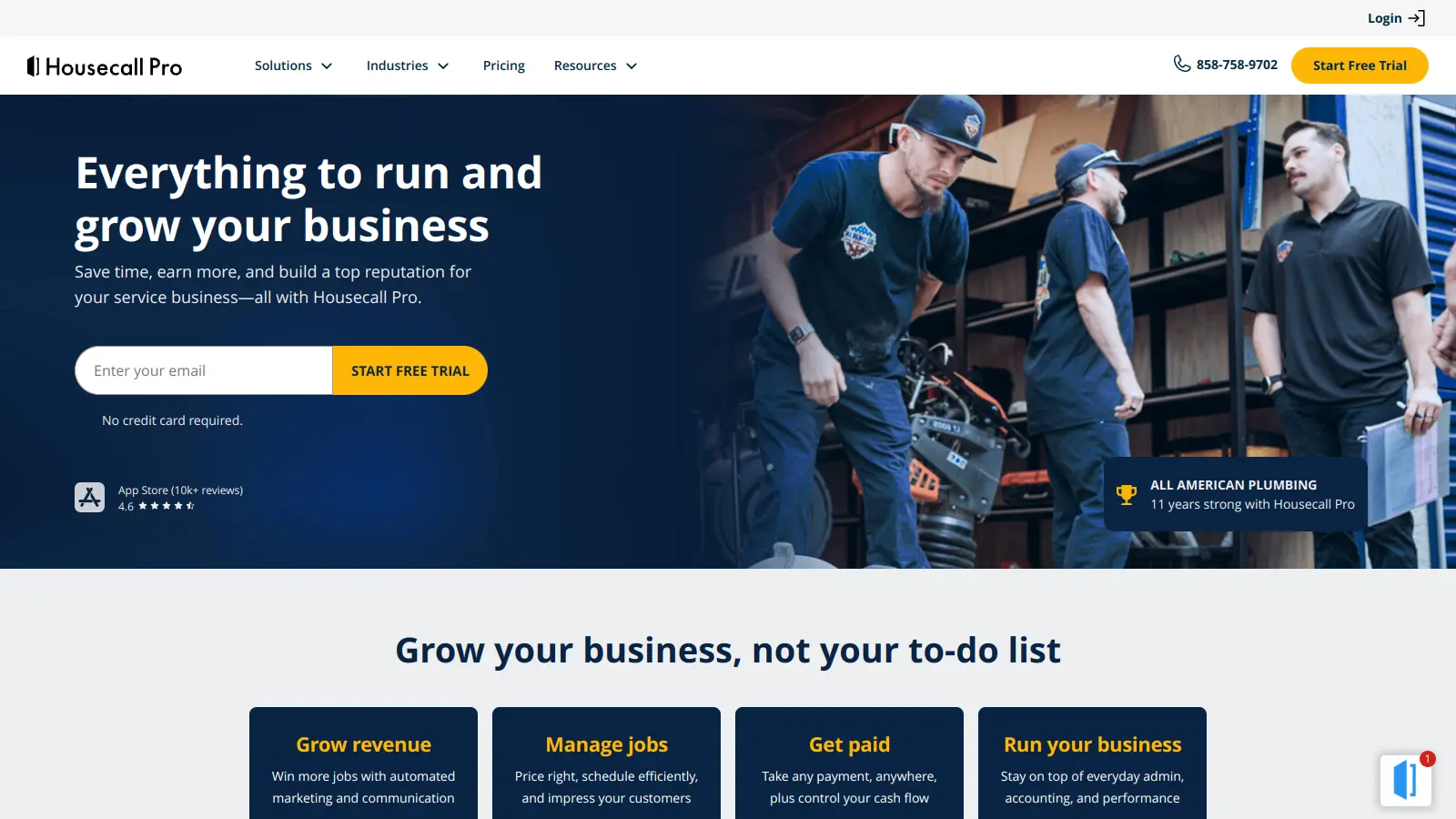
Housecall Pro is a cloud-based field service management software that helps home service businesses handle their daily operations more efficiently. The platform serves HVAC, plumbing, electrical, pest control, and landscaping companies, with over 30,000 home service pros using the software.

At its core, the software brings together scheduling, dispatching, invoicing, and customer management into one system. Business owners can manage their teams through GPS tracking and automated dispatch, while keeping customers informed with real-time updates and appointment reminders.

The platform recently added AI-powered tools to help automate more tasks. CSR AI handles incoming calls 24/7 and can book appointments, Analyst AI and Coach AI provide insights and guidance on business performance, and Marketing AI generates messaging content. The software also includes tools for payment processing, digital estimates, custom reporting, and integrations with QuickBooks, CompanyCam, and CallRail.

Plans start at $79 per month, and while there isn't a free version, businesses can try out all features through a 14-day trial. The platform aims to reduce paperwork and streamline daily tasks for home service professionals.

Who is Housecall Pro for?

Housecall Pro works well for home service professionals who want to reduce admin work and grow their business. This field service management software helps contractors and service businesses save time, reduce paperwork, and improve customer satisfaction.

  • Small Business Owners who need to manage multiple aspects of their service business but don't have time for complex systems or extensive training
  • Field Service Technicians who benefit from mobile access to schedules, customer information, and the ability to process payments on the spot
  • Office Administrators who need to manage scheduling, dispatching, and customer communications without juggling multiple systems
  • Growing Service Companies that want to scale operations without adding administrative overhead
  • Customer-Focused Businesses that want to improve their professional image with appointment reminders, online booking, and digital invoicing
  • Residential Service Pros who want AI assistance for call handling, business insights, and marketing content creation

This tool is used across the home service industry, including plumbers, electricians, HVAC specialists, landscapers, cleaning services, and pest control professionals who want to modernize their operations.

Online Reviews (Last 6 Months Summarised)

Housecall Pro gets praise from users who appreciate its scheduling and dispatching features, saying they save a lot of time. The mobile app works well for technicians in the field, and many report that customer support responds quickly when issues come up. The invoicing and payment integration gets positive mentions, and users particularly like the online booking widget for generating more leads. Marketing tools also get credit for helping businesses grow.

Pricing is the main complaint. Many small businesses find it expensive as they scale. Users report occasional glitches in the app and syncing issues between devices. Customer support can be slow during peak times. The reports have limited customization options. Integration with certain third-party tools can be buggy, and new users mention a steep learning curve when getting started.

Features

  • Advanced Scheduling: Manage jobs with drag-and-drop calendar, Google Calendar integration, and color-coded scheduling for technicians.
  • AI Team: CSR AI answers calls 24/7 and books appointments, Analyst AI and Coach AI provide business insights and guidance, and Marketing AI generates messaging content for campaigns.
  • Smart Dispatching: Automatically assign technicians to jobs, send real-time "On My Way" text updates, and track technician locations using GPS.
  • Digital Invoicing and Payments: Send instant digital invoices with click-to-pay options, accept multiple payment methods, and get funds deposited in under 30 minutes.
  • Customer Engagement Platform: Provide a customer portal for appointment management, automated marketing campaigns, and review collection with online booking widgets.
  • Professional Estimating Tools: Create and send custom estimates and sales proposals that customers can approve instantly, with visual price book capabilities.
  • Comprehensive Reporting: Generate custom reports on revenue, job profitability, and business performance with job cost tracking and checklists.
  • Business Integrations: Automatically sync with QuickBooks, connect with CompanyCam and CallRail, and set up automated workflows across platforms.

Pricing

  • 14-day free trial available for new users to test all MAX features before committing to a paid plan, no credit card required.
  • Basic Plan starts at $79 per month ($59 per month paid annually) for one user, offering scheduling, dispatching, quotes, invoices, online booking, review management, job cost tracking, price book, and customer communication.
  • Essentials Plan begins at $189 per month ($149 per month paid annually) for up to five users, adding QuickBooks integration, email marketing, equipment tracking, premium review management, visual price book, employee GPS tracking, and checklists.
  • MAX Plan costs $329 per month ($299 per month paid annually) for up to eight users, with additional users at $35 per month each, including advanced reporting, dedicated onboarding, escalated support, sales proposal tool, and recurring service plans.
  • Payment processing rates start as low as 2.59% per transaction.

Frequently Asked Questions

What's the difference between Housecall Pro's Basic, Essentials, and MAX plans?

The Basic plan starts at $79/month ($59/month annual) for one user and includes core features like scheduling, dispatching, invoices, online booking, and review management. The Essentials plan runs $189/month ($149/month annual) for up to five users with QuickBooks integration, email marketing, equipment tracking, and employee GPS tracking. The MAX plan costs $329/month ($299/month annual) for up to eight users plus $35/month for each additional user, adding advanced reporting, dedicated onboarding, escalated support, and sales proposal tools. All plans include the core functionality, but you get more advanced features and user capacity as you move up the tiers.

Does Housecall Pro work on mobile devices?

Yes, Housecall Pro works on mobile devices. The mobile app lets your techs access schedules, customer info, and job details in the field. They can also send "On My Way" texts to customers, collect payments, and have clients sign estimates or invoices right from their phones or tablets. The app works on both iOS and Android devices, giving your team the flexibility to manage jobs from anywhere.

How does Housecall Pro handle payment processing?

Housecall Pro processes payments through their built-in system with rates as low as 2.59%. You can accept credit cards, bank transfers, mobile wallets, and checks. One standout feature is Instapay, which deposits payments into your bank account in under 30 minutes instead of waiting days. The platform also sends digital invoices via email or text with click-to-pay options, making it easier for customers to pay you quickly.

Can Housecall Pro integrate with my accounting software?

Yes, Housecall Pro integrates directly with QuickBooks starting on the Essentials plan. The integration automatically syncs your invoices, customers, and payments to save you from double entry. The platform also connects with other tools like CompanyCam and CallRail. This can save you time on data entry and help prevent accounting errors between systems.

What is CSR AI and how does it work?

CSR AI is Housecall Pro's artificial intelligence assistant that answers incoming calls 24/7 and books appointments for you. It handles customer inquiries even when your office is closed or your team is busy. The AI can schedule jobs, answer basic questions, and capture lead information. This means you don't miss potential business after hours or when everyone's in the field. It's part of the AI Team features that also include Analyst AI for business insights and Marketing AI for content creation.

Other Tools To Check Out

Best Deal

Free Trial Available for Polaris PSA

Redeem Now

Best Deal

Start your free Syncro trial and explore unlimited RMM agents, AI-powered ticketing, scripting tools, and 50+ integrations with complete feature access

Redeem Now

Best Deal

Get Started with Autotask PSA's Essential Plan from $50/month

Redeem Now

Find Out How Best To Utilise Tools

Our newsletter comes with exclusive discounts, trials and practical insights from within the industry

Sign Up Today