We start with direct ratings from our readers, then look at what real users are saying in practitioner forums and community spaces. We pair that with search demand data and profession-level persona analysis.
Editorial note:this was originally published in december of 2022
quick take
✓Best for: teams replacing multiple tools with one database-driven workspace
✗Skip if: you want fast, simple note-taking or write offline regularly
£Best value: free tier for solo users, Plus at $8/user/month for small teams
★★★½★3.8/ 5 — editorial rating
based on real user feedback, community sentiment, pricing value, and fit for target audience. see our full methodology
used Notion? we'd love to know your thoughts
reader ratings shape our score
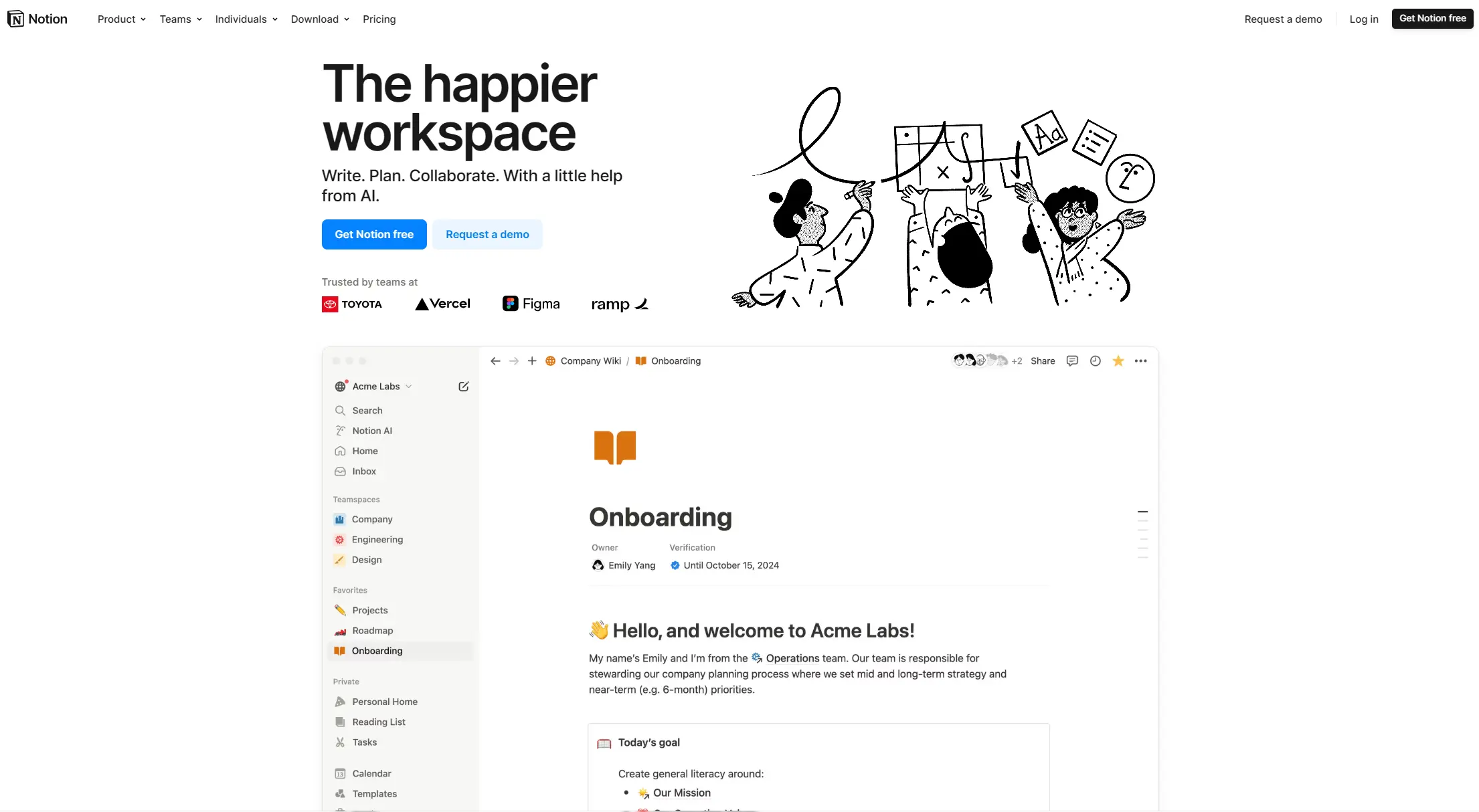
Notion is a workspace that combines note-taking, task management, and collaboration tools in one platform. It helps users organize their work and ideas through customizable pages, databases, and wikis.
Whether you're writing notes, managing projects, or building a knowledge base, the platform adapts to fit different needs. You can create pages within pages, set up databases with different views, and work together with team members in real-time.
The tool works across devices and browsers, making it simple to access your work anywhere. Its block-based system lets you add different types of content like text, images, tables, and tasks. You can also connect with other apps like Slack, Google Drive, and Zoom.
The free plan offers core features for individuals with 10 guest collaborators and limited trial access to AI features. Paid plans start at $8 per month with annual billing and include more storage, collaboration tools, and extra security options. The platform includes AI capabilities powered by GPT-4 and Claude to help with writing, summarization, search, and automation tasks.
From students and entrepreneurs to large organizations, Notion serves as a central hub where people can work, share ideas, and keep track of information. Its flexibility makes it useful for many purposes, from personal note-taking to company-wide documentation.
how popular is Notion?
monthly search interest
673k/mo now
peak interest1.0M/moAug 2025
searches now673k/moFeb 2026
1-month change−18%vs prev month
Notion's search volume has followed a consistent seasonal pattern since 2022, spiking every January and August as people return from breaks and reach for productivity tools. The overall baseline has drifted upward over three years. The August 2025 spike to 1,000,000 monthly searches is the highest on record, but the subsequent drop back to 673,000 suggests that peak was a seasonal surge, not a structural shift. Notion has a stable, established user base rather than a growing one, which means you're getting a mature product with known tradeoffs, not an early-stage tool still finding its footing.
who is Notion for?
Whether Notion clicks for you depends almost entirely on how you work and what you're trying to build with it. Pick your role below to see the honest breakdown.
overall sentiment
select your role to see what people like you are saying
Project Manager
positive
If you're coordinating a team across multiple projects, Notion's ability to switch between kanban, timeline, and calendar views without paying for separate tools is genuinely useful. The customizable databases can replace a project tracker, a wiki, and a shared doc library in one place. The main caveat: once your workspace gets large, performance slows in ways that are hard to fix, so plan your database structure carefully early on.
strengths
Multiple view options (kanban, calendar, timeline) for flexible task visualization
Customizable database structures that adapt to specific workflow needs
Real-time collaboration and commenting capabilities for team coordination
Ability to replace multiple subscription services with a single platform
concerns
Performance slowdowns when managing large databases with complex relationships
Steep learning curve for setting up advanced database relationships and custom views
Limited export options for reporting and integration with other tools
Content Creator/Writer
mixed
Notion can work as a content hub if you're managing a calendar, storing research, and collaborating with editors, but the interface is more database tool than writing environment. If you spend most of your time actually writing, you'll hit the complexity ceiling fast and wish you were in something leaner. It's worth trying if organisation is your pain point, but don't expect it to make the writing itself any easier.
strengths
Integrated AI assistance for brainstorming and content editing
Content calendar and asset management in a single organized space
Active community with pre-built templates that streamline setup
Ability to manage research, outlines, and published content alongside planning
concerns
Feature bloat makes the interface overwhelming for simple note-taking and writing workflows
Steep learning curve doesn't justify the complexity for writers focused on content creation
Offline functionality limitations problematic for writing during travel or internet outages
Small Business Owner
positive
For a small team that needs a project tracker, a company wiki, and a document store without paying for three separate subscriptions, Notion is hard to beat at $8/user/month. The free tier is a reasonable starting point for solo founders. The concern to watch is scale: performance issues and slow support responses become more painful as your workspace and team grow.
strengths
Consolidates project management, document storage, and company wiki in one affordable platform
Customizable database structures that grow with business complexity
Free tier with substantial features for bootstrapped operations
Automation and workflow capabilities that reduce manual processes
concerns
Performance degradation with large databases raises concerns about scalability as business grows
Slow customer support response times create challenges when issues arise
Premium pricing tiers may not justify costs for businesses with simple organizational needs
Student
mixed
The free tier gives students unlimited blocks and enough structure to build a solid knowledge base across courses, projects, and reading notes. The learning curve is real, but once you've set up a few linked databases, the system pays off across a full semester. If you just need to take notes quickly during lectures, the complexity isn't worth it compared to something simpler.
strengths
Free tier with comprehensive features suitable for academic needs
Ability to organize notes, research, and study plans in one centralized workspace
Community templates specifically designed for student workflows
Real-time collaboration useful for group projects and study sessions
concerns
Overwhelming number of customization options discourages casual users looking for simple note-taking
Offline functionality limitations problematic for studying without internet access
Steep learning curve delays productivity gains for features beyond basic note organization
what users are saying
“The question 'does anyone actually use Notion?' attracting genuine replies tells you something about how polarising the tool is: devoted power users swear by it, while others bounce off the complexity entirely and never come back.”
Reddit threads on Notion in 2025 show a split that's been brewing for years. In r/Notion, the most upvoted concern is that the app has become slow and clunky as workspaces grow, with users asking whether it's still worth sticking with given the performance drag. In r/productivity, a recurring frustration is that Notion has a steep enough learning curve that new users spend significant time just figuring out the interface before getting any real work done. The question "does anyone actually use Notion?" attracting genuine replies tells you something about how polarising the tool is: devoted power users swear by it, while others bounce off the complexity entirely and never come back.
Our take: Notion is genuinely excellent once you've invested the time to set it up properly, but that investment is real and not everyone should make it. If you need a database-driven workspace that replaces five different subscriptions, it earns its price. If you want to jot notes quickly or manage a simple to-do list, the complexity will frustrate you within a week. For lightweight note-taking, Obsidian is faster and less fussy. For straightforward project tracking, Linear or Trello will get you running in an afternoon. Don't subscribe to the Plus plan until you've spent at least two weeks on the free tier and actually built something.
features
Blocks and Pages: Build content using blocks like text, images, and Kanban boards that can be moved and customized across nested pages.
Powerful Databases: Create databases with property types including date, checkbox, URL, and multi-select to track and organize information.
Multiple Database Views: Switch between table, list, calendar, board, timeline, and gallery views to visualize data in different formats.
AI Writing Assistant: Use GPT-4 and Claude models for text generation, rewriting, tone adjustment, grammar fixes, and translation directly in your workspace.
Q&A on Workspace Content: Ask questions about your workspace content and get answers from integrated apps like Slack and Google Drive using natural language search.
Smart Autofill and Automation: Automate database properties, autofill content, and analyze files and images with AI-powered tools.
Real-Time Collaboration: Work together with team members simultaneously, assign tasks, leave comments, and receive instant notifications about workspace changes.
Extensive Integrations: Connect with apps like Slack, Google Drive, and Zoom to work with data from other tools.
Comprehensive Templates: Access a library of 20,000+ pre-built templates for project management, note-taking, and workflow optimization.
Cross-Platform Accessibility: Use Notion across desktop, mobile, and web platforms with offline access and automatic synchronization.
Advanced Security Options: Protect your workspace with SAML single sign-on, SCIM provisioning, private team spaces, and enterprise-level security configurations.
pricing
Free Plan offers unlimited blocks, basic collaboration features, 10 guest collaborators, and limited trial access to Notion AI features.
Plus Plan costs $8/user/month (annual billing) or $10/user/month (monthly billing), providing unlimited blocks, unlimited file uploads, 100 guest collaborators, and limited trial of Notion AI.
Business Plan priced at $15/user/month (annual) or $18/user/month (monthly) includes private teamspaces, SAML SSO, 90-day version history, advanced permissions, and full Notion AI access included.
Enterprise Plan offers custom pricing with 250+ guests, SCIM provisioning, audit logs, advanced security features, full Notion AI with advanced features, and zero data retention options.
Notion AI Add-on available for $8/user/month (annual billing) or $10/user/month (monthly billing) for Free and Plus plans only, providing AI-powered content generation, translation, meeting notes, and writing assistance.
frequently asked questions
The free tier is genuinely useful for individuals, with unlimited blocks and basic collaboration for up to 10 guests. The Plus plan at $8/user/month (annual) is worth it if you're managing projects with a team and need unlimited file uploads and more guest access. The Business plan at $15/user/month only makes sense for larger teams who need advanced permissions and audit logs. If you're a solo user doing basic notes and task lists, the free tier covers you and the paid plans are hard to justify.
Project managers who need to track work across kanban, timeline, and calendar views without paying for separate tools get the most out of it. Small business owners consolidating a company wiki, project tracker, and document store into one place also find real value here. Students building a structured knowledge base across subjects are well served by the free tier. Content creators who just want to write will likely find it overcomplicated for their actual needs.
Performance is the most consistent complaint: workspaces with large databases and complex relationships slow down noticeably, and this gets worse as you add more content over time. The learning curve is genuinely steep, particularly for database relationships, rollups, and formula properties. Offline functionality is limited, which is a real problem if you write or work in areas with unreliable internet. Export options are thin if you ever need to get your data out cleanly into another tool.
Obsidian is faster, works fully offline, stores everything in plain markdown files you own, and has a devoted community building plugins for almost any use case. If your primary need is a personal knowledge base or writing environment, Obsidian wins on speed and data ownership. Notion wins if you need real-time team collaboration, shared databases, or structured project tracking that multiple people can edit at once. Choose Notion for team work, Obsidian for personal notes.
Notion AI is an add-on at $8/user/month (annual) on top of your base plan. For content creators managing a lot of writing and research, the AI drafting and summarisation features inside your existing workspace can save time by cutting context switching. That said, if you're already paying for a standalone AI writing tool, the overlap is significant. The free tier gives you a limited trial to test it first, which you should use before committing to the extra cost.
Reader ratings and community feedback shape every score. Since 2022, ToolsForHumans has helped 600,000+ people find software that holds up after launch. how we research →
is this your tool?
claim your listing to update details, respond to our review, or upgrade to a featured partnership.
★★★★★4.0based on real user feedback, community sentiment, pricing value, and fit for target audience. see our full methodology
ChatGPT
ChatGPT is an AI chatbot by OpenAI that uses language models to hold conversations, generate content, and complete tasks. It includes web browsing, image generation and analysis, voice interaction, autonomous task automation, and custom GPT creation. Available in multiple pricing tiers from free to enterprise, ChatGPT handles creative writing, data analysis, coding, and real-world automation.
★★★★★3.8based on real user feedback, community sentiment, pricing value, and fit for target audience. see our full methodology
Canva
Canva is a graphic design platform that lets individuals and professionals create designs without advanced design skills. It offers hundreds of thousands of templates, design tools, collaboration features, and photo/video editing capabilities. With both free and pro versions, Canva provides access to millions of design elements for creating social media graphics, presentations, posters, and more through its drag-and-drop interface.
★★★★★3.5based on real user feedback, community sentiment, pricing value, and fit for target audience. see our full methodology
Gemini
Gemini is an advanced AI assistant by Google that processes text, code, images, audio, and video across Google's ecosystem. It offers content creation, coding assistance, research capabilities, and workflow automation through the Gemini app, web interface, and integrations with Google Workspace, Pixel phones, and Chrome.
★★★★★3.0based on real user feedback, community sentiment, pricing value, and fit for target audience. see our full methodology
Copilot AI
Microsoft 365 Copilot is an AI-powered productivity tool that integrates seamlessly with Microsoft 365 apps like Word, Excel, PowerPoint, and Outlook. It uses advanced language models and Microsoft Graph to provide intelligent, context-aware suggestions, automate tasks, and enhance collaboration by generating content, analyzing data, and offering real-time insights across various work processes.
★★★★★4.2based on real user feedback, community sentiment, pricing value, and fit for target audience. see our full methodology
Claude
Claude is an AI assistant developed by Anthropic that handles coding, writing, and analysis tasks. It uses Constitutional AI for safety-focused interactions, supports multiple languages, and offers models like Sonnet and Opus with different capabilities. Claude prioritizes user privacy and context-aware responses.
★★★★★3.8based on real user feedback, community sentiment, pricing value, and fit for target audience. see our full methodology
Grammarly
Grammarly is an AI-powered writing assistant that provides real-time grammar, spelling, and punctuation checks, tone adjustments, and generative AI features for composing, rewriting, and proofreading text. It integrates with platforms like Google Docs, Gmail, Microsoft Word, Slack, and web browsers, offering both free and paid versions with features ranging from basic corrections to plagiarism detection and AI writing tools.