tools for
humans

Whimsical AI reviews — what users really think

published 7 april 2025last updated 18 march 2026
how we review

we track global search demand across every software category, monitor what real users are saying online, identify which professions rely on each tool, and surface the questions people are actually asking. reviews are consistently updated and reviewed for reliability.

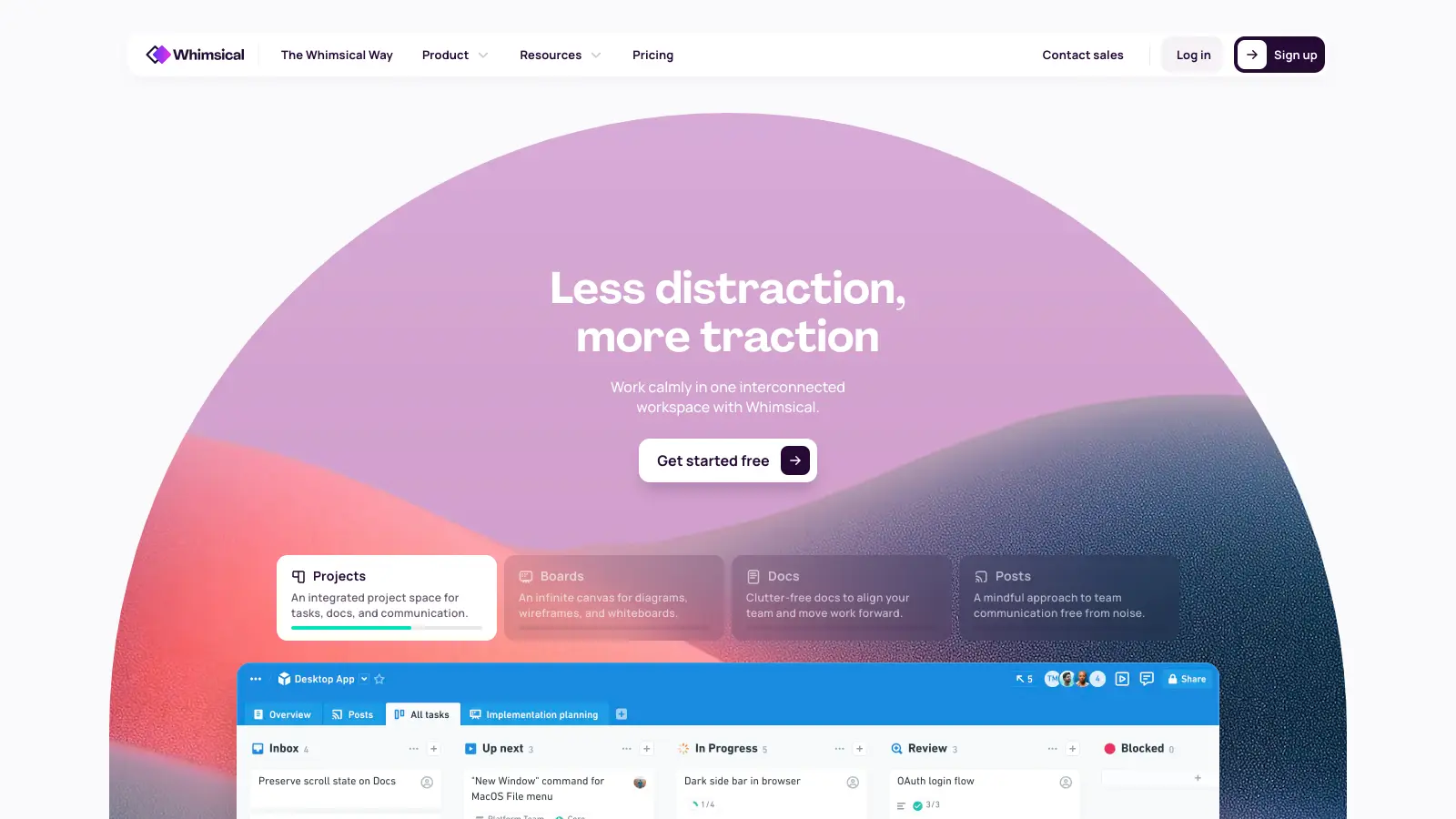
Whimsical is a collaborative visual workspace that brings together flowcharts, wireframes, sticky notes, and mind maps in one platform. Teams can use it to plan projects, share ideas, and work together in real time.

The platform shines in its ability to help users visualize complex ideas quickly. You'll find tools for creating flowcharts, building wireframes, organizing mind maps, and managing projects on an infinite canvas. The AI assistance turns text prompts into visual diagrams.

Teams across different departments can benefit from its straightforward interface. Whether you're mapping out a new product feature, planning a marketing campaign, or documenting processes, the tools adapt to what you need. The platform works with Notion, Jira, and Figma.

The free version offers enough features for individuals or small teams to get started. Paid plans unlock additional capabilities like unlimited boards and advanced collaboration features. The Pro plan starts at $10 per user monthly, with business and enterprise options available for larger organizations.

who is Whimsical AI for?

Whimsical AI works for teams and individuals who need to visualize complex ideas quickly and collaborate in real time.

  • Project managers who need to map out workflows, track progress, and communicate plans visually to stakeholders
  • UX/UI designers who want to create wireframes and prototypes without learning complex design software
  • Product teams who collaborate across functions and need to document features, user journeys, and development processes
  • Strategic planners who convert abstract ideas into structured visual formats using AI assistance
  • Remote teams wanting a shared visual workspace where everyone can contribute simultaneously
  • Process improvement specialists who document, analyze, and optimize workflows across departments
  • Startups and small-to-medium teams that prioritize speed and simplicity over complex feature sets

The tool serves professionals across tech, marketing, education, and consulting who need to clarify thinking and improve team alignment through visual collaboration.

overall sentiment

select your role to see what people like you are saying

Product Manager

positive

Product managers appreciate Whimsical AI's speed in visualizing user journeys and feature roadmaps without design overhead. The AI suggestions and real-time collaboration streamline stakeholder communication, though they may outgrow it as diagramming needs become more complex.

strengths

  • Fast diagram creation with AI-powered suggestions reduces planning time
  • Real-time collaboration enables synchronous team input on roadmaps and workflows
  • Templates for common scenarios like user journeys and feature specs save setup time
  • Intuitive drag-and-drop interface requires minimal training

concerns

  • Limited advanced diagramming features compared to Lucidchart for detailed technical specifications
  • Performance degradation with large, multi-layered product documentation
  • May need migration to more powerful tools as product complexity scales

online reviews (last 6 months summarised)

Users praise Whimsical AI's drag-and-drop interface and templates that save time. The AI-powered suggestions make complex diagrams easier to create, and the real-time collaboration features work well for teams. Product managers, designers, and engineers find it useful for visualizing concepts and processes quickly.

Small teams and individuals find the pricing expensive compared to alternatives. It has fewer advanced features than tools like Lucidchart or Miro. Performance can lag with very large diagrams. Export options could be more flexible, particularly for SVG support. Power users wanting custom scripting will find it limiting.

features

  • AI-Powered Diagram Generation: Create flowcharts, mind maps, and sequence diagrams from text prompts for instant visual representation of processes and ideas.
  • Intelligent Mind Mapping: Generate mind maps with AI assistance, allowing teams to brainstorm and organize ideas rapidly.
  • Interactive Wireframe Prototyping: Design low-fidelity web and mobile application wireframes with drag-and-drop elements, helping teams visualize product interfaces before development.
  • Real-Time Team Collaboration: Work simultaneously on projects with team members for instant feedback and shared visual workspaces across an infinite canvas.
  • Version History: Track project evolution with version control ranging from 7 days to unlimited depending on your plan, allowing teams to review and restore previous iterations.
  • Template Collection: Access pre-designed templates that accelerate project setup and speed up visual communication.
  • Cross-Platform Integration: Connect Whimsical with tools like Notion, Jira, Figma, and Slack to enhance workflow and productivity.

pricing

  • Free version offers unlimited workspace members, 3 team boards, unlimited docs, 3 teams, 10 guests, files up to 5MB, 7-day version history, and 100 AI actions per editor total at no cost.
  • Pro Plan provides unlimited team boards, private teams, 6 teams, 50 guests, files up to 1GB, 90-day version history, and 500 AI actions per editor monthly at $10 per editor per month.
  • Business Plan includes all Pro features with unlimited teams, 100 guests, files up to 5GB, 1-year version history, 1000 AI actions per editor monthly, and SSO/SAML at $15 per editor per month.
  • Enterprise Plan offers everything in Business plus starting at 200 guests, files up to 10GB, unlimited version history, 2000 AI actions per editor monthly, SCIM, advanced security, priority support, and dedicated success manager at $20 per editor per month, billed annually.

frequently asked questions

What can I create with Whimsical AI?

Whimsical AI helps you create flowcharts, mind maps, sequence diagrams, wireframes for websites and apps, docs for team alignment, and project boards. You generate these from text prompts—the AI assistant works across these formats to turn your ideas into visual content. Many users find it most helpful for flowcharts and mind maps where the AI can build the structure based on your description.

How does Whimsical AI compare to manual diagramming?

Whimsical AI creates diagrams in seconds instead of the hours it might take to build them manually. You describe what you want in plain language, and the AI builds the framework while you refine it. Manual diagramming gives you complete control from scratch, but takes much longer. With Whimsical AI, you get a solid starting point instantly, then make edits as needed. It's like having a first draft that you can perfect, rather than starting with a blank canvas.

Can I collaborate with my team using Whimsical?

Yes. Multiple team members can work on the same document at once in real-time. Everyone sees changes as they happen, and you can add comments to discuss specific elements. Team members can be added as editors or viewers depending on their needs. You can share your work by sending a link or embedding it in other tools like Notion, Jira, Figma, or Slack. The version history feature lets you go back to previous versions if needed.

Is there a free plan or trial available?

Yes, Whimsical offers a free plan that requires no credit card. You get unlimited workspace members, 3 team boards, unlimited docs, 10 guests, and 100 AI actions per editor total. The free plan includes 7-day version history and lets you upload files up to 5MB each. It works for small projects or individual use, though teams needing more collaborative space or heavier AI usage will likely want to upgrade to Pro at $10 per editor per month.

How does it integrate with other tools?

Whimsical integrates with Jira, Figma, Notion, and Slack. You can embed Whimsical diagrams and boards directly into these platforms or share them via links. The integrations let you keep your visual work connected to your existing workflow without switching between multiple apps. This makes it easier to reference diagrams during development, link wireframes to design files, or share flowcharts in team communication channels.

other tools to check out

ChatGPT screenshot
online buzz25M+ Searches
trend (1M)23%

ChatGPT

ChatGPT is an AI chatbot by OpenAI that uses language models to hold conversations, generate content, and complete tasks. It includes web browsing, image generation and analysis, voice interaction, autonomous task automation, and custom GPT creation. Available in multiple pricing tiers from free to enterprise, ChatGPT handles creative writing, data analysis, coding, and real-world automation.

best deal

Try ChatGPT Free: Basic AI conversations with GPT-5.2 Instant access (around 10 messages every 5 hours) at no cost.

Canva screenshot
online buzz10M+ Searches
trend (1M)23%

Canva

Canva is a graphic design platform that lets individuals and professionals create designs without advanced design skills. It offers hundreds of thousands of templates, design tools, collaboration features, and photo/video editing capabilities. With both free and pro versions, Canva provides access to millions of design elements for creating social media graphics, presentations, posters, and more through its drag-and-drop interface.

best deal

Get 50% off Canva Pro or Business plans for new customers, or try Canva free with 250,000+ templates and 5GB storage

Gemini screenshot
online buzz1M+ Searches
trend (1M)4%

Gemini

Gemini is an advanced AI assistant by Google that processes text, code, images, audio, and video across Google's ecosystem. It offers content creation, coding assistance, research capabilities, and workflow automation through the Gemini app, web interface, and integrations with Google Workspace, Pixel phones, and Chrome.

best deal

Google AI Plus: Get 50% off at $3.99/month for the first 2 months (new subscribers); Google AI Pro: Try free for one month.

Grammarly screenshot
online buzz1M+ Searches
trend (1M)22%

Grammarly

Grammarly is an AI-powered writing assistant that provides real-time grammar, spelling, and punctuation checks, tone adjustments, and generative AI features for composing, rewriting, and proofreading text. It integrates with platforms like Google Docs, Gmail, Microsoft Word, Slack, and web browsers, offering both free and paid versions with features ranging from basic corrections to plagiarism detection and AI writing tools.

best deal

Try Grammarly's Free Version Today - Get Basic Grammar Checks & 100 AI Prompts Per Month Across Your Favorite Apps

QuillBot screenshot
online buzz1M+ Searches
trend (1M)-13%

QuillBot

QuillBot is an AI-powered writing tool that helps users improve their writing through features like paraphrasing, grammar checking, summarization, plagiarism detection, citation generation, translation, and AI detection. It offers a web-based interface, Chrome extension, and Google Docs integration, with pricing plans ranging from a free version to monthly, semi-annual, and annual premium subscriptions. The tool uses advanced natural language processing to provide contextually appropriate text modifications.

best deal

Try QuillBot free or upgrade to Premium for just $8.33/month with unlimited paraphrasing and advanced tools. 3-day money-back guarantee included.

Microsoft SharePoint screenshot
online buzz500k+ Searches
trend (1M)50%

Microsoft SharePoint

Microsoft SharePoint is a web-based collaboration platform that helps organizations create team sites, intranets, and document management systems. It integrates with Microsoft 365 tools, offering features like real-time co-authoring, version control, security controls, customizable sites, and workflow automation.

best deal

Try SharePoint Plan 1 for just $5/month - Get 1TB pooled storage, real-time collaboration & core document management features