Invoice2go Review 2026 - Features, Pricing & Deals

Last Updated
•
Feb 13, 2026

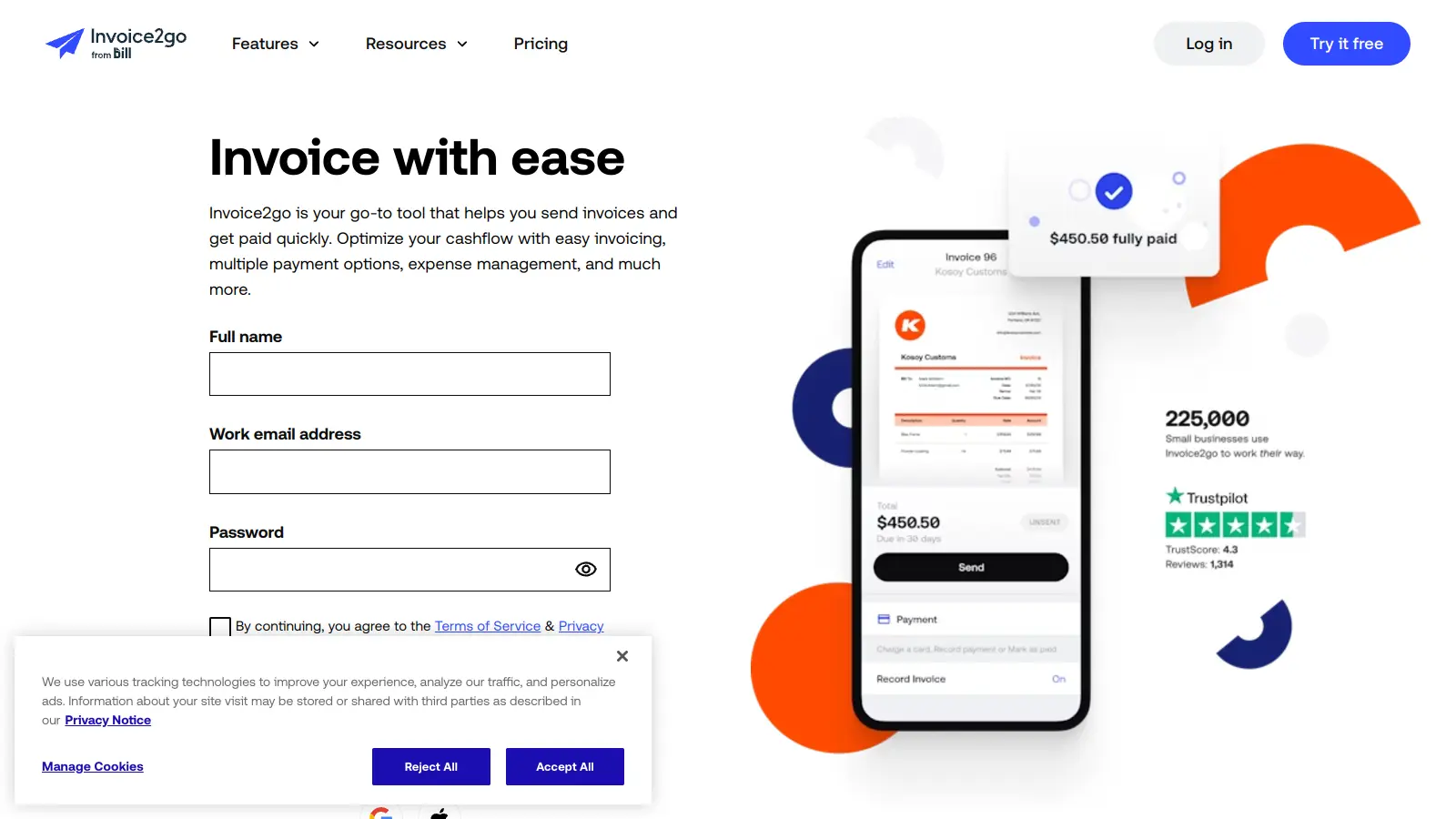
Invoice2go helps small businesses, freelancers, and contractors manage their invoicing and business operations. The platform offers tools for creating professional invoices, tracking expenses, and managing payments across iOS, Android, and web platforms.

Small business owners use this software to handle their financial tasks. Users can create customized invoices, convert estimates into bills, and track expenses by snapping photos of receipts. The platform also includes features for automated payment reminders, multi-currency support, and multi-user access for growing teams.

The software comes in three pricing tiers: Starter, Professional, and Premium. Monthly plans start at $5.99, and each plan includes different features and invoice limits to match business needs of different sizes. New users can try the platform through a free trial.

Integration with popular accounting software like QuickBooks, Xero, and Zapier syncs financial data between platforms. The platform accepts multiple payment methods, including credit cards, PayPal, Stripe, and bank transfers, helping businesses get paid faster while keeping their finances organized. Payment processing fees vary by plan, ranging from 2.9% to 3.5%.

Who is Invoice2go for?

Invoice2go works for small business owners, freelancers, and contractors who need to handle invoicing and financial tasks without complicated accounting software. The platform saves time with invoice creation, expense tracking, and payment management across multiple devices.

  • Solo Entrepreneurs who need to create professional-looking invoices and get paid faster through multiple payment options
  • Freelancers who want to track billable hours, convert estimates to invoices, and maintain a professional image with clients
  • Contractors who benefit from expense tracking by photographing receipts on job sites and creating reports for clients
  • Small Service Businesses that require regular invoicing, automated payment reminders, and recurring invoice capabilities to maintain cash flow
  • Mobile Professionals who need to manage financial tasks on the go using iOS or Android devices while away from their office
  • Finance and Accounting Teams in small businesses who want to automate reminders, track payments, and generate business reports
  • Growing Businesses that need multi-user support and software that scales from basic invoicing to unlimited documents as their client base expands

Professionals in construction, design, consulting, home services, and other service-based industries use it for invoicing and payment tracking.

Online Reviews (Last 6 Months Summarised)

Small businesses and freelancers praise Invoice2go for its user-friendly interface and mobile app functionality. Users like how easy it is to create and send professional invoices on the go, and many find the payment tracking features and automated reminders helpful for managing cash flow. The integration with payment gateways like PayPal and Stripe gets positive mentions for speeding up payment acceptance.

The subscription feels expensive for what you get, especially on the basic plans. Customer support is a problem—slow responses and unhelpful answers come up frequently in reviews. Users report frequent bugs and app crashes, sync problems between the web and mobile versions, and hidden fees for certain payment processing options. The reporting and analytics features are weak compared to competitors.

Features

  • Professional Invoice Creation: Generate customizable invoices with templates that let you add your company logo, colors, and branding in seconds.
  • Multiple Payment Options: Accept online payments through credit cards, debit cards, PayPal, Stripe, and bank transfers, helping you get paid faster and more conveniently.
  • Smart Expense Tracking: Capture and organize receipts by snapping photos, which can be added to invoices and categorized for financial management.
  • Business Reports and Dashboards: Access reports and dashboards that provide insights into sales, outstanding balances, and cash flow to help you make informed business decisions.
  • Software Integration: Connect with accounting platforms like QuickBooks, Xero, and Zapier to sync your financial workflows.
  • Client Communication Tools: Send professional estimates, convert them to invoices, and use automated reminders via email or SMS to stay in touch with clients.
  • Cross-Platform Accessibility: Manage your business from anywhere using iOS, Android, and web platforms with synced data across devices, including iOS widgets and Siri shortcuts.

Pricing

  • Starter Plan offers 30 invoices per year at $5.99 monthly, ideal for small businesses with basic invoicing needs. Card processing fees are 3.5%.
  • Professional Plan provides 100 invoices per year at $9.99 monthly, including QuickBooks/Xero integration and advanced reporting features. Card processing fees are 3%.
  • Premium Plan delivers unlimited invoices at $39.99 monthly, designed for larger businesses with advanced features like recurring invoices and phone support. Card processing fees are 2.9%.
  • All plans include a free trial period, allowing businesses to test features before committing to a subscription.

Frequently Asked Questions

Is Invoice2go easy to use for someone with no accounting experience?

Yes. Invoice2go is designed with simplicity in mind. The interface is straightforward and intuitive, so you don't need accounting knowledge to create professional invoices. Most users can start sending their first invoice within minutes of signing up. The mobile app makes it easier to handle billing on the go, and the templates guide you through the process step by step.

How quickly can I get paid using Invoice2go?

You can receive payments fast with Invoice2go. When you send an invoice with online payment options enabled, clients can pay you instantly with credit cards, debit cards, PayPal, Stripe, or bank transfer. The funds typically reach your bank account within 1-2 business days. The automated payment reminders also help reduce late payments by nudging your clients when invoices are due.

Can I track my business expenses with Invoice2go?

Yes. Invoice2go makes expense tracking simple. Just snap photos of your receipts using the mobile app, and they'll be stored securely in your account. You can categorize expenses, add notes, and even attach them directly to client invoices for reimbursement. This feature keeps all your financial records in one place and makes tax time easier.

Does Invoice2go work with my accounting software?

Invoice2go integrates with popular accounting platforms like QuickBooks, Xero, and Zapier. These connections let you sync your invoices, payments, and client data automatically, which saves you from doing double entry. The integration is available on the Professional and Premium plans, not the Starter plan. If you use other accounting software, you can still export your data as CSV files to import elsewhere.

Does Invoice2go support recurring invoices?

Yes, but only on the Premium plan. If you need to bill clients on a regular schedule, like monthly retainers or subscription services, you can set up automated recurring invoices that send automatically. This saves you time and ensures you don't forget to bill regular clients. The Starter and Professional plans don't include this feature, so you'll need to send those invoices manually each time.

Other Tools To Check Out

Best Deal

Get 50% off QuickBooks for your first 3 months — Simple Start just $19/month

Redeem Now

Best Deal

Get Started with the Essential Plan at $469/mo – Streamline Your Restaurant Operations Today

Redeem Now

Best Deal

Free access available for educators through Autodesk Education Plan

Redeem Now

Find Out How Best To Utilise Tools

Our newsletter comes with exclusive discounts, trials and practical insights from within the industry

Sign Up Today