Quickbooks Review 2026 - Features, Pricing & Deals

Last Updated
Feb 13, 2026

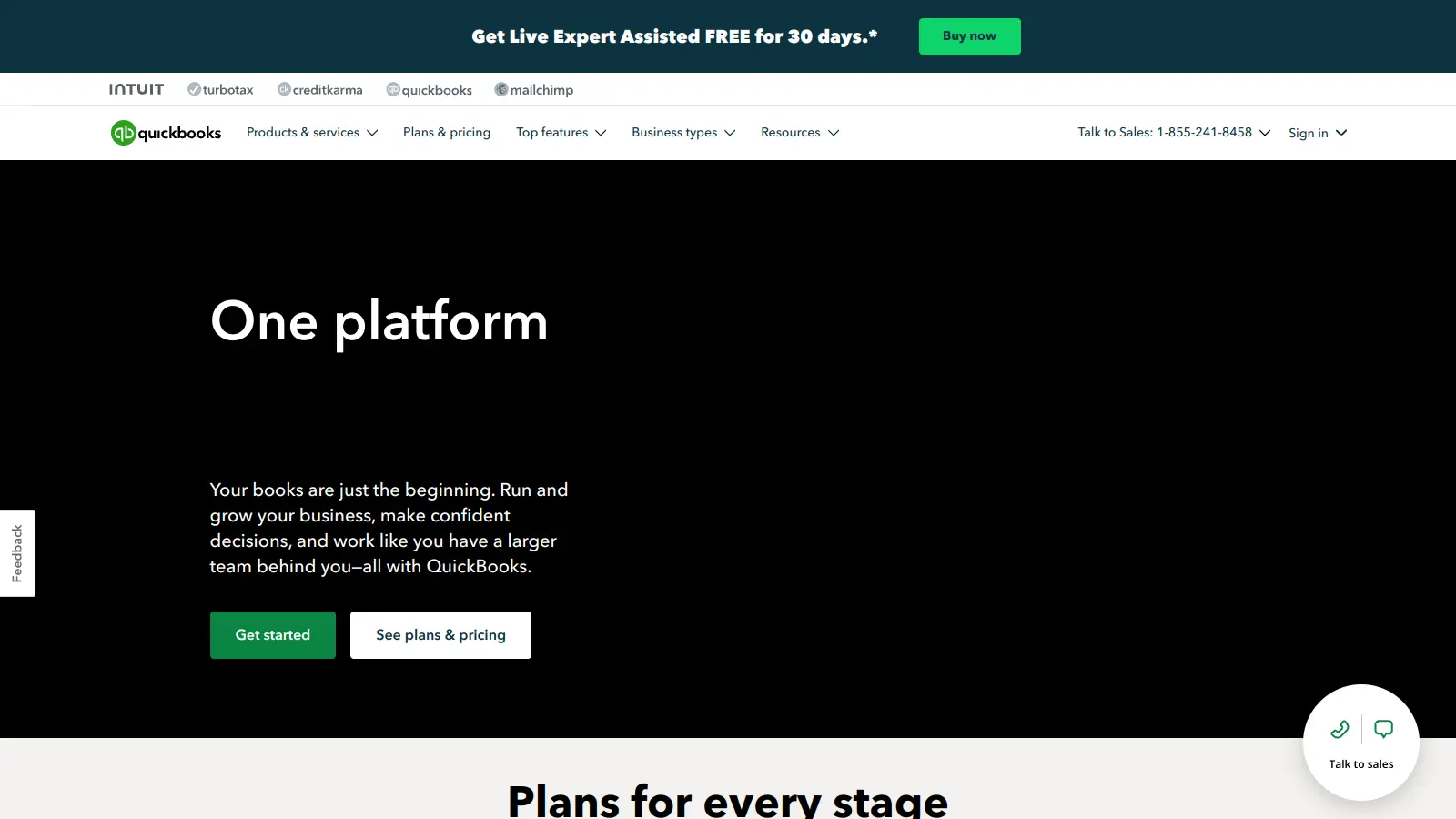
QuickBooks is a financial management tool from Intuit that helps businesses handle their accounting needs. From basic bookkeeping to complete financial management, it serves companies of all sizes through both desktop and cloud-based versions.

The software handles daily financial tasks like creating invoices, tracking expenses, managing payroll, and monitoring inventory. It connects directly with bank accounts and credit cards to import transactions automatically, saving time on manual data entry. Small business owners can generate financial reports, track cash flow, and prepare for tax season.

Users can choose from several versions based on their needs. The online version works well for businesses wanting anywhere access, while the desktop version has more features for companies with complex requirements. Pricing starts at $19 monthly for the Simple Start plan (50% off for the first 3 months) and scales up based on features and number of users needed.

Integration capabilities allow QuickBooks to work with popular business apps and tools, including payment processors like PayPal and Stripe. This helps create a complete system for managing company finances, from accepting customer payments to handling employee payroll.

Who is Quickbooks for?

QuickBooks is ideal for small to medium-sized business owners and financial managers who need to manage accounting processes and gain better control over their finances. Users typically save hours each week on bookkeeping tasks while gaining clearer insights into their company's financial health.

  • Small business owners who need invoicing, expense tracking, and financial reporting without hiring a full-time accountant
  • Freelancers and solo entrepreneurs who want to separate personal and business finances while staying organized for tax time
  • Office managers or administrators who handle day-to-day financial tasks and need tools that connect with banking accounts
  • Growing businesses that need scalable financial software with options to add users and features as their company expands
  • Retail shop owners who want to track inventory alongside their finances in a single system
  • Service-based businesses that need professional invoicing and payment processing to improve cash flow
  • Business owners without accounting backgrounds who need easy-to-learn bookkeeping software

QuickBooks is used across industries like retail, professional services, construction, and healthcare by bookkeepers, office managers, and business owners who want better financial visibility without accounting expertise.

Online Reviews (Last 6 Months Summarised)

QuickBooks receives consistent praise for its user-friendly interface that makes it accessible even for people without accounting backgrounds. Users appreciate the bank integrations and connections with payment processors like PayPal and Stripe. The invoicing and expense tracking features save significant time, and many small business owners consider the automated payroll processing a game-changer. The mobile app gets positive marks for on-the-go bookkeeping, and customer support through live chat and phone is generally reliable.

Users frequently complain about the cost, particularly for solo entrepreneurs or small teams. Frequent price increases and hidden fees frustrate long-time customers. Inventory management for product-based businesses gets criticism for being poorly implemented. While the software starts easy, advanced features have a steep learning curve. Performance issues and outages during tax season cause problems, and many users find it difficult and expensive to cancel or switch to another platform. Report and dashboard customization options are limited compared to what users expect.

Features

  • Complete Financial Management: Track your business finances with an all-in-one accounting solution that handles invoicing, expense tracking, and reporting for businesses of all sizes.
  • Customizable Invoicing: Create professional invoices with your company logo, send them directly to customers, and set up recurring billing for convenience.
  • Online Payment Processing: Enable secure digital payments that help you get paid faster, with integration for payment processors like PayPal and Stripe.
  • Smart Expense Organization: Automatically categorize expenses, track bills, and manage payments across multiple vendors with minimal manual effort.
  • Inventory Management: Monitor stock levels, receive low inventory alerts, and track product costs across multiple warehouses with advanced inventory tools.
  • Automated Payroll Processing: Handle employee payments with automated direct deposits, tax calculations, and payroll management.
  • Detailed Financial Reporting: Generate financial statements, sales reports, and cash flow analyses to make informed business decisions.
  • Bank Account Integration: Connect your bank accounts to automatically import and match transactions, simplifying reconciliation.
  • AI-Powered Features: Use AI-powered reconciliation tools and automation agents for tasks like customer management and project tracking on higher-tier plans.
  • Multi-Currency Support: Handle international transactions with multi-currency capabilities available on Essentials and higher plans.

Pricing

  • Simple Start at $19/month (regularly $38/month, 50% off first 3 months) for 1 user, includes accountant access, smart expense organization, automated bookkeeping, invoicing and payments.
  • Essentials at $37.50/month (regularly $75/month, 50% off first 3 months) for 3 users, includes all Simple Start features plus multiple currencies and payments agent.
  • Plus at $57.50/month (regularly $115/month, 50% off first 3 months) for 5 users, includes all Essentials features plus AI-powered reconciliation and customer agent.
  • Advanced at $137.50/month (regularly $275/month, 50% off first 3 months) for 25 users, includes all Plus features plus custom user management and project management agent.
  • QuickBooks Enterprise scales from Silver at $1,703/year to Diamond at $5,364/year, offering industry-specific solutions with increasing functionality for larger businesses.

Frequently Asked Questions

How is QuickBooks different from other accounting software?

QuickBooks stands out with its user-friendly interface and features that grow with your business. Unlike many competitors, it offers both desktop and online versions to fit different needs. The software has over 750 app integrations, which is far more than most alternatives. QuickBooks also has a network of over 50,000 certified ProAdvisors who can help you with setup and troubleshooting. While there are cheaper options available, QuickBooks' market leadership (over 80% in the US) means it's widely understood by accountants and bookkeepers.

Do I need accounting knowledge to use QuickBooks?

You don't need to be an accounting expert to use QuickBooks successfully. The software is built with small business owners in mind and guides you through basic tasks like creating invoices, tracking expenses, and running reports. The dashboard shows your financial status at a glance with helpful charts and graphs. That said, understanding basic accounting concepts will help you get more value from the software. If you're completely new to bookkeeping, consider watching QuickBooks' free tutorial videos or connecting with a QuickBooks ProAdvisor for initial setup help.

Can QuickBooks handle my industry-specific needs?

QuickBooks works well for most industries, with some versions offering specialized features. The Enterprise version includes industry-specific editions for contractors, manufacturing, retail, nonprofit, professional services, and wholesale businesses. These versions come with custom reports, fields, and workflows tailored to your industry. For example, contractors get job costing tools, while retailers have inventory management features. If you have unique industry requirements, check if QuickBooks has add-ons or third-party integrations that can fill any gaps. Most small to mid-sized businesses find that even the standard version meets their needs.

What's the difference between QuickBooks Online and Desktop?

QuickBooks Online is cloud-based, letting you access your books from anywhere with an internet connection. It updates automatically, supports unlimited time tracking, and works well for businesses with remote teams. Monthly subscription pricing means no large upfront cost. QuickBooks Desktop requires installation on your computer and typically has a one-time purchase fee (though Enterprise is subscription-based). Desktop offers more inventory management features, industry-specific reporting, and better performance with large files. Online is generally better for service-based businesses, while Desktop often suits retail, manufacturing, or inventory-heavy companies better.

How does QuickBooks compare to alternatives like Xero or FreshBooks?

QuickBooks has more features and integrations than most competitors, but it's also more expensive. FreshBooks is simpler and cheaper, making it good for freelancers and very small businesses that don't need complex accounting. Xero offers similar functionality to QuickBooks Online at a slightly lower price point, with unlimited users on all plans (QuickBooks limits users by tier). QuickBooks has better payroll integration and a larger network of certified accountants who know the software. If you're in the US and need full-featured accounting with strong payroll, QuickBooks is hard to beat despite the higher cost.

Other Tools To Check Out

Best Deal

Try Fishbowl Today - Free Trial Available, Then $229/Month for Essentials Plan

Redeem Now

Best Deal

Get Started with the Essential Plan at $469/mo – Streamline Your Restaurant Operations Today

Redeem Now

Best Deal

Start Free Now: Get 500 survey responses with basic features on a single-user account

Redeem Now

Find Out How Best To Utilise Tools

Our newsletter comes with exclusive discounts, trials and practical insights from within the industry

Sign Up Today