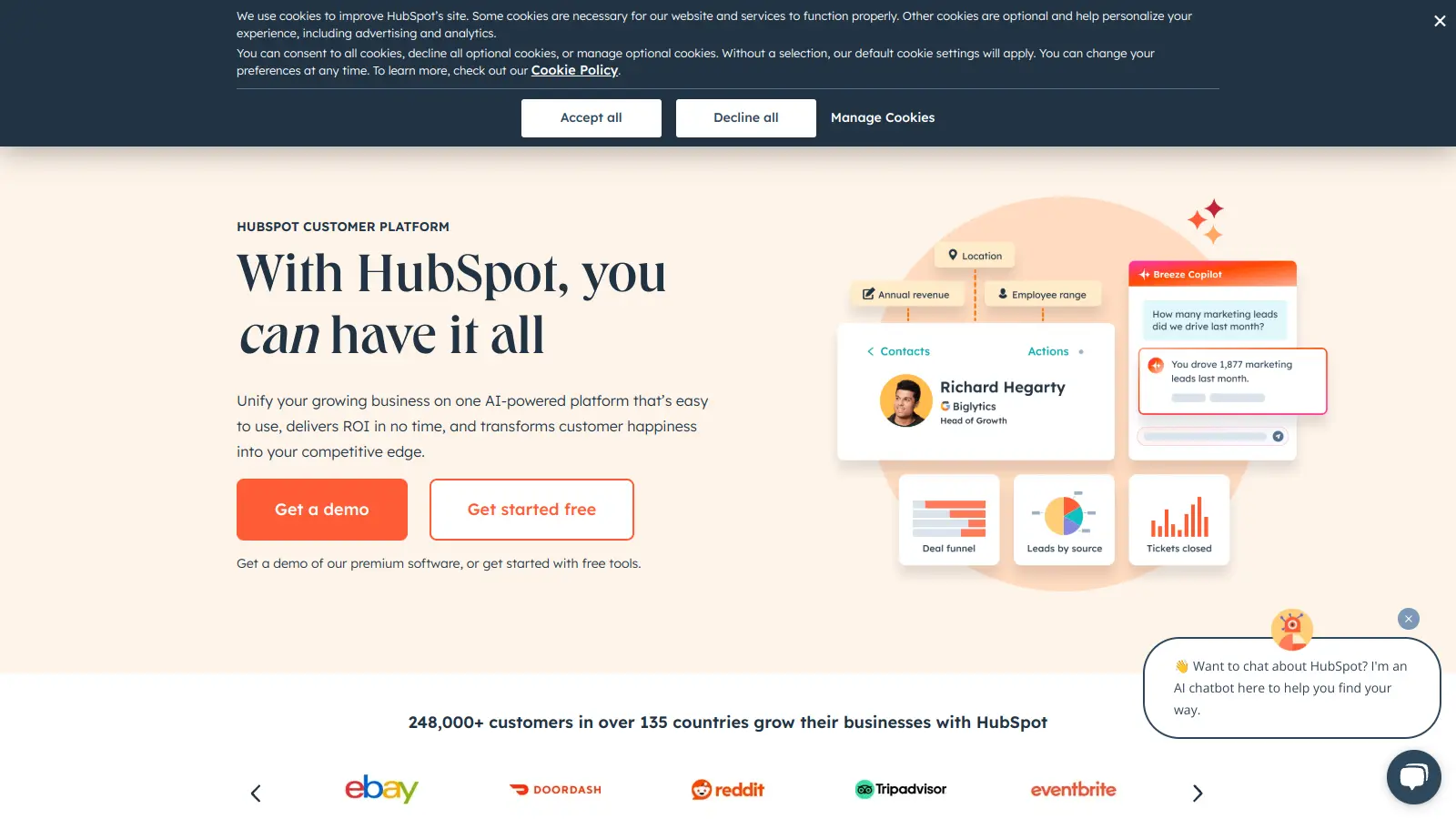
HubSpot is an AI-powered customer platform that combines marketing, sales, customer service, operations, and content management into one unified system. It helps businesses handle everything from lead generation to customer support, making it simpler to manage relationships with clients.
The platform offers both free and paid options to suit different business needs. Small startups can begin with basic features like contact management and email marketing, while larger companies can access more advanced tools for automation, reporting, and team collaboration.
At its core, HubSpot's Smart CRM serves as the foundation for all its tools. The platform includes Marketing Hub for lead generation and campaigns, Sales Hub for pipeline management, Service Hub for customer support, Content Hub for content creation and management, and Operations Hub for data synchronization. Breeze AI features are embedded across all hubs, offering content generation, lead scoring, pipeline forecasting, and intelligent chatbots.
Recent updates have added Breeze Agents and AI capabilities across the platform, helping users create content for blogs, social posts, emails, and landing pages, analyze data, and automate routine tasks. The AI can prioritize leads, forecast deals, merge duplicate records, and assist with website building and reporting.
The system works well for companies that want to consolidate their business tools into one platform. Costs increase significantly when adding multiple hubs or advanced features.
HubSpot works best for teams that need to manage customer relationships across marketing, sales, and service departments. The all-in-one platform eliminates the hassle of managing multiple disconnected tools.
This platform serves companies in e-commerce, professional services, technology firms, and manufacturing businesses.
HubSpot delivers a platform that impresses users with its features and inbound marketing tools. The platform gets praise for its CRM integration across marketing, sales, and service hubs, user-friendly interface, and workflows that save time. Users appreciate the automation tools, customizable reporting, and the generous free tier that works well for small businesses. Customer support is responsive, and the extensive knowledge base helps teams get up to speed.
The pricing is steep, especially for scaling teams who add users and features. Users report a learning curve for advanced features, slow performance, and bugs in the interface. The mobile app gets criticism in App Store reviews. Some users mention limited customization in reporting dashboards. Forum discussions note forced upgrades and sales pressure from HubSpot's team. The onboarding fees for Professional and Enterprise tiers ($3,000 and $6,000) catch businesses off guard.
HubSpot's free CRM gives you basic contact management, deal tracking, and email integration with unlimited free view-only seats. Paid plans unlock more advanced features like marketing automation, AI content generation, lead scoring, pipeline forecasting, and Breeze AI agents. The Starter plans begin at $20/month per seat, while Professional and Enterprise tiers offer more AI capabilities and higher limits. If you're just testing the waters, the free plan works great, but most growing businesses eventually need the extra power of paid plans.
Can I use HubSpot if I'm not tech-savvy?Absolutely! HubSpot is built for people of all skill levels. The platform has a clean, user-friendly design with lots of helpful tutorials and guides. Many tasks use simple drag-and-drop tools that don't require any coding knowledge. Their customer support team is also very responsive if you get stuck. That said, there's a learning curve with any software, so expect to spend a few weeks getting comfortable with all the features. HubSpot offers free training resources to help you learn at your own pace.
How hard is it to migrate my existing data to HubSpot?Moving your data to HubSpot is pretty straightforward. You can import contacts, companies, deals, and other records using CSV files. HubSpot's import tool walks you through mapping your existing fields to HubSpot's system. For larger migrations from other CRMs like Salesforce or Zoho, HubSpot offers dedicated migration services and integrations. The trickiest part is usually cleaning up your data before the move, a perfect time to remove duplicates and outdated information. Most small businesses can complete a basic migration in a day or two.
How does HubSpot compare to Salesforce?HubSpot and Salesforce serve different needs. HubSpot is more user-friendly and offers an all-in-one platform that works great out of the box. It's ideal for small to mid-sized businesses that want marketing, sales, and service tools in one place with AI features like Breeze Agents built in. Salesforce is more powerful and customizable but requires more setup and often needs a dedicated admin. It's better for larger enterprises with complex sales processes. Price-wise, HubSpot tends to be more affordable for smaller teams, while Salesforce's costs can add up with various add-ons and user licenses. Many businesses start with HubSpot and switch to Salesforce as they grow past 100+ employees.
Can I integrate HubSpot with my existing tools?Yes! HubSpot connects with hundreds of other business tools through their App Marketplace. Popular integrations include Gmail, Outlook, Zoom, Slack, WordPress, Shopify, Google Workspace, and many accounting systems. If you use a tool without a direct integration, you can often connect it using Zapier or HubSpot's API. Some integrations are available on all plans, while others require professional or enterprise tiers. The setup process varies by tool. Some take just a few clicks while others might need some technical help. This flexibility means you can keep using your favorite tools while centralizing your data in HubSpot.


Our newsletter comes with exclusive discounts, trials and practical insights from within the industry