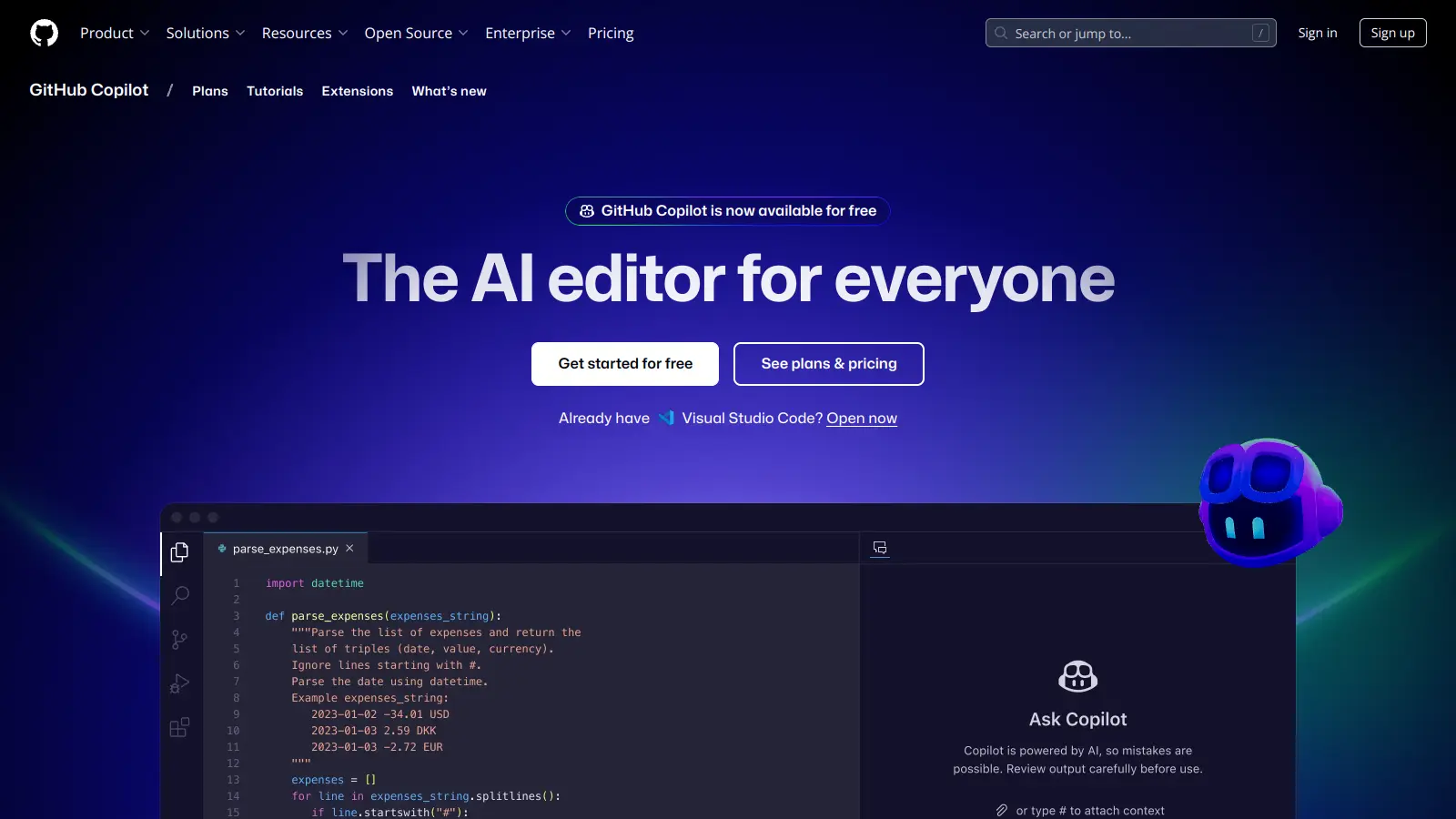
GitHub Copilot is an AI-powered coding assistant that works alongside developers to boost their productivity. Created through a collaboration between GitHub and OpenAI, it functions as an intelligent partner that provides real-time code suggestions and automates routine programming tasks.
The tool integrates with popular development environments like Visual Studio Code, JetBrains IDEs, and Neovim. It offers contextual assistance by understanding your coding style and project needs, suggesting everything from simple code completions to complex function implementations. Copilot can now autonomously make code changes through its Agent mode, giving you the option to let it handle tasks independently or maintain granular control through Edit mode.
Beyond basic code generation, Copilot includes features such as chat support for coding queries, documentation generation, and intelligent search capabilities. It can help create commit messages, explain code behavior, and even convert voice to code. The inline chat lets you modify code through conversation, while Copilot Spaces helps you organize context for specific tasks.
The service comes in several tiers. A free tier offers up to 2,000 inline suggestions per month for developers who want to try the tool. Individual developers can access Copilot Pro for $10 per month, while a new Pro+ tier at $39 per month provides full access to all available models. Business and Enterprise versions offer additional features at $19 and $39 per user monthly. Students, teachers, and maintainers of popular open-source projects qualify for free access to the Pro plan.
Whether you're working on a personal project or as part of a larger team, Copilot aims to speed up the development process by handling repetitive coding tasks and offering suggestions when you need them.
GitHub Copilot is for developers and programming teams who want to code faster and spend less time on repetitive tasks. The AI assistant provides code suggestions that match your project's style, letting you focus on solving complex problems rather than writing boilerplate code.
GitHub Copilot finds its home in software companies, tech startups, educational institutions, and anywhere software development happens, from web development teams to mobile app creators and enterprise solution builders.
GitHub Copilot receives strong praise from developers for dramatically speeding up coding workflows and handling boilerplate code generation. Users appreciate its ability to suggest whole functions and help with learning new programming languages and frameworks. The tool shines when generating tests and documentation, reducing time spent on routine coding tasks. Many developers find the IDE integration works well, particularly with VS Code, and the context-aware suggestions help junior developers learn best practices. The time savings on debugging and refactoring are frequently mentioned as major benefits.
Generated code sometimes contains bugs or security vulnerabilities that require careful review. Suggestions can be outdated or inefficient, and the tool struggles with domain-specific or niche programming tasks. The subscription cost of $10 to $39 per month feels expensive to some users, especially when suggestion quality varies across different programming languages. Privacy and intellectual property concerns about training data come up regularly. Some developers worry about over-reliance affecting problem-solving skills, and performance can lag in large codebases with limited context understanding in complex projects.
The free tier of GitHub Copilot offers up to 2,000 inline suggestions per month, 50 premium requests, and 50 Chat interactions. Copilot Pro ($10/month) provides unlimited completions in IDEs, unlimited Copilot Chat with included models, and 300 premium requests per month. Copilot Pro+ ($39/month) includes everything in Pro plus full access to all available models and 1,500 premium requests per month with priority access to advanced AI capabilities. Business ($19/month) and Enterprise ($39/month) plans add organizational features like audit logs, policy controls, and enhanced security. If you're just exploring AI coding assistance, the free tier is a good starting point, but serious developers typically find the paid versions more valuable for daily work.
How accurate is GitHub Copilot's code? Can I trust its suggestions?GitHub Copilot's suggestions are generally good but not perfect. It works best with common coding patterns and popular languages. The tool might suggest code that looks correct but contains bugs or security issues. Always review what Copilot suggests before using it. Many developers find that Copilot saves time on routine tasks but still requires human judgment. Think of it as a helpful assistant rather than a replacement for your coding skills and knowledge.
Does GitHub Copilot work offline?No, GitHub Copilot needs an internet connection to function. The tool processes your code context through cloud-based AI models and returns suggestions in real-time. Without internet access, you won't receive new suggestions. This is worth keeping in mind if you often work in environments with limited connectivity or want to code during travel. There's currently no offline mode available across any of the pricing tiers.
Can I use Copilot code in commercial projects legally?Yes, you can use code generated by GitHub Copilot in commercial projects. GitHub's terms state that you own the output Copilot generates. However, some developers have raised concerns about potential intellectual property issues since Copilot was trained on public code repositories. The suggestions Copilot provides are based on patterns learned from open-source code, which means there's a chance it might suggest code similar to existing copyrighted work. It's your responsibility to review the code and ensure it doesn't violate any licenses or intellectual property rights.
What languages and IDEs does GitHub Copilot support?GitHub Copilot works with most popular programming languages including Python, JavaScript, TypeScript, Ruby, Go, C#, and Java. It integrates with Visual Studio Code, Visual Studio, JetBrains IDEs (like IntelliJ, PyCharm, and WebStorm), Neovim, GitHub Desktop, GitHub Mobile, Windows Terminal Canary, and GitHub CLI. The tool also works directly on the GitHub website. Performance might vary across languages based on how much training data was available for each language, with mainstream languages typically getting better suggestions.


Our newsletter comes with exclusive discounts, trials and practical insights from within the industry