tools for
humans

Eesel reviews — what users really think

published 3 september 2023last updated 14 february 2026
how we review

we track global search demand across every software category, monitor what real users are saying online, identify which professions rely on each tool, and surface the questions people are actually asking. reviews are consistently updated and reviewed for reliability.

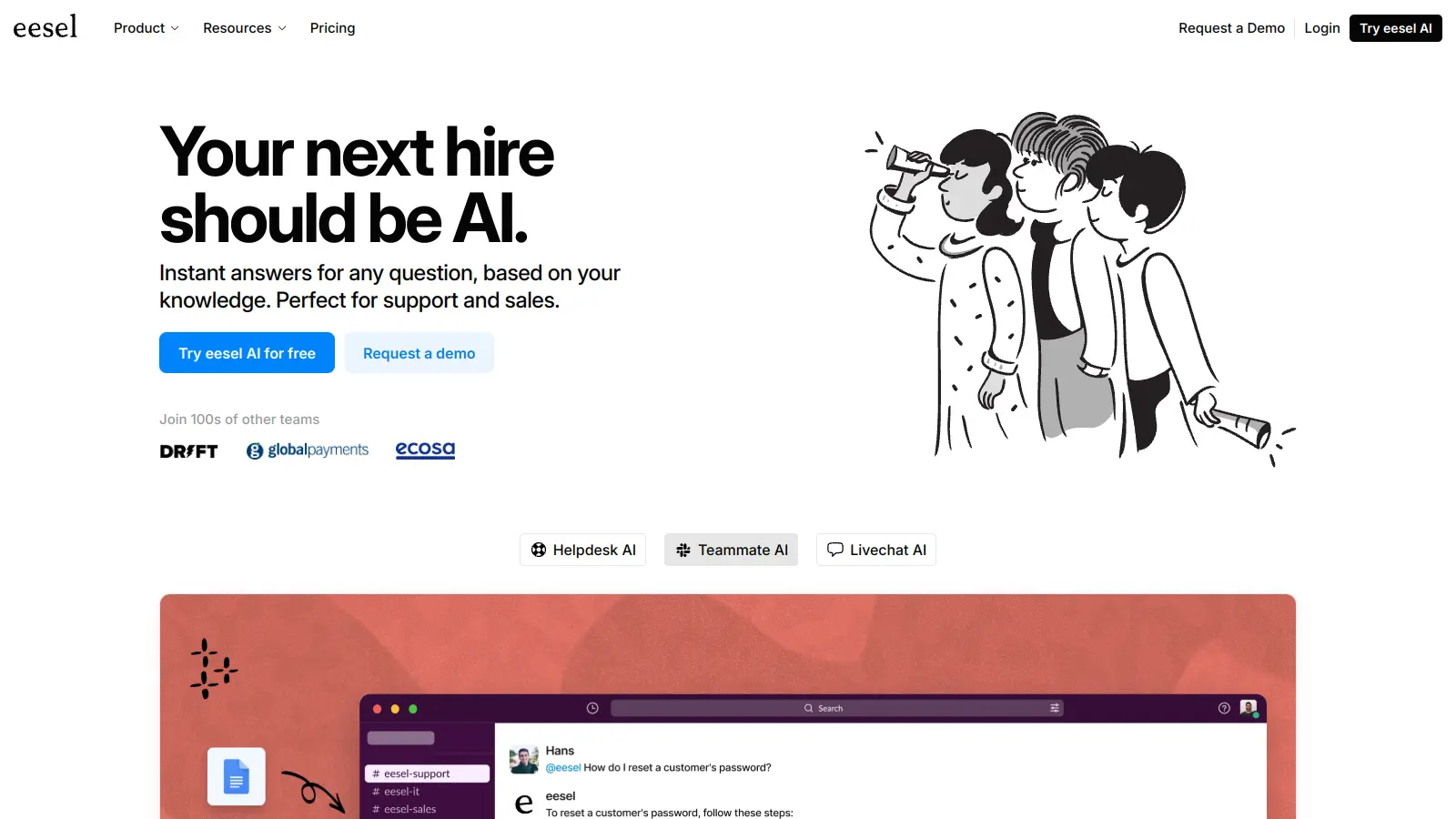
Eesel is an AI agent and chatbot platform that connects to your business tools to handle customer support, answer questions, and manage company knowledge. It trains on your internal documents, help centers, and past support tickets to provide accurate, context-aware responses.

The platform integrates with over 100 apps including Zendesk, Gorgias, Intercom, Slack, Microsoft Teams, Google Docs, Notion, Confluence, and SharePoint. You can deploy it as a website chat widget, an agent assistant that drafts replies for your team, or a fully automated AI agent that handles frontline support tickets. The system can triage incoming requests by tagging, routing, editing, or closing tickets, and it automatically handles spam and thank-you messages.

Before going live, you can test Eesel in a sandbox environment by running it against past tickets to see how it would have responded. Customization happens through plain text prompts where you define behavior, escalation rules, and actions. The AI learns your company's tone from existing communications and matches it in responses. It supports multiple languages and can be set up quickly without technical expertise.

Eesel works as either a copilot that assists human agents with draft replies or as a full AI agent that automates Tier 1 support with escalation to humans when needed. The platform includes reporting features and offers EU data residency for compliance needs. It doesn't have a free version, but it offers a 7-day trial with no credit card required.

who is Eesel for?

Eesel is built for teams that need to automate customer support, triage tickets, and make company knowledge instantly accessible without constantly switching between tools.

  • Customer service teams who want to automate frontline support and reduce response times
  • Support managers who need to handle Tier 1 tickets automatically so human agents can focus on complex issues
  • Businesses with fragmented data across Google Docs, Notion, Confluence, and help desks who need unified knowledge access
  • E-commerce companies using Gorgias and Shopify who want tight integration with their support and sales stack
  • IT support teams who need internal tools to answer employee questions about systems, policies, and procedures
  • Companies handling support in multiple languages who need consistent, accurate responses across different markets
  • Organizations concerned with data residency and security who need EU-based hosting and compliance features

Eesel works well for businesses that already have documentation and past ticket history to train on, and who want to test AI responses before deploying them to customers.

online reviews (last 6 months summarised)

Public discussion about Eesel is limited online. There aren't many user reviews on major software review sites or detailed testimonials from customers yet. This could mean the tool is relatively new to market or serves a niche audience that doesn't actively post reviews.

The lack of feedback doesn't necessarily indicate problems with the product. Many B2B tools used by customer service and IT teams don't generate much public conversation even when they work well. If you're considering Eesel, the 7-day trial offers a chance to test it directly rather than relying on secondhand opinions.

features

  • Knowledge Training and Answer Matching: Trains on internal documents, past support tickets, help centers, and knowledge bases to answer questions and match your company's tone in responses.
  • AI Ticket Triage: Automatically tags, routes, edits, and closes tickets, plus handles spam and thank-you messages to reduce manual sorting work for support teams.
  • Sandbox Simulation and Testing: Test the AI against your past tickets in a safe environment before deployment to see how it would have responded and make adjustments without risk.
  • Plain Text Customization: Configure behavior, escalation rules, and actions through simple text prompts instead of complex code, making it accessible to non-technical users.
  • Multi-Platform Integration: Connects with over 100 apps including Zendesk, Gorgias, Intercom, Slack, Microsoft Teams, Google Docs, Notion, Confluence, and SharePoint for unified knowledge access.
  • Flexible Deployment Modes: Deploy as a website chat widget, an agent copilot that drafts replies for human review, or a fully automated AI agent that handles tickets with human escalation.
  • AI Actions: Performs actions like API calls, ticket routing, and workflow automation based on ticket content and context.

pricing

  • Team Plan: $299/mo ($239/mo annually) — Train on website and docs; AI Copilot for helpdesk; Integrate with Slack; Reports; Up to 3 bots; Up to 1,000 interactions/mo
  • Business Plan: $799/mo ($639/mo annually) — Everything in Team; AI Agent for helpdesk; Train on past tickets; Integrate with Microsoft Teams; AI actions like triage; Bulk simulate; EU data residency; Unlimited bots; Up to 3,000 interactions/mo
  • Custom Plan: Contact Sales — Everything in other plans; Orchestrate multiple AI agents; Advanced AI actions like API calls; Custom integrations; Custom data retention; Advanced security; Unlimited interactions
  • 7-day free trial available with no credit card required to test all features before committing to a plan

frequently asked questions

What's the difference between Eesel as a copilot versus an AI agent?

As a copilot, Eesel drafts replies that human agents can review, edit, and send. This keeps humans in control while speeding up response time. As an AI agent, Eesel handles tickets automatically from start to finish, only escalating to humans when it encounters something complex or when you've set specific escalation rules. The Team plan includes the copilot feature, while the Business plan adds full AI agent capabilities.

How does Eesel learn my company's tone and style?

Eesel trains on your existing help center articles, internal documents, and past support tickets to understand both what information to share and how to communicate it. The system analyzes how your team has responded to customers before and matches that tone. You can also customize behavior through plain text prompts to fine-tune responses, set escalation rules, and define specific actions the AI should take.

Can I test Eesel before deploying it to real customers?

Yes. Eesel includes a sandbox simulation feature where you can run the AI against your past support tickets to see how it would have responded. This lets you identify gaps in knowledge, adjust training, and refine prompts before going live. The Business plan includes bulk simulation capabilities for testing at scale across your entire ticket history.

What platforms and tools does Eesel integrate with?

Eesel connects with over 100 apps. For knowledge sources, it integrates with Google Docs, Notion, Confluence, SharePoint, and help centers. For support workflows, it works with Zendesk, Gorgias, Intercom, and can be deployed as a website widget. For team communication, it integrates with Slack and Microsoft Teams. E-commerce users can connect it with Shopify for order and product information.

How long does it take to set up Eesel?

Basic setup is quick and doesn't require technical skills. You connect your knowledge sources through the web interface, and Eesel starts training on your content. The testing phase in the sandbox can take as long as you want—some teams test for a few hours, others run simulations for days to refine responses. Most companies can go from setup to deployment within a few days, though the AI continues learning and improving as it handles more interactions.

other tools to check out

Microsoft SharePoint screenshot
online buzz500k+ Searches
trend (1M)50%

Microsoft SharePoint

Microsoft SharePoint is a web-based collaboration platform that helps organizations create team sites, intranets, and document management systems. It integrates with Microsoft 365 tools, offering features like real-time co-authoring, version control, security controls, customizable sites, and workflow automation.

best deal

Try SharePoint Plan 1 for just $5/month - Get 1TB pooled storage, real-time collaboration & core document management features

MyCase screenshot
online buzz500k+ Searches
trend (1M)22%

MyCase

MyCase is a cloud-based law practice management software designed for solo and small to midsize law firms. It provides a platform for managing client communication, case workflow, billing, and document management. With features like client intake forms, eSignature, case tracking, secure client portals, AI-powered document summarization, and integrated payment solutions, MyCase helps law firms streamline their operations and improve efficiency across multiple practice areas.

best deal

Try MyCase Free for 10 Days - No Credit Card Required

Box screenshot
online buzz500k+ Searches
trend (1M)22%

Box

Box is a cloud-native content management platform that enables secure storage, collaboration, and content management. It offers features including security controls, AI-driven insights, workflow automation, and integrations across business applications. With scalable solutions for individuals, teams, and enterprises, Box helps organizations manage, share, and protect their digital content.

best deal

Try Box free with 10GB storage or get 30% off Enterprise plans when billed annually

Gradescope screenshot
online buzz100k+ Searches
trend (1M)-32%

Gradescope

Gradescope is a comprehensive digital grading platform that streamlines assessment for various assignment types, including exams, homework, and programming assignments. Developed by UC Berkeley instructors, it reduces manual grading time through AI-powered tools, enables consistent feedback, supports multiple graders, and provides detailed performance analytics. The platform integrates with learning management systems and offers features like dynamic rubrics, annotation, and anonymous grading to enhance educational assessment efficiency.

best deal

Get started with Gradescope for just $1 per student and streamline your grading process

Clio screenshot
online buzz100k+ Searches
trend (1M)2%

Clio

Clio is a cloud-based legal practice management software that streamlines law firm operations. It offers features for case management, billing, document automation, client intake, and collaboration. The platform provides AI tools like Clio Duo for automating tasks, tracking finances, engaging clients, managing documents, and integrating with other software.

best deal

Get 15% bundle savings and try Clio free before committing to a plan

Guru screenshot
online buzz50k+ Searches
trend (1M)22%

Guru

Guru is an AI-powered knowledge management platform that helps organizations capture, organize, and share collective knowledge. It offers knowledge cards, tool integrations, AI-driven search, and automated content verification. The platform provides access to information across tools with real-time updates and context-aware answers tailored to individual user roles.

best deal

Try Guru free for 30 days with no credit card required, or get reduced pricing through Guru for Good if you're an eligible nonprofit.