Wix Review 2026 - Features, Pricing & Deals

Last Updated
Feb 14, 2026

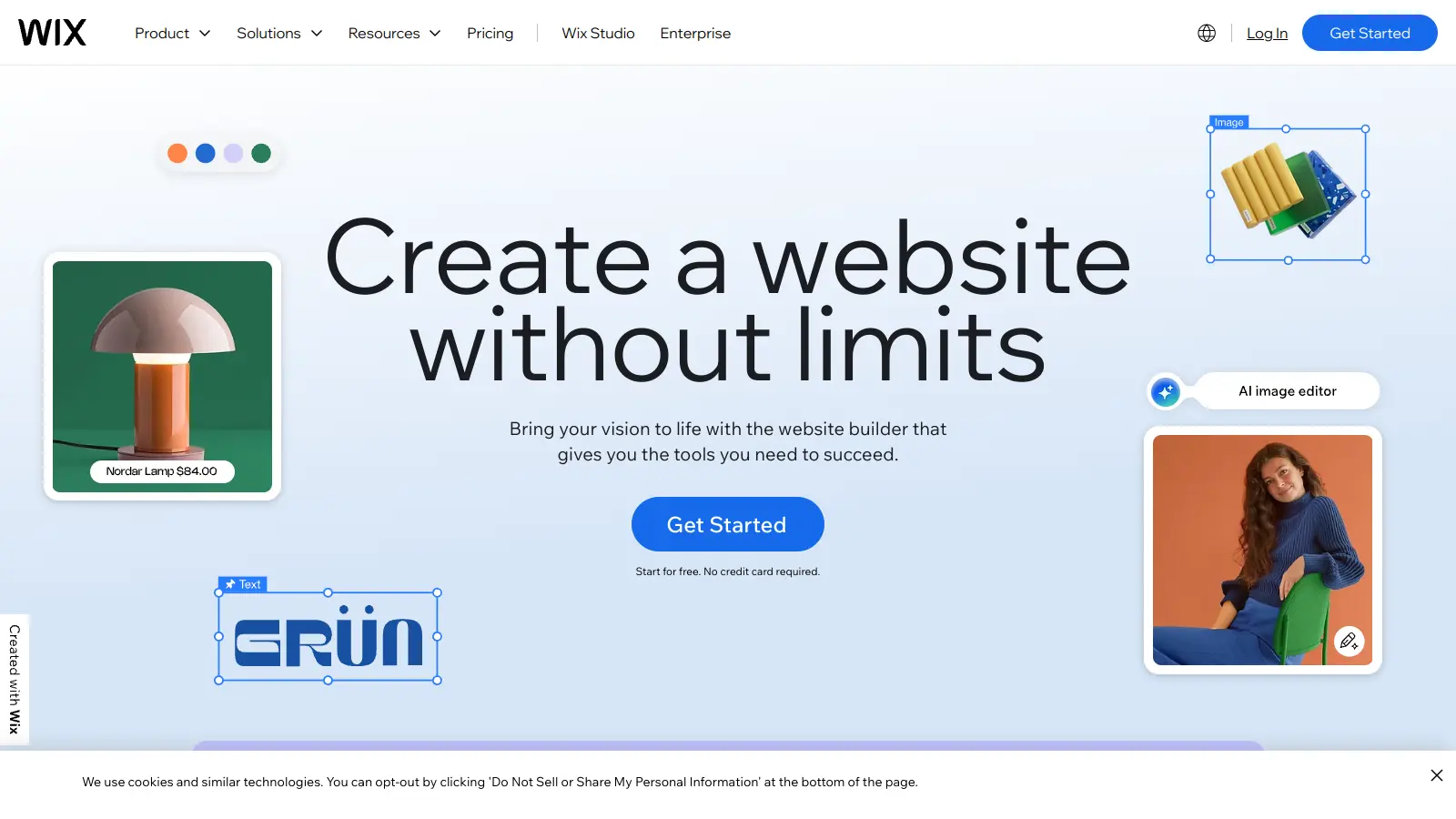
Wix is a website builder that helps users create and manage their online presence without coding knowledge. Users can build everything from personal blogs to professional business websites using its drag-and-drop interface.

The platform combines customizable templates, AI-powered tools, and integrated hosting to streamline website creation. With over 900 industry-specific templates available, users can quickly establish their web presence while maintaining creative control over their site's appearance.

The feature set includes tools for ecommerce, SEO optimization, and mobile responsiveness. The AI website builder can generate personalized websites based on user preferences, while built-in marketing tools help promote your site once it's live. The platform runs on infrastructure with 99.99% uptime and integrates with Google Search Console for site indexing.

A free plan is available for basic websites. Premium plans start at $17 per month and offer additional features like custom domains, increased storage, and removal of Wix branding. The platform serves individuals creating portfolios, small businesses launching online stores, and everything in between.

Who is Wix for?

Wix works for individuals and small business owners who want to create professional websites without learning code. Its drag-and-drop interface saves time and frustration, allowing anyone to build a functional website regardless of their technical experience.

  • Small and medium-sized businesses seeking enterprise-level tools without extensive technical expertise
  • Photographers, designers, or writers who want a portfolio that showcases their work
  • Entrepreneurs and solopreneurs launching online stores who need integrated payment processing and inventory management
  • Service providers like consultants, coaches, or local contractors who want a professional website to attract and inform potential clients
  • Bloggers or content creators who need a simple platform to publish and share their work regularly
  • Non-profit organizations working with limited budgets who need to create informative websites and accept donations
  • Businesses needing 24/7 customer engagement and support tools integrated into their website

Wix is used across industries including retail, hospitality, professional services, arts and entertainment, and by freelancers who need to maintain control over their online presence without technical complexity.

Online Reviews (Last 6 Months Summarised)

Wix offers a user-friendly website builder that lets people without coding skills create professional-looking sites quickly. Its drag-and-drop editor and templates make it attractive for small businesses and personal projects. Users praise the beautiful designs, excellent customer support with live chat and callbacks, reliable hosting with fast loading speeds, and mobile-responsive sites right out of the box. The integrated e-commerce features work well for small businesses, and the apps and integrations available add flexibility.

The platform has real limitations. SEO capabilities are weaker compared to WordPress, making it harder to rank high in search results. You can't switch templates after launching without rebuilding your entire site. You can't fully export templates, locking you into the platform. Pricing jumps significantly after the basic plan. Performance slows down when you add many elements to your site. The editor can feel bloated and overwhelming. Migrating away from Wix once you've built a site is difficult. Customization options are more limited compared to open platforms.

Features

  • Drag & Drop Website Builder: Create websites without coding using an interface that lets you customize every design element.
  • AI Website Generator: Build personalized websites tailored to your business needs with AI-powered design recommendations powered by OpenAI's GPT models and automated content creation.
  • Wix Harmony AI Editor: Combine conversational AI creation with manual visual editing—generate complete sites or sections through natural language prompts, then refine them with drag-and-drop control.
  • AI Content Generation: Generate website copy, blog posts, product descriptions, and SEO-optimized content using AI text creator tools that save time on writing.
  • Complete Online Store Solution: Set up and manage your storefront with integrated payment gateways, inventory tracking, and product management tools including AI-generated product descriptions.
  • Advanced SEO Optimization: Improve your website's search engine rankings with AI-powered SEO Assistant, Google Search Console integration for site indexing, and automated issue identification.
  • AI Image Tools: Generate and edit images with AI-powered caption generation, resolution improvement, image extension, and automatic alt text generation for portfolio images.

Pricing

  • Free version offers a Wix-branded domain with limited features, display ads, and access to Wix Harmony at no cost.
  • Light Plan starts at $17/month (annually), ideal for portfolios with 2GB storage, custom domain, removing Wix ads, and basic marketing tools.
  • Core Plan costs $29/month (annually), supporting small online stores with 50GB storage, 5 collaborators, basic e-commerce, and marketing features.
  • Business Plan priced at $39/month (annually), designed for established businesses with 100GB storage, 10 collaborators, advanced e-commerce, and payment capabilities.
  • Business Elite Plan provides unlimited storage, 100 collaborators, and priority support at $159/month (annually) for large business needs.
  • Enterprise Plan offers custom pricing for global brands, requiring direct consultation with Wix for a personalized quote.
  • 50% off annual plans available as current promotion.

Frequently Asked Questions

What's the difference between Wix's AI Website Builder and the regular editor?

The AI Website Builder creates a website for you based on your answers to a few simple questions. It builds your site automatically with matching colors, content, and images using OpenAI's GPT models. The regular editor is a drag-and-drop tool where you start with a template and manually customize every element yourself. Wix Harmony combines both approaches, letting you use natural language prompts to generate sections or content and then refine them visually. Choose the AI builder if you want a quick setup with less work, or the regular editor if you prefer complete control over every detail of your site's design.

Can I switch templates after I've already built my Wix site?

No. You can't simply switch templates after you've started building your Wix site. If you want to use a different template, you'll need to create a new site and rebuild your content. That's why it's important to choose a template you really like from the start. You can still change your site's colors, fonts, and layout elements within your current template, but switching to an entirely new template requires starting fresh.

Is Wix good for SEO or will it hurt my Google rankings?

Wix has improved its SEO capabilities in recent years with an AI-powered SEO Assistant, Google Search Console integration for site indexing, and automated issue identification. You can access essential SEO tools like customizable metadata, SSL security, mobile optimization, and structured data markup. The platform also offers an SEO Wiz tool that guides you through the optimization process. That said, users consistently report that Wix's SEO capabilities remain weaker than WordPress, and it's harder to achieve high rankings. If SEO is critical to your business, consider whether Wix's limitations will hold you back.

Can I transfer my Wix website to another platform later?

Moving a Wix website to another platform isn't straightforward. You can export your blog posts as XML and download your images, but you can't export the actual website design or structure. If you switch platforms, you'll need to rebuild your site from scratch. Your domain can be transferred if you purchased it through Wix, though this requires several steps. Consider this potential lock-in factor before committing to Wix if you think you might want to switch platforms in the future.

How much storage do I really need for my Wix website?

For a basic website with mostly text and a few images, the 2GB storage on the Light plan is usually enough. If you plan to upload lots of high-resolution photos or videos, you'll want at least the Core plan with 50GB. Online stores with many product images should consider the Business plan (100GB) or Business Elite (unlimited storage). Remember that image galleries, video files, and PDFs eat up storage quickly. It's better to start with more storage than you think you'll need to avoid hitting limits as your site grows.

Other Tools To Check Out

Best Deal

Start Automating with 400 Free Credits Monthly - No Credit Card Required

Redeem Now

Best Deal

Try the Starter plan for free with 5 forms, 100 monthly submissions, and all standard features. Nonprofits and educational institutions get 50% off paid plans.

Redeem Now

Best Deal

Teams users automatically upgraded to Pro at no additional cost for remainder of term; yearly Teams subscribers get $100 monthly credits free until term ends

Redeem Now

Find Out How Best To Utilise Tools

Our newsletter comes with exclusive discounts, trials and practical insights from within the industry

Sign Up Today