Salesflare is a CRM that automates B2B sales processes for small and medium-sized businesses. It captures and organizes customer information from emails, social media, and company databases, so sales teams spend less time on admin work.
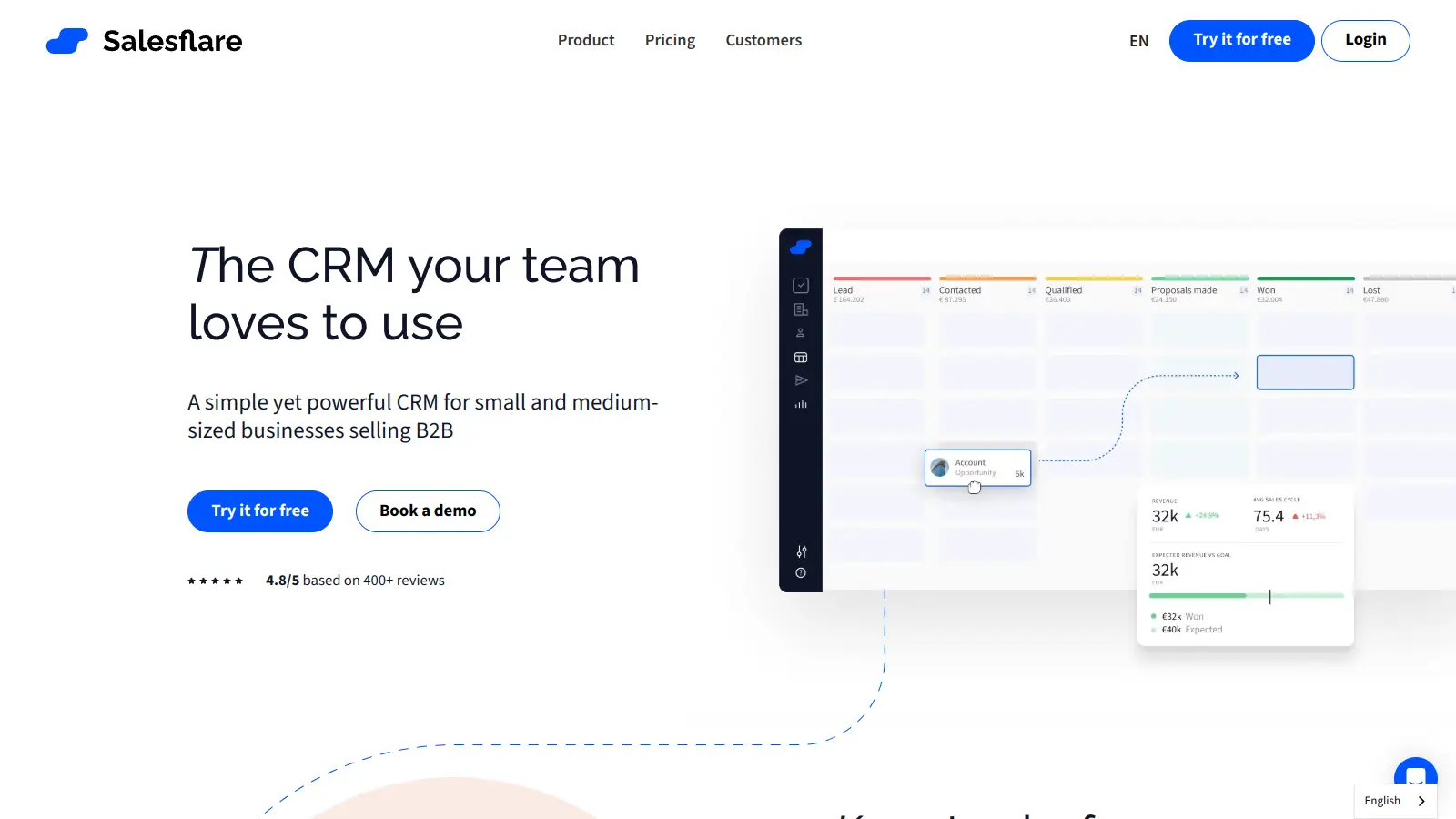
The software uses AI to summarize conversations, suggest next steps, and answer questions about customer relationships. It gathers contact details, logs interactions, and presents everything in visual pipelines that show where deals stand.
You can track customer interactions, manage sales pipelines, and run automated email sequences through the interface. It integrates with Gmail, Outlook, and LinkedIn. Built-in email integration lets you track and manage emails directly within the CRM.
Starting at $29 per user per month with annual billing, the system offers three pricing tiers. Each plan includes automated contact management and interaction tracking, while higher tiers add multi-email workflows, custom dashboards, and advanced user permissions.
Since 2014, Salesflare has grown to serve B2B companies in consulting, technology, agencies, and professional services. The platform organizes their sales processes through automated data management, AI-powered insights, and relationship intelligence that measures team relationship strength.
Salesflare works best for B2B sales teams that don't want to spend half their day updating spreadsheets. If you're tired of logging every email and meeting manually, or you need AI to tell you what to do next with a prospect, this CRM handles that.
Most users are in consulting, technology, marketing agencies, professional services, and other B2B industries where client relationships matter.
Users like the interface, automated data enrichment, and time-saving features. Small sales teams appreciate how it handles data entry automatically and integrates well with email and calendars. The customer support and onboarding get frequent mentions. People say it's easier to use than HubSpot and more affordable. The visual pipeline and relationship intelligence help teams stay organized.
Reporting and analytics are limited. The platform lacks some of the advanced automation in Pipedrive or Salesforce, which frustrates teams needing complex workflows. Users report sync issues with external tools and bugs during data import. The mobile app gets mixed reviews. Salesflare works for small and medium-sized teams but isn't built for large enterprises needing extensive customization.
Salesflare pulls contact data from email signatures, social profiles, company websites, and email headers. When you add someone to your CRM, it searches these sources and fills in phone numbers, job titles, and social media profiles. It also tracks your team's interactions with contacts, logging emails and meetings automatically so everyone stays in the loop.
Can I use Salesflare if I have a small team?Yes. Salesflare works well for small teams. You don't need a dedicated CRM manager to keep it running. The automated data collection means your small team won't waste time on manual data entry. The Growth plan starts at $29 per user per month with annual billing. Many solo entrepreneurs and small teams use it because setup is easy and doesn't require much training.
How does Salesflare compare to other CRMs like HubSpot or Pipedrive?Salesflare sits between basic CRMs and complex enterprise systems. Unlike HubSpot, which offers a full marketing suite but can be overwhelming, Salesflare focuses on sales automation with a simpler interface and lower price. Compared to Pipedrive, Salesflare offers more automation for contact data entry and AI-powered timeline analysis. It excels at LinkedIn integration and tracking customer interactions automatically. It doesn't have as many customization options or advanced automation as bigger CRMs, but users say it balances features with simplicity.
What are the AI-powered features in Salesflare?The AI analyzes your customer timelines and provides insights. It summarizes conversation histories, suggests next steps based on past interactions, and answers questions about your relationships with specific customers. There's automated lead scoring that watches engagement patterns in real time and sends notifications when prospects show high interest. These features help you prioritize your time and respond faster without manually reviewing every interaction.
Can I try Salesflare before committing to a subscription?Yes. Salesflare offers a 30-day free trial with full access to all features. You don't need a credit card to start. This gives you time to import contacts, test the automation, try the AI-powered timeline analysis, and see how it works with your existing tools. If it's not right for you, let the trial expire without any charges.


Our newsletter comes with exclusive discounts, trials and practical insights from within the industry