MyEdit Review 2026 - Features, Pricing & Deals

Last Updated
Feb 14, 2026

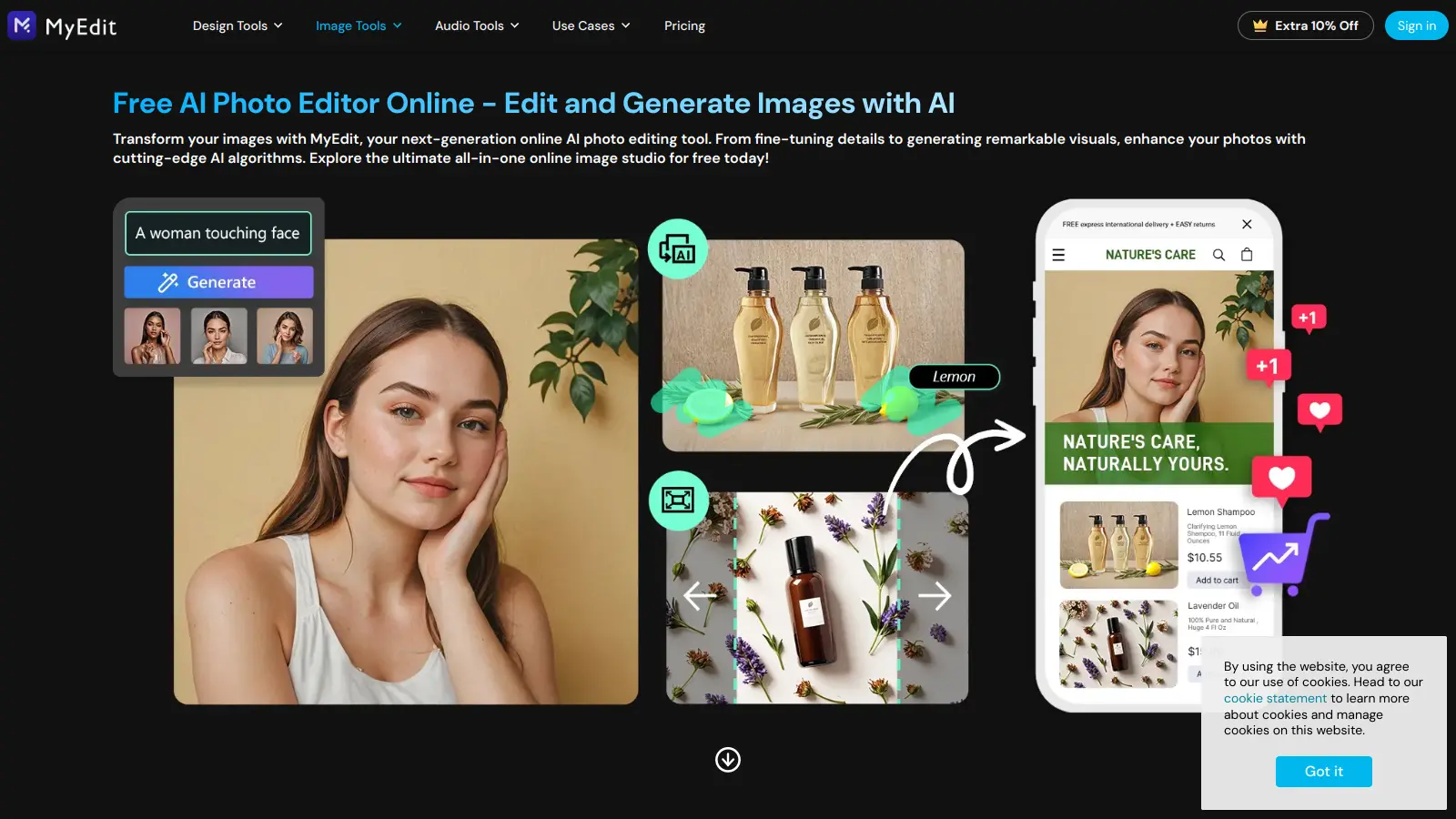
MyEdit is an AI-powered tool that helps users edit both photos and audio files through their web browser. You won't need to download or install anything since it works right in your browser window, though iOS and Android mobile apps are also available. The platform makes complex editing tasks simple, whether you're just starting out or you've been editing for years.

The tool brings together a complete set of features for working with images and audio. For photos, you can do everything from removing unwanted objects to changing backgrounds and turning pictures into cartoon art. The audio side lets you convert speech to text, remove background noise, and create AI-generated voice clips.

While there's a free plan that gives you basic access and some daily credits, paid plans start at $4 monthly for expanded image editing features. The platform works well for content creators, marketing teams, and anyone who wants to improve their digital content without learning complicated software.

MyEdit combines photo and audio editing in one place. You can handle most common editing tasks without switching between different apps or learning multiple interfaces.

Who is MyEdit for?

MyEdit is for anyone who wants to edit photos and audio without complicated software or multiple apps. The browser-based platform simplifies complex editing tasks while delivering professional results.

  • Content creators and social media managers who need to quickly enhance images and audio for posts without switching between different tools
  • Marketing professionals who regularly work with both visual and audio content and need an all-in-one solution that doesn't require technical expertise
  • Photographers and product photographers who need AI-powered enhancements, object removal, and background editing for client work
  • eCommerce managers who want to create polished product photos with background removal and enhancement features
  • Graphic designers who need quick professional edits with AI effects and generative fill capabilities
  • Podcasters who need to transcribe audio recordings and clean up sound quality in one platform
  • Small business owners who want to create polished digital content without investing in expensive software or lengthy training

Freelance designers, marketing teams, and digital content professionals across media, education, e-commerce, and corporate communications will find MyEdit useful.

Online Reviews (Last 6 Months Summarised)

The online conversation about MyEdit is quiet. There's minimal public discussion happening across Reddit, forums, or review sites where you'd typically find user experiences and opinions. This doesn't necessarily mean the tool is bad, just that it hasn't built up a large community of vocal users sharing their thoughts publicly.

The research mentions pro-level AI effects that can transform images in surprising ways, but there isn't enough widespread user feedback to paint a complete picture of strengths and weaknesses. The free tier with 3 daily credits gives you a chance to test it yourself rather than relying on community consensus that doesn't really exist yet.

Features

  • AI Image Generator: Create visuals from text descriptions using AI algorithms, transforming your ideas into realistic images instantly.
  • AI Object Removal: Remove unwanted elements from photos with precision, helping you clean up and perfect your images without complex editing skills.
  • AI Background Removal: Switch or eliminate backgrounds, allowing you to customize your images and focus on the main subject with just a few clicks.
  • Image Enhancer & Upscaler: Improve photo quality by adjusting resolution, sharpness, and clarity, with upscaling capabilities to transform ordinary images into professional-looking visuals.
  • AI Headshot & Outfit: Generate professional headshots and try on different outfits digitally, creating polished portraits and exploring wardrobe options with AI.
  • Generative Fill & AI Replace: Fill in missing areas of images or replace specific elements using AI for seamless modifications.
  • AI Cartoon, Anime & Sketch Tools: Convert photos into cartoon, anime, or sketch styles.
  • Audio to Text Converter: Transform audio files into written text across multiple languages, making content accessibility and documentation easier.

Pricing

  • Free version includes 3 free credits per day for premium features, unlimited downloads for general tools, and one download per day for premium tools.
  • Image Plan at $4 monthly offers access to all image tools, 300 bonus credits per month, unlimited AI image generation, no watermarks, and batch mode for resize and convert.
  • Image Pro Plan at $7 monthly provides full access to image tools and Business Studio, 500 bonus credits per month, unlimited downloads, and access to all premium styles.

Frequently Asked Questions

How does MyEdit compare to other AI photo editors?

MyEdit stands out by combining both photo and audio editing in one platform. Unlike tools that only focus on images, MyEdit lets you enhance photos and edit audio files without switching between different apps. The free plan gives you 3 credits daily, which is enough to try premium features like object removal or background changing. Most users find MyEdit's interface simpler than Photoshop but more capable than basic filter apps.

Do I need any technical skills to use MyEdit?

Not at all. MyEdit was built for people without design or audio editing experience. You don't need to understand complex editing tools or spend hours learning software. Just upload your photo or audio file, choose what you want to do, and the AI handles the technical work. Most edits take just a few clicks, and the results look professional even if you're a complete beginner.

Can I use MyEdit's images for commercial purposes?

Yes, images created with MyEdit can be used for commercial projects if you have the Image Pro plan. The free plan works great for personal use, but businesses should upgrade to remove watermarks and get unlimited downloads. Remember that while MyEdit gives you rights to your edited images, you still need proper permissions for any original photos you upload that contain other people or protected content.

Is MyEdit available on mobile devices?

Yes, MyEdit is available as mobile apps on both iOS and Android in addition to the web browser version. You can access all the same editing features on your phone or tablet, making it convenient to edit photos and audio on the go. The mobile apps work the same way as the browser version, so you don't need to learn a different interface.

What happens if I run out of credits?

When you run out of credits on the free plan, you'll need to wait until the next day when your 3 daily credits refresh. You can still use the basic tools that don't require credits, but premium features will be locked until your credits reset. If you need more credits right away, you can either upgrade to a paid plan starting at $4/month for 300 monthly credits or wait for the daily refresh. Credits don't roll over, so use them or lose them.

Other Tools To Check Out

Best Deal

Start enhancing your audio with 60 free minutes of AI noise removal and speech clarity

Redeem Now

Best Deal

Start Drawing For Free - No Sign-Up Required With Full Access To AI Suggestions

Redeem Now

Best Deal

Try Beautiful.ai's 14-day free trial with full Pro or Team features before committing to the $12/month Pro Plan.

Redeem Now

Find Out How Best To Utilise Tools

Our newsletter comes with exclusive discounts, trials and practical insights from within the industry

Sign Up Today