Jobber Review 2026 - Features, Pricing & Deals

Last Updated
Feb 14, 2026

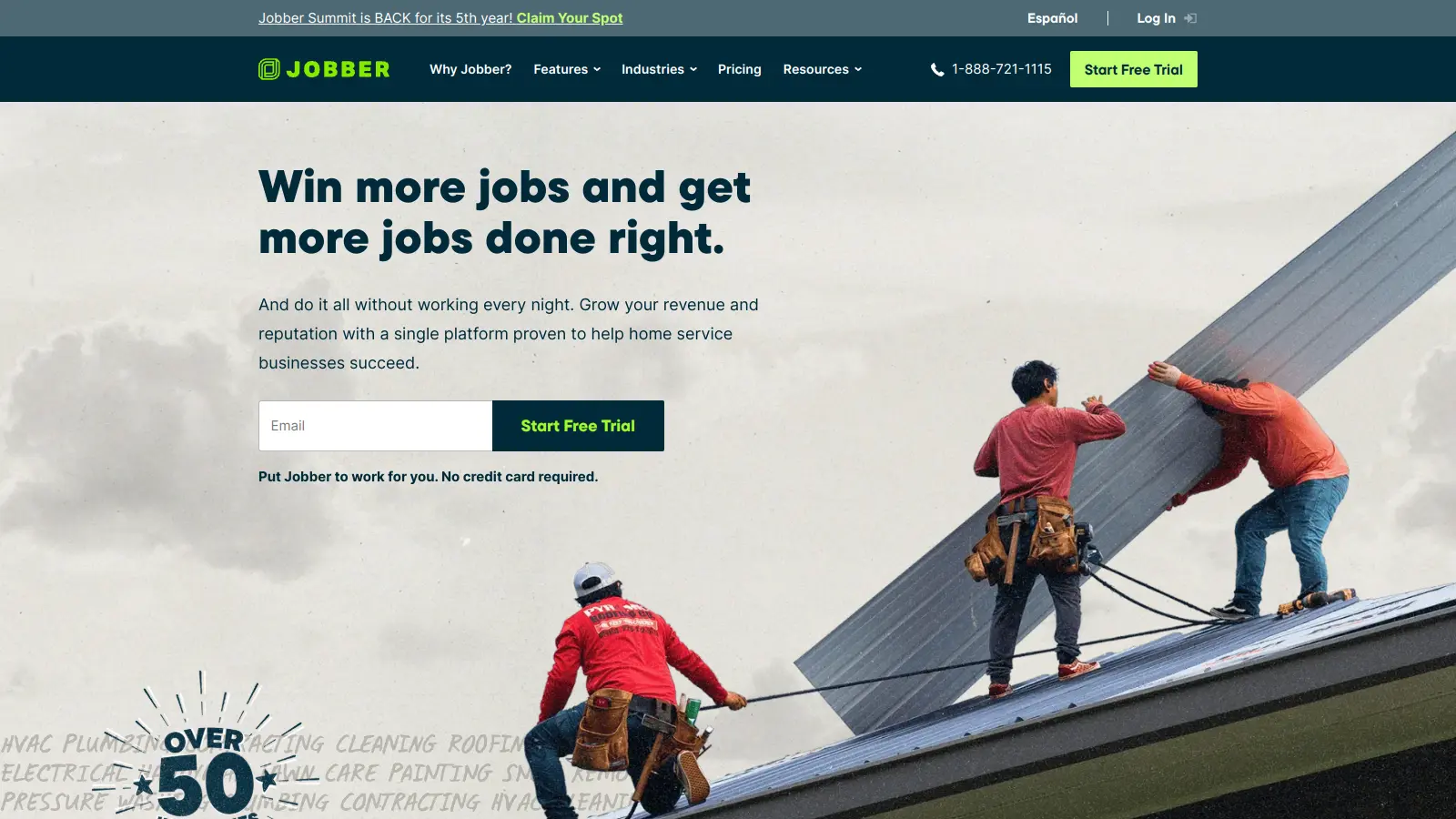
Jobber is a cloud-based field service management software that helps small to medium-sized service businesses manage their daily operations. It's built for companies in landscaping, lawn care, cleaning, HVAC, and general contracting.

The platform combines essential business tools into one interface. Business owners can handle everything from scheduling and dispatching to invoicing and customer management. Teams can track jobs, manage customer relationships, and process payments all in one place.

With features like GPS tracking, online booking, and automated client communications, Jobber helps streamline the workflow between office staff and field teams. The software works on both desktop and mobile devices, letting teams stay connected whether they're in the office or out in the field. Recent additions include AI Voice for hands-free task management on job sites, Campaign Generator for creating branded email campaigns, and an AI Receptionist that handles calls and texts 24/7.

Pricing starts at $39 per month for the Core plan, with different tiers available based on business size and needs. The platform offers a 14-day free trial for businesses wanting to test its features, with no credit card required.

Jobber integrates with QuickBooks Online for accounting and payment processors for financial management. The platform now serves over 300,000 professionals and is built for service businesses of any size, though it's most common with companies that have 2-50 employees.

Who is Jobber for?

Jobber works for field service business owners who need to manage scheduling, invoicing, and customer communication without juggling multiple systems.

  • Service Business Owners tired of switching between spreadsheets, paper invoices, and separate scheduling tools
  • Field Service Teams who need mobile access to job details, customer information, and the ability to capture signatures and photos while on-site
  • Office Administrators who handle customer calls, scheduling, and need to quickly dispatch workers to jobs with clear instructions
  • Growing Service Companies (2-50 employees) looking to scale their operations with better organization and automation of routine tasks
  • Service Professionals who want online booking, automated reminders, and digital invoicing instead of phone tag and paper trails
  • Blue-Collar Pros who need hands-free AI capabilities to document work, send quotes and invoices, and get directions while their hands are full on job sites
  • Home Service Businesses in lawn care, landscaping, plumbing, pest control, and general contracting who want to use AI to handle lead capture and customer service around the clock

The software is built for professionals in landscaping, cleaning, HVAC, plumbing, pest control, and general contracting businesses.

Online Reviews (Last 6 Months Summarised)

Home service professionals like the mobile app that works well for technicians in the field. Users mention the affordable pricing for small businesses, good customer support response times, and smooth integration with QuickBooks Online. The platform has grown to serve over 300,000 professionals.

Scheduling features lack advanced customization options. The reporting dashboard can be clunky and slow to load. There are occasional bugs in the mobile app. GPS tracking accuracy isn't always reliable. Customer support can be slow to respond during peak hours.

Features

  • Job Management: Create professional, interactive quotes with add-ons and financing options. Track work orders with customizable forms and get real-time job status updates from initial request to completion. AI automations can draft quotes automatically and send alerts for high-value opportunities.
  • Smart Scheduling: Quickly assign jobs to team members using real-time calendar views and online booking. Easily reschedule with drag-and-drop functionality and track team members' locations with GPS tracking available on higher tiers.
  • Invoicing and Payments: Generate invoices instantly, send via email or text, and track financial performance with integrated reporting and QuickBooks Online sync. Jobber Payments processes credit cards at 2.9% + $0.30 per transaction.
  • Team Coordination: Manage employee permissions, track time and location, and get job assignments with built-in GPS and permission controls. Send push notifications to keep teams updated on schedule changes.
  • Customer Communication: Use a client hub for quote approvals, appointment details, and online payments. Send automated reminders via SMS or email and use two-way text messaging to stay in touch without sharing your personal number.
  • AI Voice and Automation: Use Jobber AI Voice for hands-free commands while on job sites to document work, send quotes and invoices, and get directions. The AI Receptionist handles calls and texts 24/7 for lead capture and customer service.
  • Business Growth Tools: Use the Campaign Generator to create branded email campaigns. Collect customer reviews, generate referrals, and manage lead follow-ups to expand your service business.
  • Profitability Tracking: Track materials, labor, and expenses for each job. Access profitability reports and dashboards to see which services make the most money and where to focus your growth efforts.

Pricing

  • Free 14-day trial available for all businesses to test Jobber's features with no credit card required.
  • Core Plan starts at $39 monthly or $29 when billed annually, includes 1 user, online booking and scheduling, professional quotes with service library, client manager and communication hub, mobile app access, Jobber Payments integration, and basic reports and dashboards.
  • Connect Plan priced at $119-$169 monthly, provides up to 5 users (individual or team), automated SMS or email reminders, online booking, and QuickBooks Online sync.
  • Grow Plan at $199-$349 monthly offers up to 10-15 users (individual or team), two-way texting, lead management, quote follow-ups, and GPS tracking on higher tier.
  • Plus Plan at $599 monthly includes up to 15 users with advanced features and automations.
  • Transaction fees for Jobber Payments are 2.9% + $0.30 per credit card transaction.
  • Annual billing offers discounts compared to monthly pricing across all plans.

Frequently Asked Questions

How does Jobber work without an internet connection?

Jobber works offline through its mobile app. When you're in an area without service, you can still access client information, job details, and forms. You can even create new jobs and track time while offline. Once your device reconnects to the internet, all your work syncs automatically to the main system. This matters for field teams working in remote areas or buildings with poor reception. Just remember that some features like real-time GPS tracking or processing payments require an internet connection.

Can I customize forms and checklists in Jobber?

Yes. You can create fully customized forms and checklists in Jobber. You can add different field types like text boxes, multiple choice questions, checkboxes, photo uploads, and signature fields. These forms help your team collect consistent information at job sites and can be required before marking jobs complete. Your field staff can fill these out on their mobile devices, and clients can even sign off on completed work directly on the forms. All completed forms get stored with the job record for easy access later.

What are Jobber's AI features and how do they work?

Jobber now has several AI features to save you time. Jobber AI Voice lets you use hands-free voice commands in the mobile app to document work, send quotes and invoices, and get directions while you're on job sites. The Campaign Generator creates branded email campaigns for you automatically. AI automations can draft quotes based on your service library and send alerts when high-value opportunities come in. The AI Receptionist handles incoming calls and texts 24/7, capturing leads and answering customer questions even when you're busy or after hours.

Can Jobber handle recurring jobs and maintenance contracts?

Yes. Jobber is built to handle recurring work like weekly lawn care or monthly maintenance visits. You can set up recurring job templates with custom frequencies (weekly, monthly, quarterly, etc.) and automatically generate all your future visits in advance. For maintenance contracts, you can track contract values, set billing schedules separate from visit dates, and get alerts when contracts are about to expire. The system prevents double-booking and gives you a clear view of your recurring revenue. This matters for businesses with regular service customers.

How does Jobber's QuickBooks integration work?

Jobber's QuickBooks Online integration syncs your financial data between the two systems to save you from double entry. When you create invoices in Jobber, they'll automatically appear in QuickBooks along with payment information. You can map specific Jobber services to QuickBooks items and accounts to keep your books organized. The sync happens throughout the day, keeping both systems up to date. You control what syncs and when, and can even exclude certain clients if needed. This integration is available on the Connect, Grow, and Plus plans, though not on the Core plan.

Other Tools To Check Out

Best Deal

Free Trial Available for Polaris PSA

Redeem Now

Best Deal

Free trial available for Kantata's AI-powered professional services automation platform

Redeem Now

Best Deal

Try BigTime free with no credit card required, then start from $20/user/month.

Redeem Now

Find Out How Best To Utilise Tools

Our newsletter comes with exclusive discounts, trials and practical insights from within the industry

Sign Up Today