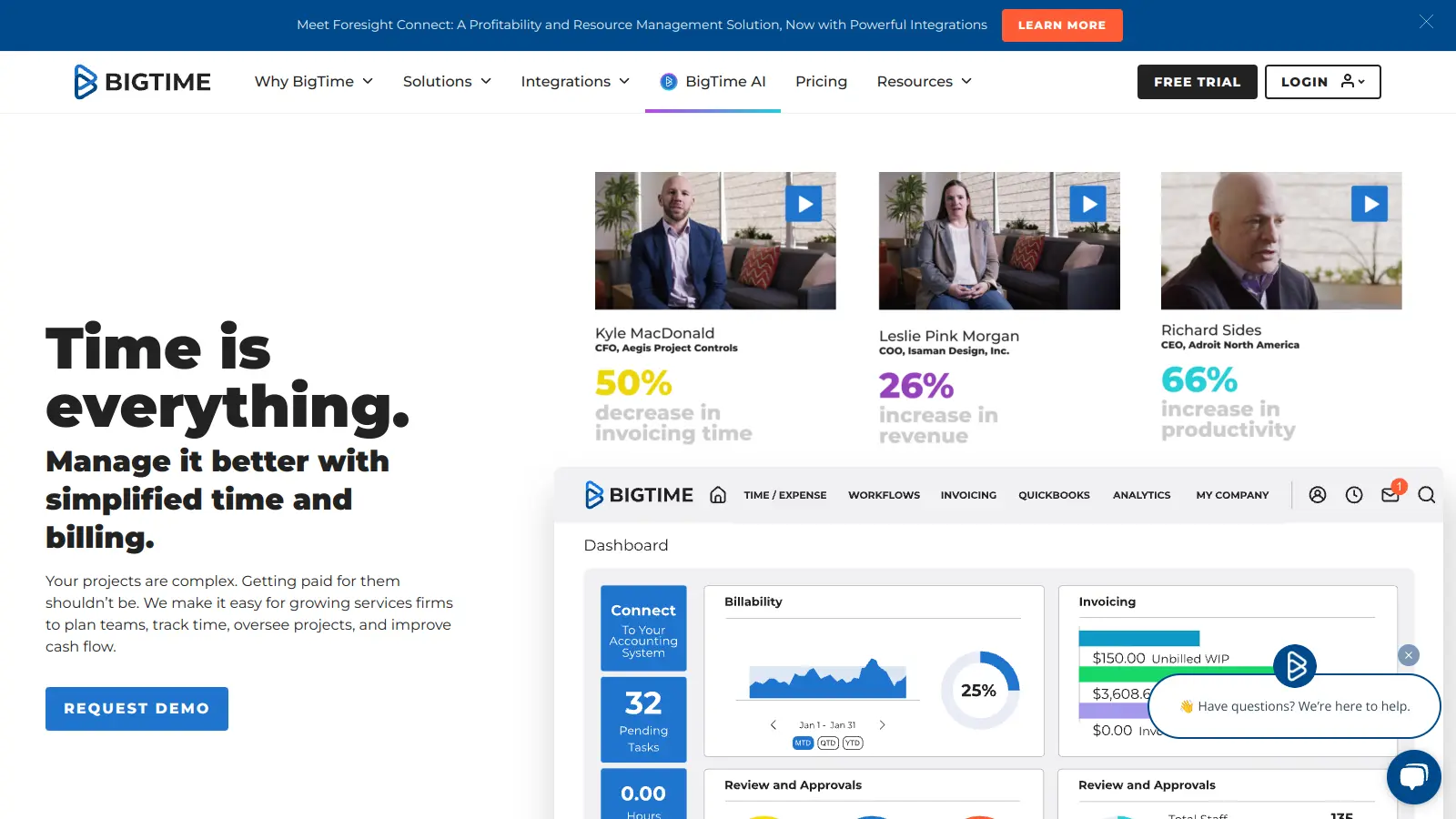
BigTime is a Professional Services Automation (PSA) software built for service-based businesses like engineering firms, IT companies, and consulting agencies. The platform combines project management, time tracking, and billing tools in one place.
The software focuses on project workflows and resource management. Teams can track time, assign tasks, and manage client billing from one central location. The platform includes customizable billing rates, online payment processing, and detailed reporting tools that give insights into project progress. BigTime includes AI-powered capabilities through its AVA assistant, which provides 24/7 chat support, personalized tips, and predictive forecasting for profitability and resource utilization.
The software integrates with QuickBooks, Jira, and Salesforce through API and Zapier connections. Users can access BigTime through web browsers or dedicated mobile apps.
Available in three tiers - Essentials, Advanced, and Premier - pricing starts at $20 per user monthly. There's no free version, but you can try the platform through a free trial that doesn't require a credit card.
BigTime is built for professional service firms that need to manage project management, time tracking, and billing in one platform. It helps businesses save time on administrative tasks while improving project profitability through better resource management and accurate billing.
The software works for engineering companies, consulting businesses, IT service providers, and other professional services organizations that manage resources and profitability across multiple projects.
Users praise BigTime for its easy-to-use time tracking interface and design across both web and mobile apps. The software works well for freelancers and agencies who need accurate time tracking, and reviewers on G2 and Trustpilot highlight excellent customer support. The integrations with tools like QuickBooks and Asana get positive mentions, helping teams connect their workflows without jumping between systems.
Pricing can be steep for small teams and solo freelancers, with some Reddit users noting it feels like overkill for simple tracking needs. G2 reviews mention occasional bugs in reporting features. Some iOS app users report crashes. Dashboard customization options are more limited than some users want.
BigTime is more comprehensive than Harvest or Toggl because it's built specifically for professional service firms. While Harvest and Toggl focus primarily on time tracking and basic invoicing, BigTime handles the full workflow including resource planning, project budgeting, and advanced billing with customizable rates. BigTime also includes AI-powered forecasting and staffing recommendations that you won't find in simpler tools. If you just need basic time tracking, Harvest or Toggl might be easier to set up. But if you're running a consulting, engineering, or IT firm and need to manage utilization, profitability, and complex billing, BigTime offers much more depth.
Is there a free plan or trial?BigTime doesn't offer a free plan, but you can try the platform with a free trial that doesn't require a credit card. This gives you a chance to test the features and see if it fits your workflow before committing to a paid subscription. The trial lets you explore time tracking, project management, billing, and reporting features across the platform.
Does it support multi-currency invoicing?Yes, but multi-currency features vary by plan. The Advanced plan includes multi-currency expense tracking, which lets team members log expenses in different currencies. If you need full multi-currency invoicing to bill clients in their local currency, you'll need the Premier plan at $45 per user monthly. This is useful for firms working with international clients who want invoices in euros, pounds, or other currencies.
Can I import historical time data?BigTime supports data imports through its API and integrations. You can typically bring in historical time entries, projects, and client information from spreadsheets or other systems during setup. The exact import process depends on your data format and which plan you're on. If you're migrating from another PSA tool or moving off spreadsheets, it's worth contacting BigTime's support team during onboarding to make sure your historical data transfers smoothly.
How does the AI Value Assistant (AVA) work?AVA is BigTime's AI chat assistant built right into the platform. It's available 24/7 to answer questions about features, provide personalized tips based on how you use the software, and help you troubleshoot issues without leaving the app. AVA also powers predictive features like profitability forecasting and staffing recommendations. Instead of digging through help docs, you can ask AVA questions in plain language and get immediate answers tailored to your account and workflows.


Our newsletter comes with exclusive discounts, trials and practical insights from within the industry