Freshbooks Review 2026 - Features, Pricing & Deals

Last Updated
Feb 14, 2026

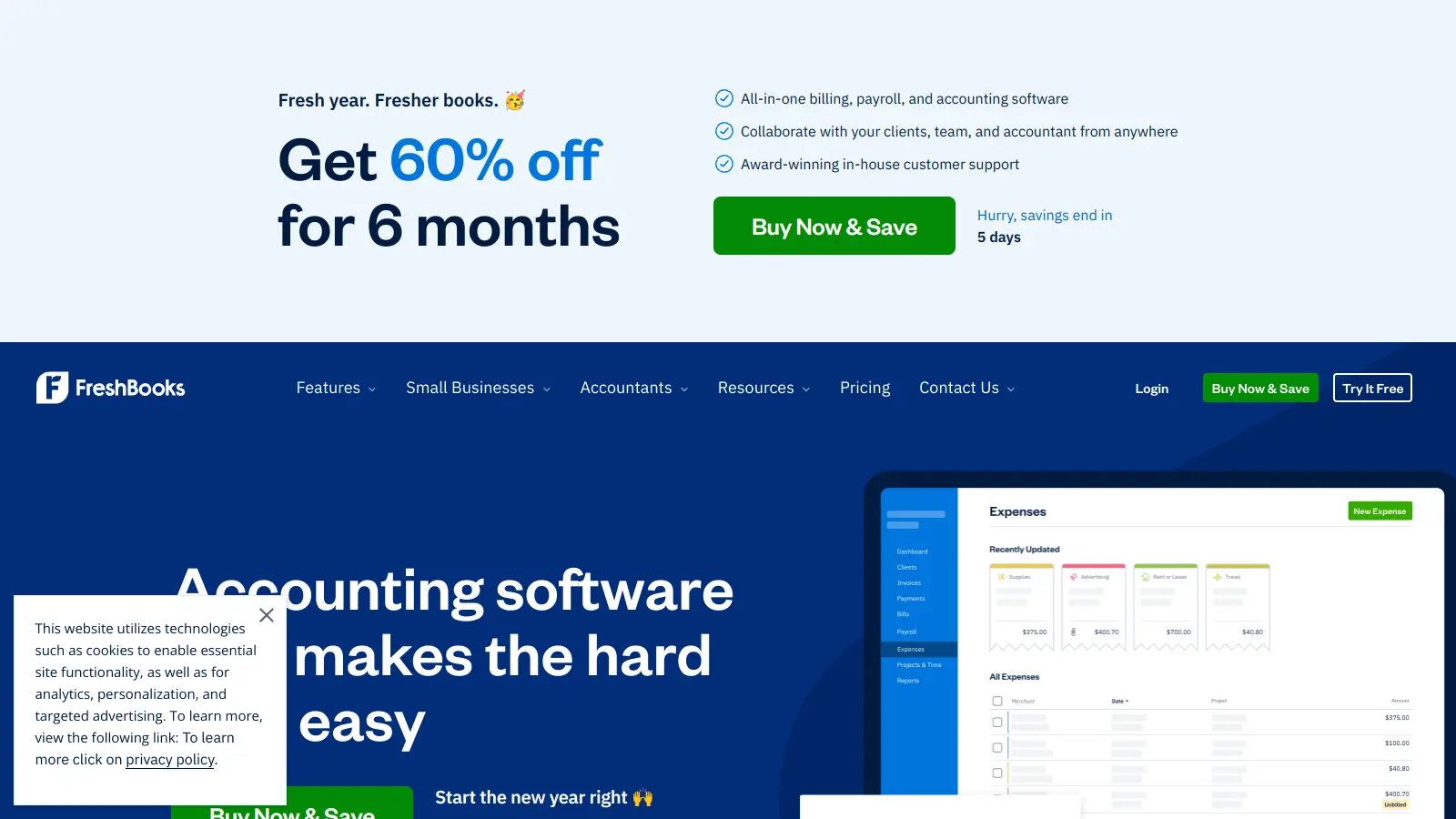
FreshBooks is a cloud-based accounting and invoicing software that caters to small businesses, freelancers, and independent contractors. The platform combines financial management tools with user-friendly features to help businesses handle their day-to-day accounting needs.

At its core, the software offers customizable invoicing, expense tracking, and time management capabilities. Users can create invoices, track billable hours, and manage project expenses. The platform also includes accounting features like bank reconciliation, financial reporting, payroll, and inventory tracking.

The software comes in several pricing tiers starting at $23 per month for the Lite plan, which includes basic features for up to 5 billable clients. More plans are available for businesses that need additional capabilities like automated payment reminders or unlimited client billing.

Founded in 2003, FreshBooks has grown from a simple invoicing tool to include features like client portals, proposals with e-signatures, project management, and payment processing. The platform connects with over 100 business apps and provides mobile access through iOS and Android devices.

Who is Freshbooks for?

FreshBooks works for small business owners, freelancers, and service professionals who need accounting software without the complexity of traditional financial systems. Users appreciate how it simplifies invoicing, expense tracking, and financial management while providing professional-looking documents that improve client relationships.

  • Solo entrepreneurs can handle invoicing and expense tracking without drowning in paperwork.
  • Service-based freelancers can track billable hours and automatically convert them into invoices.
  • Small business owners with up to 50 clients use the automated payment reminders and client management features to maintain steady cash flow.
  • Creative professionals appreciate the customizable invoices and project collaboration tools that keep projects organized.
  • Mobile business owners can manage their finances on the go with the iOS and Android apps that allow for receipt capturing and invoice sending from anywhere.
  • Businesses with contractors can organize and bill for team collaboration while managing payroll and accounting for employees.
  • Growing businesses can scale their operations with FreshBooks' tiered plans that expand features as their client base and needs increase.

This accounting solution is popular among consultants, graphic designers, web developers, photographers, and other professional service providers who need to manage both their time and finances.

Online Reviews (Last 6 Months Summarised)

FreshBooks gets praise for its intuitive interface and strong invoicing and time tracking features. Users appreciate the customer support, automated billing and payment capabilities, and the mobile app. The reporting and dashboard features also receive positive feedback for helping small businesses manage their finances.

Pricing is expensive compared to competitors like QuickBooks and Xero. Reports have limited customization options. Inventory tracking features are absent. The software has occasional bugs and slow performance. Some third-party app integrations don't work properly. Customer support response times can be slow despite the generally positive support experiences.

Features

  • Customizable Invoicing: Create invoices with custom templates, logos, automatic tax calculations, recurring billing, and multi-language support.
  • Time Tracking: Log hours, use automatic timers, and collaborate with team members while converting tracked time into billable invoices.
  • Expense Tracking: Capture receipts via mobile scanning, categorize expenses automatically, and import transactions from bank accounts to simplify financial record-keeping.
  • Financial Reporting: Access profit and loss statements, balance sheets, chart of accounts, and sales tax summaries that show your business's financial health.
  • Proposals and Estimates: Create estimates and proposals with e-signature capabilities to close deals faster and convert them into invoices once approved.
  • Project Collaboration Tools: Invite team members and clients to collaborate, share files, track project conversations, and manage deadlines.
  • Bank Integration: Connect bank accounts automatically, reduce manual data entry errors, and synchronize financial transactions for easier bank reconciliation.
  • Payments and Billing: Accept online payments via credit card and ACH directly through invoices, process transactions in multiple currencies, and accelerate your cash flow with automated reminders.
  • Payroll and Inventory: Manage payroll for employees and track inventory to keep all your business operations organized.
  • Client Management System: Maintain a client database, provide a dedicated client portal, and keep internal notes for personalized business interactions.

Pricing

  • FreshBooks offers a 30-day free trial for all plans, allowing users to test features before committing to a paid subscription, plus a 30-day money-back guarantee.
  • Lite Plan starts at $23 monthly, supporting up to 5 billable clients with unlimited invoices and estimates, expense tracking, time tracking, and payment processing via credit card and ACH.
  • Plus Plan priced at $43 monthly offers expanded features for up to 50 billable clients, including automated recurring invoices, client retainers, and additional automation features.
  • Premium Plan costs $70 monthly and provides unlimited billable clients, project profitability tracking, recurring invoices, client retainers, and automatic bill capture.
  • Select Plan offers customized pricing with unlimited billable clients, enterprise solutions with customized support, and lower transaction rates, requiring direct contact with FreshBooks for a personalized quote.
  • New users can get up to $250 back on payment fees for the first 60 days.

Frequently Asked Questions

What is the difference between FreshBooks Lite, Plus, and Premium?

FreshBooks offers three main plans with different features. The Lite plan ($23/month) includes unlimited invoices and estimates, expense tracking, time tracking, and payment processing, but limits you to 5 billable clients. The Plus plan ($43/month) adds automated recurring invoices, additional automation features, and increases your client limit to 50. The Premium plan ($70/month) includes all Plus features with unlimited clients and adds project profitability tracking, client retainers, and automatic bill capture.

Can I accept credit card payments through FreshBooks?

Yes! All FreshBooks plans let you accept credit card and ACH payments directly through your invoices. This helps you get paid faster since clients can click a button and pay you right away. FreshBooks charges a small processing fee per transaction (around 2.9% + 30¢ for credit cards). New users can get up to $250 back on payment fees for the first 60 days. If you upgrade to their Select plan, you'll get lower transaction rates.

How does the time tracking feature work?

FreshBooks time tracking lets you log hours in several ways. You can use the built-in timer to track work as you do it, or manually enter hours later. The mobile app includes the timer feature too, so you can track time on the go. You can mark time as billable, add notes about what you worked on, and then add those hours directly to client invoices. Team members can track their time too if you add them to your account.

Is there a mobile app for FreshBooks?

Yes, FreshBooks has a free mobile app for both iOS and Android devices. The app lets you create and send invoices, capture receipt photos, track time, view client information, and check your business dashboard while away from your computer. Most users find it convenient and reliable for basic tasks, though some advanced features work better on the desktop version. The app receives regular updates to improve functionality and fix bugs.

Is FreshBooks better than QuickBooks for freelancers?

FreshBooks and QuickBooks are both popular choices for freelancers, but they serve slightly different needs. FreshBooks is known for its simpler, more intuitive interface and is particularly strong for service-based freelancers who need invoicing and time tracking. QuickBooks offers more advanced accounting features and is better for businesses with complex inventory or manufacturing needs. FreshBooks tends to be easier to learn but can be more expensive at certain tiers. The best choice depends on your specific business needs and whether you prioritize ease of use or advanced accounting capabilities.

Other Tools To Check Out

Best Deal

Try Orderry free for 7 days with no credit card required, then choose from plans starting at $39/month with 10% off annual payments.

Redeem Now

Best Deal

Try Fixably with a free trial, then start at $169/month

Redeem Now

Best Deal

Free Trial Available for Polaris PSA

Redeem Now

Find Out How Best To Utilise Tools

Our newsletter comes with exclusive discounts, trials and practical insights from within the industry

Sign Up Today