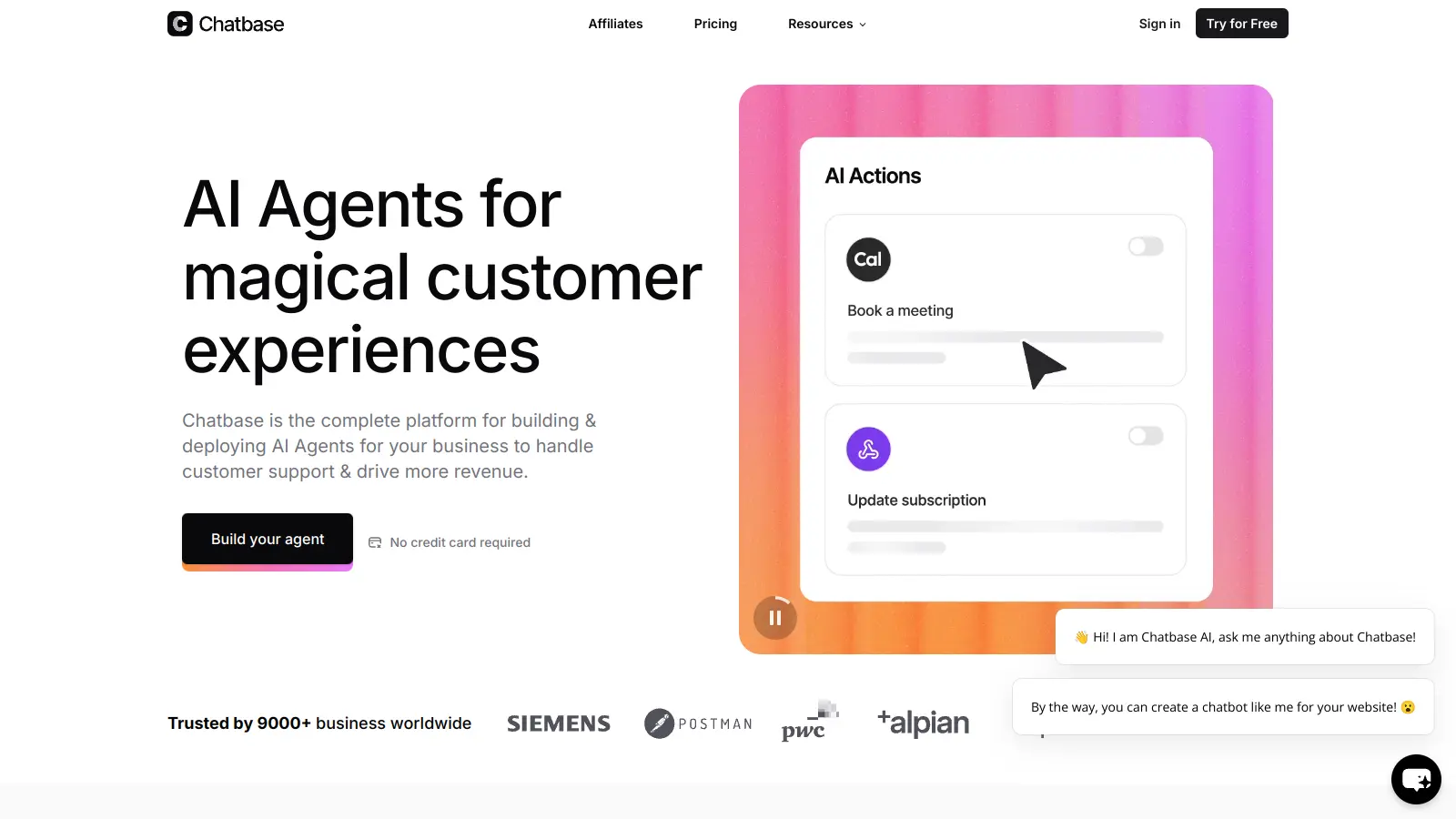
Chatbase helps businesses create AI agents trained on their own data. Build custom chatbots that answer customer questions and perform actions like booking appointments, processing orders, and searching the web in real-time using information from PDFs, websites, and documents.
The tool works with multiple file formats and supports over 80 languages. Users can embed their agents on any website and customize them to match their brand. The platform also provides analytics to track performance and user interactions.
Security features include encryption and data protection standards. When needed, chatbots can transfer complex conversations to human agents. The platform includes lead capture forms, suggested message options, and AI-powered guardrails to prevent misinformation.
Chatbase offers both free and paid plans. The free tier lets users test basic features with 1 chatbot and limited message credits, while paid plans unlock increased message limits, additional chatbots, and advanced customization. E-commerce businesses, SaaS companies, and service providers use the platform for customer support and lead generation.
Chatbase lets businesses build AI agents using their own data without technical expertise. Quickly create custom chatbots that answer customer questions and perform actions like scheduling and order processing, saving time on repetitive tasks while maintaining brand voice.
Used across retail, healthcare, finance, and education by teams focused on improving customer engagement while reducing support costs.
Chatbase offers a straightforward platform for creating chatbots with solid learning capabilities and flexible integrations. Users appreciate the quick setup without technical expertise and the ability to choose from multiple language models. It connects easily with platforms like Zapier and Make.com. Customer support responds quickly, and the pricing works for small teams and startups.
The platform has real drawbacks. Limited customization options for advanced use cases. Accuracy issues with complex queries. The free tier has restrictive limits on messages and data that make it barely usable beyond testing. Performance slows down with very large datasets. Some integrations feel clunky or unreliable. Evaluate carefully whether Chatbase meets your specific requirements before committing.
Chatbase chatbots are quite accurate when trained properly with your data. Their accuracy depends on the quality and quantity of information you feed them. If you upload comprehensive materials like PDFs or website content, your chatbot will give more precise answers. Users report better results when they add manual Q&A pairs to fill knowledge gaps. The platform includes AI-powered guardrails to prevent misinformation. Remember, no AI is perfect - your chatbot might occasionally struggle with questions outside its training scope, especially with very complex queries.
Can my Chatbase agent perform actions beyond answering questions?Yes! Chatbase agents can execute AI Actions to perform tasks like scheduling appointments, processing orders, and conducting real-time web searches. Each plan includes up to 5 AI Actions. This means your agent isn't just a question-answering bot - it can actually complete tasks and automate workflows. The platform integrates with automation tools like Zapier and Make.com, which extends what your agent can do across hundreds of other applications.
What's the difference between the Free and Paid plans?The free plan gives you 1 chatbot and 20-100 message credits per month with 400 KB training data - it's really just for testing. Paid plans start at $19/month and include 2,000+ message credits, multiple chatbots, and access to the API. Higher tiers add more message credits, chatbots, and features like GPT-4 support. The Unlimited plan at $399/month offers 40,000 message credits and 10 chatbots, plus the option to remove Chatbase branding. Annual billing saves 20% on all plans. If you're serious about using a chatbot, you'll need at least the Hobby plan.
How do I train my Chatbase chatbot with my own information?Training your Chatbase chatbot is pretty straightforward. You can upload files (PDF, DOC, TXT), add website URLs and blogs, or manually input Q&A pairs. The system processes your data and makes it accessible to the AI. For best results, organize your information clearly before uploading and add manual Q&A pairs for common questions. You can continue to improve your chatbot over time by analyzing unanswered questions in the dashboard and adding that missing information to your training data. Keep in mind that performance can slow down with very large datasets.
Can Chatbase integrate with my website and other tools?Chatbase offers several integration options. You can embed your chatbot on any website using a simple code snippet. It works with platforms like WordPress, Shopify stores, and most standard website builders. Chatbase also supports WhatsApp, Slack, and Messenger integration. The platform offers API access on paid plans for custom integrations and works with automation tools like Zapier and Make.com, which extends its connectivity to hundreds of other apps. Some users mention that while basic integrations work well, more complex integration options can feel clunky or unreliable.


Our newsletter comes with exclusive discounts, trials and practical insights from within the industry