AirOps Review 2026 - Features, Pricing & Deals

Last Updated
Feb 14, 2026

AirOps helps content teams automate and optimize their work through AI-powered workflows and visibility tracking. The platform connects multiple AI models with CMS integrations to streamline content creation, updates, and publishing while tracking how your content appears in AI search engines like ChatGPT, Perplexity, and Gemini.

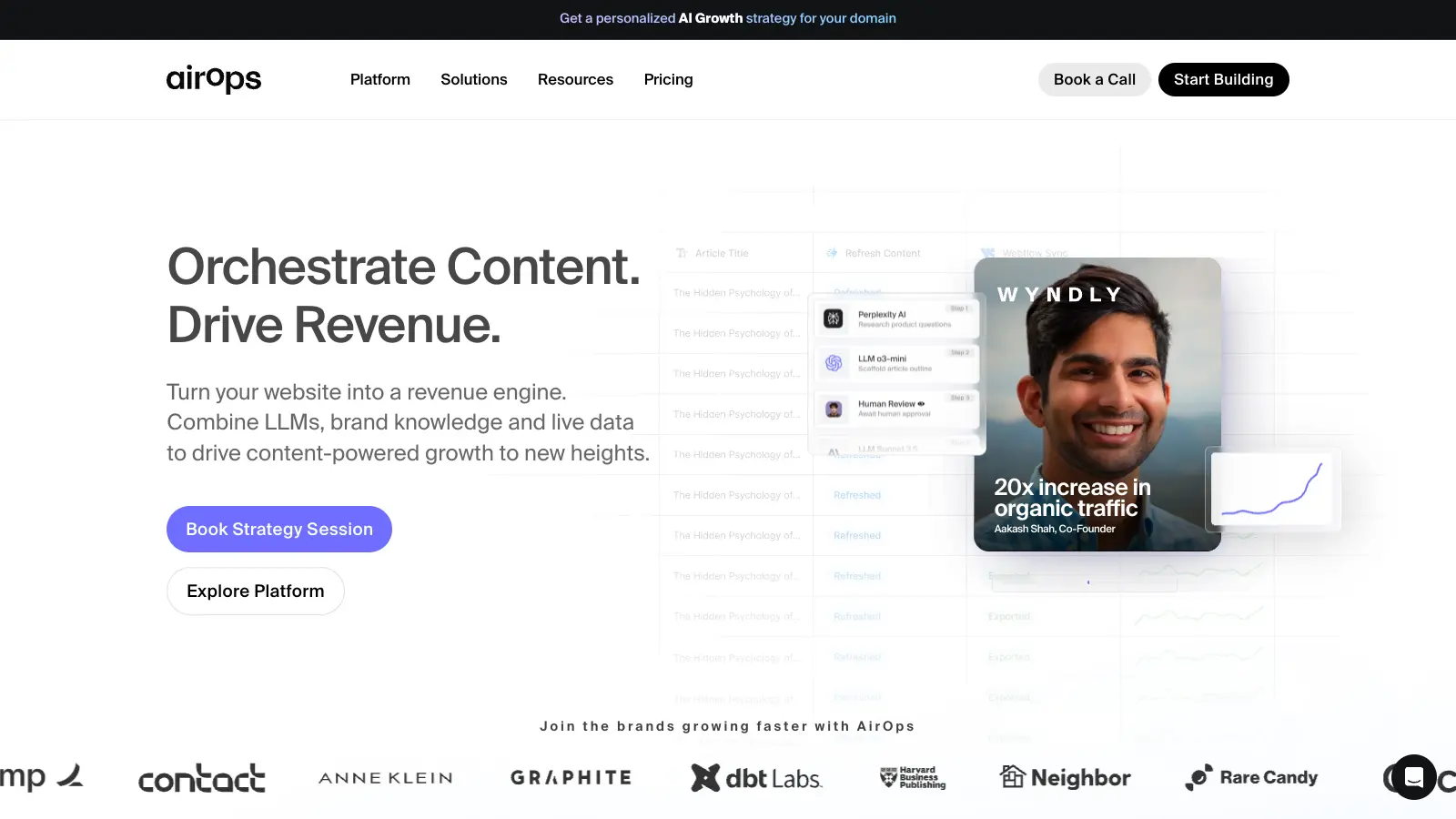
The platform offers a visual workflow builder called Grids where users can create automated processes without coding. Teams can set up workflows that research keywords, refresh outdated content, optimize for SEO, and publish directly to WordPress, Webflow, or Shopify. The system includes human review checkpoints so you can maintain quality control while automating repetitive tasks.

The platform includes Page360 analytics, which combines data from Google Search Console, engagement metrics, conversion tracking, and content freshness into a single view. This helps teams prioritize which pages need attention and measure the impact of their optimization work. AirOps also tracks AI search visibility across major LLMs, showing you when and how your content appears in AI-generated responses.

The platform uses a freemium model with a Solo plan at $0 per month that includes 20,000 tasks and basic ChatGPT insights. The Pro plan offers more tracked prompts, multi-engine insights, and unlimited seats. Enterprise pricing is available for teams with custom needs.

Who is AirOps for?

AirOps is built for content teams that need to scale their production while maintaining quality and tracking performance across both traditional search and AI platforms.

  • Content Marketing Teams who need to improve SEO traffic and increase mentions in AI search results like ChatGPT and Perplexity
  • SEO Specialists managing large content estates who want to automate keyword research, competitor analysis, and bulk content refreshes
  • E-commerce Managers who need to create and update product descriptions at scale while publishing directly to Shopify or WordPress
  • Content Teams with high-volume production needs who require brand control through custom voice guidelines and review workflows
  • Digital Marketing Teams that want to track how their content performs in AI-generated responses and Google AI Overviews
  • Content Operations Managers who need to prioritize which pages to update based on combined analytics from multiple sources
  • Agency Teams managing multiple client content programs who need standardized workflows with built-in quality controls

This tool works best for teams that already have content strategy figured out but need help with execution, tracking, and optimization across both search engines and large language models.

Online Reviews (Last 6 Months Summarised)

Users praise AirOps for its time-saving automation capabilities, particularly for tasks like bulk content creation, WordPress publishing, and SQL query optimization. Content teams report that the platform helps them scale production faster while reducing cost per article. The interface gets credit for being intuitive despite the platform's depth, and reviewers appreciate solid integrations with tools like Webflow, Semrush, and Shopify. The built-in quality controls through Brand Kits and human review steps help teams maintain standards while automating repetitive work, and several users mention responsive support.

The learning curve is steep for new users trying to build their first workflows. Analytics on post-publish content performance could be more detailed. Version control is basic compared to what experienced users want. The platform is desktop-only with no mobile app. Pricing beyond the free tier isn't fully transparent on the website. AirOps works best when you already have a content strategy in place since it won't replace strategic thinking. Some teams need engineering help to set up data connections properly.

Features

  • Drag-and-Drop Workflow Builder: Create automated content workflows with Grids that handle research, writing, optimization, and publishing without coding, using a visual interface that connects AI models, data sources, and review steps.
  • AI Search Visibility Tracking: Monitor how your content appears across ChatGPT, Perplexity, Gemini, and Google AI Overviews with tracked prompts that show you when and how LLMs reference your pages.
  • Page360 Analytics: View combined data from Google Search Console, engagement metrics, conversion tracking, and content freshness in one dashboard to prioritize which pages need optimization work.
  • Brand Voice Control: Use Brand Kits to maintain consistent voice and style across all AI-generated content, with human-in-the-loop review checkpoints that let you approve or refine outputs before publishing.
  • Direct CMS Publishing: Connect with WordPress, Webflow, and Shopify to publish optimized content automatically, plus integrate Semrush for keyword data and Google Search Console for performance tracking.
  • SEO Power Steps: Access pre-built workflow components for common SEO tasks like keyword research, competitor analysis, content gap identification, and bulk content refreshes across your site.
  • Knowledge Base Integration: Connect your brand data and existing materials with AI models to generate on-brand content, repurpose assets, and maintain consistency across all automated outputs.

Pricing

  • Solo plan available at $0 per month with 100 tracked prompts and pages, 20,000 tasks, ChatGPT insights only, 1 Brand Kit, 3 Knowledge Bases, and single-user access.
  • Pro plan offers 250 tracked prompts and pages, 75,000 tasks, multi-engine AI insights across ChatGPT, Perplexity, and Gemini, unlimited seats, and advanced integrations with a free start option.
  • Enterprise plan provides custom limits on tracked content, unlimited tasks, custom AI agents, unlimited everything, and dedicated support with pricing available through sales consultation.
  • All plans include basic integrations with CMS platforms like WordPress, Webflow, and Shopify, as well as connections to Semrush and Google Search Console.

Frequently Asked Questions

What is AirOps and how does it help with AI search visibility?

AirOps is an AI workflow platform that automates content creation and optimization while tracking how your content appears in AI search engines like ChatGPT, Perplexity, and Gemini. You can set up tracked prompts to monitor when these LLMs reference your pages, then use automated workflows to optimize content for better visibility in both traditional search results and AI-generated responses. The platform combines this tracking with workflow automation so you can act on the insights without manual work.

Can I publish directly to my CMS or do I need to copy and paste content?

AirOps publishes directly to WordPress, Webflow, and Shopify without copy-pasting. Once you connect your CMS through the integrations settings, your workflows can push optimized content straight to your site. You can set up human review checkpoints before publishing if you want to approve content first, or let workflows publish automatically based on your criteria.

How much technical knowledge do I need to create workflows in AirOps?

You don't need coding skills to build workflows in AirOps. The Grids interface uses drag-and-drop components that let you connect AI models, data sources, and publishing steps visually. The platform includes pre-built Power Steps for common SEO tasks like keyword research and competitor analysis that you can customize. If you can use basic software, you can create AirOps workflows, though there is a learning curve when you're getting started.

What's the difference between the Solo and Pro plans?

The Solo plan is free and includes 20,000 tasks, 100 tracked prompts and pages, but only tracks ChatGPT insights with single-user access. The Pro plan increases limits to 75,000 tasks and 250 tracked prompts, adds multi-engine tracking across ChatGPT, Perplexity, and Gemini, gives you unlimited seats for your team, and includes advanced integrations. Pro is better for teams that need comprehensive AI visibility tracking and collaboration features.

How does AirOps maintain brand voice across automated content?

AirOps uses Brand Kits that define your voice, style, and guidelines for AI-generated content. You can create custom kits that the platform applies to all workflows, and there are human-in-the-loop review checkpoints where team members can approve or refine content before it goes live. You can also connect your existing content through Knowledge Bases so the AI learns from your best work and maintains consistency across everything it creates.

Other Tools To Check Out

Best Deal

Start your video creation journey with free credits on WOXO's free plan today

Redeem Now

Best Deal

Launch your storytelling journey with the free tier - create comics with basic features including character consistency, reference image uploads, and single/double page layouts at no cost.

Redeem Now

Best Deal

Get 60% off with the yearly plan at $9.99/month for unlimited essay generation.

Redeem Now

Find Out How Best To Utilise Tools

Our newsletter comes with exclusive discounts, trials and practical insights from within the industry

Sign Up Today