tools for
humans

Craiyon reviews — what users really think

published 18 may 2023last updated 19 march 2026
how we review

we track global search demand across every software category, monitor what real users are saying online, identify which professions rely on each tool, and surface the questions people are actually asking. reviews are consistently updated and reviewed for reliability.

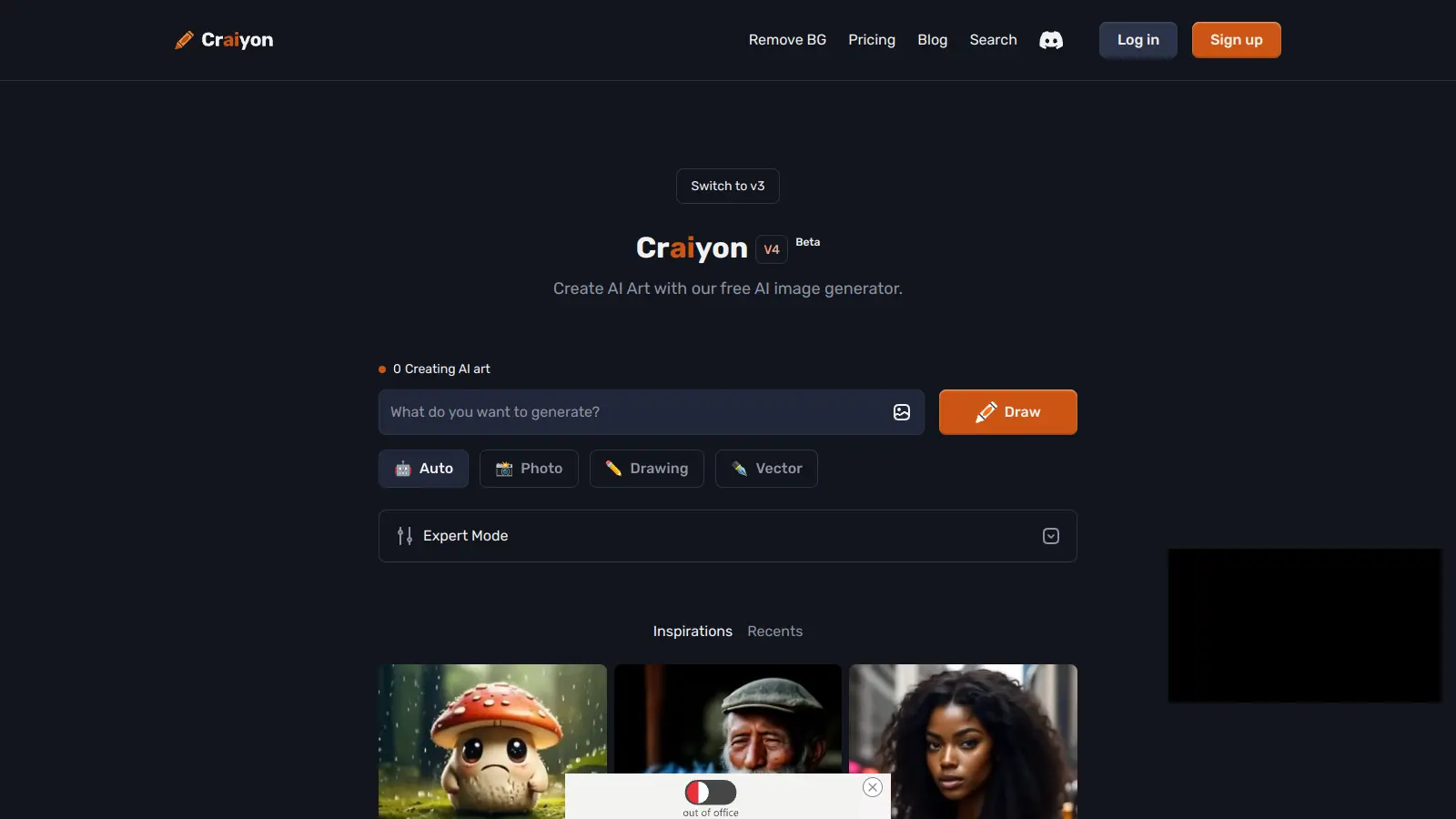
Craiyon is an AI-powered image generation tool that transforms text descriptions into visual artwork. Type what you want to see, and it creates images based on your prompt.

Originally known as DALL-E Mini, this platform doesn't require technical knowledge or artistic skill. Users type in their ideas and the AI generates digital art. The tool works with styles ranging from realistic scenes to abstract interpretations.

The free version includes ads, watermarks, and waiting times between generations. Paid plans start at $10 monthly for faster processing and additional features. The platform offers simple text-to-image conversion without requiring signup.

Image quality varies. It works well for brainstorming, concept art, and personal projects. Users can share their creations directly through the platform or download them.

who is Craiyon for?

Craiyon works for people who need images but lack design skills or budget for professional tools.

  • Social media content creators who need quick visual concepts for posts
  • Teachers who want custom illustrations for lesson plans without hunting through stock photo sites
  • Small business owners who need affordable graphic content for marketing materials
  • Writers who want to visualize characters, settings, or concepts from their stories
  • Marketing professionals seeking quick concept art for brainstorming sessions and client presentations
  • Artists who need quick sketches for character design before committing to final work
  • Hobbyists who enjoy experimenting with AI creativity

It's an accessible option when budgets or technical skills are limited.

overall sentiment

select your role to see what people like you are saying

Social Media Content Creator

positive

Craiyon is perfect for quick visual brainstorming and generating meme content without spending money or time on design tools. The free access and fast generation times fit perfectly into rapid content production workflows, though watermarks and occasional prompt mismatches require some workarounds.

strengths

  • Free with no subscription barrier for experimenting with multiple concepts
  • Fast generation times enable rapid content iteration and posting schedules
  • No login required makes testing ideas spontaneously very accessible
  • Generates trendy, shareable meme and social content easily

concerns

  • Watermarks on all images reduce professional appearance for branded content
  • Inconsistent prompt accuracy leads to wasted generations and re-prompting
  • Aggressive ads and upsell popups interrupt the creative workflow

online reviews (last 6 months summarised)

Craiyon is praised for being free to use with no subscription required, making it accessible for casual users and kids who want to experiment with AI image generation. Users appreciate the fast generation times for creating quick sketches, memes, or fun visuals. The platform's ease of use and lack of login requirements make it convenient for anyone wanting to try AI art without commitment.

Image quality and resolution fall short compared to premium tools like DALL-E or Midjourney. Watermarks appear on all generated images. Outputs are often inaccurate or bizarre and don't match prompts well. Generation is slow during peak hours. The free version has aggressive ads and upsell prompts. Customization options are limited compared to professional tools.

features

  • AI-Powered Image Generation: Create visuals from text descriptions using a deep learning model that generates 9 images per prompt across multiple styles and genres.
  • Multiple Style Options: Choose from photos, drawings, vectors, or auto to control the visual output of your generated images.
  • Reference Image Upload: Upload your own images as reference material to guide the AI toward your vision.
  • No Sign-Up Required: Access and use the tool instantly without creating an account.
  • Free to Use: Completely free service supported by advertisements.
  • Aspect Ratio and Size Selection: Adjust image dimensions and aspect ratios to meet specific platform or project requirements.
  • Negative Prompts: Exclude specific elements from images using negative word inputs to remove unwanted features.
  • Background Removal Tool: Remove backgrounds from generated images to create isolated subjects.
  • Image Editing Tools: Retouch and edit generated images directly within the platform.
  • Language Flexibility: Support multiple languages for text inputs.

pricing

  • Free version offers unlimited image generation with ads, watermarks on generated images, and slower generation times with lower priority during peak hours.
  • Supporter Plan at $10 monthly ($120 billed yearly, 20% off annual pricing) provides unlimited images, faster generation, no ads, no watermark, and private images.
  • Professional Plan at $20 monthly ($240 billed yearly, 20% off annual pricing) delivers even faster image generation, highest queue priority, no ads, no watermark, private images, and early access to new features.
  • Ultra Plan at $70 monthly ($840 billed yearly, 20% off annual pricing) provides the highest tier of service with details available by contacting Craiyon directly.

frequently asked questions

How accurate are the images Craiyon creates from my text prompts?

Craiyon creates images that match your text prompt's general idea, but don't expect perfect accuracy. The AI understands basic concepts well but struggles with complex details or specific arrangements. For example, it might show a dog on a beach when you ask for it, but the dog breed might be different than what you wanted. Results vary based on how clear your prompt is. The more specific your description, the better your chances of getting something close to what you imagined. You can also upload reference images to help guide the AI toward better results.

Is Craiyon completely free to use?

Yes, Craiyon offers a completely free plan that lets you generate unlimited images. The free version shows ads, includes watermarks on your images, and has slower generation times with lower priority during peak hours. If you need faster generation, no ads, no watermarks, and private images, they offer paid plans starting at $10 per month with 20% off if you pay annually. Most casual users find the free version works fine for their needs.

How do I remove the watermark from Craiyon images?

Watermarks appear on all images generated with the free version of Craiyon. To remove watermarks, you need to upgrade to a paid plan. The Supporter plan at $10 per month removes watermarks along with ads, and gives you faster generation and private images. The Professional and Ultra plans also remove watermarks while providing even faster generation times and additional features.

How do I get better results from my prompts?

To get better results, be specific and descriptive in your prompts. Instead of typing "a cat," try "a fluffy orange tabby cat playing with yarn in a sunny living room." Add details about style, lighting, and setting like "digital art style" or "cinematic lighting." You can upload reference images to guide the AI toward your vision. Use negative prompts to exclude unwanted elements. Try selecting specific styles like photos, drawings, or vectors, and adjust the aspect ratio for your needs. Also, try generating multiple batches of images since it sometimes takes a few tries to get something closer to what you want.

What's the difference between Craiyon and other AI image generators?

Craiyon (formerly DALL-E Mini) is more accessible than many competitors since it's free to use without signup. However, it produces lower resolution images compared to paid tools like Midjourney or DALL-E. Craiyon generates 9 images at once while some others provide fewer options per prompt. The quality tends to be less photorealistic compared to premium generators. Craiyon has a simpler interface with fewer customization options, making it great for beginners or quick projects like memes and sketches, but possibly limiting for professional work requiring high detail and accuracy.

other tools to check out

ChatGPT screenshot
online buzz25M+ Searches
trend (1M)23%

ChatGPT

ChatGPT is an AI chatbot by OpenAI that uses language models to hold conversations, generate content, and complete tasks. It includes web browsing, image generation and analysis, voice interaction, autonomous task automation, and custom GPT creation. Available in multiple pricing tiers from free to enterprise, ChatGPT handles creative writing, data analysis, coding, and real-world automation.

best deal

Try ChatGPT Free: Basic AI conversations with GPT-5.2 Instant access (around 10 messages every 5 hours) at no cost.

Gemini screenshot
online buzz1M+ Searches
trend (1M)4%

Gemini

Gemini is an advanced AI assistant by Google that processes text, code, images, audio, and video across Google's ecosystem. It offers content creation, coding assistance, research capabilities, and workflow automation through the Gemini app, web interface, and integrations with Google Workspace, Pixel phones, and Chrome.

best deal

Google AI Plus: Get 50% off at $3.99/month for the first 2 months (new subscribers); Google AI Pro: Try free for one month.

Claude screenshot
online buzz500k+ Searches
trend (1M)-13%

Claude

Claude is an AI assistant developed by Anthropic that handles coding, writing, and analysis tasks. It uses Constitutional AI for safety-focused interactions, supports multiple languages, and offers models like Sonnet and Opus with different capabilities. Claude prioritizes user privacy and context-aware responses.

best deal

Try Claude Free - 30-100 daily messages with code generation, image analysis, web search, and access to Claude's latest models

Microsoft CoPilot screenshot
online buzz250k+ Searches
trend (1M)4%

Microsoft CoPilot

Microsoft Copilot is an AI-powered assistant that provides real-time help across Microsoft apps and platforms. It uses advanced language models to automate tasks, generate content, analyze data, and provide suggestions while integrating with Microsoft 365 applications like Word, Excel, Teams, and Outlook.

best deal

Try Microsoft Copilot Chat free with your eligible Microsoft 365 subscription, or get Copilot Business at $18/month promotional pricing for small businesses.

Perplexity screenshot
online buzz250k+ Searches
trend (1M)22%

Perplexity

Perplexity AI is an AI-powered search engine that provides real-time, conversational responses to user queries. Founded in 2022, it uses natural language processing and large language models to deliver answers with source transparency. The platform offers multiple search modes, supports file and image uploads, and provides both free and paid plans for individual users and businesses.

best deal

Try Perplexity Free - Get unlimited basic searches with citations, 5 daily Pro Searches, and save your search history with access to basic AI models.