FreeSubtitles.AI Review 2026 - Features, Pricing & Deals

Last Updated
Feb 14, 2026

FreeSubtitles.AI converts audio and video files into text and subtitles using artificial intelligence. The platform offers both free and paid options to handle transcription and translation needs across multiple languages.

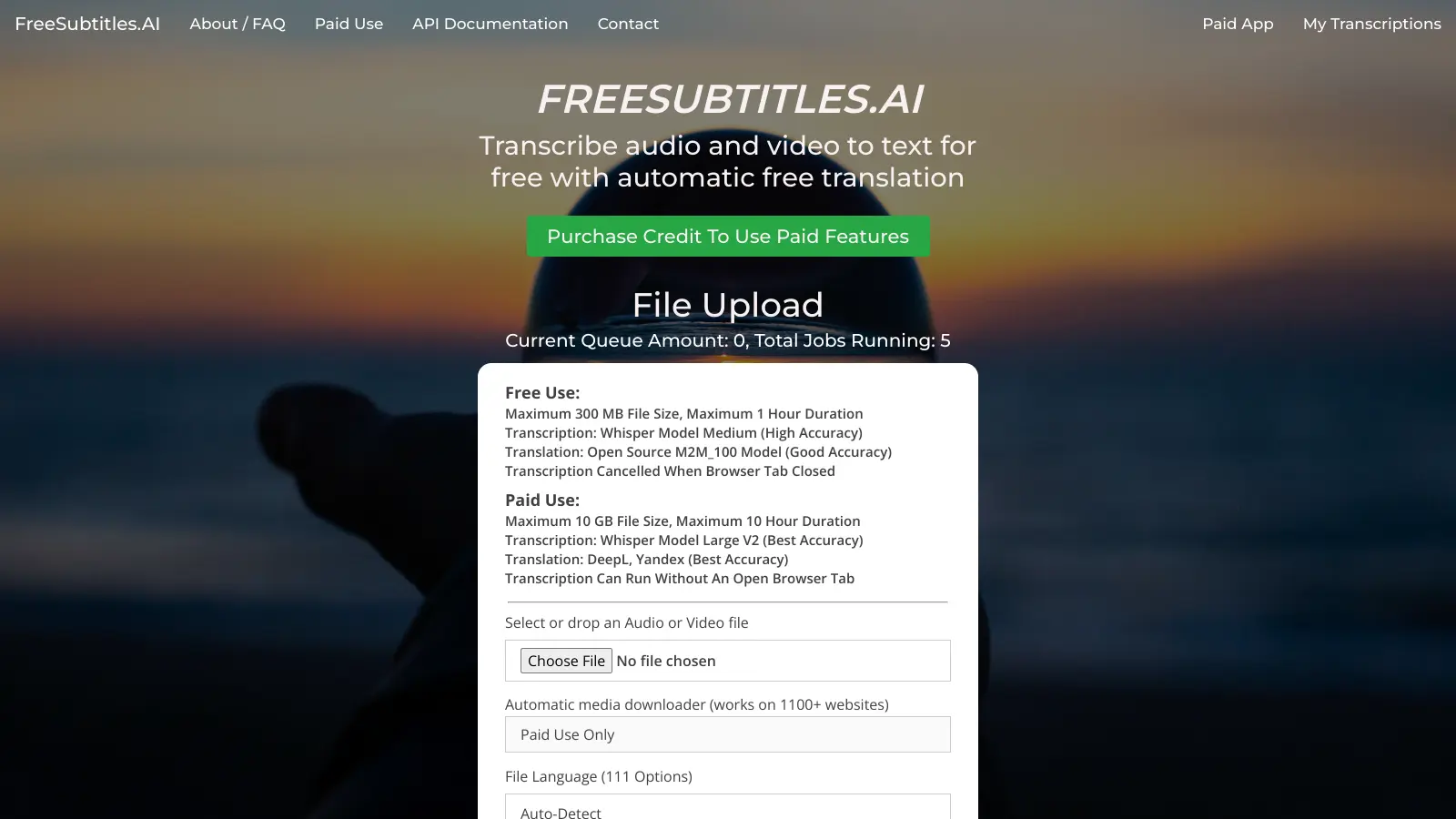
The free version lets you work with files up to 300MB and one hour in length, making it suitable for smaller projects and personal use. The paid tier handles larger files up to 10GB and offers better accuracy through advanced AI models.

Upload files through a drag-and-drop interface. The service supports most common audio and video formats, and outputs subtitles in SRT, VTT, and TXT. For international content, the platform can translate transcriptions into over 91 languages.

The tool uses pay-as-you-go pricing, starting at $0.99 per hour of transcription. You only pay for what you use, with no recurring fees or subscriptions.

If you're a student recording lectures, a journalist transcribing interviews, or a content creator making videos more accessible, FreeSubtitles.AI turns spoken words into text.

Who is FreeSubtitles.AI for?

FreeSubtitles.AI works for creators and professionals who need to convert spoken content into text quickly and affordably. The tool delivers transcriptions and translations without the complexity or expense of enterprise solutions.

  • Content creators adding subtitles to videos for better engagement and accessibility
  • Students and researchers transcribing interviews, lectures, or research materials up to 300MB for free
  • Journalists and podcasters looking for an affordable way to transcribe interviews
  • Small business owners who need multilingual subtitles but lack budget for expensive subscription services
  • Social media managers making video content more accessible and SEO-friendly
  • Independent filmmakers needing professional-quality subtitles without hiring a transcription service
  • Educators and professionals handling multilingual audio and video materials

The service covers education, media production, content marketing, and independent publishing where converting speech to text is regular but not constant.

Online Reviews (Last 6 Months Summarised)

FreeSubtitles.AI has almost no online user feedback. There's barely any community discussion or detailed user experiences to evaluate.

The service might be new or just hasn't caught on yet. Without real user testimonials, you'll need to test it yourself to see if it works for your needs.

Features

  • AI Transcription: Converts audio and video files into text using Whisper AI models, supporting files up to 10GB with free and paid tiers that offer different accuracy and processing capabilities.
  • Multilingual Translation: Translate transcriptions into 91+ languages using open-source M2M_100 model for free users and DeepL and Yandex APIs for paid subscribers.
  • File Support: Accepts most audio and video file formats from over 1,100 websites and direct uploads, providing downloadable transcriptions in SRT, VTT, and TXT formats.
  • Data Privacy and Protection: Automatically deletes media files after 30 minutes for free users, encrypts data during transmission, and processes payments securely through Stripe.
  • Pay-As-You-Go Model: Start transcribing with minimal investment, with rates beginning at $0.99 per hour and a low minimum purchase of $1.
  • Enhanced Paid Features: Includes speaker diarization, automatic media downloading, multiple file transcription, permanent storage, and API access for professional users.
  • Application Range: Works for journalists, researchers, students, educators, and content creators needing transcription and translation services across 111 source languages.

Pricing

  • Free version offers transcription using Whisper Model Medium, supporting files up to 300MB and 1 hour in duration, with transcription cancelling if browser tab is closed.
  • Paid tier provides transcription using Whisper Model Large V2, supporting files up to 10GB and 10 hours in duration, with continuous transcription even with closed browser tab.
  • Pay As You Go pricing starting at $0.99 per hour, with a minimum purchase of $1 and no monthly minimums or subscriptions.
  • Premium features include priority access to servers, increased file size limits, permanent media storage, shareable transcription links, DeepL and Yandex translation APIs, speaker diarization, API access, and payment processing through Stripe.

Frequently Asked Questions

How accurate is FreeSubtitles.AI's transcription?

The free version uses OpenAI's Whisper Model Medium which is pretty good for most clear audio. Paid users get the Whisper Model Large V2 which offers better accuracy, especially with accents and background noise. For best results, use audio with minimal background noise and clear speech. Accuracy ranges from 85-95% depending on audio quality, but your results may vary.

Can I use FreeSubtitles.AI for videos in languages other than English?

Yes. FreeSubtitles.AI supports 111 languages for transcription with automatic language detection. The free tier allows translation into one language using the M2M_100 model, while paid users can translate into multiple languages using more accurate DeepL and Yandex translation APIs.

What happens to my files after I upload them?

For free users, your media files are automatically deleted after 30 minutes, and transcriptions are removed after 24 hours. Paid users can store media files indefinitely. All uploads are protected with SSL encryption during transmission. The temporary storage for free users helps keep the service running without charging everyone.

Does FreeSubtitles.AI work with all video and audio formats?

The service supports most common audio and video formats including MP4, MP3, WAV, AVI, and MOV. You can upload directly from your device or paste a URL from over 1,100 supported websites for automatic audio extraction. If you have a rare format that doesn't work, try converting it to MP3 or MP4 first using a free converter online.

Can I edit the transcriptions after they're generated?

No. FreeSubtitles.AI doesn't offer built-in editing for transcriptions. After getting your transcript, you'll need to download it in your preferred format (SRT, VTT, or TXT) and make any necessary edits using a text editor or dedicated subtitle editing software. The team is working on adding editing features in future updates.

Other Tools To Check Out

Best Deal

Start with Penseum's free plan, or upgrade to Premium at $9.99/month for 24/7 AI tutor access and step-by-step solutions

Redeem Now

Best Deal

Free tier available for developers to test AI observability and monitoring features

Redeem Now

Best Deal

Get 3 hours of audio for $7 (limited offer, regularly $9) with no subscription or expiry, or try the Free Plan with 15 minutes monthly.

Redeem Now

Find Out How Best To Utilise Tools

Our newsletter comes with exclusive discounts, trials and practical insights from within the industry

Sign Up Today