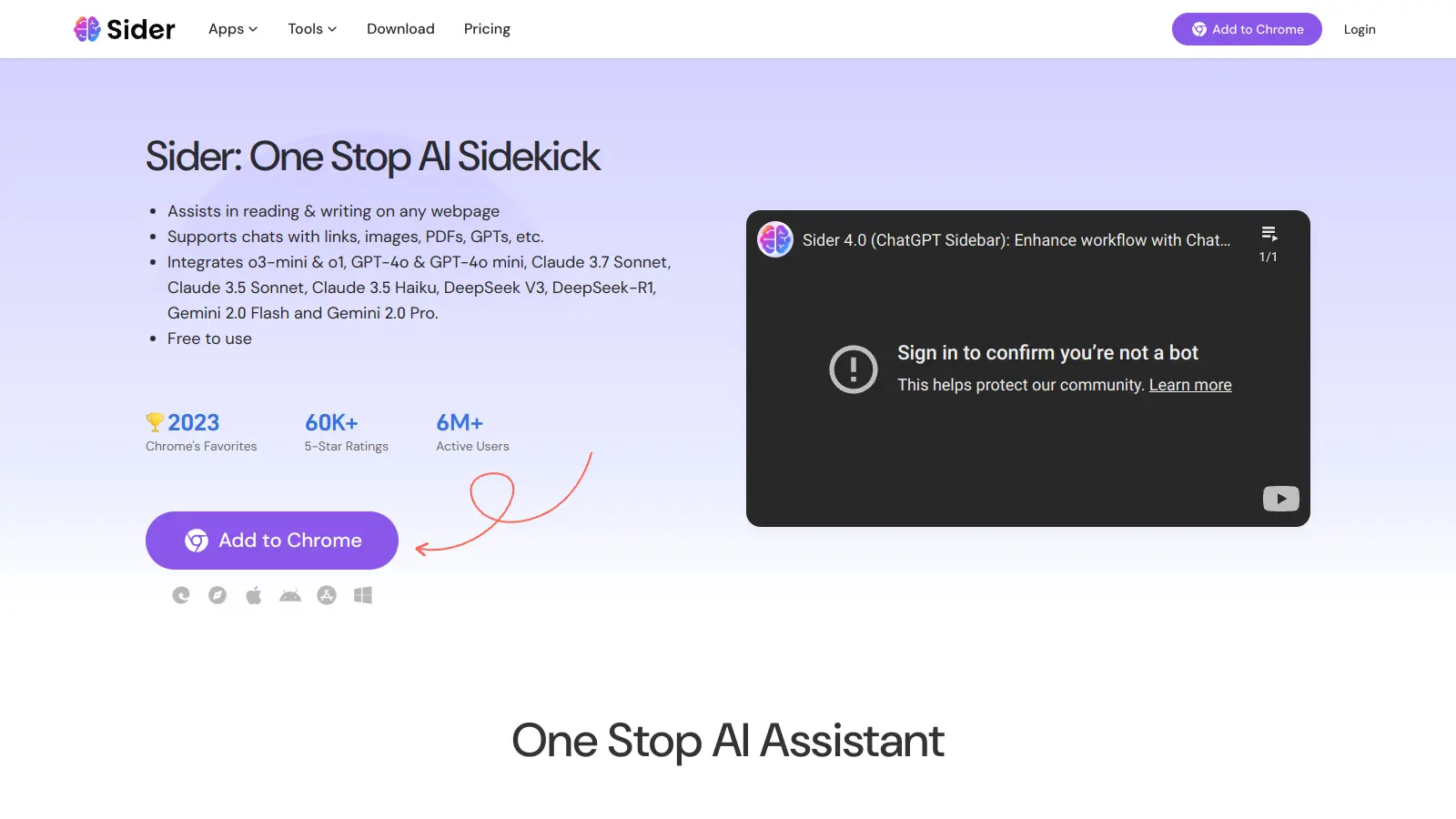
Sider AI is a browser extension that brings artificial intelligence capabilities directly into your daily online activities. It works across Chrome, Edge, Safari, and multiple operating systems.
The tool combines several AI models—ChatGPT, GPT-4, Claude 3.5, and Gemini—to help with common tasks. You can use it to summarize web pages, improve your writing, analyze documents, or create images. The built-in chat feature lets you talk with different AI models at once.
Sider AI handles everything from basic writing assistance to complex data analysis. It translates across multiple languages, checks grammar, and helps you understand code. For content creators, there's image generation and editing. The Deep Research Agent scans over 100 sources to generate cited reports.
Prices start at $8.30 monthly. The free version gives you 30 basic credits daily to try core features, while paid plans unlock advanced tools and higher usage limits.
Chat history can disappear after closing tabs. The sidebar gets cluttered with so many features packed in. The tool takes time to learn.
Sider AI is for busy professionals and internet users who want AI help while browsing without switching between apps. The browser extension brings AI capabilities directly into your workflow.
Also useful for educators, translators, and anyone who spends significant time working online with content in multiple formats.
Sider AI has been picking up positive buzz on Product Hunt and Reddit. Users praise the free tier for being genuinely unlimited without daily caps that competitors impose. The Chrome extension gets points for a clean UI. The ability to chat with multiple AI models like GPT-4o, Claude 3.5, and Gemini in one place gets frequent mentions, as does the accurate PDF translation and document chatting. People find it useful for productivity tasks like writing, coding assistance, and research, with fast responses and solid multi-language support.
Chat history disappears after closing tabs or the browser, which frustrates users doing ongoing work. Occasional inaccuracies or hallucinations in AI responses, though this is common across AI tools. The sidebar feels cluttered with too many features crammed in. Power users want more customization options. Privacy concerns about data usage pop up in Reddit threads. Advanced models are locked behind the paywall, which some users find limiting even though the free tier is generous.
Sider AI lets you chat with multiple AI models at once in a group chat format. You can compare answers from ChatGPT, Claude 3.5, Gemini, and LLaMA in the same conversation to see different perspectives. It works right in your browser as you surf the web, so you can summarize articles, translate content, or get help with writing without switching tabs. The Deep Research Agent scans over 100 sources to generate cited reports, and you can interact with PDFs, images, audio, and YouTube videos directly. Sider offers over 100 specialized AI sidekicks plus custom agent creation for specific tasks.
Can I use Sider AI without paying?Yes. Sider AI offers a free plan with 30 Basic Credits per day, which users say is genuinely unlimited compared to competitors with stricter daily caps. You'll also get limited access to YouTube Summary, AI Text Extraction, Painter, and PDF/File/Link Chat to test out the features. The free version works if you need occasional help with writing or quick web page summaries. For advanced features like unlimited access to GPT-4o, Claude 3.5 Sonnet, and Gemini 1.5 Pro, you'll need one of their paid plans starting at $8.30 per month.
How do I install Sider AI?Visit the official Sider website or go directly to your browser's extension store (Chrome Web Store, Microsoft Edge Add-ons, etc.). Search for "Sider AI" and click the "Add to Browser" or "Install" button. After installation, you'll see the Sider icon in your browser toolbar. Click it to set up your account, and you're ready to go. Sider also offers mobile apps for iOS and Android that you can download from their respective app stores, plus desktop versions for Mac and Windows.
Does Sider AI work offline?No. Sider AI needs an internet connection to work. Since it connects to cloud-based AI models like GPT-4o, Claude 3.5, and Gemini, you must be online to use its features. The browser extension and apps require internet access to send your queries to these AI services and receive responses. There isn't an offline mode, so keep this in mind if you plan to use it while traveling or in areas with spotty internet.
How secure is my data with Sider AI?Sider AI follows standard privacy practices for browser extensions, with encrypted data transmission during use. However, some users on Reddit have raised privacy concerns about how data is processed on servers. Your chats are encrypted during transmission, but any content you share with AI models gets processed on their servers. If you're handling sensitive information, you should review Sider's privacy policy and terms of service carefully. For work-related or confidential data, consider checking if they offer any special enterprise security features or contact their support team about data handling practices.


Our newsletter comes with exclusive discounts, trials and practical insights from within the industry