Joist Review 2026 - Features, Pricing & Deals

Last Updated
Feb 14, 2026

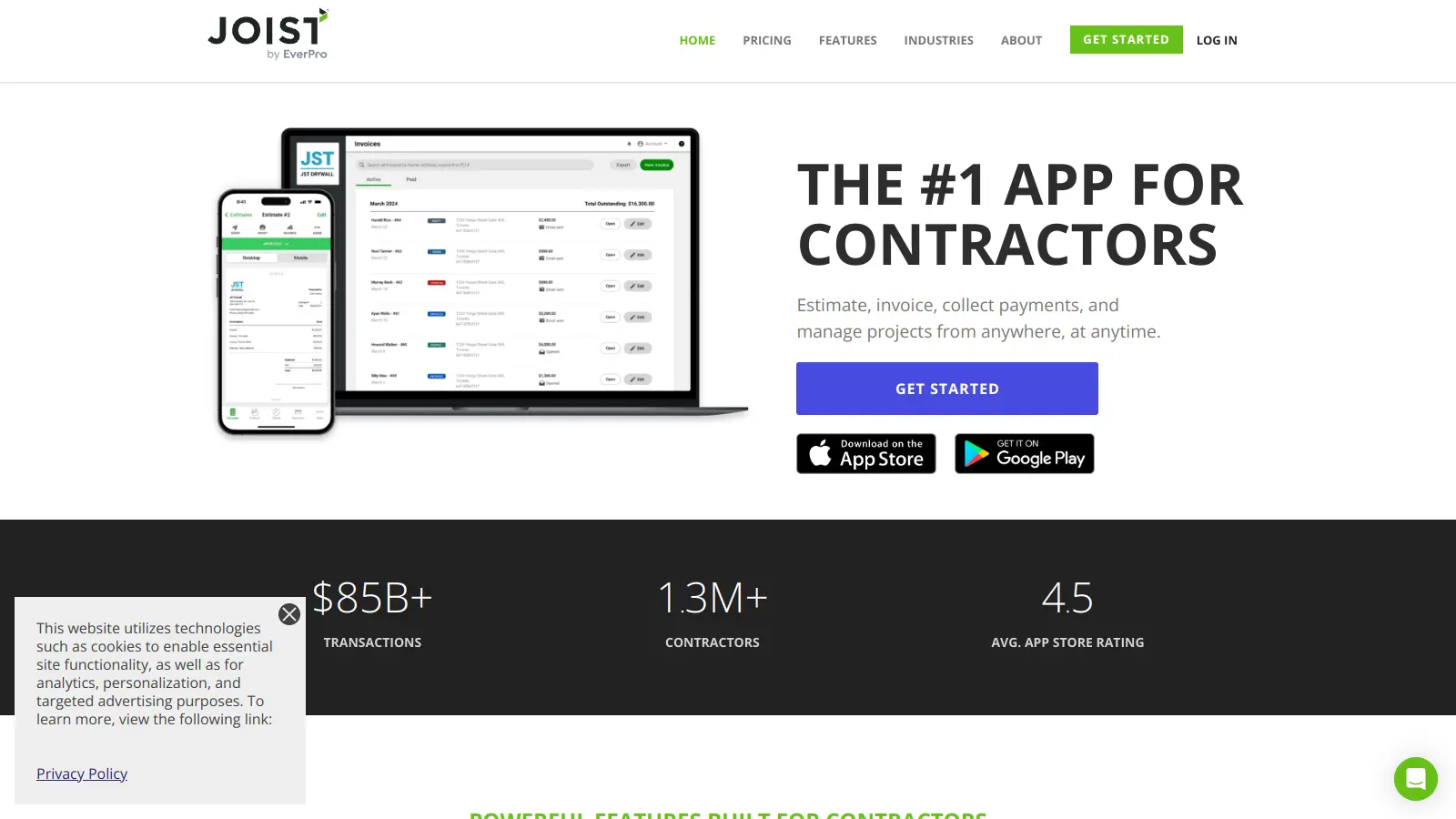
Joist is a billing and invoicing software built for contractors in trades like fencing, flooring, drywall, and carpentry. The platform helps streamline daily operations by simplifying estimate creation, invoice management, and payment processing.

At its core, the software focuses on making administrative tasks easier for contractors. Users can create professional estimates and invoices, track expenses, and manage customer information all in one place. The built-in payment system lets clients pay directly through the platform, while integration with QuickBooks keeps financial records organized.

The tool comes in three tiers: a Basics plan at $8 monthly for smaller operations, a Pro plan at $14-15 monthly with expanded features, and an Elite plan at $32 monthly for advanced needs. Mobile apps for iOS and Android ensure contractors can manage their business from anywhere, while features like custom branding and document attachments help maintain a professional image.

Since 2011, Joist has grown to support over 150,000 contractors in their daily operations. The platform now operates as part of EverCommerce, continuing to develop tools that help contractors run more efficient businesses.

Who is Joist for?

Joist works for contractors and tradespeople who need to simplify their administrative workload while maintaining a professional image. The platform delivers time savings by streamlining estimates, invoices, and payments in one system that works on-site or in the office.

  • Small independent contractors who need basic invoice and estimate tools without investing in expensive software
  • Growing contracting businesses that require more professional documentation and payment processing to improve cash flow
  • Trade professionals juggling multiple jobs who need to track customer information and project details in one place
  • Office managers at contracting companies who handle administrative tasks and need to coordinate with field teams
  • Tech-savvy contractors looking to modernize their operations with digital tools that integrate with accounting software
  • Multi-service contractors who need customizable templates for different types of jobs and services

Joist serves professionals across trades including carpentry, flooring, fencing, drywall, plumbing, and other residential and commercial contracting services.

Online Reviews (Last 6 Months Summarised)

Joist gets positive feedback from contractors who appreciate its easy-to-use interface for creating estimates and invoices. Users find the mobile app particularly helpful for on-site work, and many praise the customer support team. The affordable pricing makes it accessible for small contractors, and users report it saves time on job management and scheduling.

On the downside, some users experience occasional syncing issues between devices. The QuickBooks integration gets criticized for being clunky. Several users report bugs in the invoicing process, reporting features could be more robust, and advanced users sometimes find the customization options limited for their needs.

Features

  • Estimates and Invoices: Create professional estimates and invoices quickly, with the ability to add line items and document photos for clearer client communication.
  • Online Payments: Support direct online payment options, making it easier for clients to settle invoices and improve cash flow for contractors.
  • Homeowner Financing: Offer flexible financing options to clients, helping contractors secure more jobs and provide convenient payment terms.
  • Customer and Job Management: Organize all customer information and job details in one centralized platform for streamlined project tracking.
  • QuickBooks Sync: Automatically sync data between Joist and QuickBooks Online, simplifying bookkeeping and reducing manual data entry.
  • Document Customization: Add custom logos, photos, and contracts to professional documents, strengthening your business's professional image.
  • Client Notifications: Receive real-time updates when clients view, open, or sign estimates and invoices, keeping you informed about client interactions.
  • Expense Tracking: Monitor and organize all job-related expenses with built-in tracking tools for better financial management.
  • Work Order Creation: Easily generate work orders by removing sensitive information from estimates and invoices for your crew.
  • File Attachments: Attach important documents like floor plans or receipts directly to estimates and invoices for complete project documentation.
  • Line Item Markup: Add photos to line items and apply customizable markup to ensure precise and transparent pricing for your services.

Pricing

  • Joist Basics is $8 monthly and includes 5 invoices or estimates per month, credit/debit/online payments, third party financing options, unlimited clients, and logo display with basic collaboration tools.
  • Joist Pro offers unlimited estimates and invoices, online payments, homeowner financing, project templates, QuickBooks sync, and support for $14-15 monthly or $140 annually.
  • Joist Elite includes all Pro features plus deposit schedules, change orders, client activity tracking, and priority support at $32 monthly or $320 annually.
  • Annual plans provide a discount, effectively giving users two free months compared to monthly billing for both Pro and Elite subscriptions.

Frequently Asked Questions

How does Joist's Basics plan compare to the paid options?

Joist Basics costs $8 monthly and lets you create up to 5 invoices or estimates per month with unlimited clients. You can add your logo, include line items, and accept online payments. The paid plans remove the document limit and add features like QuickBooks sync and homeowner financing options. If you're a small contractor with few monthly invoices, the Basics plan might work, but most growing businesses will need Joist Pro or Elite for unlimited documents and more advanced features.

Can I accept credit card payments through Joist?

Yes, you can accept credit and debit card payments through Joist with all plans, including the Basics tier. The payment processing feature lets your clients pay invoices online directly through the app. This helps you get paid faster and offers a more professional experience for your customers. Many contractors find this feature saves them time chasing payments and improves their cash flow.

Does Joist work on both iPhone and Android devices?

Joist works on both iPhone and Android devices through their mobile app. You can create estimates and invoices right from your phone while at a job site. The app syncs across all your devices, so you can start work on your phone and finish it later on your tablet or computer. This flexibility helps contractors manage their business from anywhere without being tied to an office.

How does the QuickBooks integration work?

Joist's QuickBooks integration syncs your estimates, invoices, and payments with QuickBooks Online automatically. When you create or update documents in Joist, the information transfers to QuickBooks, saving you from double entry. This feature helps keep your accounting accurate and up-to-date without extra work. The sync is included with the Pro and Elite plans and can save hours of bookkeeping time each month. Some users report the integration can be clunky at times, so you may need to troubleshoot occasional syncing issues.

Is there a free trial available?

Yes, Joist offers a free trial that doesn't require a credit card to get started. This lets you test out the platform before committing to a paid plan. You can explore features like estimate creation, invoice management, and payment processing to see if Joist fits your contracting business needs. If you choose an annual plan after the trial, you'll get two months free compared to monthly billing.

Other Tools To Check Out

Best Deal

Try Accelo free: Start with Projects, Sales, Retainers, or Service at $39/user/month, or get full ServOps for $79/user/month

Redeem Now

Best Deal

Start your free 14-day trial (no credit card required) and explore Scoro from $19.90/user/month

Redeem Now

Best Deal

Start your 14-day free trial with no credit card required and explore all MAX features before committing to a plan starting at $79/month

Redeem Now

Find Out How Best To Utilise Tools

Our newsletter comes with exclusive discounts, trials and practical insights from within the industry

Sign Up Today