Filevine Review 2026 - Features, Pricing & Deals

Last Updated
Feb 13, 2026

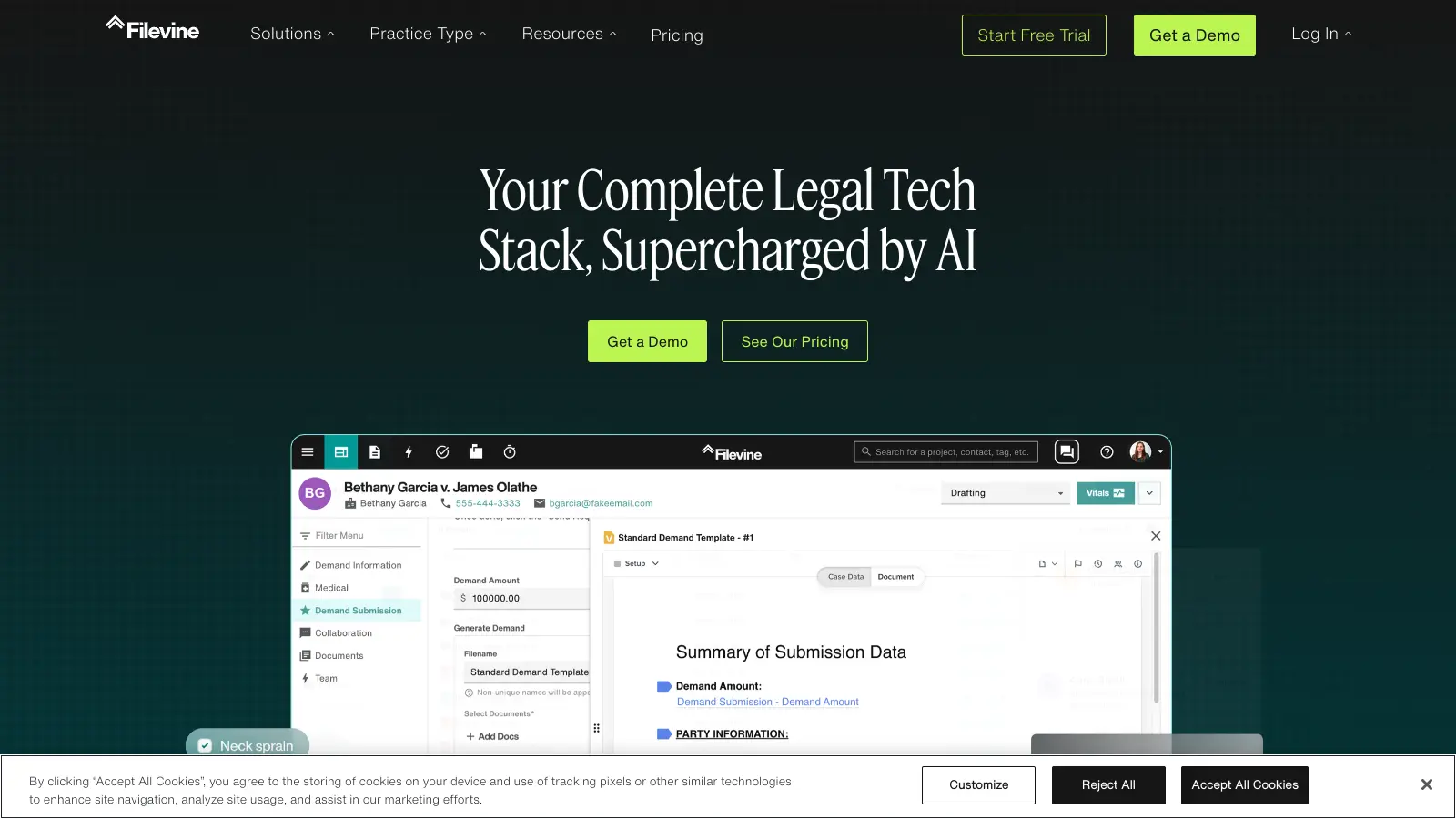
Filevine is a legal software solution that helps law firms and legal departments manage their cases, documents, and workflows. Built specifically for legal professionals, it combines case management, document handling, and team collaboration tools in one platform.

The software caters primarily to medium and large law firms, offering AI-powered features like document review, automated drafting, deposition analysis, and secure client portals. Users can automate routine tasks, track time, manage billing, and keep their team aligned through integrated communication features. The AI Fields feature instantly analyzes uploaded documents with OCR, extraction, and summarization capabilities.

With its cloud-based architecture, teams can access their files and case information from anywhere while maintaining security through SOC 2 Type II and HIPAA compliance. The platform integrates with common tools like QuickBooks, Clio, Google Calendar, and Microsoft Office to fit into existing workflows. Filevine processes all data in-platform with zero-day retention for added security.

Pricing starts around $65 per user monthly, though costs vary based on team size and needed features. There's a learning curve when first setting up the system, particularly for advanced features, but the platform offers customization options to match specific firm requirements.

Who is Filevine for?

Filevine works for legal professionals who need to streamline their case management and document handling processes. This all-in-one platform helps law firms save time, improve client communications, and boost overall efficiency through its specialized legal workflow tools.

  • Medium to large law firms handling multiple cases simultaneously get the most from Filevine's project spaces and customizable workflows.
  • Smaller firms can use the AI-powered features to handle routine tasks and document review without hiring additional staff.
  • Legal teams working remotely or across multiple locations can stay connected through the cloud-based system with anywhere access to case information.
  • Office managers and administrators can automate task management and connect financial data through QuickBooks integration.
  • Attorneys drowning in documents can use AI Fields and Doc Review features to extract insights without manual review.
  • Attorneys handling depositions can analyze transcripts for sentiment, red flags, and testimony that matters using the deposition analysis tools.
  • Attorneys who want better client relationships can use the secure client portal for communications while maintaining confidentiality.
  • Firm partners tracking performance metrics can use custom reporting tools to make decisions based on actual data.

This platform is widely used by personal injury firms, corporate legal departments, civil litigation practices, and any legal team seeking to replace scattered systems with one unified solution.

Online Reviews (Last 6 Months Summarised)

Filevine gets praise for its intuitive and user-friendly interface that simplifies case management across multiple review platforms. Users highlight the automation features for document generation and workflows, along with strong integration capabilities with other legal tech tools like QuickBooks and Clio. The reporting and analytics features help firms track case progress, and customer support is generally described as responsive on G2 and Reddit.

The mobile app has bugs and glitches according to App Store reviews. There's a steep learning curve for advanced features despite the intuitive design, which shows up in Reddit discussions. Smaller firms on Trustpilot find the costs prohibitive. G2 reviews mention slow performance when handling large case loads. Product Hunt comments note limited customization options for certain workflows. Document editing feels clunky since files open directly in browsers.

Features

  • Case Management: Customizable project spaces centralize all case details, letting teams manage complex matters and collaborate without switching between systems.
  • Secure Document Management: Store, search, and control unlimited legal documents with OCR capabilities and automatic version tracking to streamline your firm's information workflow.
  • AI-Powered Document Analysis: AI Fields analyze, extract, and summarize documents on upload. Doc Review handles ad-hoc analysis, side-by-side comparison, and automated reports that cut manual review time.
  • DraftAI for Document Generation: Create legal documents using natural language instructions, with AI-powered drafting, editing, and generation that integrates with Doc Assembly for automated workflows.
  • Validation AI for Compliance: Automate case rules, monitor statutes, and check phase requirements to keep cases compliant and on track without manual oversight.
  • Deposition Analysis: Analyze deposition transcripts for sentiment, red flags, and testimony that matters to prepare more effectively and identify what's important faster.
  • Secure Client Portal: Password-protected file sharing and communication channels keep clients informed and engaged while maintaining strict confidentiality standards.
  • Financial Integration: Connect directly with QuickBooks and other tools to automate invoicing, expense tracking, and financial reporting, simplifying your firm's administrative processes.
  • Reporting Tools: Create custom dashboards and reports using drag-and-drop interfaces to monitor performance indicators and make data-driven strategic decisions.

Pricing

  • Pricing starts at approximately $65 per user per month, with tiered options available based on firm size and features.
  • Enterprise pricing is available for larger organizations with custom needs.
  • Pricing is determined by the number of users and specific features required by the organization.
  • A free trial is available for potential clients to test the platform before committing.
  • Contact Filevine's sales team for a personalized quote and detailed pricing information.

Frequently Asked Questions

How does Filevine handle document management and security?

Filevine offers document management through its "Docs by Filevine" feature with unlimited storage and search capabilities that use OCR technology to find text within your files. All documents have version control so you can track changes over time. On the security side, Filevine has SOC 2 Type II certification, HIPAA compliance, and ISO 27001/2 standards. Every uploaded file gets scanned for viruses automatically, and the platform uses zero-day retention with all processing happening in-platform. You can share documents with clients through password-protected links rather than sending unsecured emails.

What AI features does Filevine offer for document work?

Filevine has several AI tools that save time on document tasks. AI Fields instantly analyze uploaded documents with extraction, summarization, and OCR. DraftAI lets you create legal documents using natural language instructions, so you can tell it what you need in plain English. Doc Review does ad-hoc analysis and side-by-side comparisons with automated reports. Validation AI monitors case rules and statutes automatically to keep you compliant. For depositions, the analysis tool reviews transcripts for sentiment and red flags. The Sidebar AI works like a chatbot that can summarize cases and answer questions about your matters.

How does Filevine compare to Clio or MyCase?

Filevine focuses heavily on AI-powered automation and document analysis, which sets it apart from Clio and MyCase. While all three handle case management and billing, Filevine's AI Fields, DraftAI, and Validation AI features are more advanced for firms that want to automate routine tasks and document review. Clio is often considered more user-friendly out of the box, while MyCase targets smaller firms with simpler needs. Filevine integrates with Clio and works well for medium to large firms handling complex cases with heavy document loads. The trade-off is that Filevine has a steeper learning curve and higher pricing than MyCase.

How steep is the learning curve for new Filevine users?

Many users report that Filevine has a moderate to steep learning curve, especially for the advanced AI features and staff members who aren't tech-savvy. The system is powerful but comes with lots of features that can feel overwhelming at first. The good news is Filevine offers training resources and support to help your team get up to speed. Most firms find that after the initial learning period (usually a few weeks), team members become comfortable with the daily functions they need. Setting aside dedicated training time when you first set up the software will make a big difference in how quickly your team adapts.

Does Filevine integrate with the other tools my firm already uses?

Filevine connects with many popular tools that law firms rely on. It integrates directly with QuickBooks for accounting and billing, Clio for additional practice management features, Microsoft Office for documents, Google Calendar for scheduling, and Slack for team communication. There's also integration with email platforms and tools for e-signatures like DocuSign, CRM, and more. If you need to connect with a tool that doesn't have a direct integration, Filevine offers API access for custom connections. This flexibility helps most firms create a workflow without constantly switching between different programs.

Other Tools To Check Out

Best Deal

Get 15% bundle savings and try Clio free before committing to a plan

Redeem Now

Best Deal

Start Your Free Trial - No credit card required, $29/user/month for small teams

Redeem Now

Best Deal

Start your Basic Research Plan at $220/month and streamline your legal research with advanced AI tools.

Redeem Now

Find Out How Best To Utilise Tools

Our newsletter comes with exclusive discounts, trials and practical insights from within the industry

Sign Up Today