Best Figma Alternatives in 2026: For Every Team Size
7 alternatives reviewedlast reviewed 22 march 2026
Editorial note:this was originally published in march of 2026
This page is for designers, product managers, and developers who've hit a wall with Figma — whether that's the per-seat pricing, the lack of true offline support, performance problems on large files, or just wanting something that fits a different workflow.
The tools below cover the full range: free and open-source options, desktop-first apps, developer-friendly handoff tools, and AI-assisted design. Each pick is judged on real pricing, feature depth, and how easy it is to move your work across.
Selection criteria: pricing fairness at team scale, offline or cross-platform access, prototyping quality, developer handoff capability, and how much Figma-specific knowledge transfers over.
We collect first-hand reviews from people who use these tools every day — what works, what doesn't, whether it's worth paying for. We research pricing, features, and comparisons so that feedback has real context behind it. For this page, prioritisation went to tools offering vector design, prototyping, and real-time collaboration capabilities. Read our full research methodology.
looking for a Figma alternative?
tell us what you're considering and why — it helps others in the same position.
What is Figma and why do people look for alternatives?
Figma is a browser-based UI/UX design tool used for wireframing, interface design, prototyping, and design system management. It's the dominant tool in product design teams, largely because of its real-time multiplayer collaboration and the fact that it runs entirely in a browser with no install required.
The most common reasons people look elsewhere: Figma's paid plans are priced per editor, which gets expensive fast for larger teams. The offline desktop app is a stripped-down version that doesn't sync fully with the web app, so it's not a real offline solution. Large files with many components or complex auto-layout can get slow and laggy. And some teams need features Figma doesn't have natively — code export, heatmaps, or deep animation — without relying on third-party plugins.
There's also a category of users who simply prefer a native desktop app, want full data ownership, or work in environments where cloud-based tools aren't permitted for compliance reasons.
AI-generated UI design and wireframing from text prompts.
Non-designers and teams that need fast UI mockups
FreemiumFree plan available (90 credits); paid plans from $19/mo
vs FigmaBetter than Figma for teams that need self-hosted design tooling due to compliance requirements or want unlimited editors at no cost.
our top pick
1
Penpot
Free, open-source design tool you can self-host or use in the browser.
Free
Best for · Teams that need data ownership or zero licensing costsPricing · Free (open-source, self-hostable)
Penpot is an open-source UI design and prototyping tool that runs in the browser and looks very close to Figma's layout. It supports vector editing, component libraries, interactive prototypes, and design tokens — all with no per-seat fees. You can use the hosted version for free or self-host it on your own infrastructure for full data control.
Pros
✓Fully free with no editor seat limits
✓Self-hostable for data compliance needs
✓CSS and SVG-based specs for dev handoff
Cons
✗Plugin ecosystem is much smaller than Figma's
✗Auto-layout (flex layout) is less mature than Figma's
vs FigmaBetter than Figma for macOS teams that want a fast, offline-first app and don't need real-time multiplayer editing.
2
Sketch
Native macOS design app built for interface design teams.
Paid
Best for · Mac-only design teams preferring offline-first toolsPricing · From $10/mo per editor
Sketch is a desktop-native design tool for macOS that's been the standard for UI work since before Figma existed. It stores files locally, works fully offline, and has a large plugin ecosystem. Collaboration happens through Sketch's web viewer and shared libraries rather than real-time co-editing, which suits teams that prefer async workflows.
Pros
✓Native macOS performance, no browser lag
✓Works fully offline with local file storage
✓Extensive plugin library built over many years
Cons
✗macOS only — no Windows or Linux support
✗Real-time collaboration is limited compared to Figma
vs FigmaWorth considering over Figma only if your team already pays for Creative Cloud and wants tight Photoshop and Illustrator integration without an extra subscription.
3
Adobe XD
Adobe's UI/UX tool, now in maintenance mode but still functional.
Paid
Best for · Teams already paying for Adobe Creative CloudPricing · Included with Creative Cloud (from $54.99/mo)
Adobe XD is a vector-based design and prototyping tool that covers wireframing, high-fidelity UI design, and click-through prototyping. It integrates tightly with Photoshop, Illustrator, and the rest of Creative Cloud. Adobe announced that XD is no longer receiving new features as of 2023, so it's a viable option only for teams already in the Adobe ecosystem who aren't planning long-term reliance on it.
Pros
✓Tight integration with Photoshop and Illustrator
✓Repeat grid feature speeds up list/card UI design
✓Included in existing Creative Cloud subscriptions
vs FigmaBetter than Figma for designers on Windows or Linux who need a free, offline-capable tool with Sketch file compatibility.
4
Lunacy
Free native design app for Windows, macOS, and Linux.
Free
Best for · Windows or Linux designers who need a free desktop appPricing · Free
Lunacy is a free desktop design app from Icons8 that runs natively on Windows, macOS, and Linux. It can open Sketch files directly and includes built-in access to Icons8's icon, photo, and illustration libraries. It works offline by default and has AI tools for background removal, avatar generation, and text placeholder replacement. It's the only full-featured free design tool with genuine Linux support.
Pros
✓Runs natively on Windows, macOS, and Linux
✓Fully free with no feature paywalls
✓Opens Sketch files without conversion
Cons
✗Collaboration features are basic compared to Figma
✗Smaller community and fewer third-party resources
vs FigmaBetter than Figma when you need to publish a working interactive website directly from design without handing off to a developer.
5
Framer
Design and publish interactive sites directly from your design tool.
Freemium
Best for · Teams building interactive marketing sites or landing pagesPricing · Free plan available; paid from $5/mo
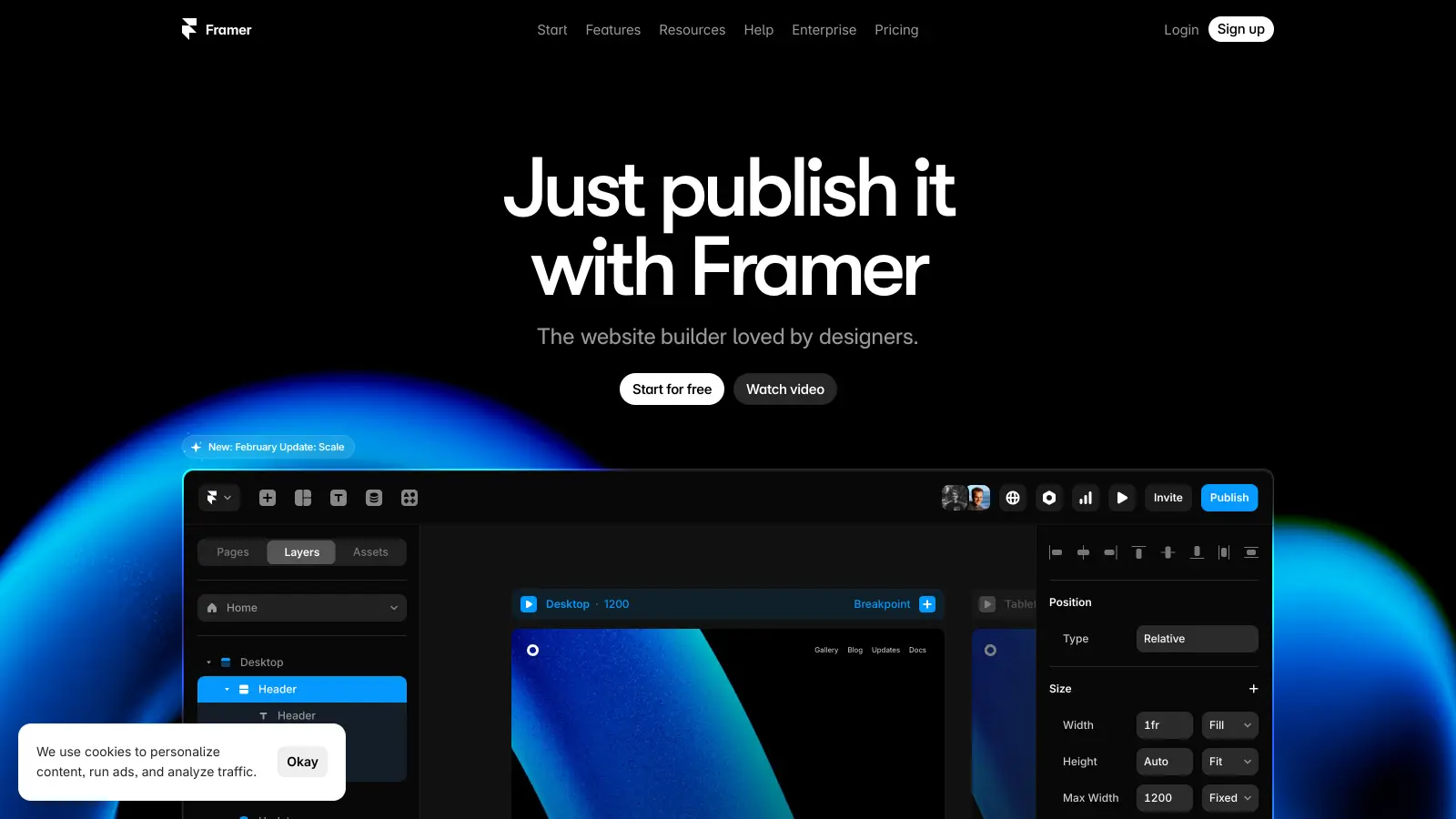
Framer is a design tool that bridges UI design and website publishing. You design in Framer and can publish directly to a live URL without a separate development step. It supports complex animations, scroll effects, and interactive states that go well beyond what Figma's prototyping handles. It's less suited to designing native app interfaces and more focused on marketing sites and interactive web experiences.
Pros
✓Publish live websites directly from the design canvas
✓Advanced scroll and animation tools built in
✓CMS support for dynamic content without code
Cons
✗Not designed for native mobile app UI work
✗Learning curve is steeper than Figma for pure UI design
vs FigmaBetter than Figma when you need conditional logic, variables, and dynamic data in prototypes that accurately simulate real application flows for usability testing.
6
Axure RP
High-fidelity prototyping tool with conditional logic and variables.
Paid
Best for · UX researchers and enterprise product teamsPricing · From $25/mo per user
Axure RP is a desktop prototyping tool focused on producing complex, logic-driven interactive prototypes. It supports variables, conditional flows, dynamic panels, and repeater widgets that can simulate real application behavior. It's not a visual design tool in the same sense as Figma — the output is functional prototypes for user research and stakeholder testing, not production-ready UI specs.
Pros
✓Conditional logic and variables in prototypes
✓Dynamic panels simulate real app interactions
✓Works offline on Windows and macOS
Cons
✗Visual design capabilities are weak compared to Figma
vs FigmaBetter than Figma when a non-designer needs to produce a workable UI mockup quickly and pass it to a developer or design team without learning vector design tools.
7
UXPilot
AI-generated UI design and wireframing from text prompts.
Freemium
Best for · Non-designers and teams that need fast UI mockupsPricing · Free plan available (90 credits); paid plans from $19/mo
UXPilot generates high-fidelity wireframes, UI screens, and interactive prototypes from text prompts in under a minute. It's not a traditional vector design tool — you describe what you need and the AI builds it. It includes an image-to-HTML converter for dev handoff, predictive heatmaps, and a native Figma integration so you can export AI-generated designs into Figma for further refinement.
Pros
✓Generates full UI screens from a text prompt
✓Built-in predictive heatmaps for UX review
✓HTML code export for direct dev handoff
Cons
✗Manual element positioning is not supported
✗Output quality depends heavily on prompt specificity
Figma charges per editor, not per workspace. If you have 10 designers, that adds up quickly. Look at whether an alternative charges flat-team rates, per-seat, or offers unlimited editors on a single plan.
Decide how important offline access actually is to you
If you frequently work without a reliable internet connection, or your company restricts cloud-based tools, you need a desktop-native app like Sketch or Lunacy — not just a tool that has a desktop wrapper around a web app.
Evaluate the developer handoff quality
Some tools generate clean CSS, iOS, or Android specs automatically. Others require a separate plugin or a third-party handoff tool like Zeplin. If your developers are part of the workflow, test the inspect and export features before committing.
Test prototyping depth against your actual use cases
Basic click-through prototypes are table stakes. If you need conditional logic, scroll animations, variables, or multi-device previews, verify the tool supports those specifically — don't assume all prototyping is equal.
Factor in how much of your Figma library transfers
Component libraries, design tokens, and auto-layout configurations don't always import cleanly. Ask whether the tool can import Figma files directly, and test it with a real file from your project before migrating everything.
frequently asked questions
Penpot is fully free and open-source, with no per-seat charges. It covers wireframing, component design, and prototyping, and you can self-host it if you need data control. For teams of 2-5 who don't need enterprise features, it's the most cost-effective option available.
It depends on the tool. Penpot, Lunacy, and UXPilot all support importing Figma files to varying degrees. The catch is that complex auto-layout, variables, and component overrides don't always translate perfectly. Test your most complex file first before committing to a full migration.
Sketch works natively on macOS and doesn't require an internet connection to design. Lunacy runs on Windows, macOS, and Linux and works fully offline. Both store files locally unless you choose to sync them.
The most common reasons are per-seat pricing getting too expensive as teams grow, performance issues with large component libraries, and the gap between the web app and the desktop app. Some teams also switch because they need features Figma doesn't offer natively — like built-in code generation or self-hosting for compliance.
No. Figma's plugin ecosystem is its own and doesn't transfer. Most alternatives have their own plugin libraries, but they're smaller. If you rely on specific Figma plugins heavily, check whether the alternative has a comparable native feature or a direct equivalent plugin before switching.
tools for humans
toolsforhumans editorial team
Reader ratings and community feedback shape every score. Since 2022, ToolsForHumans has helped 600,000+ people find software that holds up after launch. The picks here come from that.