Best Canva Alternatives in 2026: For Every Budget and Use Case
8 alternatives reviewedlast reviewed 22 march 2026
Editorial note:this was originally published in march of 2026
Canva works well for a lot of people, but it's not the right fit for everyone. Maybe the free plan's watermarks are a problem, your team needs real brand control, or you want something lighter and faster for quick social graphics. This page covers eight alternatives worth considering.
Each pick is evaluated on pricing, template quality, collaboration support, and how easy it is to migrate your existing work. The list includes direct Canva replacements and a few tools built for specific jobs Canva handles awkwardly.
Whether you're a solo content creator, a marketing team, or a freelance designer, there's a narrower tool here that fits your workflow better than a general-purpose platform.
We collect first-hand reviews from people who use these tools every day — what works, what doesn't, whether it's worth paying for. We research pricing, features, and comparisons so that feedback has real context behind it. For this page, tools were selected based on their ability to create professional designs without requiring design experience or training. Read our full research methodology.
looking for a Canva alternative?
tell us what you're considering and why — it helps others in the same position.
What is Canva, and why do people look for alternatives?
Canva is a browser-based graphic design tool built around drag-and-drop editing and a large template library. It covers social media graphics, presentations, posters, short videos, and basic websites. The free plan includes over 250,000 templates and a decent set of editing tools. The Pro plan, at $15 per month, adds brand kits, premium assets, background removal, and AI features like Magic Write and Magic Design.
Most people look for alternatives for one of four reasons: the free plan is too limited for regular use, the interface feels bloated once you know what you're doing, the pricing jumps steeply for teams, or they need capabilities Canva doesn't prioritize, such as advanced data visualization, print-ready file output, or deeper video editing.
A few users also find the template library overwhelming rather than helpful, and prefer tools with a smaller, more curated selection that's easier to navigate.
A brand-focused design tool with a useful PDF import feature.
Small teams with strict brand guidelines
FreemiumFree (limited); Business from $9.95/mo
vs CanvaBetter than Canva for teams already paying for Creative Cloud, since the premium tier is included at no additional cost and assets sync directly with Photoshop and Illustrator.
our top pick
1
Adobe Express
Adobe's beginner-friendly design tool with serious AI muscle.
Freemium
Best for · Existing Adobe Creative Cloud usersPricing · Free; premium from $9.99/mo (included in Creative Cloud)
Adobe Express sits between Canva and full Adobe Creative Cloud apps. It has a clean template-based editor, strong AI features via Adobe Firefly (including text-to-image and generative fill), and tight integration with Photoshop, Illustrator, and Lightroom. The free plan is genuinely usable, and existing Creative Cloud subscribers get the premium tier at no extra cost.
Pros
✓Firefly AI image generation on free plan
✓Direct asset sync with Photoshop and Illustrator
✓Brand kit available on free tier
Cons
✗Template library is smaller than Canva's
✗Video editing features are limited compared to Canva
vs CanvaBetter than Canva for creating interactive infographics and data-driven presentations, where Canva's chart options are too basic.
2
Visme
A design tool built around data, presentations, and visual reports.
Freemium
Best for · Marketing teams and project managersPricing · Free (limited); paid from $12.25/mo
Visme is aimed at marketers and project managers who need to turn data into visual content, including infographics, branded reports, and interactive presentations. It has more chart and data visualization types than Canva, along with 3D animations and a powerful text styling engine. The editor takes longer to learn, and the pricing is higher than most competitors.
Pros
✓More chart and data viz types than Canva
✓Interactive presentation and embed features
✓Niche templates for reports and magazines
Cons
✗Steeper learning curve than Canva
✗Free plan is very restricted on storage and downloads
vs CanvaBetter than Canva for users who find Canva's interface overwhelming, since Snappa's workspace is significantly simpler and loads faster.
3
Snappa
Faster and less cluttered than Canva for regular social media work.
Freemium
Best for · Solo marketers and bloggersPricing · Free (3 downloads/mo); Pro from $10/mo
Snappa is a stripped-down graphic design tool focused on social media images and marketing graphics. It has a smaller template library than Canva but a noticeably faster, cleaner interface. The paid plan at $10 per month includes unlimited downloads and access to all photos and graphics with no per-asset fees, which is simpler than Canva's pricing model.
vs CanvaBetter than Canva for small businesses that regularly order printed marketing materials, since designs feed directly into VistaPrint's print ordering system.
4
VistaCreate
A design tool with direct print ordering built in.
Freemium
Best for · Small businesses ordering printed materialsPricing · Free; Pro from $13/mo
VistaCreate, formerly Crello, is a Canva-style template editor with a direct link to VistaPrint's print production and delivery service. It has over 70,000 templates, an animation editor, and a decent free plan. The real advantage is the ability to design something and order printed copies without switching tools or re-exporting files.
Pros
✓Direct integration with VistaPrint print ordering
✓Animation editor available on free plan
✓Print-ready file export with proper settings
Cons
✗Template library is smaller and less diverse than Canva's
vs CanvaBetter than Canva for users who need actual layer-based photo editing in a browser without paying for a full Adobe Creative Cloud subscription.
5
Pixlr
Browser-based photo editing closer to Photoshop than to Canva.
Freemium
Best for · Designers who need layer-based photo editingPricing · Free (with ads); Premium from $7.99/mo
Pixlr has two main editors: Pixlr X for simple template-based design and Pixlr E for more advanced photo manipulation with layers, blend modes, and selection tools. It runs entirely in the browser and is significantly cheaper than Adobe products. The free tier includes ads and limited AI credits, but the paid plan at around $7.99 per month is genuinely affordable.
Pros
✓Layer-based editing with blend modes
✓Both simple and advanced editors in one account
✓Significantly cheaper than Adobe alternatives
Cons
✗Free plan shows frequent ads and limits AI uses
✗Template quality is lower than Canva or Adobe Express
vs CanvaBetter than Canva for anyone who needs to open, edit, or export PSD files without a paid Adobe subscription.
6
Photopea
A free, browser-based Photoshop alternative with no account required.
Freemium
Best for · Designers who know Photoshop but can't afford itPricing · Free (with ads); ad-free for $9/mo
Photopea is a fully free, browser-based image editor that reads and writes PSD, AI, XD, Sketch, and standard image formats. It mimics Photoshop's interface closely, including layers, masks, and adjustment layers. There's no subscription, no account needed, and no watermarks. It runs on ads and an optional $9 per month plan that removes them.
vs CanvaBetter than Canva for users whose primary need is photo editing and collage creation, since BeFunky's photo tools are more capable than Canva's in those specific areas.
7
BeFunky
A photo editor and collage maker with a genuinely useful free plan.
Freemium
Best for · Bloggers and content creators who edit photos frequentlyPricing · Free; Plus from $6.99/mo
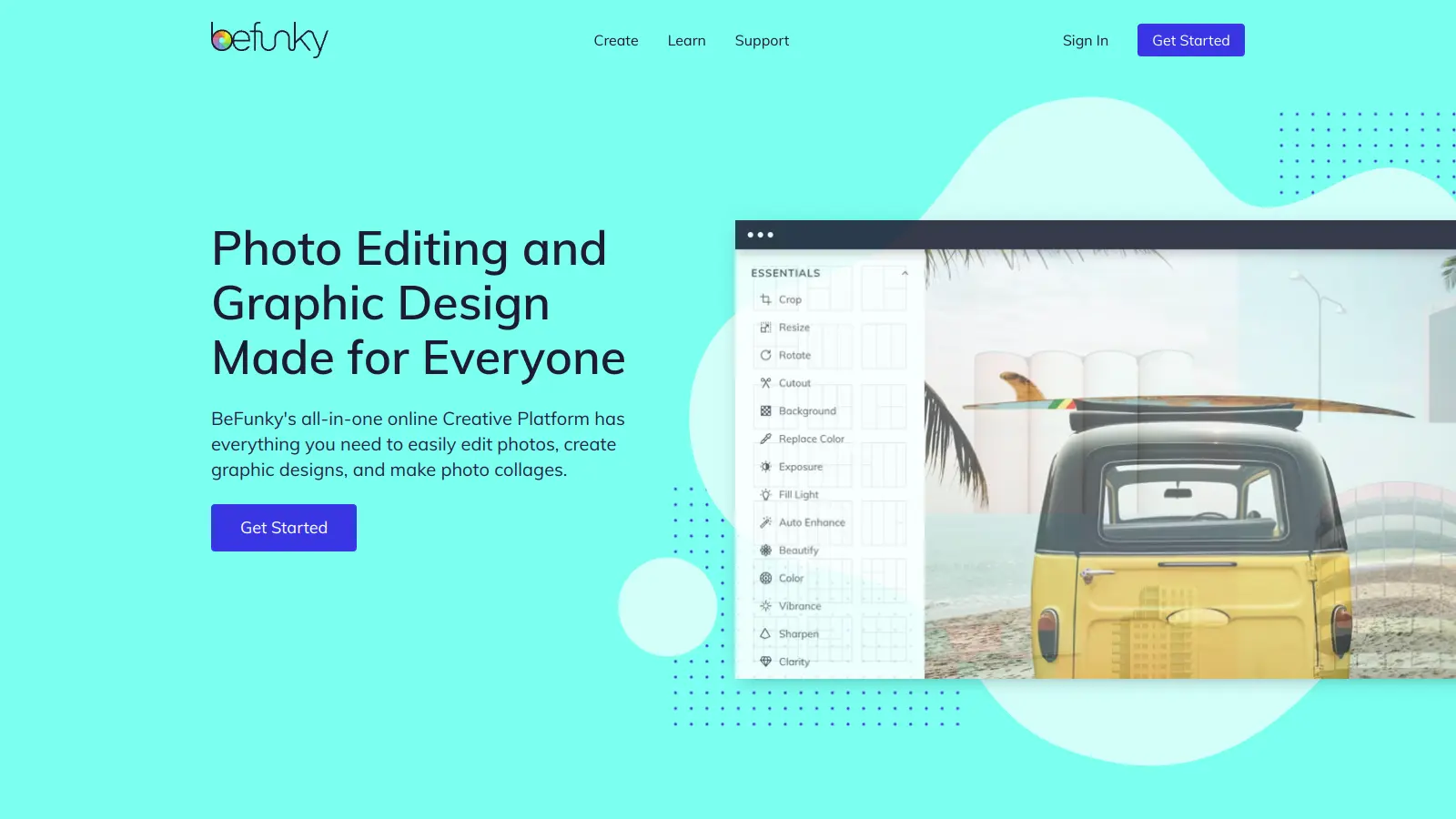
BeFunky focuses on three core tasks: photo editing, graphic design, and collage creation. It's simpler than Canva and doesn't try to cover as much ground, but the photo editing tools, including selective adjustments and a wide range of filters, are stronger than what Canva offers. The free plan is more functional than many competitors, with no watermarks on exports.
Pros
✓Stronger photo editing tools than Canva's basic filters
✓Collage maker with flexible grid and freeform layouts
vs CanvaBetter than Canva for small teams that need to lock down brand elements so non-designers can edit content without changing fonts, colors, or layouts.
8
Desygner
A brand-focused design tool with a useful PDF import feature.
Freemium
Best for · Small teams with strict brand guidelinesPricing · Free (limited); Business from $9.95/mo
Desygner positions itself as a design tool for small teams that need brand consistency across a mix of digital and print formats. It can import existing PDFs for editing, which is useful for reworking old marketing materials. The team plan includes role-based access and brand locking so non-designers can't accidentally break brand guidelines.
Pros
✓Import and edit existing PDFs directly
✓Brand locking prevents off-brand edits by team members
✓Role-based access controls on team plans
Cons
✗Smaller template and asset library than Canva
✗AI features are less developed than Canva's Magic Studio
Decide whether you need templates or a blank canvas
Template-based tools like Snappa and VistaCreate are fast if you produce the same content types repeatedly. If you're doing bespoke design work, a tool with more open editing controls, like Visme or Pixlr, will serve you better.
Check what file formats you can export
Canva exports PNG, JPG, PDF, and MP4, but PDF print quality on the free plan is limited. If you're sending work to a print shop, check whether the alternative supports CMYK, bleed settings, and high-res PDF. VistaCreate and Visme handle print formats better than most.
Match the tool to your team size
Solo creators can get away with any freemium tool. Teams need shared brand assets, folder access controls, and ideally real-time collaboration. Adobe Express and Visme both have team features, but their pricing structures differ significantly at scale.
Factor in the learning curve honestly
Canva is specifically designed to be learnable in under an hour. Some alternatives, like Pixlr or Photopea, are much closer to Photoshop and require real investment to use well. Others, like Snappa, are even simpler than Canva. Know your skill level and your team's patience for onboarding.
Look at what's actually free versus locked away
Many Canva alternatives advertise a free plan but put most useful templates and assets behind a paywall. Before committing, test the free tier with a real project, not just the demo. Snappa's free plan limits you to three downloads per month; Adobe Express's free plan is genuinely usable for daily work.
frequently asked questions
Yes. Adobe Express's free plan lets you export without watermarks, and so does Snappa's free tier (though Snappa limits you to three downloads per month). Pixlr's free plan also exports without watermarks, though it shows ads. Photopea is entirely free with no watermarks and no download limits.
Most follow a freemium model with paid plans ranging from $5 to $25 per month for individuals. Team plans vary more, from around $10 per user per month to $50-plus depending on the tool. Visme sits at the higher end; Snappa and VistaCreate are more affordable. Adobe Express is included in some Creative Cloud subscriptions, which changes the value calculation for existing Adobe users.
Not directly. Canva doesn't export in a format that other design tools can open and re-edit natively. Your best option is to export as a high-res PNG or PDF and use it as a reference while rebuilding in the new tool. For complex branded assets, plan for rebuild time, especially if you have dozens of templates.
The most common reasons are cost (the team plan gets expensive quickly), interface bloat (too many features cluttering the workspace), and limitations on the free plan like watermarked downloads and restricted premium elements. Some designers also outgrow Canva's editing controls and want finer typographic or layout control.
VistaCreate is the most print-focused of the mainstream alternatives, with direct integration into VistaPrint's print ordering workflow. Visme also supports high-res PDF export with better print settings than Canva's free plan. If you need full professional print control, neither replaces dedicated tools like Adobe InDesign, but both are closer to print-ready than Canva.
tools for humans
toolsforhumans editorial team
Reader ratings and community feedback shape every score. Since 2022, ToolsForHumans has helped 600,000+ people find software that holds up after launch. The picks here come from that.