Yammer review — Microsoft 365 team communications

last reviewed 24 march 2026
how we review

We start with direct ratings from our readers, then look at what real users are saying in practitioner forums and community spaces. We pair that with search demand data and profession-level persona analysis.

full methodology →

Editorial note: this was originally published in august of 2024

quick take

  • Best for: large Microsoft 365 organizations needing company-wide broadcast communications
  • Skip if: you want dedicated HR engagement analytics or you're not already in the Microsoft ecosystem
  • £Best value: use whatever's bundled in your existing Microsoft 365 plan before paying the $2/user add-on
3.0/ 5 — editorial rating

based on real user feedback, community sentiment, pricing value, and fit for target audience. see our full methodology

used Yammer? we'd love to know your thoughts

reader ratings shape our score

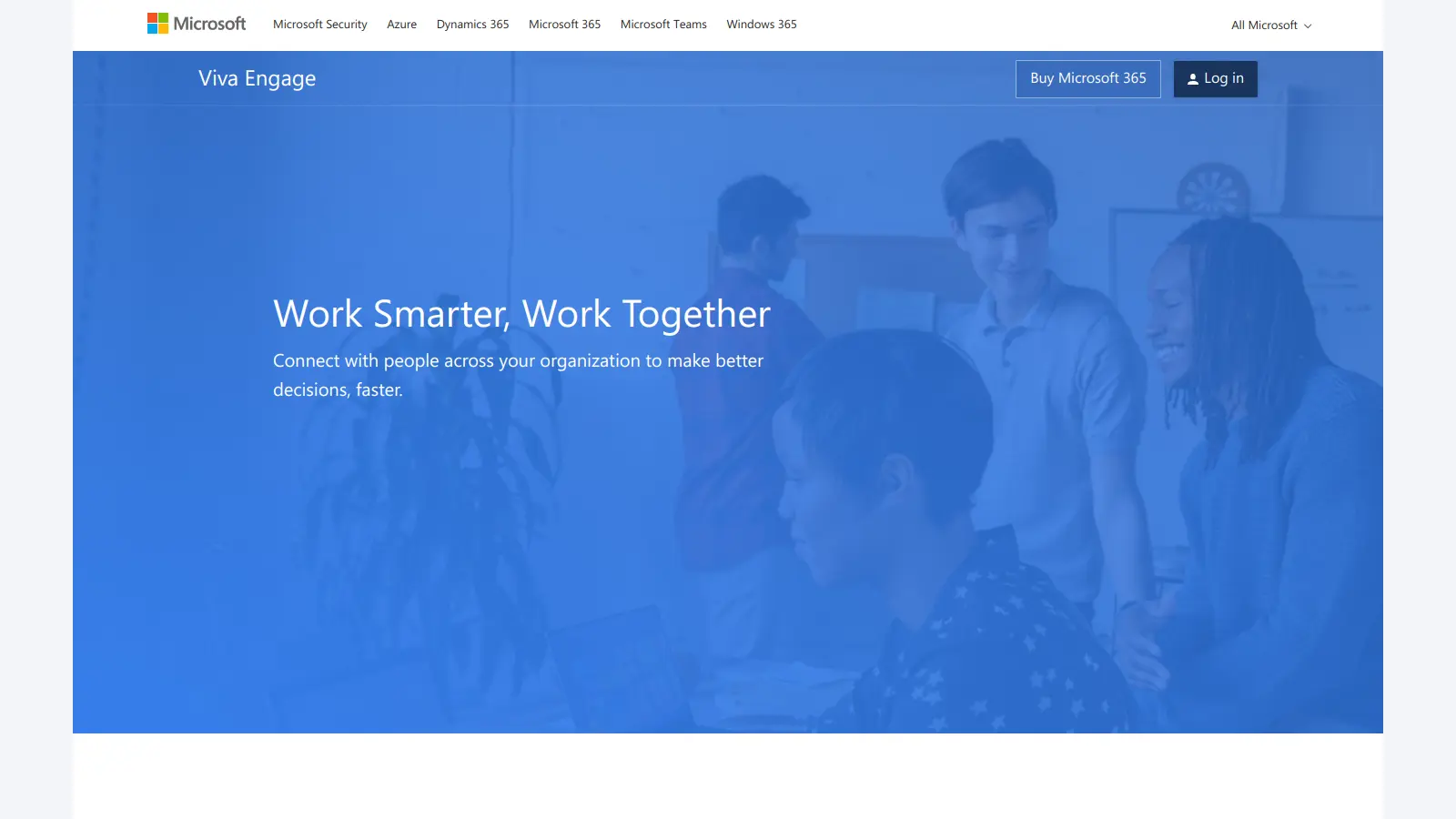
Yammer, now known as Microsoft Viva Engage, is a corporate social networking platform that helps teams communicate and share knowledge within organizations. It's part of the Microsoft 365 suite and works to create a more connected workplace environment.

The platform functions like a private social network for businesses, letting employees post updates, share files, and join topic-based communities. Teams can use it to reduce email clutter, organize discussions, and keep everyone up to date with company news.

Key features include community spaces for department-specific discussions, live events that can host up to 10,000 viewers, and AI-powered content suggestions that show users the most relevant information. The platform also works smoothly with other Microsoft tools like Teams and SharePoint.

Companies can access Yammer through various Microsoft 365 subscriptions, with specific Viva Engage plans starting at $2 per user monthly. The platform's mobile apps for iOS and Android help teams stay connected on the go, while built-in moderation tools let administrators keep discussions appropriate and productive.

Organizations typically use Yammer to:

• Share company updates and announcements
• Connect employees across different departments
• Build communities around shared interests
• Collect feedback and ideas from staff
• Recognize employee achievements

While similar to public social networks in its design, Yammer focuses specifically on workplace communication and collaboration. Its familiar interface makes it easy for most employees to start using it right away.

how popular is Yammer?

monthly search interest

9.9k/mo now

023.1k46.2k70k2023202420252026
peak interest61k/moMay 2023
searches now10k/moFeb 2026
1-month change— steadyvs prev month

Yammer search interest has been in near-continuous decline since mid-2023, falling from over 60,000 monthly searches to under 10,000 today. That's an 84% drop, and it doesn't look like a category contraction. It looks like a product that's being quietly sidelined as Microsoft consolidates internal comms under Teams and the broader Viva suite. If you're evaluating it now, you're not catching a hype wave; you're picking up a legacy product that Microsoft maintains but no longer actively champions.

who is Yammer for?

Whether Yammer's worth your time depends almost entirely on your role and how your organization uses Microsoft 365. Pick your role below to see the honest breakdown.

overall sentiment

select your role to see what people like you are saying

Communication Manager

positive

If you're managing company-wide announcements for a large organization, Yammer does the core job: one place to broadcast, a social format that gets more engagement than a mass email, and analytics on who's actually reading. The interface is familiar enough that you won't fight adoption. The real headache is notification volume on the receiving end, which can train employees to tune out the feed over time.

strengths

  • Centralized announcement distribution to entire organization
  • Familiar social media-like interface reduces training overhead
  • Cross-departmental visibility ensures consistent messaging
  • Analytics on engagement and reach for communications

concerns

  • Email notification management can create information overload
  • Difficulty controlling message fatigue across multiple collaboration tools
  • Balancing company-wide announcements with team-specific content

what users are saying

Yammer occupies an awkward position: it's included in Microsoft 365 plans, which means most organizations already have it, but that also means there's little pressure on Microsoft to make it genuinely good.

Community discussion around Yammer is thin, which is itself telling. The main content surfacing in searches for "Yammer review" is largely competitor comparison posts rather than genuine user advocacy. What does exist online paints a consistent picture: Yammer works well enough if your organization is already deep in the Microsoft 365 ecosystem, but it struggles to justify its place when Teams sits right next to it in the same suite. The most common criticisms online centre on notification overload, important updates getting buried in social feeds, and a general sense that the tool tries to be a corporate Facebook without quite nailing either the social or the productivity angle. The sharp decline in search interest since mid-2023 isn't just a naming-change artefact from the rebrand to Microsoft Viva Engage. It tracks with a real pattern of organizations quietly deprioritizing the platform.

Our take: Yammer occupies an awkward position: it's included in Microsoft 365 plans, which means most organizations already have it, but that also means there's little pressure on Microsoft to make it genuinely good. If you're an IT administrator or communications lead wondering whether to build internal culture workflows around it, the honest answer is: only if you're already committed to the full Viva suite. At $2 per user per month for the standalone communications plan, it's cheap, but the engagement problem it's meant to solve often requires more structured tooling than a social feed. If your organization doesn't have a Microsoft 365 mandate, Slack or even a well-configured Teams setup will give you more control and less noise.

features

  • Social Media-Like Interface: Provides a familiar Facebook-style platform where employees can easily post, comment, and share content across the organization with intuitive navigation.
  • Dynamic Work Communities: Create topic-focused groups that enable employees to connect around specific departments, projects, or interests, fostering targeted collaboration and knowledge sharing.
  • Comprehensive Content Sharing: Share files, documents, and multimedia content with robust search functionality that helps users quickly find relevant information and organizational experts.
  • Enterprise-Scale Live Events: Host virtual gatherings supporting up to 10,000 attendees, including town halls, product launches, and training sessions that can be streamed live or watched on-demand.
  • Employee Recognition Platform: Provide a digital space for acknowledging achievements, sharing feedback, and boosting organizational morale through interactive communication tools.
  • Seamless Microsoft 365 Integration: Connect effortlessly with Outlook, Teams, and SharePoint, creating a unified communication ecosystem that enhances workplace productivity.
  • AI-Powered Content Recommendation: Leverage artificial intelligence to curate personalized content feeds, ensuring employees see the most relevant and important organizational updates.
  • Mobile Work Connectivity: Access organizational conversations and share updates through highly-rated mobile apps for iOS and Android, enabling communication from anywhere.
  • Advanced Conversation Management: Utilize robust reporting and customization features that allow organizations to maintain professional communication standards and protect workplace interactions.

pricing

  • Microsoft Viva Employee Communications and Communities plan costs $2 per user per month, including premium community features and company-branded apps.
  • Microsoft Viva Suite offers a comprehensive plan at $12 per user per month, providing advanced tools with data-driven and AI insights.
  • Office 365 E1 is priced at approximately $10.50 USD per user per month, bundling email, file storage, web apps, meetings, and chats.
  • Office 365 E3 costs around $28.20 USD per user per month, featuring enterprise-level Microsoft 365 apps with enhanced security and compliance options.

frequently asked questions

At $2 per user per month for the Microsoft Viva Employee Communications and Communities plan, the standalone price looks reasonable on paper. But if you're already paying for Microsoft 365 E1 at $10.50 per user per month, Yammer's core functionality is already bundled in. The honest pricing verdict: don't pay the $2 add-on unless you specifically need the premium Viva Engage features. For most organizations, what's included in an existing Microsoft 365 plan is sufficient, and even that may be underused.

Communication Managers at large organizations who need to broadcast announcements across departments without managing individual email lists will get the most from it. Remote Team Managers in Microsoft 365-heavy environments also benefit, since the Teams and SharePoint integrations reduce friction. It's a weaker fit for HR professionals who need dedicated engagement metrics or recognition workflows.

First, notification management is genuinely poor. High-volume organizations end up training employees to ignore the feed, which defeats the purpose of company-wide communications. Second, it competes directly with Microsoft Teams for attention without clearly winning on either async communication or structured channels. Third, HR and People Operations teams will find it lacks the dedicated recognition and engagement analytics that tools like Workvivo or Viva Insights provide separately.

They're solving slightly different problems. Chanty is a direct Teams-style messaging tool with task management built in, aimed at smaller teams who want a single communication layer without Microsoft's complexity. Yammer is specifically a company-wide social network designed for broadcast communications and culture-building at scale. If you're a mid-size team looking for fast, focused chat with lightweight project tracking, Chanty is the cleaner choice. If you're a large organization needing top-down broadcasting and community spaces, and you're already on Microsoft 365, stick with Yammer. Don't use Chanty to replace Yammer unless you're also replacing your broader Microsoft stack.

This is the core question for Communication Managers, and the answer is: partially. Yammer handles broad company announcements and discussion threads well, and the social format does increase visibility compared to a company-wide email. But employees still expect email for formal policy updates or anything that requires acknowledgement. You'll likely end up running both, which is exactly the notification fragmentation problem that makes internal comms harder, not easier. Use it to reduce email volume, not eliminate it.

tools for
humans

toolsforhumans editorial team

Reader ratings and community feedback shape every score. Since 2022, ToolsForHumans has helped 600,000+ people find software that holds up after launch. how we research →

other tools to check out

ChatGPT screenshot
online buzz124M
trend (1M)steady
4.0based on real user feedback, community sentiment, pricing value, and fit for target audience. see our full methodology

ChatGPT

ChatGPT is an AI chatbot by OpenAI that uses language models to hold conversations, generate content, and complete tasks. It includes web browsing, image generation and analysis, voice interaction, autonomous task automation, and custom GPT creation. Available in multiple pricing tiers from free to enterprise, ChatGPT handles creative writing, data analysis, coding, and real-world automation.

best deal

Try ChatGPT Free: Basic AI conversations with GPT-5.2 Instant access (around 10 messages every 5 hours) at no cost.

Canva screenshot
online buzz24.9M
trend (1M)steady
3.8based on real user feedback, community sentiment, pricing value, and fit for target audience. see our full methodology

Canva

Canva is a graphic design platform that lets individuals and professionals create designs without advanced design skills. It offers hundreds of thousands of templates, design tools, collaboration features, and photo/video editing capabilities. With both free and pro versions, Canva provides access to millions of design elements for creating social media graphics, presentations, posters, and more through its drag-and-drop interface.

best deal

Get 50% off Canva Pro or Business plans for new customers, or try Canva free with 250,000+ templates and 5GB storage

Gemini screenshot
online buzz20.4M
trend (1M)23%
3.5based on real user feedback, community sentiment, pricing value, and fit for target audience. see our full methodology

Gemini

Gemini is an advanced AI assistant by Google that processes text, code, images, audio, and video across Google's ecosystem. It offers content creation, coding assistance, research capabilities, and workflow automation through the Gemini app, web interface, and integrations with Google Workspace, Pixel phones, and Chrome.

best deal

Google AI Plus: Get 50% off at $3.99/month for the first 2 months (new subscribers); Google AI Pro: Try free for one month.

Copilot AI screenshot
online buzz4.1M
trend (1M)steady
3.0based on real user feedback, community sentiment, pricing value, and fit for target audience. see our full methodology

Copilot AI

Microsoft 365 Copilot is an AI-powered productivity tool that integrates seamlessly with Microsoft 365 apps like Word, Excel, PowerPoint, and Outlook. It uses advanced language models and Microsoft Graph to provide intelligent, context-aware suggestions, automate tasks, and enhance collaboration by generating content, analyzing data, and offering real-time insights across various work processes.

best deal

Try Copilot Free: Experience basic AI assistance without Office integration

Claude screenshot
online buzz3.4M
trend (1M)83%
4.2based on real user feedback, community sentiment, pricing value, and fit for target audience. see our full methodology

Claude

Claude is an AI assistant developed by Anthropic that handles coding, writing, and analysis tasks. It uses Constitutional AI for safety-focused interactions, supports multiple languages, and offers models like Sonnet and Opus with different capabilities. Claude prioritizes user privacy and context-aware responses.

best deal

Try Claude Free - 30-100 daily messages with code generation, image analysis, web search, and access to Claude's latest models

Grammarly screenshot
online buzz3.4M
trend (1M)22%
3.8based on real user feedback, community sentiment, pricing value, and fit for target audience. see our full methodology

Grammarly

Grammarly is an AI-powered writing assistant that provides real-time grammar, spelling, and punctuation checks, tone adjustments, and generative AI features for composing, rewriting, and proofreading text. It integrates with platforms like Google Docs, Gmail, Microsoft Word, Slack, and web browsers, offering both free and paid versions with features ranging from basic corrections to plagiarism detection and AI writing tools.

best deal

Try Grammarly's Free Version Today - Get Basic Grammar Checks & 100 AI Prompts Per Month Across Your Favorite Apps



