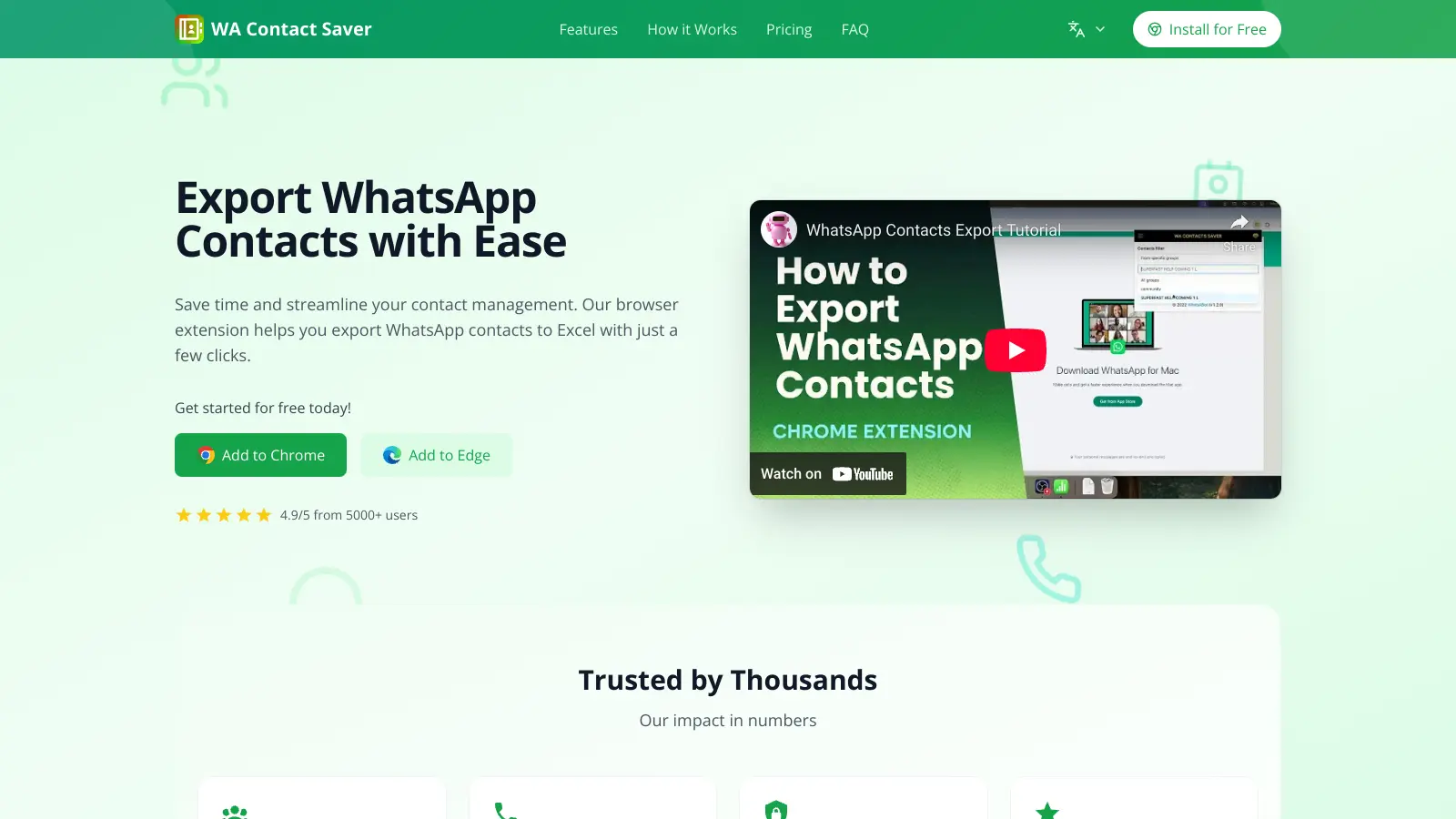
WA Contact Saver is a Chrome extension that extracts and manages WhatsApp contacts. The tool lets you export contacts from both individual chats and group conversations into formats like Excel, CSV, JSON, and VCard.
You can gather contacts from specific WhatsApp groups, save unsaved numbers, or organize contacts by country—all from within your browser. It works with both regular WhatsApp Web and WhatsApp Business Web.
The extension processes all data locally on your device, so your contact information stays private. Users can start with a free plan that allows up to 10 contact exports, while the Pro version offers unlimited exports.
Getting started is simple. Add the extension to Chrome or Edge, log into WhatsApp Web, and you can begin exporting contacts. Filter contacts by labels, countries, or groups to organize your WhatsApp connections however you need them.
WA Contact Saver is built for professionals and business owners who need to organize their WhatsApp contacts without spending hours on manual data entry.
Common use cases include retail, real estate, recruitment, and service industries where managing customer relationships through WhatsApp is part of daily operations.
There's not much public discussion about WA Contact Saver. You won't find user reviews on major software review platforms or Reddit threads dissecting its pros and cons. This limited visibility makes it hard to get a sense of how it performs in real-world scenarios.
The few mentions that exist highlight ease of use, quick contact extraction, and clean export formats. The lack of negative feedback doesn't mean problems don't exist—it just means there aren't enough public reviews to paint a complete picture. Test the free plan first to see if it fits your needs.
After installing WA Contact Saver, open WhatsApp Web in your browser. Navigate to the specific group you want to export contacts from. Click on the WA Contact Saver icon in your browser toolbar, then select "Export Contacts from This Group." Choose your preferred format (CSV, Excel, JSON, or VCard if you have the Pro version). The extension will process the contacts and provide a download link. All your data stays on your device for privacy.
Will people know when I export their contact information?No, WhatsApp users won't receive any notification when you export their contact details using WA Contact Saver. The extension works locally in your browser and doesn't send any signals or notifications to group members. It simply captures the contact information that's already visible to you as a group member.
Can I use WA Contact Saver with WhatsApp Business?Yes! WA Contact Saver works with both regular WhatsApp Web and WhatsApp Business Web. This makes it especially useful for business owners who need to manage customer contacts efficiently. The tool functions the same way regardless of which version you're using - just install the extension, open WhatsApp Business Web, and start exporting your contacts.
Does the free plan include all export formats?The free plan lets you export contacts in Excel format with basic contact fields, but has a limit of 10 contacts and can only export from a single group at a time. The Pro plan unlocks all export formats (CSV, Excel, JSON, and VCard), all contact fields, unlimited exports, and the ability to export from all groups at once.
Is my data secure when using WA Contact Saver?WA Contact Saver processes all data locally on your device. Your contacts never travel to external servers, and the extension doesn't share any information with third parties. This local processing approach ensures your contacts' information stays private and secure. The extension only accesses the WhatsApp contact data that's already available to you through your WhatsApp account.


Our newsletter comes with exclusive discounts, trials and practical insights from within the industry