Visla AI Video Generator review — ai video creation

last reviewed 24 march 2026
how we review

We start with direct ratings from our readers, then look at what real users are saying in practitioner forums and community spaces. We pair that with search demand data and profession-level persona analysis.

full methodology →

Editorial note: this was originally published in april of 2025

quick take

  • Best for: marketing teams converting scripts and briefs into social video without a video editor
  • Skip if: you need proven CRM integrations, brand compliance controls, or enterprise-scale reliability
  • £Best value: free tier first, then Pro at $9/month annually if the output passes your quality bar
3.0/ 5 — editorial rating

based on real user feedback, community sentiment, pricing value, and fit for target audience. see our full methodology

used Visla AI Video Generator? we'd love to know your thoughts

reader ratings shape our score

Visla AI Video Generator helps teams and individuals create professional videos without extensive editing experience. The platform combines AI-powered features with straightforward editing tools to handle everything from storyboards and scripts to B-roll selection, voice-overs, and subtitles.

The platform launched in 2024 and has gained traction among marketers, educators, and content creators. Users can create videos in several ways: by typing out an idea, uploading a script, pasting a link, or using audio, images, or PPT/PDF files. The AI then handles many technical aspects, including scene selection, music matching, and subtitle generation. You can also record your screen with the step recorder feature, which adds AI annotations automatically.

The tool offers collaborative features that let teams work together on projects. Members can share feedback, manage media assets through a Private Stock library that uses AI tagging for smart recommendations, and control access through role-based permissions. You can repurpose existing content by extracting snippets or summarizing longer videos for different platforms.

The free plan includes core AI video generator features with base credits that reset monthly. Paid plans start at $9 monthly when billed annually and offer more advanced capabilities like enhanced credits, premium media libraries, and additional AI avatars and voices. Business plans are available for larger organizations.

how popular is Visla AI Video Generator?

monthly search interest

110/mo now

0132264400202420252026
peak interest390/moApr 2024
searches now110/moFeb 2026
1-month change+22%vs prev month

Visla spiked hard to 390 monthly searches in April 2024 then dropped 72% within two months — a classic AI hype wave pattern where early curiosity didn't convert into a sustained user base. The modest recovery in late 2025 and early 2026 suggests some organic discovery is returning, but the numbers are still low enough that this tool hasn't found its stable audience yet. You're evaluating a product that's past its initial hype but hasn't yet proven it can hold users long-term.

who is Visla AI Video Generator for?

Whether Visla is worth it depends almost entirely on what you're trying to make and how much reliability matters to your workflow. Pick your role below to see the honest breakdown.

overall sentiment

select your role to see what people like you are saying

Marketing Manager

mixed

Visla can genuinely speed up social and campaign video production for teams without a dedicated editor, and the text-to-video and PDF-to-video features suit the kind of brief-driven work marketing cycles produce. The real risk is that there's no track record to lean on: no documented brand compliance controls, no case studies from teams like yours, and no community to learn from when something goes wrong. Run a real campaign asset through the free tier before committing a team workflow to it.

strengths

  • Eliminates dependency on scarce video editing expertise within marketing teams
  • Enables rapid production of multiple video variants for A/B testing campaigns
  • Reduces time from concept to published content significantly
  • Allows non-technical team members to create professional-looking videos independently

concerns

  • Newness of platform means limited real-world case studies or proven ROI data for enterprise marketing use
  • Unclear how well AI handles brand-specific styling and compliance requirements
  • Sparse user reviews make it difficult to assess long-term reliability and support quality

what users are saying

For a tool aimed at marketing teams and content creators, the lack of creator community discussion is a genuine red flag rather than a neutral fact.

Community data on Visla is thin. The available sources are a commercial review platform with no visible user reviews yet, and roundup articles from content automation blogs and tool aggregators that include Visla in passing comparisons rather than in-depth assessments. The Zapier roundup of 18 AI video generators and similar listicles mention Visla as a contender but without the kind of sustained user criticism or praise that builds up around more established tools. That absence of community feedback cuts both ways: there's no vocal base of frustrated users, but there's also no proof that real teams have built reliable workflows around it. For a tool aimed at marketing teams and content creators, the lack of creator community discussion is a genuine red flag rather than a neutral fact.

Our take: Visla sits in a crowded category where competitors like Synthesia, Runway, and Descript have years of user feedback, integrations, and documented limitations. At $9/month on the Pro plan, the entry price is reasonable, but you're betting on a relatively new platform with no established track record and no community to help you troubleshoot when things go wrong. If you're a marketing manager who needs something reliable for regular campaign output, the lack of proven enterprise case studies should give you pause. Don't commit to an annual plan until you've run a real project through it on the free tier and confirmed the output quality actually meets your brand standards.

features

  • AI Video Generator: Transform your ideas into professional videos with AI-powered scene creation, automatic script generation, storyboard assembly, B-roll selection, voice-overs, and subtitle generation. Create videos from text, ideas, scripts, links, audio, images, or PPT/PDF files.
  • Text-Based AI Editor: Edit videos by changing the text transcript rather than cutting clips the traditional way. Automatically remove filler words, add scene transitions, and refine your content.
  • Advanced Recording Tools: Record with multi-camera support, use the built-in teleprompter for scripts, or capture step-by-step tutorials with the step recorder that adds AI annotations automatically.
  • Private Stock Library: Store and organize your images, videos, and audio files with AI tagging that provides smart recommendations and helps you find the right media quickly.
  • AI Avatars and Voice Cloning: Use AI avatars or clone voices to create personalized video content without appearing on camera or recording audio yourself.
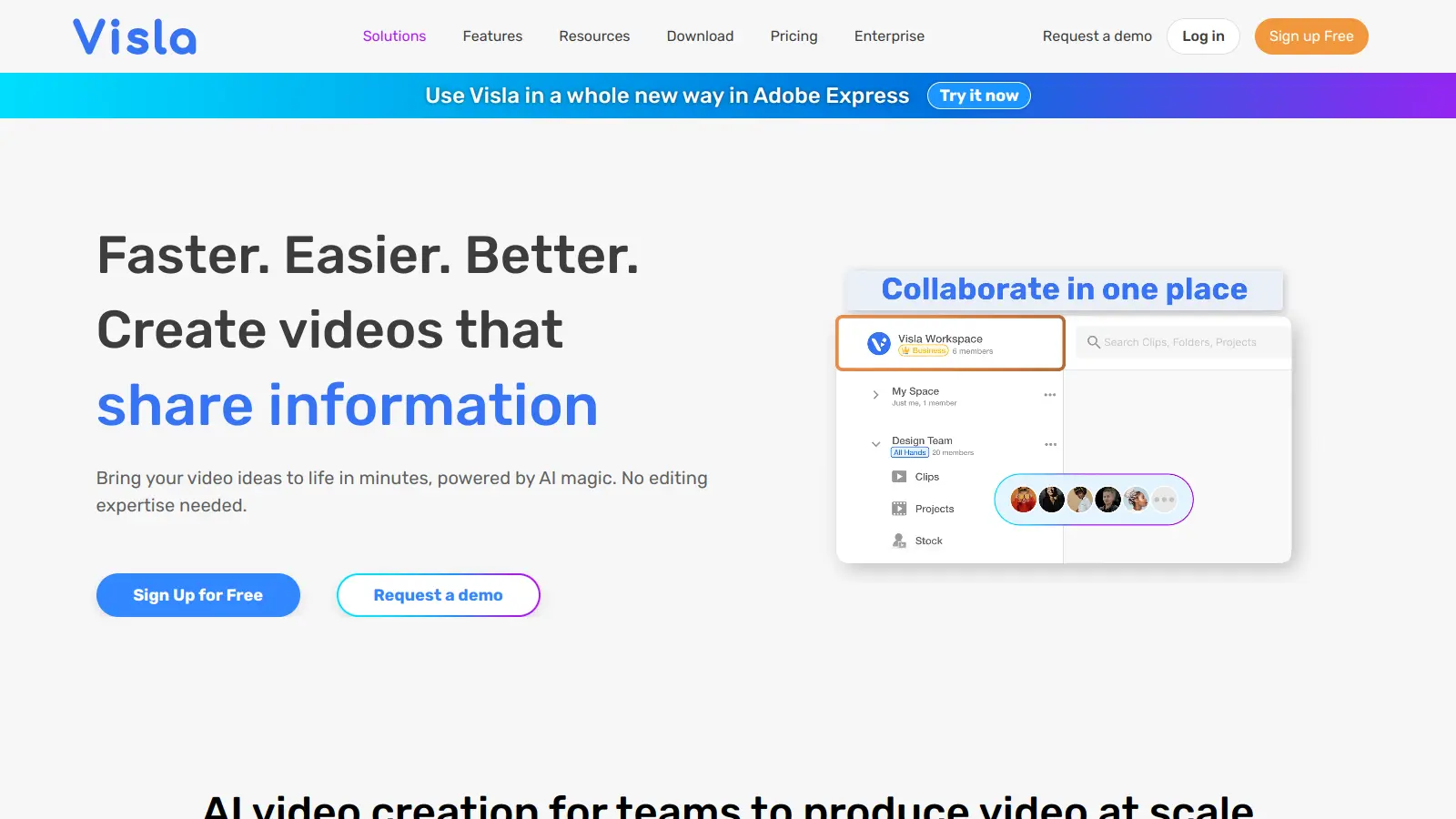
  • Collaborative Workspace: Work with your team by sharing projects, providing comments, managing video production through role-based access controls, and embedding videos across platforms.
  • Content Repurposing: Extract snippets from longer videos, summarize content, and adapt existing material for different platforms to maximize your content's reach.

pricing

  • Free plan includes core AI video generator features with base credits that reset monthly, lets you create videos from text, scripts, links, audio, images, and files.
  • Pro Plan starts at $9 per month when billed annually, includes AI video creation with enhanced credits, premium media libraries, more avatars and voices, and is the most popular option.
  • Business Plan includes enhanced video features with 20,000 baseline credits and access to premium stock libraries for larger teams.

frequently asked questions

The Pro plan at $9/month annually is a reasonable entry point if you're producing video content regularly and the free tier has already proven the output quality works for you. The free plan resets monthly and covers core features, so test it properly before paying. The Business plan pricing isn't publicly listed, which means you're looking at a sales conversation before you know what you're committing to — that's worth factoring in if you're evaluating it for a team.

Marketing managers who need to turn briefs, scripts, or PDFs into social-ready video without a dedicated video editor get the most obvious use from this. Content creators repurposing long-form content into shorts will find the text-based editing and automatic B-roll useful. Educators building course content from slide decks or scripts are a natural fit too. Enterprise sales teams considering it for personalized outreach at scale should be cautious given the limited integration and CRM compatibility information available.

First, it's a new platform with very little public user feedback, which means you're taking on real risk if you build a production workflow around it. Second, brand customization and compliance controls aren't well-documented, which matters if you're in a regulated industry or have strict style guidelines. Third, integration with CRM systems and existing enterprise tools is unclear, which limits its usefulness for sales teams who need it to plug into Salesforce or HubSpot.

Descript has a larger user community, better-documented integrations, and a proven track record for podcast and video editing workflows. If your main use case is editing existing video or audio by transcript, Descript is the safer choice with more established support. Visla's edge is in generating video from scratch — turning a script, PDF, or idea into a complete video quickly — which Descript doesn't do in the same way. If you're creating original video content from text inputs and want a low-cost starting point, Visla is worth testing. If you need reliability and a tool with a track record, go with Descript.

That's the open question right now. The interface is accessible and the AI handles script-to-video generation quickly, but there's no established creator community sharing results, workarounds, or quality benchmarks. You can't yet find out what the AI does with trending audio requirements, whether the B-roll selection looks generic after the first few videos, or how much manual cleanup is typically needed. Test it on a lower-stakes piece of content before using it on anything your audience will judge you on.

tools for
humans

toolsforhumans editorial team

Reader ratings and community feedback shape every score. Since 2022, ToolsForHumans has helped 600,000+ people find software that holds up after launch. how we research →

is this your tool?

claim your listing to update details, respond to our review, or upgrade to a featured partnership.

claim this listing →

other tools to check out

ChatGPT screenshot
online buzz124M
trend (1M)steady
4.0based on real user feedback, community sentiment, pricing value, and fit for target audience. see our full methodology

ChatGPT

ChatGPT is an AI chatbot by OpenAI that uses language models to hold conversations, generate content, and complete tasks. It includes web browsing, image generation and analysis, voice interaction, autonomous task automation, and custom GPT creation. Available in multiple pricing tiers from free to enterprise, ChatGPT handles creative writing, data analysis, coding, and real-world automation.

best deal

Try ChatGPT Free: Basic AI conversations with GPT-5.2 Instant access (around 10 messages every 5 hours) at no cost.

Gemini screenshot
online buzz20.4M
trend (1M)23%
3.5based on real user feedback, community sentiment, pricing value, and fit for target audience. see our full methodology

Gemini

Gemini is an advanced AI assistant by Google that processes text, code, images, audio, and video across Google's ecosystem. It offers content creation, coding assistance, research capabilities, and workflow automation through the Gemini app, web interface, and integrations with Google Workspace, Pixel phones, and Chrome.

best deal

Google AI Plus: Get 50% off at $3.99/month for the first 2 months (new subscribers); Google AI Pro: Try free for one month.

Copilot AI screenshot
online buzz4.1M
trend (1M)steady
3.0based on real user feedback, community sentiment, pricing value, and fit for target audience. see our full methodology

Copilot AI

Microsoft 365 Copilot is an AI-powered productivity tool that integrates seamlessly with Microsoft 365 apps like Word, Excel, PowerPoint, and Outlook. It uses advanced language models and Microsoft Graph to provide intelligent, context-aware suggestions, automate tasks, and enhance collaboration by generating content, analyzing data, and offering real-time insights across various work processes.

best deal

Try Copilot Free: Experience basic AI assistance without Office integration

Claude screenshot
online buzz3.4M
trend (1M)83%
4.2based on real user feedback, community sentiment, pricing value, and fit for target audience. see our full methodology

Claude

Claude is an AI assistant developed by Anthropic that handles coding, writing, and analysis tasks. It uses Constitutional AI for safety-focused interactions, supports multiple languages, and offers models like Sonnet and Opus with different capabilities. Claude prioritizes user privacy and context-aware responses.

best deal

Try Claude Free - 30-100 daily messages with code generation, image analysis, web search, and access to Claude's latest models

Perplexity screenshot
online buzz1.8M
trend (1M)22%
3.8based on real user feedback, community sentiment, pricing value, and fit for target audience. see our full methodology

Perplexity

Perplexity AI is an AI-powered search engine that provides real-time, conversational responses to user queries. Founded in 2022, it uses natural language processing and large language models to deliver answers with source transparency. The platform offers multiple search modes, supports file and image uploads, and provides both free and paid plans for individual users and businesses.

best deal

Try Perplexity Free - Get unlimited basic searches with citations, 5 daily Pro Searches, and save your search history with access to basic AI models.

Photo AI screenshot
online buzz1M
trend (1M)steady
3.0based on real user feedback, community sentiment, pricing value, and fit for target audience. see our full methodology

Photo AI

PhotoAI.me is an AI-powered platform that transforms personal photos into unique, high-resolution images across 100+ styles for various social media platforms. Users can upload a photo, select a themed package, and receive AI-enhanced images within hours, making profile personalization simple and quick for those seeking professional or creative profile pictures without advanced editing skills.

best deal

Transform your profile photo with 100+ AI styles starting at $19/month


