tools for
humans

Summarize Tech reviews — what users really think

last reviewed 24 march 2026
how we review

We start with direct ratings from our readers, then look at what real users are saying in practitioner forums and community spaces. We pair that with search demand data and profession-level persona analysis.

full methodology →

Editorial note: this was originally published in april of 2025

quick take

  • Best for: students and journalists who want a distraction-free URL-to-summary tool
  • Skip if: you already use ChatGPT, Claude, or any general-purpose AI assistant
  • £Best value: free tier is sufficient for occasional use; premium is hard to justify at $10/month
½2.5/ 5 — editorial rating

based on real user feedback, community sentiment, pricing value, and fit for target audience. see our full methodology

used Summarize Tech? we'd love to know your thoughts

reader ratings shape our score

TLDR This condenses long articles and documents through AI-powered text summarization. The tool works with academic papers, news articles, and essays, making written information more accessible for busy professionals and students.

Paste text directly, insert article links, or use the browser extension to get an overview of the content's key messages. The AI filters out weak arguments and speculation to highlight what's relevant.

The platform offers both free and premium options. The premium plan costs $10 monthly and removes ads while providing faster processing. The interface is straightforward—no technical expertise required.

The tool extracts article metadata like author names and publication dates, estimates reading time, and removes distractions for a clean reading experience. Useful for researching topics, catching up on news, or staying current with industry trends.

how popular is Summarize Tech?

monthly search interest

140/mo now

06601.3k2k2023202420252026
peak interest1k/moMar 2024
searches now140/moFeb 2026
1-month change— steadyvs prev month

TLDR This rode the early generative AI wave hard, peaking around early 2024 when standalone AI tools were a novelty. Since then it's lost nearly 90% of its search volume as summarisation became a standard feature in tools people already use. The decline is still ongoing with no sign of stabilisation, which suggests this isn't a tool that's found its floor yet.

who is Summarize Tech for?

Whether TLDR This is worth your time depends almost entirely on what you're already using. Pick your role below to see the honest breakdown.

what users are saying

This is a tool that made sense before AI was everywhere, and it's struggling to justify itself now that it is.

Community discussion around Summarize Tech (tldrthis.com) is thin. The tool appears in AI aggregator listings but generates almost no organic conversation in forums or user communities. What little independent coverage exists treats it as a basic, no-frills summarisation tool: paste a URL or text, get a summary back, done. There's no notable backlash but equally no enthusiastic word-of-mouth. The absence of community discussion is itself informative: in a category that now includes deeply capable tools built into browsers, search engines, and note-taking apps, a standalone summariser needs a compelling reason to exist, and independent users aren't articulating one here.

Our take: TLDR This does what it says, but so does every AI assistant you probably already pay for. At $10 a month, you're paying for a single-function tool that ChatGPT, Claude, or even a free browser extension does as a side effect. The 89% drop in search interest since early 2024 isn't a coincidence: this is a tool that made sense before AI was everywhere, and it's struggling to justify itself now that it is. Don't subscribe unless you've confirmed nothing in your existing toolkit handles long-article summarisation, which would be unusual at this point.
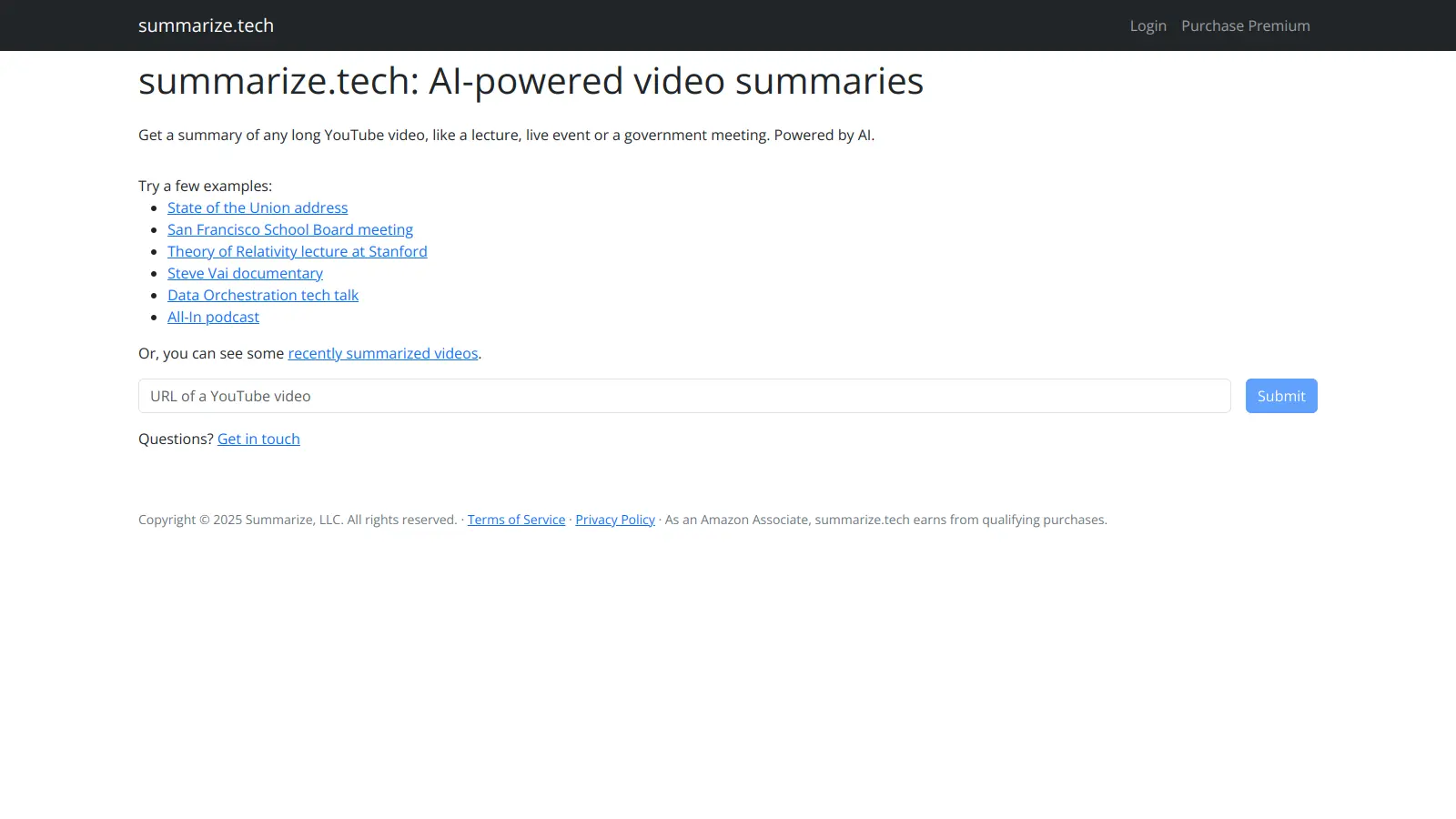

features

  • AI-Driven Text Summarization: Transform lengthy articles, documents, and research papers into concise summaries using natural language processing that extracts key insights quickly.
  • Automatic Bullet Point Summaries: Get key information organized into bullet points that highlight the most important takeaways from any text.
  • Metadata Extraction: Automatically pulls author names, publication dates, and related images from articles for quick reference.
  • Ad and Distraction Removal: Provides a clean, ad-free reading experience by stripping away distractions from web articles.
  • Smart Content Filtering: Filters weak arguments and speculation to highlight relevant points and facts.
  • Multiple Input Methods: Paste text directly, insert article links, or use the browser extension for quick access to summarization.
  • Reading Time Estimation: Shows estimated reading time for both the original content and the summary so you can plan accordingly.

pricing

  • Free version available with basic summarization features and daily limits.
  • Premium version costs $10 per month with enhanced features and no daily limits.
  • Premium subscription can be cancelled at any time, providing flexibility for users.
  • Browser extension available for faster access to summarization tools.

frequently asked questions

No, for most people. The free tier covers occasional use with daily limits, which is enough to evaluate whether the summaries suit you. The $10 premium removes those limits and adds enhanced features, but that price point buys you a full month of Claude or a meaningful chunk of a ChatGPT subscription, both of which summarise articles and documents as one of dozens of things they do. Unless you specifically need a distraction-free summarisation interface and nothing else, the premium isn't worth it.

Students who need quick article comprehension for research and journalists who need to scan source material fast get the most out of this. It's genuinely useful if you want a clean, single-purpose tool with no setup and no AI conversation required: paste a URL, get a summary. That simplicity has real value for anyone who finds general-purpose AI assistants distracting or overkill for the task.

First, the free tier daily limits kick in quickly if you're processing multiple documents, and there's no per-document or pay-as-you-go option, so you're either restricted or paying the full monthly rate. Second, the tool is a one-trick pony: it summarises, and that's it. You can't follow up with questions, adjust the framing, or ask it to extract specific information the way you can with a general-purpose AI. Third, the features page returns a 404, which doesn't inspire confidence in the product's ongoing maintenance.

For pure URL-to-summary convenience, TLDR This has a marginally lower friction setup: no prompt engineering, just paste and go. But ChatGPT (or Claude) produces richer, more adjustable output, lets you ask follow-up questions, and handles PDFs, raw text, and web articles within the same interface you're probably already using. If you want to spend zero time thinking about how to phrase a request, TLDR This wins on simplicity. For almost every other reason, use ChatGPT.

Yes, it accepts PDF uploads up to 25MB and processes plain text, so academic papers work. The quality of the summary depends heavily on the source text: well-structured papers with clear abstracts and section headers tend to produce cleaner output than dense technical documents. It's a reasonable first pass for getting the gist of a paper before deciding whether to read it fully, but it won't extract specific methodology details or interpret statistical findings the way a researcher actually needs.

tools for
humans

toolsforhumans editorial team

Reader ratings and community feedback shape every score. Since 2022, ToolsForHumans has helped 600,000+ people find software that holds up after launch. how we research →

other tools to check out

ChatGPT screenshot
online buzz124M
trend (1M)steady
4.0based on real user feedback, community sentiment, pricing value, and fit for target audience. see our full methodology

ChatGPT

ChatGPT is an AI chatbot by OpenAI that uses language models to hold conversations, generate content, and complete tasks. It includes web browsing, image generation and analysis, voice interaction, autonomous task automation, and custom GPT creation. Available in multiple pricing tiers from free to enterprise, ChatGPT handles creative writing, data analysis, coding, and real-world automation.

best deal

Try ChatGPT Free: Basic AI conversations with GPT-5.2 Instant access (around 10 messages every 5 hours) at no cost.

Gemini screenshot
online buzz20.4M
trend (1M)23%
3.5based on real user feedback, community sentiment, pricing value, and fit for target audience. see our full methodology

Gemini

Gemini is an advanced AI assistant by Google that processes text, code, images, audio, and video across Google's ecosystem. It offers content creation, coding assistance, research capabilities, and workflow automation through the Gemini app, web interface, and integrations with Google Workspace, Pixel phones, and Chrome.

best deal

Google AI Plus: Get 50% off at $3.99/month for the first 2 months (new subscribers); Google AI Pro: Try free for one month.

Copilot AI screenshot
online buzz4.1M
trend (1M)steady
3.0based on real user feedback, community sentiment, pricing value, and fit for target audience. see our full methodology

Copilot AI

Microsoft 365 Copilot is an AI-powered productivity tool that integrates seamlessly with Microsoft 365 apps like Word, Excel, PowerPoint, and Outlook. It uses advanced language models and Microsoft Graph to provide intelligent, context-aware suggestions, automate tasks, and enhance collaboration by generating content, analyzing data, and offering real-time insights across various work processes.

best deal

Try Copilot Free: Experience basic AI assistance without Office integration

Claude screenshot
online buzz3.4M
trend (1M)83%
4.2based on real user feedback, community sentiment, pricing value, and fit for target audience. see our full methodology

Claude

Claude is an AI assistant developed by Anthropic that handles coding, writing, and analysis tasks. It uses Constitutional AI for safety-focused interactions, supports multiple languages, and offers models like Sonnet and Opus with different capabilities. Claude prioritizes user privacy and context-aware responses.

best deal

Try Claude Free - 30-100 daily messages with code generation, image analysis, web search, and access to Claude's latest models

Perplexity screenshot
online buzz1.8M
trend (1M)22%
3.8based on real user feedback, community sentiment, pricing value, and fit for target audience. see our full methodology

Perplexity

Perplexity AI is an AI-powered search engine that provides real-time, conversational responses to user queries. Founded in 2022, it uses natural language processing and large language models to deliver answers with source transparency. The platform offers multiple search modes, supports file and image uploads, and provides both free and paid plans for individual users and businesses.

best deal

Try Perplexity Free - Get unlimited basic searches with citations, 5 daily Pro Searches, and save your search history with access to basic AI models.

Photo AI screenshot
online buzz1M
trend (1M)steady
3.0based on real user feedback, community sentiment, pricing value, and fit for target audience. see our full methodology

Photo AI

PhotoAI.me is an AI-powered platform that transforms personal photos into unique, high-resolution images across 100+ styles for various social media platforms. Users can upload a photo, select a themed package, and receive AI-enhanced images within hours, making profile personalization simple and quick for those seeking professional or creative profile pictures without advanced editing skills.

best deal

Transform your profile photo with 100+ AI styles starting at $19/month


