tools for
humans

Slay School reviews — what users really think

last reviewed 24 march 2026
how we review

We start with direct ratings from our readers, then look at what real users are saying in practitioner forums and community spaces. We pair that with search demand data and profession-level persona analysis.

full methodology →

Editorial note: this was originally published in april of 2025

quick take

  • Best for: medical students batch-converting lecture slides before exams
  • Skip if: you need more than 3 uploads per week without paying or want granular card control
  • £Best value: Power-Up at $7.99/month annual for regular university use
3.2/ 5 — editorial rating

based on real user feedback, community sentiment, pricing value, and fit for target audience. see our full methodology

used Slay School? we'd love to know your thoughts

reader ratings shape our score

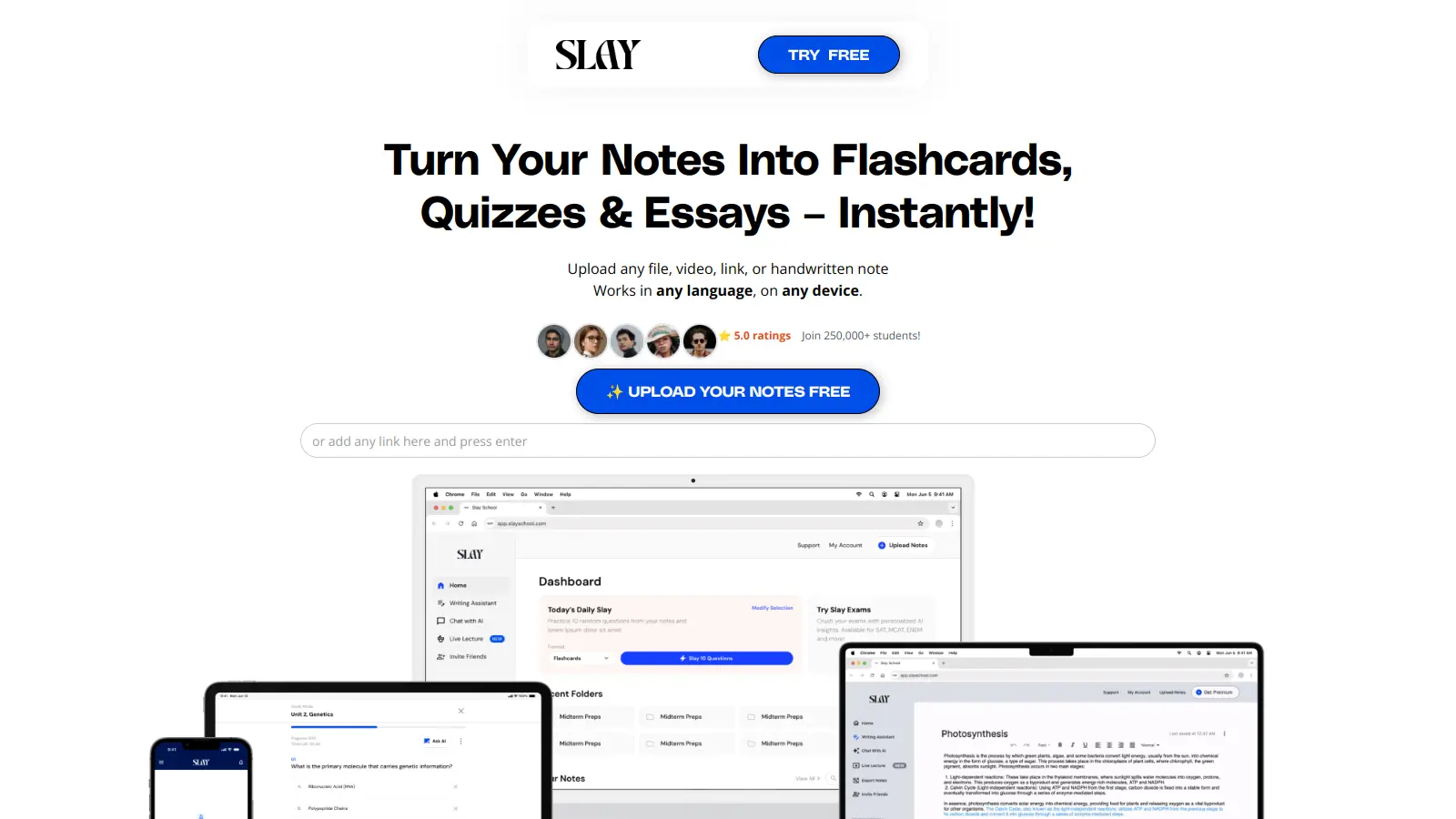
Slay School uses AI to turn study materials into flashcards and quizzes. Upload your notes, videos, or documents, and it generates study aids automatically.

The platform is particularly useful for medical students and university learners processing large amounts of information. It uses spaced repetition and active recall to help information stick. Students can upload photos of handwritten notes, link to YouTube lectures, or drop in PDFs—the AI converts them all into flashcards.

The platform offers both free and paid plans. Free users get unlimited flashcards and Anki exports, but are limited to 3 uploads per week with a 15-page limit per file. Paid plans start at $7.99 monthly for the Power-Up plan and $12.99 for the Monthly plan, adding more uploads, AI chat access, and priority support.

You can share flashcard decks through links, and educators can track progress for their classes. The platform works across web, mobile, and tablet with progress syncing across devices.

who is Slay School for?

Whether Slay School is worth it depends almost entirely on how much material you're processing and how often. Pick your role below to see whether the free tier covers you or if you'd need to pay.

what users are saying

The pricing page is genuinely confusing, with two different plan structures showing different features and limits depending on where you scroll, making it hard to know exactly what you're buying.

Community discussion around Slay School is thin online, which is notable for a tool claiming 250,000 students. There are no substantial Reddit threads, independent blog reviews, or forum posts to draw from. That absence tells you something: it's not a tool people are raving about publicly or loudly complaining about either. What you can infer from the product itself is that the free tier is genuinely limited at 3 uploads per week with a 15-page cap per file, which will frustrate any student with real exam prep volume. The pricing structure is also confusing: there are at least two overlapping plan sets visible on the pricing page, with different upload limits and feature sets depending on which pricing table you land on. Students trying to figure out exactly what they're getting before paying will have a hard time.

Our take: Slay School does one thing reasonably well: turning uploaded materials into flashcards and multiple-choice questions fast. For a medical student drowning in lecture slides before an exam, the Cram Plan at $29.99 a month is a blunt but functional tool. The messy pricing page and thin public reputation make it hard to recommend over Anki plus a well-configured AI assistant, which gives you more control for less money in the long run. If you're a casual student with a handful of PDFs per week, the free tier covers it. If you need this as a daily workflow, test the Power-Up Plan at $7.99 a month on an annual commitment before committing to the higher tiers.

features

  • AI-Generated Flashcards and Quizzes: Converts notes, PDFs, videos, links, handwritten notes, and Google Docs into flashcards and multiple-choice quizzes, saving time on manual card creation.
  • Spaced Repetition and Active Recall: Schedules review sessions at increasing intervals based on cognitive psychology principles, helping students retain information longer.
  • Instant Feedback: Shows you immediately what you got right or wrong so you can adjust your studying.
  • Multi-Format Support: Works with PDFs, videos, links, handwritten notes, images, and content in any language.
  • Export to Anki and Quizlet: Export your flashcards to other study tools so you can use Slay School's generation features while studying on your preferred platform.
  • Mobile App and Cross-Device Access: Study on web, mobile app, or tablet with progress syncing across all devices.
  • Sharing and Progress Tracking: Share flashcard decks via links with classmates or students, and educators can track collective learning progress.

pricing

  • Free Plan offers unlimited flashcards and exports to Anki, limited to 3 uploads per week with a 15-page limit per file.
  • Power-Up Plan at $7.99/month provides unlimited features for long-term learners.
  • Monthly Plan at $12.99/month includes 10 uploads per month, 10 hours of lecture transcripts, and AI chat access.
  • Cram Plan at $29.99/month offers unlimited uploads, OSCE virtual patient for medical students, and priority support.
  • Group Plan at $29.99/month provides 3 Unlimited accounts for study groups or small teams.

frequently asked questions

The free plan is worth trying if you have 3 or fewer uploads per week and files under 15 pages. That's enough to evaluate the quality of the flashcard generation before spending anything. The Power-Up Plan at $7.99 a month (paid yearly) is the best value for regular use: you get 10 uploads per week and up to 250 pages per week. The $29.99 Cram Plan only makes sense for heavy medical exam prep where you need unlimited uploads and the OSCE Virtual Patient feature. The $12.99 monthly plan is the weakest option: you get less than Power-Up for more money unless you need the 10 hours of lecture transcripts specifically.

Medical and pre-med students cramming for board exams will get the most out of it, especially with the OSCE Virtual Patient on the Cram Plan. University students who record lectures or have dense PDF reading lists benefit from the automatic quiz and flashcard generation. It's less useful for anyone who needs granular control over their cards or already has an established Anki workflow they're happy with.

The free plan's 3-upload-per-week limit and 15-page file cap make it nearly useless for students in the middle of a heavy course load. The pricing page is genuinely confusing, with two different plan structures showing different features and limits depending on where you scroll, making it hard to know exactly what you're buying. There's also limited public track record or community discussion to reassure you about the consistency of AI output quality before you pay.

Anki is free, has a massive community plugin library, and its spaced repetition algorithm is battle-tested. Slay School's advantage is speed: it automates the card creation step that Anki requires you to do manually. If you hate making cards and just want to study, Slay School saves real time. If you want full control over your card formatting, media, and deck structure, Anki wins. For most students, using Slay School to generate a first draft of cards and exporting them to Anki via the built-in export is a reasonable middle path.

Yes on both counts according to the platform. It includes OCR for handwritten notes and claims to work in any language. The 15-page limit on the free plan applies to handwritten uploads too, so if your notes run long you'll hit the cap quickly. There's no independent verification of how accurately the OCR handles messy handwriting, so test it on a sample before relying on it for anything high-stakes.

tools for
humans

toolsforhumans editorial team

Reader ratings and community feedback shape every score. Since 2022, ToolsForHumans has helped 600,000+ people find software that holds up after launch. how we research →

other tools to check out

ChatGPT screenshot
online buzz124M
trend (1M)steady
4.0based on real user feedback, community sentiment, pricing value, and fit for target audience. see our full methodology

ChatGPT

ChatGPT is an AI chatbot by OpenAI that uses language models to hold conversations, generate content, and complete tasks. It includes web browsing, image generation and analysis, voice interaction, autonomous task automation, and custom GPT creation. Available in multiple pricing tiers from free to enterprise, ChatGPT handles creative writing, data analysis, coding, and real-world automation.

best deal

Try ChatGPT Free: Basic AI conversations with GPT-5.2 Instant access (around 10 messages every 5 hours) at no cost.

Gemini screenshot
online buzz20.4M
trend (1M)23%
3.5based on real user feedback, community sentiment, pricing value, and fit for target audience. see our full methodology

Gemini

Gemini is an advanced AI assistant by Google that processes text, code, images, audio, and video across Google's ecosystem. It offers content creation, coding assistance, research capabilities, and workflow automation through the Gemini app, web interface, and integrations with Google Workspace, Pixel phones, and Chrome.

best deal

Google AI Plus: Get 50% off at $3.99/month for the first 2 months (new subscribers); Google AI Pro: Try free for one month.

Copilot AI screenshot
online buzz4.1M
trend (1M)steady
3.0based on real user feedback, community sentiment, pricing value, and fit for target audience. see our full methodology

Copilot AI

Microsoft 365 Copilot is an AI-powered productivity tool that integrates seamlessly with Microsoft 365 apps like Word, Excel, PowerPoint, and Outlook. It uses advanced language models and Microsoft Graph to provide intelligent, context-aware suggestions, automate tasks, and enhance collaboration by generating content, analyzing data, and offering real-time insights across various work processes.

best deal

Try Copilot Free: Experience basic AI assistance without Office integration

Claude screenshot
online buzz3.4M
trend (1M)83%
4.2based on real user feedback, community sentiment, pricing value, and fit for target audience. see our full methodology

Claude

Claude is an AI assistant developed by Anthropic that handles coding, writing, and analysis tasks. It uses Constitutional AI for safety-focused interactions, supports multiple languages, and offers models like Sonnet and Opus with different capabilities. Claude prioritizes user privacy and context-aware responses.

best deal

Try Claude Free - 30-100 daily messages with code generation, image analysis, web search, and access to Claude's latest models

Perplexity screenshot
online buzz1.8M
trend (1M)22%
3.8based on real user feedback, community sentiment, pricing value, and fit for target audience. see our full methodology

Perplexity

Perplexity AI is an AI-powered search engine that provides real-time, conversational responses to user queries. Founded in 2022, it uses natural language processing and large language models to deliver answers with source transparency. The platform offers multiple search modes, supports file and image uploads, and provides both free and paid plans for individual users and businesses.

best deal

Try Perplexity Free - Get unlimited basic searches with citations, 5 daily Pro Searches, and save your search history with access to basic AI models.

Photo AI screenshot
online buzz1M
trend (1M)steady
3.0based on real user feedback, community sentiment, pricing value, and fit for target audience. see our full methodology

Photo AI

PhotoAI.me is an AI-powered platform that transforms personal photos into unique, high-resolution images across 100+ styles for various social media platforms. Users can upload a photo, select a themed package, and receive AI-enhanced images within hours, making profile personalization simple and quick for those seeking professional or creative profile pictures without advanced editing skills.

best deal

Transform your profile photo with 100+ AI styles starting at $19/month


