tools for
humans

Restorephotos.io reviews — what users really think

last reviewed 24 march 2026
how we review

We start with direct ratings from our readers, then look at what real users are saying in practitioner forums and community spaces. We pair that with search demand data and profession-level persona analysis.

full methodology →

Editorial note: this was originally published in april of 2025

quick take

  • Best for: restoring old portrait and face photos quickly for free
  • Skip if: you need to restore landscapes, group shots, or want any manual control
  • £Best value: free tier is enough for most casual use; skip the $99/month plan
3.0/ 5 — editorial rating

based on real user feedback, community sentiment, pricing value, and fit for target audience. see our full methodology

used Restorephotos.io? we'd love to know your thoughts

reader ratings shape our score

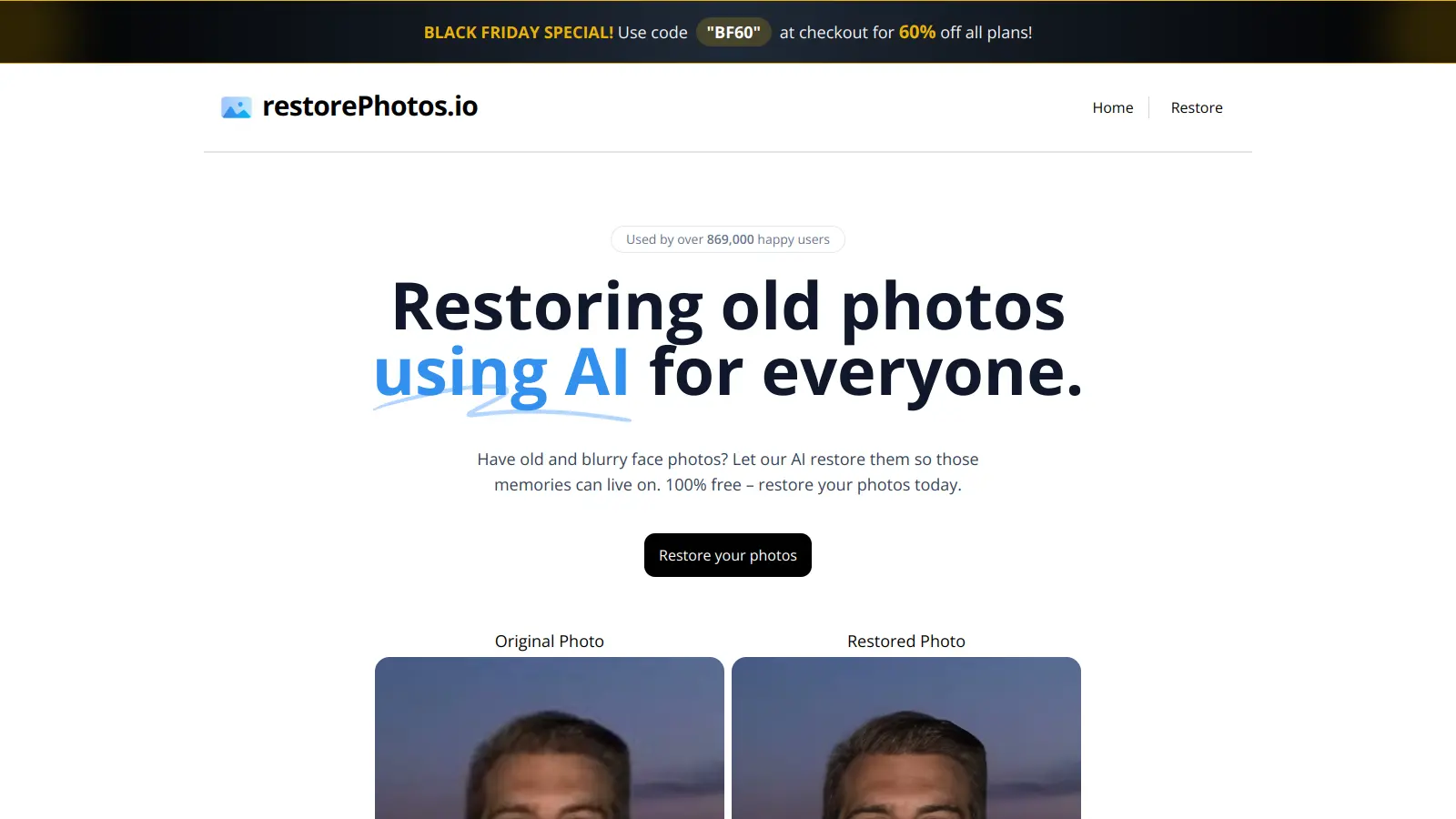
RestorePhotos.io brings old and blurry face photos back to life using artificial intelligence. This web-based tool sharpens and enhances photos to preserve your memories with improved clarity.

You don't need an account or payment to start. The free tier gives you 10 photo restorations per month with a 1 MB upload size limit. Upload your photo and the AI processes it automatically. The platform accepts JPG, PNG, and TIFF.

The service uses the GFPGAN machine learning model running on Replicate to restore photos. You process one photo at a time and see a side-by-side preview of the original and restored version before downloading. The AI handles all the enhancement automatically—you can't make manual adjustments to the final result.

Premium plans start at $99 per year for unlimited restorations with no upload size limits, ad-free experience, and high priority processing. The platform doesn't keep your uploaded images after processing.

how popular is Restorephotos.io?

monthly search interest

1.9k/mo now

01.3k2.6k4k2023202420252026
peak interest4k/moNov 2024
searches now2k/moFeb 2026
1-month change21%vs prev month

Restorephotos.io saw a modest, gradual rise in interest from 2022 through 2024, with two clear spikes in June and November 2024 that have since faded. Since early 2025 the tool has settled into a stable 2,400 searches a month with no signs of further growth. This is a tool that found a small, consistent audience rather than a growing one: safe to use, but not gaining traction against the broader photo restoration category.

who is Restorephotos.io for?

Whether this tool is worth your time depends almost entirely on what you're trying to restore and how often. Pick your role below to see the honest breakdown.

overall sentiment

select your role to see what people like you are saying

Family Historian/Genealogist

positive

If you're working through a box of old portrait photos for a memory book or genealogy project, Restorephotos.io is a genuinely useful free tool. The face restoration handles faded and blurry images well, and you don't need any technical skills to use it. The 10 free restorations a month is enough for occasional batches, but if you're working through hundreds of photos, the $99/month jump is hard to justify against alternatives.

strengths

  • Transforms faded and damaged family photos from decades past into clear, usable images
  • No technical expertise required—works automatically with a single click
  • Free or affordable compared to professional photo restoration services
  • Fast processing allows quick restoration of entire photo collections

concerns

  • Privacy concerns about uploading sensitive family photographs to cloud services
  • Limited effectiveness on extremely damaged photos where facial features are barely distinguishable
  • Cannot restore non-face elements of photos (backgrounds, clothing details)

what users are saying

The $99/month paid plan is hard to justify when LetsEnhance offers more control, better results on non-face content, and a more credible upgrade path.

Community discussion around Restorephotos.io is thin. The tool doesn't have a meaningful Reddit presence or dedicated user forums, and the available roundup coverage from tech sites focuses more on competitors like LetsEnhance, HitPaw, and DeeVid AI than on Restorephotos.io itself. One notable roundup from early 2026 doesn't include it at all in its top tools comparison, which is telling. What does come through in category coverage is a consistent pattern: free web-based restoration tools tend to disappoint users when photos are heavily damaged, when the subject isn't a clearly visible face, or when users want any control beyond a single automated pass. The $99/month paid tier is a significant jump from the free plan's 10 images at 1MB each, and nothing in the available coverage suggests it's earning that price tag against more capable alternatives.

Our take: Restorephotos.io is a useful free tool for a narrow job: uploading a faded or blurry face photo and getting a sharper version back in seconds, no account needed. The free tier's 10-image monthly limit and 1MB cap are enough for casual one-off use, and for that specific task it genuinely delivers. But the $99/month plan is hard to justify when LetsEnhance offers more control, better results on non-face content, and a more credible upgrade path. Don't subscribe. Use the free credits, test whether the output works for your photos, and if you need more than that, look at LetsEnhance instead.

features

  • AI-Powered Restoration with GFPGAN: Transforms old and blurry face photos using the GFPGAN machine learning model on Replicate that sharpens and clarifies images.
  • Global Accessibility: Available worldwide on smartphones, tablets, and computers.
  • No Registration Required: Users can instantly restore photos without creating an account.
  • Drag-and-Drop Interface: Accepts drag-and-drop uploads or traditional file selection for quick photo submission.
  • Multiple Format Support: Accepts JPG, PNG, and TIFF files.
  • Side-by-Side Preview: Shows original and restored versions side-by-side so you can compare results before downloading.
  • Quick Processing: Delivers restored photos within moments of uploading.
  • Privacy Protection: Does not retain uploaded images after restoration.

pricing

  • Free Plan: 10 images upload and processing per month, upload size limit up to 1 MB, basic AI restoration, display ads, low priority processing queue, and cloud storage for saved images.
  • Monthly Plan: $99/month for unlimited images upload and processing, unlimited upload size, all AI restoration tools, high priority processing queue, no display ads, premium support, and cloud storage.
  • Annual Plan: $99/year for unlimited images upload and processing, unlimited upload size, all AI restoration tools, high priority processing queue, no display ads, premium support, and cloud storage.
  • Current Deals: 40% off Premium plans (limited time, ends March 1, 2026) and Black Friday Special with code "BF60" for 60% off all plans at checkout.
  • Upcoming Features: Create AI Photo and AI Photo editing tools are coming soon for both free and paid users.

frequently asked questions

The free plan is worth trying: 10 restorations a month with no signup required costs you nothing. The $99/month paid plan is a different question entirely. At that price you're paying for unlimited processing and priority queuing on a tool that does one automated thing with no adjustment options. For anyone processing photos in volume, LetsEnhance or a desktop tool will give you more for less. Don't subscribe unless you have a specific high-volume use case and have already confirmed the free output quality meets your needs.

Family Historians and Genealogists get the clearest value here: if you're working through a collection of old portrait photos and want a fast, free first pass before printing or sharing, this does that job without any learning curve. Older Adults who want to improve a handful of cherished photos without installing software or creating accounts will also find it genuinely accessible. Social Media Content Creators will hit the face-only limitation quickly and need something with broader capabilities.

Two limitations stand out. First, it only works on face photos. Landscapes, group scenes with small faces, or photos where the face isn't the dominant subject will produce poor or irrelevant results. Second, there are zero manual controls. You get one automated output per photo with no ability to adjust strength, style, or specific areas. The free plan's 1MB upload cap is also a real constraint if you're working from high-resolution scans.

LetsEnhance handles a wider range of photo types, including non-face content, and gives you more control over upscaling and enhancement settings. Restorephotos.io is faster to access for a single face photo because there's no signup required. If you're restoring a specific portrait and want a result in 30 seconds for free, Restorephotos.io wins on speed and friction. If you're restoring a collection or need anything beyond face enhancement, use LetsEnhance.

Yes. You don't create an account, download anything, or navigate settings. You go to the site, drag your photo onto the page, and the restored version appears. The only thing to watch is the 1MB file size limit on the free plan. If your photo is larger than that, you'll need to compress it first, which does add a step. But the core experience is about as simple as it gets.

tools for
humans

toolsforhumans editorial team

Reader ratings and community feedback shape every score. Since 2022, ToolsForHumans has helped 600,000+ people find software that holds up after launch. how we research →

other tools to check out

Canva screenshot
online buzz24.9M
trend (1M)steady
3.8based on real user feedback, community sentiment, pricing value, and fit for target audience. see our full methodology

Canva

Canva is a graphic design platform that lets individuals and professionals create designs without advanced design skills. It offers hundreds of thousands of templates, design tools, collaboration features, and photo/video editing capabilities. With both free and pro versions, Canva provides access to millions of design elements for creating social media graphics, presentations, posters, and more through its drag-and-drop interface.

best deal

Get 50% off Canva Pro or Business plans for new customers, or try Canva free with 250,000+ templates and 5GB storage

Copilot AI screenshot
online buzz4.1M
trend (1M)steady
3.0based on real user feedback, community sentiment, pricing value, and fit for target audience. see our full methodology

Copilot AI

Microsoft 365 Copilot is an AI-powered productivity tool that integrates seamlessly with Microsoft 365 apps like Word, Excel, PowerPoint, and Outlook. It uses advanced language models and Microsoft Graph to provide intelligent, context-aware suggestions, automate tasks, and enhance collaboration by generating content, analyzing data, and offering real-time insights across various work processes.

best deal

Try Copilot Free: Experience basic AI assistance without Office integration

Grammarly screenshot
online buzz3.4M
trend (1M)22%
3.8based on real user feedback, community sentiment, pricing value, and fit for target audience. see our full methodology

Grammarly

Grammarly is an AI-powered writing assistant that provides real-time grammar, spelling, and punctuation checks, tone adjustments, and generative AI features for composing, rewriting, and proofreading text. It integrates with platforms like Google Docs, Gmail, Microsoft Word, Slack, and web browsers, offering both free and paid versions with features ranging from basic corrections to plagiarism detection and AI writing tools.

best deal

Try Grammarly's Free Version Today - Get Basic Grammar Checks & 100 AI Prompts Per Month Across Your Favorite Apps

Adobe screenshot
online buzz1.2M
trend (1M)steady
3.8based on real user feedback, community sentiment, pricing value, and fit for target audience. see our full methodology

Adobe

Adobe is a software company founded in 1982, offering digital solutions across creative, document, and marketing domains. Their flagship products include Photoshop, Illustrator, Premiere Pro, and Acrobat, which enable professionals and consumers to create, edit, and manage digital content. With Creative Cloud, Document Cloud, and Experience Cloud, Adobe provides tools for image editing, graphic design, video production, PDF management, and digital marketing.

best deal

New subscribers get 50% off Creative Cloud Pro for the first 3 months - includes 20+ apps and Firefly AI features

Photo AI screenshot
online buzz1M
trend (1M)steady
3.0based on real user feedback, community sentiment, pricing value, and fit for target audience. see our full methodology

Photo AI

PhotoAI.me is an AI-powered platform that transforms personal photos into unique, high-resolution images across 100+ styles for various social media platforms. Users can upload a photo, select a themed package, and receive AI-enhanced images within hours, making profile personalization simple and quick for those seeking professional or creative profile pictures without advanced editing skills.

best deal

Transform your profile photo with 100+ AI styles starting at $19/month

Mango AI screenshot
online buzz823k
trend (1M)18%
3.2based on real user feedback, community sentiment, pricing value, and fit for target audience. see our full methodology

Mango AI

Mango AI is an advanced AI-powered video generation platform that enables users to create professional animations and videos with ease. It offers features like AI talking photos, text-to-animation conversion, diverse AI avatars, voiceovers, video templates, face swapping, and video translation. Designed for educators, marketers, content creators, and businesses, Mango AI simplifies video content creation by providing accessible, engaging, and versatile tools for users of all skill levels.

best deal

Try Mango AI's Free Plan: Create 3-minute talking videos with your own avatar today!


