tools for
humans

Microsoft Designer reviews — what users really think

published 7 april 2025last updated 18 march 2026
how we review

we track global search demand across every software category, monitor what real users are saying online, identify which professions rely on each tool, and surface the questions people are actually asking. reviews are consistently updated and reviewed for reliability.

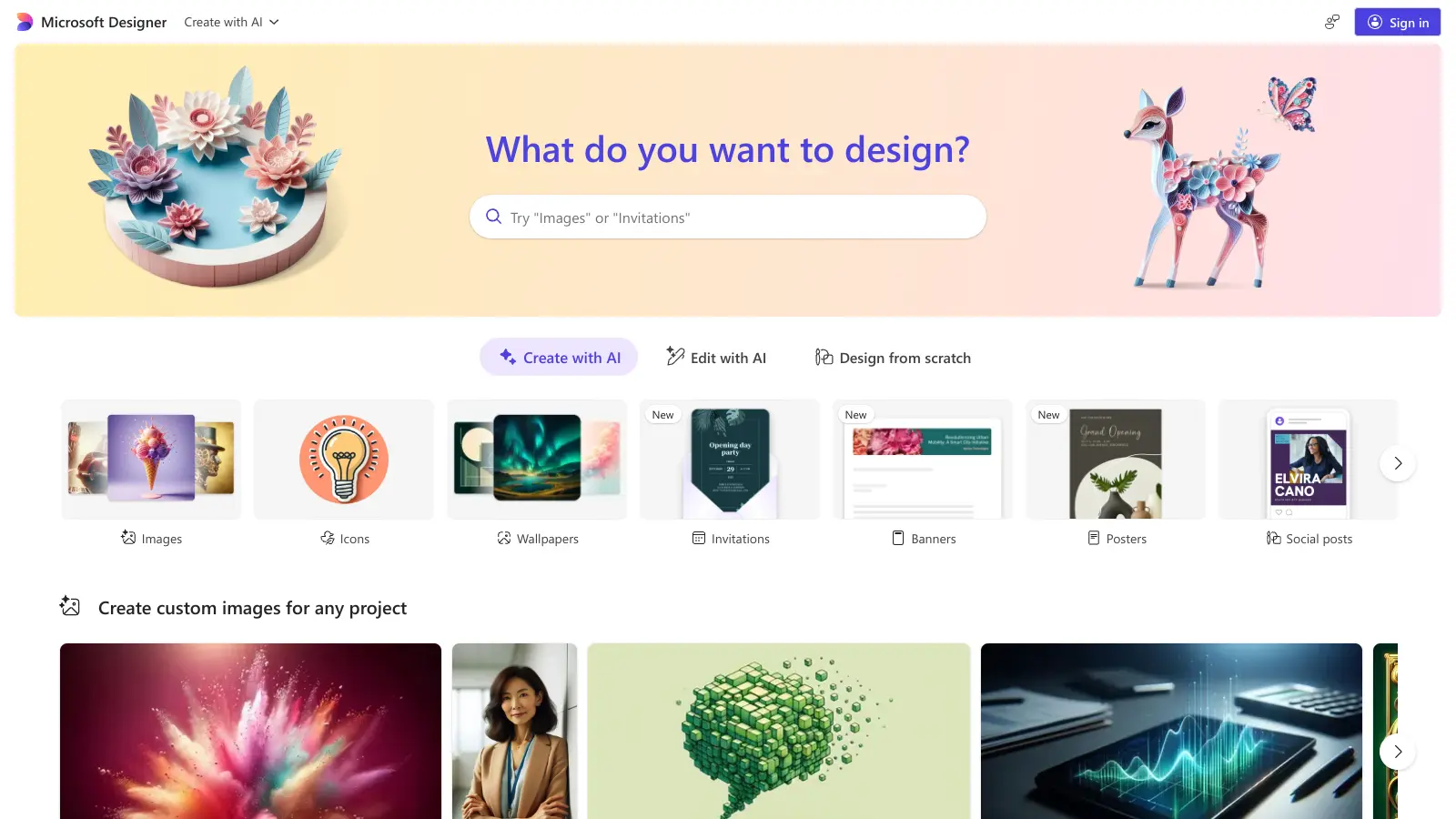
Microsoft Designer is an AI-powered graphic design tool that lets you create professional-looking content without design skills. It's available as a free web app and mobile app, works with other Microsoft 365 apps, and generates social media posts, presentations, and marketing materials from text prompts.

The tool uses DALL-E for AI image generation, turning text descriptions into original graphics. You get templates, brand kits for consistent branding, and editing features like background removal, object erasing, auto-crop, and restyle tools. It also creates animated visuals and resizes designs for different social media platforms.

Since it's cloud-based, you can work on projects from any device with internet access. It's integrated into Word, PowerPoint, Photos, and Edge, with a drag-and-drop interface. Teams can collaborate in real-time, share feedback, and edit together. An AI chatbot provides design inspiration and suggestions.

Free access requires a Microsoft account, but it uses a coin or credit system that limits usage. Higher limits come with Microsoft 365 Personal, Family, or Premium subscriptions. Designs export in PDF, PNG, JPG, and SVG formats.

who is Microsoft Designer for?

Microsoft Designer works for anyone who needs to create visual content quickly, from business presentations to personal projects. The AI assistance makes design accessible whether you're a complete beginner or have some experience.

  • Social media managers who need to create posts quickly and resize them for different platforms
  • Small business owners maintaining professional branding with brand kits without hiring a designer
  • Content creators wanting quick visuals, photo editing, and design inspiration without learning complex software
  • Marketing professionals producing content on tight deadlines
  • Non-design professionals who occasionally create presentations, posters, or logos for work
  • Teams collaborating on design projects with real-time editing and Microsoft 365 integration
  • Personal users creating invitations, graphics, and collages for events or social sharing

Anyone who wants to generate images from text prompts and edit photos without learning Photoshop can use this with just a Microsoft account.

overall sentiment

select your role to see what people like you are saying

Social Media Manager

positive

Designer fits perfectly into fast-paced content calendars with quick AI generation and built-in resizing for multiple platforms. The free tier with watermarks is acceptable for some use cases, though the upgrade pressure and limited customization options create friction for consistent branding needs.

strengths

  • Fast image generation ideal for rapid content production
  • Multi-platform resizing templates save time on repurposing
  • Free tier accessibility for testing and light usage
  • Integration with Microsoft ecosystem reduces tool switching

concerns

  • Watermarks on free-tier images hurt professional appearance
  • Limited customization makes maintaining consistent brand voice difficult
  • Inconsistent results with complex prompts waste iteration time
  • Aggressive Copilot Pro upselling disrupts workflow

online reviews (last 6 months summarised)

Microsoft Designer gets praise for being easy to use, with fast AI-powered image generation that produces high-quality outputs even on the free tier. Users appreciate the integration with Microsoft's ecosystem, including Bing and Copilot, and find it works well for social media graphics, posters, and logos. The upscaling and editing features are solid, and the fact that it's free for basic use makes it accessible.

Free tier images have watermarks unless you pay for Copilot Pro. Customization options are limited compared to Midjourney or Photoshop, and complex prompts give inconsistent results. The constant push to upgrade to Copilot Pro annoys users. No batch processing or advanced layering tools means it's not built for serious design work. It requires a Microsoft account and only works online.

features

  • AI-Powered Image Generation: Creates original graphics from text prompts using DALL-E. An AI chatbot provides design inspiration and suggestions as you work.
  • Template Library: Customizable templates for social media posts, invitations, posters, and more with brand kits to maintain consistent branding across designs.
  • Cloud-Based Collaboration: Access and edit designs from any device with a drag-and-drop interface, plus real-time collaboration for teams.
  • Image Editing Tools: Remove or blur backgrounds, erase objects, restyle images, auto-crop, add frames, create collages, and upscale images with AI-powered tools.
  • Microsoft 365 Integration: Works directly in Word, PowerPoint, Photos, and Edge, with export options in PDF, PNG, JPG, and SVG formats.
  • Animated Visuals and Social Media Tools: Create animated designs, resize graphics for different social media layouts, and generate content optimized for each platform.
  • Multi-Platform Access: Available as a free web app and mobile app, accessible from anywhere with an internet connection and a Microsoft account.

pricing

  • Free access with a personal Microsoft account, though usage is limited by a coin or credit system that restricts how many designs you can create.
  • Higher usage limits available with Microsoft 365 Personal, Family, or Premium subscriptions, which remove most restrictions on design creation.
  • Free tier users see watermarks on images unless they upgrade to a paid subscription.
  • No standalone pricing for Microsoft Designer; access and limits are tied to your Microsoft account type and Microsoft 365 subscription level.

frequently asked questions

Is Microsoft Designer free or what are the pricing tiers?

Microsoft Designer is free to use with a Microsoft account, but the free tier has limits. It uses a coin or credit system that restricts how many designs you can create. Free users also get watermarks on their images. To remove watermarks and get higher usage limits, you need to upgrade to Microsoft 365 Personal, Family, or Premium subscriptions. There's no standalone pricing just for Designer—your access level depends on what type of Microsoft account you have.

How do I remove the watermark without paying?

You can't remove the watermark on free tier images without paying. The watermark appears on images created with the free version of Microsoft Designer. To get clean images without watermarks, you need to subscribe to Microsoft 365 Personal, Family, or Premium, or upgrade to Copilot Pro. This is one of the main complaints from users who want professional-looking outputs without a subscription.

How does Microsoft Designer compare to Canva or Adobe Express?

Microsoft Designer uses DALL-E for AI image generation, which makes it better at creating original images from text prompts compared to Canva or Adobe Express. It works well if you're already using Microsoft 365 apps like Word and PowerPoint. Canva has way more templates and a bigger community sharing designs, plus more customization options. Adobe Express gives you more advanced editing tools. Designer is good for quick AI-generated visuals and Microsoft integration, but it has fewer templates and less customization than its competitors.

Can it generate images without text or just from prompts?

Yes, Microsoft Designer can generate images from text prompts using DALL-E. Just type a description like "a mountain landscape at sunset" and it creates original images matching what you asked for. You can also upload your own images and edit them with tools like background removal, object erasing, and restyle features. The AI works best when you give it specific descriptions, though complex prompts can sometimes give inconsistent results.

Does Microsoft Designer work offline or only in browser?

Microsoft Designer only works online. It's a cloud-based tool available as a web app and mobile app, but you need an internet connection to use it. The AI features need to connect to Microsoft's servers to generate and edit images. There's no offline mode, so make sure you have stable internet when working on projects. Microsoft hasn't announced any plans for offline functionality.

other tools to check out

ChatGPT screenshot
online buzz25M+ Searches
trend (1M)23%

ChatGPT

ChatGPT is an AI chatbot by OpenAI that uses language models to hold conversations, generate content, and complete tasks. It includes web browsing, image generation and analysis, voice interaction, autonomous task automation, and custom GPT creation. Available in multiple pricing tiers from free to enterprise, ChatGPT handles creative writing, data analysis, coding, and real-world automation.

best deal

Try ChatGPT Free: Basic AI conversations with GPT-5.2 Instant access (around 10 messages every 5 hours) at no cost.

Gemini screenshot
online buzz1M+ Searches
trend (1M)4%

Gemini

Gemini is an advanced AI assistant by Google that processes text, code, images, audio, and video across Google's ecosystem. It offers content creation, coding assistance, research capabilities, and workflow automation through the Gemini app, web interface, and integrations with Google Workspace, Pixel phones, and Chrome.

best deal

Google AI Plus: Get 50% off at $3.99/month for the first 2 months (new subscribers); Google AI Pro: Try free for one month.

Claude screenshot
online buzz500k+ Searches
trend (1M)-13%

Claude

Claude is an AI assistant developed by Anthropic that handles coding, writing, and analysis tasks. It uses Constitutional AI for safety-focused interactions, supports multiple languages, and offers models like Sonnet and Opus with different capabilities. Claude prioritizes user privacy and context-aware responses.

best deal

Try Claude Free - 30-100 daily messages with code generation, image analysis, web search, and access to Claude's latest models

Microsoft CoPilot screenshot
online buzz250k+ Searches
trend (1M)4%

Microsoft CoPilot

Microsoft Copilot is an AI-powered assistant that provides real-time help across Microsoft apps and platforms. It uses advanced language models to automate tasks, generate content, analyze data, and provide suggestions while integrating with Microsoft 365 applications like Word, Excel, Teams, and Outlook.

best deal

Try Microsoft Copilot Chat free with your eligible Microsoft 365 subscription, or get Copilot Business at $18/month promotional pricing for small businesses.

Perplexity screenshot
online buzz250k+ Searches
trend (1M)22%

Perplexity

Perplexity AI is an AI-powered search engine that provides real-time, conversational responses to user queries. Founded in 2022, it uses natural language processing and large language models to deliver answers with source transparency. The platform offers multiple search modes, supports file and image uploads, and provides both free and paid plans for individual users and businesses.

best deal

Try Perplexity Free - Get unlimited basic searches with citations, 5 daily Pro Searches, and save your search history with access to basic AI models.