LTX Studio review — text-to-video & storyboarding

last reviewed 24 march 2026
how we review

We start with direct ratings from our readers, then look at what real users are saying in practitioner forums and community spaces. We pair that with search demand data and profession-level persona analysis.

full methodology →

Editorial note: this was originally published in april of 2025

quick take

  • Best for: social media creators and marketers doing rapid video prototyping
  • Skip if: you need deep editing controls or a reliable render queue for hard deadlines
  • £Best value: Standard at $35/month only if you need the commercial license and use it weekly
½3.5/ 5 — editorial rating

based on real user feedback, community sentiment, pricing value, and fit for target audience. see our full methodology

used LTX Studio? we'd love to know your thoughts

reader ratings shape our score

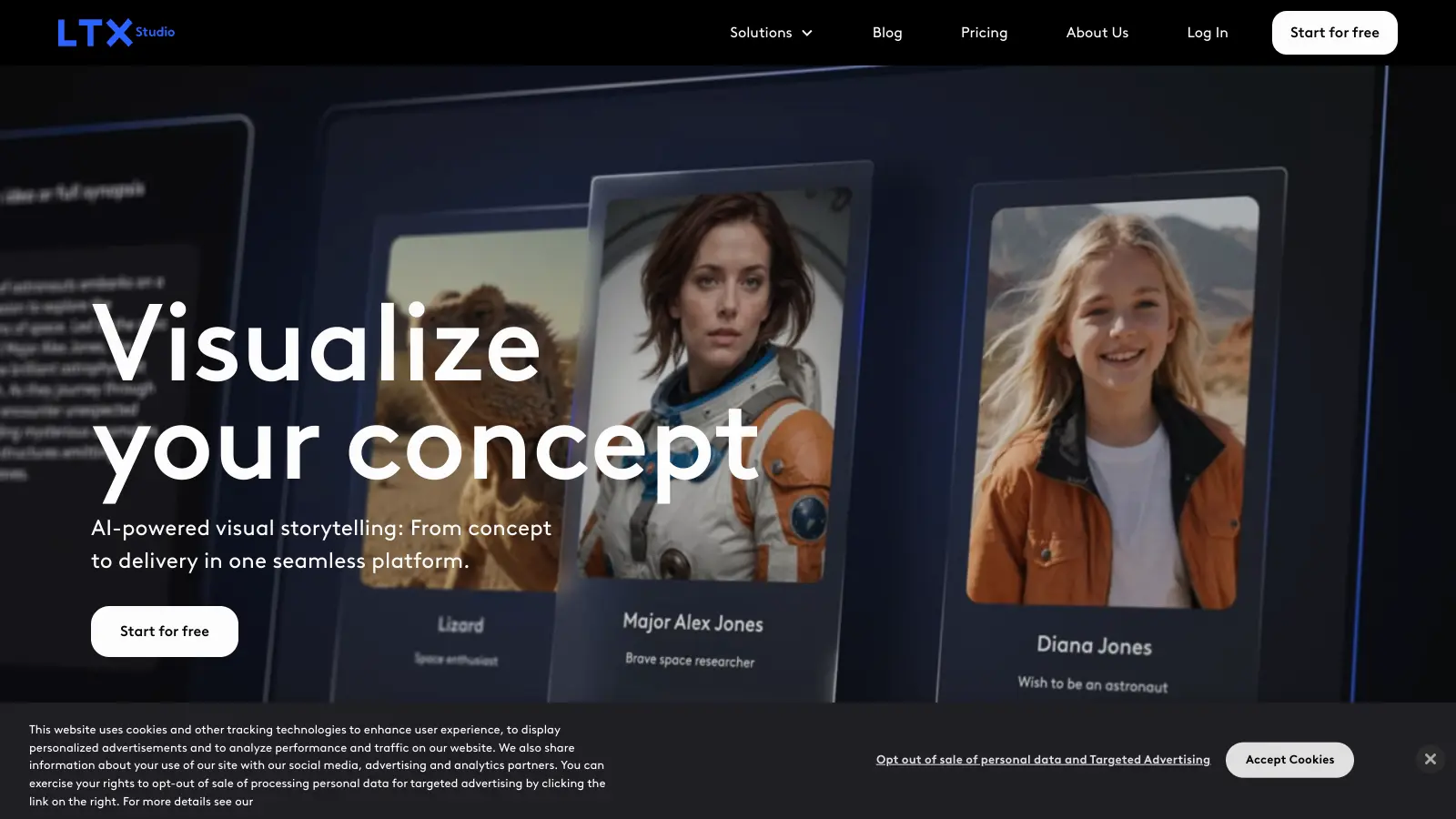
LTX Studio helps creators turn their ideas into visual stories through AI-powered storyboarding and video creation. This platform, created by Lightricks (known for Facetune), brings together multiple AI models to help users develop their concepts into finished videos.

The tool handles many aspects of video production, from generating initial storyboards to creating finished clips. Users can input text prompts, scripts, or images to create scenes, customize characters, and add voice-overs with lip sync. The platform also includes features for team collaboration and project management.

Available features include text-to-video generation, image-to-video conversion, AI storyboarding, style customization, and editing tools with camera motion and keyframe controls. Users can create anything from social media content to commercial advertisements. The platform works for both individual creators and professional teams.

LTX Studio offers several pricing tiers, starting with a free plan that provides a one-time grant of 800 Computing Seconds for personal use. Paid plans begin at $15 monthly and scale up based on computing power needs and team size. Each tier provides different amounts of Computing Seconds, which measure the resources used for generating content.

New users face a learning curve to master all features. The tool requires a stable internet connection and can be resource-intensive when rendering high-quality videos.

how popular is LTX Studio?

monthly search interest

5.4k/mo now

06.6k13.2k20k2023202420252026
peak interest12k/moJul 2023
searches now5k/moFeb 2026
1-month change33%vs prev month

LTX Studio spiked hard in July 2023 when the LTX-2 model launched, then fell back sharply, which is a classic AI hype cycle. What's more interesting is that search volume has been recovering steadily since late 2024 and is now approaching its 2023 peak again. That second wave suggests this isn't a one-hit novelty: a new audience is finding it as the model improves, and you're evaluating a tool that's in genuine growth mode rather than fading out.

who is LTX Studio for?

Whether LTX Studio is worth it for you depends a lot on where you sit in the production process. Pick your role below to see the honest breakdown.

overall sentiment

select your role to see what people like you are saying

Social Media Content Creator

positive

If you're churning out content for TikTok and Instagram, LTX Studio's text-to-video workflow is genuinely fast for getting from idea to rough cut. The storyboard editor requires almost no video editing background. The frustration is render speed when you're racing a trend, and the $15/month Lite plan doesn't include commercial rights, so check that before you post.

strengths

  • Fast prototyping from text descriptions to visual content
  • Intuitive storyboard editor requires minimal video editing knowledge
  • High-quality AI-generated visuals suitable for social media
  • Frees up time to focus on creative direction and trending topics

concerns

  • Slow render times during peak hours affect posting schedules
  • Subscription pricing feels steep for individual creators with variable income
  • Limited customization options on free tier restrict experimentation

what users are saying

LTX-2 is genuinely impressive

Reddit r/StableDiffusion

Coverage of LTX Studio is relatively thin but what exists is largely positive about the underlying video model. A post on Curious Refuge, one of the more credible independent AI filmmaking resources, calls out the video output quality as one of the most notable things about the tool, specifically highlighting visual consistency across shots. Over in r/StableDiffusion, a thread titled 'LTX-2 is genuinely impressive' has users testing the model through HuggingFace and finding the consistency genuinely noteworthy, though the thread is about the model itself rather than the Studio subscription product. The distinction matters: people are excited about what the underlying LTX-2 model can do, not necessarily about paying for the Studio wrapper around it. Across commercial review platforms, the tool sits in modest territory, with recurring complaints about render speed during peak hours and the pricing structure being hard to justify for creators who don't need it constantly.

Our take: LTX Studio is in an interesting position: the model underneath it is genuinely good and getting attention from people who know what they're looking at. But the Studio product is still finding its footing between 'quick content tool for social media' and 'serious pre-production platform for filmmakers.' At $35/month for commercial use, you're paying a real subscription for something that still has reliability rough edges. If you're evaluating it against Runway or Kling AI, LTX has a speed and consistency argument, but those tools are more mature for professional workflows. Don't sign up for Standard without testing the free tier's 800 computing seconds first, because render time frustrations are real and will affect whether you actually use this.

features

  • Text-to-Video Generation: Transform text prompts into video content with automated casting, scene breakdowns, and voiceover generation.
  • AI Storyboarding: Convert text descriptions into visual scenes with customizable character profiles, styles, names, and voices across multiple shots.
  • Style Customization: Apply visual styles like cinematic or anime to individual shots or entire productions, with a Style Reference feature for mimicking uploaded visual assets.
  • Advanced Editing Suite: Editing tools including shot customization, object removal, camera motion controls, keyframe adjustments, and automated panning and zooming.
  • Image-to-Video Conversion: Generate video sequences from uploaded images, adding motion to static visuals.
  • Audio Integration: Add sound effects and use lip sync technology to match character voices with mouth movements.
  • Retake Tool: Reshape and regenerate specific shots without affecting the entire project, allowing precise refinement of individual scenes.
  • Pitch Deck Creation: Automatically generate presentations with mood boards and scene breakdowns to streamline client communication.
  • Collaborative Platform: Work simultaneously with team members, with support for up to 5 or 10 collaborators depending on plan.

pricing

  • Free version offers a one-time grant of 800 Computing Seconds for personal use, including basic AI video tools for storyboarding and content creation with limited features.
  • Lite plan at $15.00 monthly provides 8,640 Computing Seconds, designed for more active personal project creation with video upscaling, but no commercial license.
  • Standard plan at $35.00 monthly includes commercial use license, 28,800 Computing Seconds, access to Veo 2 model, and support for up to 5 project collaborators.
  • Pro plan at $125.00 monthly offers 90,000 Computing Seconds, commercial use license, access to both Veo 2 and Veo 3 models, support for up to 10 project collaborators, enhanced privacy controls, and priority rendering.
  • Custom enterprise plan available by direct contact, providing unlimited Computing Seconds, SSO integration, private model training, custom feature development, and dedicated support for large organizations.
  • Yearly subscriptions offer a 20% discount across all pricing tiers, with prorated upgrades and billing cycle-aligned downgrades.

frequently asked questions

It depends which tier you're on. The free plan's 800 computing seconds is a one-time grant, not a monthly reset, so it runs out fast. The Lite plan at $15/month makes sense if you're producing social content regularly and don't need commercial rights. The Standard plan at $35/month is only worth it if you need the commercial license and are using it consistently for client work. If you're a casual user or just experimenting, the pricing will feel disproportionate to the output volume you'll get.

Social Media Content Creators who need fast text-to-video prototyping without hiring editors will get the most out of it. Marketing and Advertising Professionals doing early-stage concept work and client pitches also have a strong use case. Independent Filmmakers and Small Production Studios can use it well for storyboarding and pre-visualization, though they'll hit its ceiling quickly if they need full narrative control.

Render times during peak hours are a consistent frustration, which is a real problem when you're working to a posting deadline or a client meeting. The editing controls don't go deep enough for polished professional campaigns, so if you need frame-level precision or advanced colour work, you'll be moving footage out of LTX into another tool anyway. The free tier is a one-time credit, not a recurring allowance, which makes it harder to genuinely evaluate the tool before committing to a subscription.

Runway is the more mature platform with a larger feature set, better established reliability, and a bigger community of professional users. LTX Studio's LTX-2 model has been generating genuine excitement for its visual consistency and speed, and at $35/month it's cheaper than Runway's professional tiers. If you're a filmmaker or agency that needs a dependable workhorse with proven output, Runway is the safer bet right now. If you're willing to trade some reliability for a newer model that punches above its weight on consistency, LTX Studio is worth testing.

For pre-production, yes. The AI storyboarding and scene visualization tools are genuinely useful for planning shots and pitching concepts before you spend money on a crew. But for the actual finished film, no. The platform is built around short-form content and the editing controls reflect that. Filmmakers accustomed to DaVinci Resolve or Premiere will find it frustrating as a finishing tool. Use it to visualize and pitch, then move to your proper production workflow.

tools for
humans

toolsforhumans editorial team

Reader ratings and community feedback shape every score. Since 2022, ToolsForHumans has helped 600,000+ people find software that holds up after launch. how we research →

is this your tool?

claim your listing to update details, respond to our review, or upgrade to a featured partnership.

claim this listing →

other tools to check out

ChatGPT screenshot
online buzz124M
trend (1M)steady
4.0based on real user feedback, community sentiment, pricing value, and fit for target audience. see our full methodology

ChatGPT

ChatGPT is an AI chatbot by OpenAI that uses language models to hold conversations, generate content, and complete tasks. It includes web browsing, image generation and analysis, voice interaction, autonomous task automation, and custom GPT creation. Available in multiple pricing tiers from free to enterprise, ChatGPT handles creative writing, data analysis, coding, and real-world automation.

best deal

Try ChatGPT Free: Basic AI conversations with GPT-5.2 Instant access (around 10 messages every 5 hours) at no cost.

Gemini screenshot
online buzz20.4M
trend (1M)23%
3.5based on real user feedback, community sentiment, pricing value, and fit for target audience. see our full methodology

Gemini

Gemini is an advanced AI assistant by Google that processes text, code, images, audio, and video across Google's ecosystem. It offers content creation, coding assistance, research capabilities, and workflow automation through the Gemini app, web interface, and integrations with Google Workspace, Pixel phones, and Chrome.

best deal

Google AI Plus: Get 50% off at $3.99/month for the first 2 months (new subscribers); Google AI Pro: Try free for one month.

Copilot AI screenshot
online buzz4.1M
trend (1M)steady
3.0based on real user feedback, community sentiment, pricing value, and fit for target audience. see our full methodology

Copilot AI

Microsoft 365 Copilot is an AI-powered productivity tool that integrates seamlessly with Microsoft 365 apps like Word, Excel, PowerPoint, and Outlook. It uses advanced language models and Microsoft Graph to provide intelligent, context-aware suggestions, automate tasks, and enhance collaboration by generating content, analyzing data, and offering real-time insights across various work processes.

best deal

Try Copilot Free: Experience basic AI assistance without Office integration

Claude screenshot
online buzz3.4M
trend (1M)83%
4.2based on real user feedback, community sentiment, pricing value, and fit for target audience. see our full methodology

Claude

Claude is an AI assistant developed by Anthropic that handles coding, writing, and analysis tasks. It uses Constitutional AI for safety-focused interactions, supports multiple languages, and offers models like Sonnet and Opus with different capabilities. Claude prioritizes user privacy and context-aware responses.

best deal

Try Claude Free - 30-100 daily messages with code generation, image analysis, web search, and access to Claude's latest models

Perplexity screenshot
online buzz1.8M
trend (1M)22%
3.8based on real user feedback, community sentiment, pricing value, and fit for target audience. see our full methodology

Perplexity

Perplexity AI is an AI-powered search engine that provides real-time, conversational responses to user queries. Founded in 2022, it uses natural language processing and large language models to deliver answers with source transparency. The platform offers multiple search modes, supports file and image uploads, and provides both free and paid plans for individual users and businesses.

best deal

Try Perplexity Free - Get unlimited basic searches with citations, 5 daily Pro Searches, and save your search history with access to basic AI models.

Photo AI screenshot
online buzz1M
trend (1M)steady
3.0based on real user feedback, community sentiment, pricing value, and fit for target audience. see our full methodology

Photo AI

PhotoAI.me is an AI-powered platform that transforms personal photos into unique, high-resolution images across 100+ styles for various social media platforms. Users can upload a photo, select a themed package, and receive AI-enhanced images within hours, making profile personalization simple and quick for those seeking professional or creative profile pictures without advanced editing skills.

best deal

Transform your profile photo with 100+ AI styles starting at $19/month


