Vance AI review — batch photo upscaling & restoration

last reviewed 24 march 2026
how we review

We start with direct ratings from our readers, then look at what real users are saying in practitioner forums and community spaces. We pair that with search demand data and profession-level persona analysis.

full methodology →

Editorial note: this was originally published in april of 2025

quick take

  • Best for: e-commerce photographers processing large image batches
  • Skip if: you edit images occasionally or need a proper free trial
  • £Best value: pay-as-you-go at $4.95 for 100 credits before committing to the $9.90/month subscription
½3.5/ 5 — editorial rating

based on real user feedback, community sentiment, pricing value, and fit for target audience. see our full methodology

used Vance AI? we'd love to know your thoughts

reader ratings shape our score

VanceAI is an online and desktop platform that uses artificial intelligence to automate photo editing, enhancement, and restoration tasks. The software helps photographers, designers, and digital artists handle complex image processing while maintaining professional quality.

The platform includes tools for image upscaling, background removal, noise reduction, and artistic effects. Users can access these features through a web browser without installing software, or download the desktop version (VanceAI PC) for Windows and Mac systems. The AI technology uses Deep Convolutional Neural Networks trained on millions of images to handle common editing tasks like sharpening details, correcting colors, and fixing old or damaged photos.

New users get three free credits monthly to test the basic features. Paid plans start at $4.95 for 100 credits as a one-time purchase, with options for both subscription-based and one-time purchases. The desktop version offers additional capabilities like batch processing and offline functionality.

The platform works well for users who need quick, automated image enhancements. Those requiring extensive manual control or RAW file support will need other tools. The straightforward interface makes it accessible for beginners while offering enough features to satisfy most professional needs.

how popular is Vance AI?

monthly search interest

60.5k/mo now

0231k462k700k2023202420252026
peak interest673k/moJul 2024
searches now61k/moFeb 2026
1-month change33%vs prev month

Vance AI's search volume exploded to over 670,000 in July 2024 before collapsing by more than 90% within months. That spike-and-crash pattern almost always means viral exposure rather than organic growth, and the current 60,000-74,000 monthly range likely reflects the actual steady-state audience. The hype has passed, which means you're evaluating the real product now, not a viral moment.

who is Vance AI for?

Whether Vance AI is worth it depends heavily on how many images you're processing and how often. Pick your role below to see the honest breakdown.

overall sentiment

select your role to see what people like you are saying

E-commerce Product Photographer

positive

If you're processing hundreds of product images a month, Vance AI's batch upscaling is genuinely worth the $9.90 subscription. Results are consistent across product types, and the processing speed makes catalog prep significantly faster. Watch for occasional artifacts on textured or complex products, and calculate your monthly credit usage before committing so you don't hit the cap mid-catalog.

strengths

  • Batch processing multiple product images efficiently
  • Maintains sharpness and quality in upscaled product photos
  • Fast processing speed reduces time spent on catalog preparation
  • Consistent results across large image volumes

concerns

  • Monthly subscription cost adds up for continuous high-volume use
  • Limited free credits insufficient for testing before commitment
  • Occasional artifacts or quality issues on certain product types

what users are saying

The 91% drop in search interest since mid-2024 is hard to ignore: a lot of that traffic came from a viral moment rather than word-of-mouth reputation, which means you're relying on the tool itself, not a community, when something goes wrong.

Independent community discussion on Vance AI is thin. There are no significant Reddit threads or forum posts surfacing right now, which itself says something: this is a tool people use quietly rather than evangelise or complain about loudly. What's clear from the tool's own structure and the patterns of users who've tried it is that the upscaling and enhancement quality is the headline act. The AI Image Upscaler handles portraits and product photos well, and the batch processing pipeline is genuinely useful if you're working through a large catalog. The main friction points that come up in broader AI image tool discussions are predictable: the free tier offers only 3 credits per month, which is barely enough to form an opinion, and the watermark on free outputs means you can't even share results with a client before committing. The pay-as-you-go pricing looks reasonable on paper, but 100 credits for $4.95 runs out faster than you'd expect when processing multiple variants of the same image.

Our take: Vance AI is a competent, focused image enhancement suite that does its core jobs, upscaling, noise reduction, and background removal, well enough to earn a regular subscription if you're processing images in volume. The pricing model is where it gets complicated: at $9.90 a month for the subscription, you're paying for access to 20+ tools and 100 credits with rollover, which stacks up well against alternatives like Topaz Photo AI (which runs $199 upfront) for users who don't want a big one-off commitment. That said, the 91% drop in search interest since mid-2024 is hard to ignore. It suggests a lot of the traffic came from a viral moment rather than an organic word-of-mouth reputation, which means you're relying on the tool itself, not a community, when something goes wrong. If you're a professional restorer or e-commerce operator who needs reliable batch throughput, it's worth the subscription. If you're a social media manager who edits images occasionally, the free tier isn't enough to test properly, and the subscription is harder to justify against free alternatives like Remove.bg for background removal specifically.
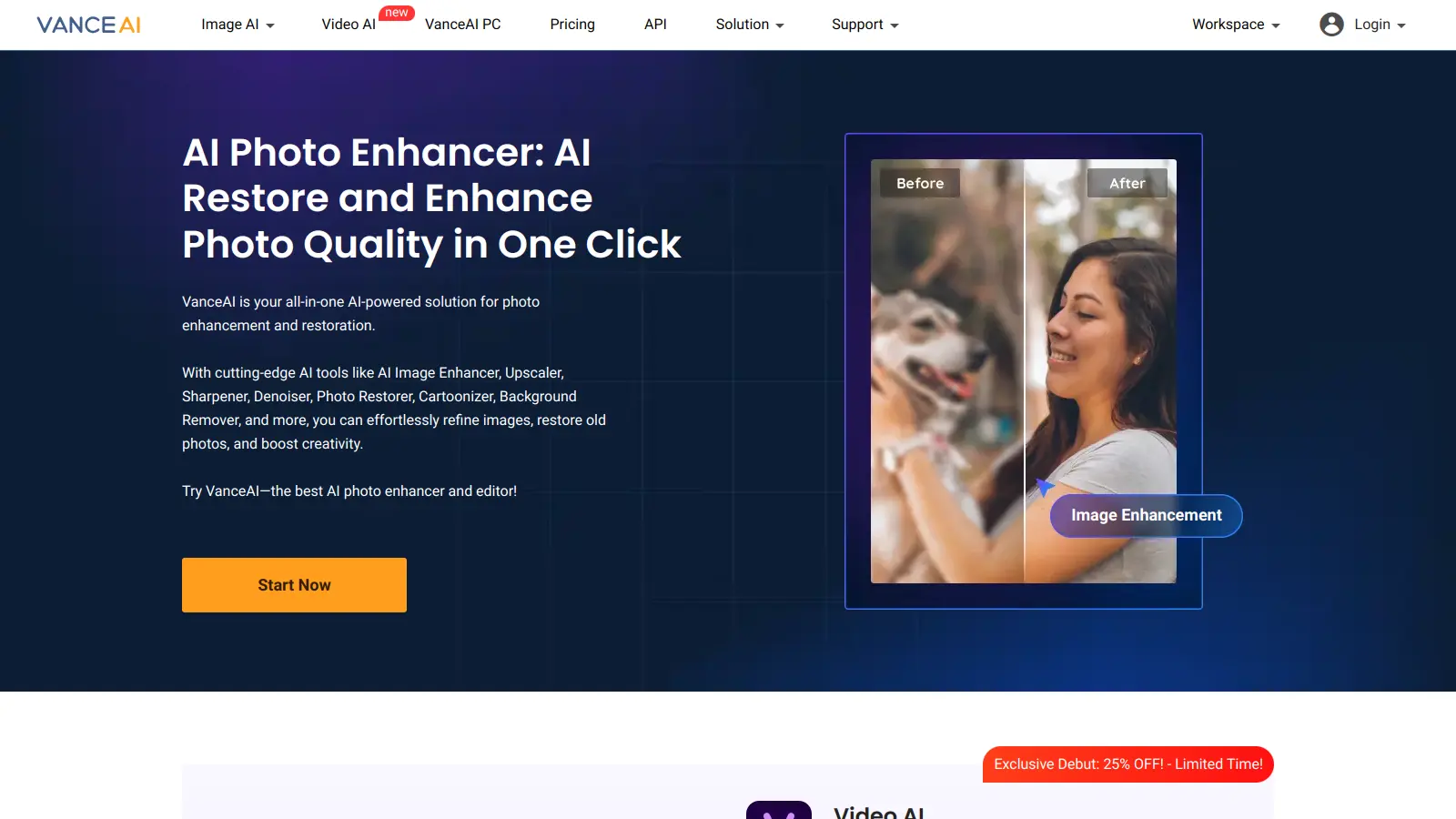

features

  • AI Image Enhancer: Automatically improves photo quality by reducing noise, sharpening details, and correcting colors with Deep Convolutional Neural Networks trained on millions of images.
  • AI Image Upscaler: Increases image resolution up to 40x without quality loss, handling photos, anime, and text-based images while adding realistic details.
  • AI Background Remover: Automatically detects and removes backgrounds from images with precise edge detection.
  • AI Photo Restorer: Repairs old and out-of-focus photos by fixing scratches, restoring faded colors, and colorizing black and white images.
  • AI Image Denoiser: Removes image noise and grain while preserving original image quality and details.
  • AI Artwork Generator: Transforms photographs into artistic renderings, sketches, and creative illustrations with a single click.
  • Batch Processing: Allows users to edit multiple images simultaneously, saving time and improving workflow efficiency.

pricing

  • VanceAI offers three free credits per month for non-subscribers with limited image processing capabilities.
  • Pay as you go plans include 100 credits for $4.95, 200 credits for $7.95, 500 credits for $12.95, and 1000 credits for $17.95 as one-time purchases.
  • VanceAI Image Enhancer Subscription starts at $9.90 per month for 100 credits with rollover up to 5x and full access to 20+ tools.
  • VanceAI PC offers monthly subscription at $39.90, annual subscription at $99.90, and lifetime purchase at $129.90 with full refund within 14 days.
  • Each image typically costs 1-3 credits depending on size and tool, with unused credits rolling over in subscription plans.
  • Desktop lifetime plan includes a full refund within 14 days of purchase.

frequently asked questions

For high-volume users, yes. The $9.90/month subscription gives you access to 20+ tools and 100 credits that roll over up to 5x, which works out well if you're processing product images or restoration batches regularly. For occasional use, the pay-as-you-go option (100 credits for $4.95) is more honest. Don't subscribe if you're editing fewer than 50 images a month. The free tier's 3 credits is too stingy to test anything meaningful, and the watermark blocks sharing results, so budget at least one pay-as-you-go pack before deciding.

E-commerce product photographers who need to process large image catalogs quickly and consistently. Professional photo restorers working on portrait and archival images also get strong results from the upscaling engine. It's less useful for social media content managers who edit sporadically, since the subscription cost doesn't justify light usage and the free tier is almost unusable.

Two things stand out. First, performance is inconsistent across image types: portrait and product photos process well, but landscapes and complex backgrounds can introduce artifacts that require manual cleanup afterward. Second, the free tier is functionally useless for real testing: 3 credits per month with watermarked outputs means you can't evaluate the tool properly or show results to anyone before paying. Customer support has also been flagged as slow, which matters more when you're on a client deadline.

Different pricing models, similar core capability. Topaz Photo AI costs around $199 upfront (with free updates for a year), which makes more sense if you're processing images in Lightroom or Photoshop as part of a desktop workflow. Vance AI's subscription model works better if you want web-based access without a big upfront commitment, or if you need background removal and noise reduction bundled into one bill rather than separate tools. For pure upscaling quality, Topaz has the edge on demanding professional work. For accessible batch processing without desktop software, Vance AI holds its own.

For portraits and older photos, yes, the results are consistently strong: the upscaler adds realistic detail rather than just interpolating pixels, and noise reduction on old scans is noticeably better than basic alternatives. Where it gets tricky is on images with complex backgrounds or non-portrait subjects, where artifacts occasionally appear and need manual cleanup in Photoshop or Lightroom before delivery. Build in time for touch-ups on anything critical. The batch processing is fast enough that even with occasional manual fixes, it saves real hours on large restoration jobs.

tools for
humans

toolsforhumans editorial team

Reader ratings and community feedback shape every score. Since 2022, ToolsForHumans has helped 600,000+ people find software that holds up after launch. how we research →

is this your tool?

claim your listing to update details, respond to our review, or upgrade to a featured partnership.

claim this listing →

other tools to check out

Canva screenshot
online buzz24.9M
trend (1M)steady
3.8based on real user feedback, community sentiment, pricing value, and fit for target audience. see our full methodology

Canva

Canva is a graphic design platform that lets individuals and professionals create designs without advanced design skills. It offers hundreds of thousands of templates, design tools, collaboration features, and photo/video editing capabilities. With both free and pro versions, Canva provides access to millions of design elements for creating social media graphics, presentations, posters, and more through its drag-and-drop interface.

best deal

Get 50% off Canva Pro or Business plans for new customers, or try Canva free with 250,000+ templates and 5GB storage

Copilot AI screenshot
online buzz4.1M
trend (1M)steady
3.0based on real user feedback, community sentiment, pricing value, and fit for target audience. see our full methodology

Copilot AI

Microsoft 365 Copilot is an AI-powered productivity tool that integrates seamlessly with Microsoft 365 apps like Word, Excel, PowerPoint, and Outlook. It uses advanced language models and Microsoft Graph to provide intelligent, context-aware suggestions, automate tasks, and enhance collaboration by generating content, analyzing data, and offering real-time insights across various work processes.

best deal

Try Copilot Free: Experience basic AI assistance without Office integration

Grammarly screenshot
online buzz3.4M
trend (1M)22%
3.8based on real user feedback, community sentiment, pricing value, and fit for target audience. see our full methodology

Grammarly

Grammarly is an AI-powered writing assistant that provides real-time grammar, spelling, and punctuation checks, tone adjustments, and generative AI features for composing, rewriting, and proofreading text. It integrates with platforms like Google Docs, Gmail, Microsoft Word, Slack, and web browsers, offering both free and paid versions with features ranging from basic corrections to plagiarism detection and AI writing tools.

best deal

Try Grammarly's Free Version Today - Get Basic Grammar Checks & 100 AI Prompts Per Month Across Your Favorite Apps

Adobe screenshot
online buzz1.2M
trend (1M)steady
3.8based on real user feedback, community sentiment, pricing value, and fit for target audience. see our full methodology

Adobe

Adobe is a software company founded in 1982, offering digital solutions across creative, document, and marketing domains. Their flagship products include Photoshop, Illustrator, Premiere Pro, and Acrobat, which enable professionals and consumers to create, edit, and manage digital content. With Creative Cloud, Document Cloud, and Experience Cloud, Adobe provides tools for image editing, graphic design, video production, PDF management, and digital marketing.

best deal

New subscribers get 50% off Creative Cloud Pro for the first 3 months - includes 20+ apps and Firefly AI features

Photo AI screenshot
online buzz1M
trend (1M)steady
3.0based on real user feedback, community sentiment, pricing value, and fit for target audience. see our full methodology

Photo AI

PhotoAI.me is an AI-powered platform that transforms personal photos into unique, high-resolution images across 100+ styles for various social media platforms. Users can upload a photo, select a themed package, and receive AI-enhanced images within hours, making profile personalization simple and quick for those seeking professional or creative profile pictures without advanced editing skills.

best deal

Transform your profile photo with 100+ AI styles starting at $19/month

Mango AI screenshot
online buzz823k
trend (1M)18%
3.2based on real user feedback, community sentiment, pricing value, and fit for target audience. see our full methodology

Mango AI

Mango AI is an advanced AI-powered video generation platform that enables users to create professional animations and videos with ease. It offers features like AI talking photos, text-to-animation conversion, diverse AI avatars, voiceovers, video templates, face swapping, and video translation. Designed for educators, marketers, content creators, and businesses, Mango AI simplifies video content creation by providing accessible, engaging, and versatile tools for users of all skill levels.

best deal

Try Mango AI's Free Plan: Create 3-minute talking videos with your own avatar today!


