Shakker AI Review 2026 - Features, Pricing & Deals

Last Updated
Feb 13, 2026

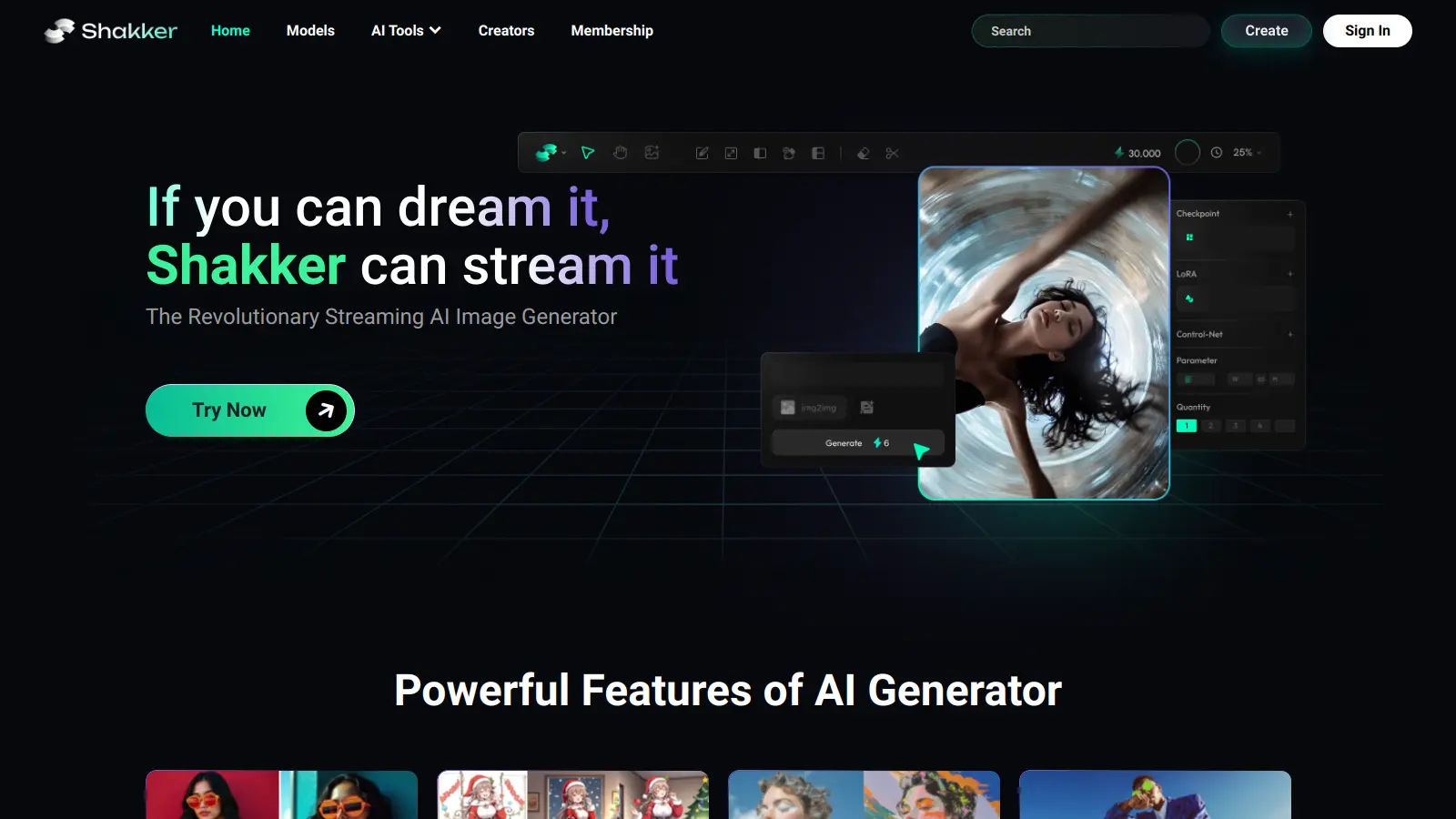
Shakker AI helps users create and edit digital content through AI and machine learning technology. The platform specializes in Stable Diffusion models, making it useful for designers, photographers, and artists who want to enhance their creative projects.

The platform offers a straightforward interface that lets users work with premium AI models for image creation and editing. You'll find tools for generating new images from text descriptions, editing existing photos, and applying artistic transformations. The built-in inpainting feature helps restore or modify images by filling in missing areas. You can also use face swap, outpainting, and upscaling tools to transform your visuals.

Shakker AI runs entirely in your browser without requiring downloads. The interface includes real-time previews, sliders for controls, and batch processing options. You can work with multiple models including exclusive LoRAs and integrate with tools like ComfyUI and A1111 WebUI. The platform handles images and videos in common formats like JPG, PNG, and GIF, with resolution options up to 4K.

You need a stable internet connection to use it, and some of the more complex features take time to learn. The platform offers a free tier for exploration. Membership provides 35,000 tokens (resets monthly), faster generation speeds, and unlimited access to member-exclusive models that allow commercial use of generated images.

Who is Shakker AI for?

Shakker AI works for creative professionals and digital content creators who want AI technology without the technical setup. The platform can save hours of manual editing work while producing high-quality images through an interface that makes advanced AI capabilities accessible.

  • Graphic designers and illustrators who need to quickly generate concept art or enhance existing designs with AI-powered tools
  • Photographers looking to restore damaged photos or transform ordinary images with artistic styles and effects
  • Social media managers and marketing teams that regularly produce visual content and need to create custom graphics for campaigns
  • Content creators who want professional-quality visuals without mastering complex editing software
  • Video editors and motion graphics designers who need video effects and real-time processing
  • Artists and hobbyists who want to experiment with AI as part of their creative process
  • Small business owners who need to create product photos, social media graphics, and promotional materials without hiring specialists

The platform works for professionals in digital marketing, publishing, e-commerce, and entertainment where high-quality visual content is essential but resources might be limited.

Online Reviews (Last 6 Months Summarised)

Public feedback on Shakker AI is limited. You won't find extensive user reviews on major software review sites or Reddit threads dissecting the platform. This isn't unusual for newer or niche AI image generation tools that haven't yet built a large public user base.

The lack of widespread online chatter doesn't necessarily reflect the tool's quality. Many AI platforms in this space operate with dedicated but smaller communities, especially those focused on Stable Diffusion models. If you're considering Shakker AI, try the free tier yourself rather than relying on secondhand opinions that aren't out there yet.

Features

  • Premium AI Model Access: Access high-quality, pre-trained Stable Diffusion models, including exclusive LoRAs tailored for professional and creative digital content generation.
  • AI Inpainting Technology: Restore and modify images by filling in missing or undesired areas with AI.
  • User-Friendly Interface: Navigate a platform designed for users of all skill levels, with real-time previews and slider controls that make AI image creation and editing accessible.
  • Advanced Image Editing Tools: Use tools like Canvas generator, A1111 WebUI, and ComfyUI to customize and transform visual content.
  • Text-to-Image Generation: Create visuals from text prompts, with support for both text-to-image and image-to-image generation for professional and personal projects.
  • Face Swap and Style Transfer: Apply face swap technology and transform images with artistic styles across multiple creative domains.
  • Batch Processing and Video Support: Process multiple images at once and work with videos in real-time, handling JPG, PNG, and GIF formats.

Pricing

  • Free Tier: Available for exploration with basic access to image generation and editing tools.
  • Membership: Includes 35,000 tokens that reset once per month, faster image generation speed, and unlimited access to Member Exclusive Models, which allows you to use generated images for commercial purposes.
  • Exact pricing for the membership plan is not publicly listed and requires registration to view details.

Frequently Asked Questions

What's the difference between Shakker AI and other image generators like DALL-E?

Shakker AI specializes in Stable Diffusion models and gives you more control with features like inpainting, outpainting, face swap, and upscaling. You get access to more community-driven models, including exclusive LoRAs, which provides more creative options. The platform also integrates with tools like ComfyUI and A1111 WebUI for advanced users. It offers a free tier for exploration, and the membership plan allows commercial use of generated images with member-exclusive models.

Do I need technical skills to use Shakker AI?

You don't need to be a tech wizard to use Shakker AI. The platform was built with an interface that makes it easy for beginners and pros alike. It runs entirely in your browser without requiring downloads, and includes real-time previews and slider controls. While there's a small learning curve for some advanced features, the basic functions are straightforward. The platform includes helpful guides and support to get you started.

What kind of images can I create with Shakker AI?

You can create almost any kind of image you can think of. From realistic portraits and landscapes to fantasy art, product mockups, and abstract designs - Shakker AI handles them all. The platform lets you generate images from text prompts, edit existing photos, replace faces, fill in missing parts with inpainting, and transform images into different styles. Many users create digital art, marketing materials, concept designs, and photo edits. It also supports video processing in real-time for JPG, PNG, and GIF formats.

Can I use Shakker AI images commercially?

With the membership plan, you get unlimited access to Member Exclusive Models that allow commercial use of generated images. For the free tier, commercial usage rights aren't clearly specified. Review Shakker AI's terms of service for specific usage rights on free-tier content. For important commercial projects, the membership plan is your safest option since it explicitly grants commercial rights.

How good is the image quality from Shakker AI?

Shakker AI produces high-quality images that can rival professional work in many cases. The platform supports resolutions up to 4K and offers export formats including PNG, JPG, and WebP. One standout feature is the upscaling tool, which can enhance image clarity and detail. The quality depends somewhat on which models you use and how well you craft your prompts. With practice, you can get impressive results that often surprise people when they learn they were AI-generated.

Other Tools To Check Out

Best Deal

Start Free Face Matching - See Who You Look Like in Seconds

Redeem Now

Best Deal

Start Creating Stories and Anime Art for Just $10/month with NovelAI's Tablet Tier

Redeem Now

Best Deal

Students get iAsk Pro free for one year with .edu email signup — includes ad-free search, Live AI Video Tutor, and 100 AI images daily!

Redeem Now

Find Out How Best To Utilise Tools

Our newsletter comes with exclusive discounts, trials and practical insights from within the industry

Sign Up Today