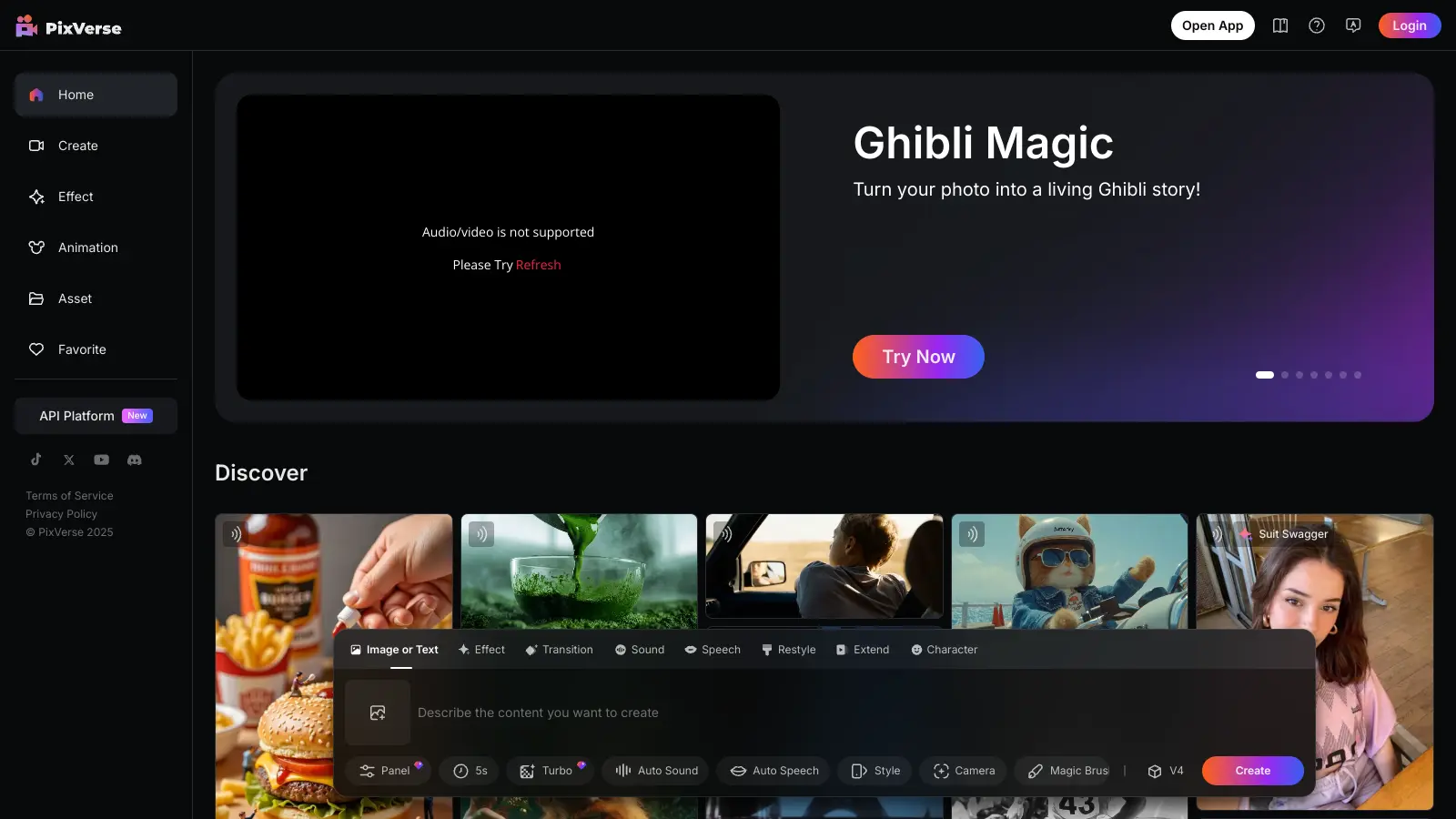
PixVerse AI combines image and video generation capabilities into one accessible platform. Users can create, edit, and transform visual content through AI-powered tools that understand text descriptions and visual inputs.
The platform offers both free and paid options. The free tier provides basic access with limited credits, while paid plans unlock higher resolution outputs and more concurrent generations. The interface lets users work with images and videos through text prompts, style transfers, and character animations.
Key functions include turning text into videos, converting static images into motion, and adding lip-sync to characters. The platform also provides editing tools for both images and videos, with options to remove backgrounds, adjust colors, and apply creative effects. Videos generate in 5-10 seconds.
For businesses and content creators, PixVerse AI simplifies the process of making visual content. The platform supports different output formats and resolutions, though the free version adds watermarks and limits video length to 5-10 second clips. The browser-based interface requires no timeline editing or manual animation skills, though new users might need time to explore its features.
PixVerse AI works best for creative professionals and content creators who need to produce short-form visual content quickly without advanced technical skills.
The platform saves hours of production time while delivering professional results.
PixVerse AI has gained attention for its user-friendly interface and fast video generation. Users appreciate how easily they can transform text prompts into videos in just 5-10 seconds, with high-quality animations and motion effects. The platform's creative styles and customization options get positive feedback, and many find the free tier generous enough for testing and creating social media content.
Watermarks on free plan outputs and the 5-10 second video length limit frustrate users who need longer content. Complex prompts produce inconsistent results. Glitches pop up occasionally. Queue times slow down during peak hours. Customer support is unresponsive. The paywall for higher resolutions and extended features can feel restrictive. The credit system limits how many videos you can create without paying more.
The free plan gives you 100 initial credits plus 30 daily renewal credits to try out the platform, but your videos will have watermarks and are limited to 5-10 seconds. Paid plans start at $10/month for the Standard plan with 1,200 monthly credits, HD video quality, and 3 concurrent generations. Higher tiers like Pro ($30/month) and Premium ($60/month) offer more credits and features like better resolution (up to 1080p) and more concurrent generations. If you run out of credits, you can buy more separately starting at $10 for 1,000 credits.
How do I remove the watermark from my videos?You need to sign up for a paid plan to remove watermarks from your videos. The free version automatically adds watermarks to all generated content. The Standard plan at $10/month is the cheapest option that removes watermarks and gives you 1,200 monthly credits to work with. Once you're on a paid plan, all your new videos will be watermark-free.
How long does it take to generate a video with PixVerse AI?PixVerse AI generates videos in 5-10 seconds. The actual time varies based on your video's complexity and the effects you add. More detailed videos with special features like lip-syncing might take longer to process. During peak hours, you might experience slow queue times that delay generation. The platform is designed for speed, which makes it great for quick content creation when you're on a deadline.
Can I use PixVerse AI videos for commercial purposes?Yes, you can use videos created with PixVerse AI for commercial purposes. The platform allows you to use generated content for business, marketing, social media, and other commercial applications. However, it's always good practice to review the most current terms of service on their website to understand any specific limitations or requirements. Remember that while you can use the videos commercially, you shouldn't claim the AI technology itself as your own.
What video styles and formats does PixVerse AI support?PixVerse AI supports multiple video styles including realistic, anime, and 3D animations, with over 20 stylized effects and templates available. You can customize aspect ratios for different platforms like TikTok, Instagram Reels, or YouTube. The platform supports vertical video formats and allows you to add sound effects, background music, and lip-syncing to match your audio. Videos can be exported in different quality levels, with paid plans offering up to 1080p resolution. This variety makes it flexible for creating content across different social media channels and purposes.


Our newsletter comes with exclusive discounts, trials and practical insights from within the industry