Mapbox Review 2026 - Features, Pricing & Deals

Last Updated
Feb 13, 2026

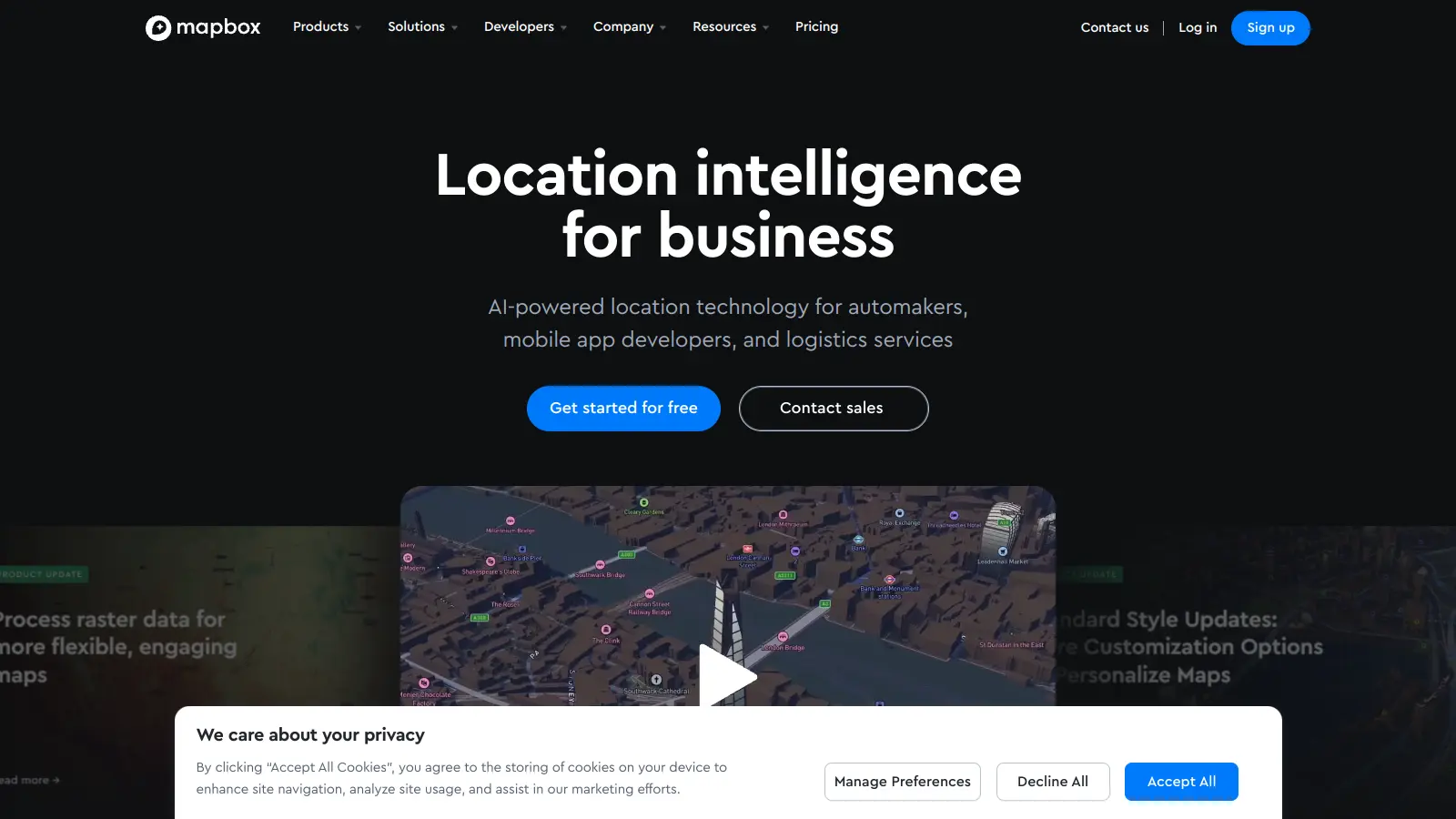
Mapbox is a location intelligence platform that helps developers create custom map-based applications with AI-powered navigation and geospatial data. Built on massive real-world location data and machine learning, it serves industries from automotive and logistics to mobile app development.

The platform ingests 2.1 billion miles of anonymized location data weekly from 45,000+ mobile applications and millions of vehicle sensors. Neural networks and deep learning algorithms process this petabyte-scale data alongside computer vision analysis of signs and traffic signals, aerial imagery, and over 150 third-party data sources. Its vector tile technology enables fast map delivery while supporting customization through Mapbox Studio, their visual editing tool.

Developers can access SDKs and APIs to integrate mapping features into their applications. The platform supports web, mobile, automotive, and AR development, offering tools for interactive maps, turn-by-turn navigation, location search with geocoding, and 3D live navigation with 2,075+ landmarks across 76 cities. Pricing starts with a free tier for basic usage, with paid plans beginning at $50 per month for support services.

Whether you need to add simple location markers or build complex navigation systems, Mapbox provides the tools and documentation to support your project. Their platform handles millions of location requests daily, serving both small developers and large enterprise clients including automakers seeking alternatives to Apple CarPlay and Android Auto.

Who is Mapbox for?

Mapbox is for developers and product teams who need to integrate custom mapping and location features into their applications without building from scratch. The platform saves development time with its ready-made tools while giving users the flexibility to create unique, branded map experiences.

  • App developers building web, mobile, automotive, and AR platforms get SDKs that add professional mapping capabilities quickly.
  • Automakers and automotive manufacturers can use Mapbox for in-vehicle navigation as an alternative to Apple CarPlay and Android Auto, with features like MapGPT voice assistant and EV route planning.
  • UX designers can use Mapbox Studio to create on-brand map styles without deep technical knowledge.
  • Data analysts working with geospatial data get tools including Directions, Matrix, and Isochrone APIs for location data visualization.
  • Startup founders with limited resources can start with the free tier and scale up as their user base grows.
  • AI developers building LLMs and AI agents that need geospatial awareness can integrate Mapbox's location intelligence into their applications.
  • EV manufacturers implementing route planning with battery monitoring and charging station suggestions.

Mapbox serves professionals across automotive, ridesharing, real estate, logistics, travel, and retail who need location services in their products.

Online Reviews (Last 6 Months Summarised)

Mapbox delivers a powerful mapping solution with customization options that developers love. Users appreciate its flexibility in tailoring map styles and integrating custom data, while also noting its high performance and smooth rendering even with large datasets. The developer documentation and APIs get praise, as does the default map styling and global coverage. For small to medium projects, it's considered cost-effective compared to Google Maps.

Pricing gets expensive quickly at scale. Users report billing and account management issues. There are occasional bugs with vector tiles and rendering, and offline functionality is limited compared to alternatives. Customer support response times are slow. The platform depends on internet connectivity for most features, which limits certain use cases.

Features

  • AI-Powered Map Data and Processing: Ingests 2.1 billion miles of anonymized location data weekly from 45,000+ mobile applications and vehicle sensors, processing it with neural networks and deep learning algorithms alongside computer vision analysis and over 150 third-party data sources.
  • Turn-by-Turn Navigation: Delivers real-time navigation with AI-enhanced traffic models that learn regional driving patterns, providing routing with live traffic data.
  • MapGPT Voice Assistant: Conversational AI assistant for vehicles that interprets questions about directions, landmarks, and traffic conditions.
  • 3D Live Navigation: Features 2,075+ landmarks across 76 cities with 3D visualization for navigation.
  • EV Route Planning: Route planning for electric vehicles with battery monitoring and charging station suggestions built in.
  • Location Search and Geocoding: Search capabilities with geocoding and address autofill for finding and converting addresses to coordinates.
  • Custom Map Styles: JSON-based style specification that lets developers create unique map designs, including personalized colors, fonts, and visual elements through Mapbox Studio.
  • Developer SDKs: Software development kits including Mapbox GL JS for web mapping, mobile SDKs for iOS and Android, automotive integration, and AR platform support.
  • Geospatial APIs: Includes Directions, Matrix, and Isochrone APIs for boundary mapping and geospatial data analysis.

Pricing

  • Free tier available for most Mapbox products with 50,000 map loads per month for web maps and 25,000 monthly active users for mobile maps, allowing users to start building without immediate costs.
  • Pay-as-you-go pricing starts at $0 beyond the free tier, with costs based on monthly active users or map loads depending on the service.
  • Support plan starts at $50 per month with guaranteed response times for technical assistance.
  • Business Support plan requires a minimum monthly spend of $500 and includes product expert support, guaranteed response times, and tailored advice.
  • Introductory preview pricing available until Q4 2025 for new features and services.

Frequently Asked Questions

What's the difference between Mapbox and Google Maps?

Mapbox offers more customization options than Google Maps. You can fully control the look of your maps, from colors to labels to terrain. Mapbox also uses vector tiles which load faster and look sharper at any zoom level. While Google Maps is easier to set up, Mapbox gives developers more freedom to create unique map experiences. Their pricing models differ too - Mapbox charges based on map loads and usage rather than features accessed. Mapbox also provides AI-powered features like MapGPT voice assistant and EV route planning that aren't available in standard Google Maps implementations.

Do I need coding skills to use Mapbox?

Yes, you'll need some coding knowledge to get the most out of Mapbox. Their main products are SDKs and APIs that require JavaScript, iOS, or Android programming skills. Mapbox Studio does offer a visual editor where you can customize map styles without coding, but to actually implement maps in your website or app, you'll need basic development skills. If you're not a coder, you might want to work with a developer or consider more user-friendly alternatives.

How accurate is Mapbox navigation compared to Waze or Google Maps?

Mapbox navigation has improved significantly and now processes 2.1 billion miles of anonymized location data weekly from 45,000+ mobile applications and millions of vehicle sensors. They use AI-enhanced traffic models that learn regional driving patterns to provide routing. Where Mapbox stands out is giving developers control over the routing experience and offering features like conversational AI voice assistance through MapGPT. Some users report that Mapbox may have less detailed traffic data in certain rural areas, but for most urban and suburban locations, the accuracy is comparable to other major navigation services.

Is there a free version of Mapbox I can use?

Yes, Mapbox offers a free tier that's good for small projects or testing. The free plan includes up to 50,000 map loads per month for web maps and up to 25,000 monthly active users for mobile apps. You also get access to most core features including Mapbox Studio for designing custom maps. As your usage grows, you'll need to move to a paid plan with pay-as-you-go pricing starting at $0 beyond the free tier. The free tier is perfect for personal projects, small businesses, or developers who want to experiment before scaling up.

Can I use Mapbox offline in my mobile app?

Yes, Mapbox supports offline maps in mobile apps. Their iOS and Android SDKs let you download map regions for offline use. This is helpful for apps that need to work without internet connection or in areas with spotty service. You can pre-download specific geographic areas, customize how much detail to include, and update the offline maps when connection returns. Keep in mind that offline functionality requires more planning and storage space in your app, and some users note it's more limited compared to alternatives. Mapbox provides documentation to help implement this feature.

Other Tools To Check Out

Best Deal

Try ChartAI free for 14 days with no credit card required, or pay annually for Pro and get 2 months free.

Redeem Now

Best Deal

Free Course Licenses available for students in verified research methods courses with MAXQDA Analytics Pro and AI Assist

Redeem Now

Find Out How Best To Utilise Tools

Our newsletter comes with exclusive discounts, trials and practical insights from within the industry

Sign Up Today